Our Short List of 3

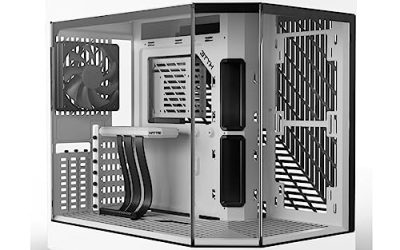
- Form factor: Dual-chamber ATX mid-tower (model CM-H92FB-R1)
- Motherboard support: E-ATX, ATX, Micro-ATX, Mini-ITX
- Included fans: 1 x 420 mm RGB fan unit (F420 RGB Core) and 1 x 120 mm fan
- Radiator support: Up to 420 mm

- Form factor: Mid-tower ATX (model CC-9011204-WW)
- Included fans: 3 x 120 mm SP120 RGB Elite fans
- Lighting control: iCUE Lighting Node CORE included, iCUE software, supports up to 6 fans
- Radiator support: Up to 360 mm (120/140/240/280/360 mm sizes listed)

- Form factor: ATX mid-tower (model LANCOOL 216 RGB)
- Motherboard support: E-ATX (up to 280 mm), ATX, Micro-ATX, Mini-ITX
- Included fans: 2 x 160 mm ARGB front fans and 1 x 140 mm PWM rear fan
- Lighting control: Two LED channels, motherboard lighting software via header connection
All 5 Picks at a Glance
| Product | Specs | Action |
|---|---|---|
| 1. NZXT H9 Flow RGB (2025) — Black |
| Check price on Amazon |
| 2. Corsair iCUE 4000X RGB — Black |
| Check price on Amazon |
| 3. Lian Li Lancool 216 RGB — Black |
| Check price on Amazon |
 4. Montech X3 Mesh — Black |
| Check price on Amazon |
 5. Thermaltake View 270 Plus TG ARGB — Black |
| Check price on Amazon |
Disclosure: As an Amazon Associate, we earn from qualifying purchases made through links on this page, at no extra cost to you.
A gaming PC case with built-in LED lighting does two jobs at once: it moves air through your components and it turns the finished build into something worth looking at. The five cases in this guide all ship with lighted fans already installed, so the glow is there from the first power-on rather than after a separate lighting purchase. They cover the main approaches on the market — a dual-chamber showcase design, a software-controlled iCUE system, oversized ARGB airflow fans, a six-fan fixed-rainbow mesh tower, and a panoramic glass chassis with ARGB fans included.
Our Top Picks
- LIAN LI LANCOOL 216 RGB Black ATX Mid-TowerMid-tower Case18.94 x 9.26 x 19.36 inches23.1 poundsCheck on Amazon
- MONTECH X3 Mesh High Airflow ATX Mid-Tower PCX3 MESH14.57 x 8.3 x 18.9 inches11.9 poundsCheck on Amazon
Top 3 picks at a glance
What to look for in an LED gaming PC case
Included fans and lighting control. The headline difference between these cases is how the lighting works. Addressable RGB (ARGB) fans let each LED be set individually through motherboard software or a maker app, which allows gradients and per-fan effects. Fixed RGB fans light up in a preset pattern and are simpler, with nothing to configure. Check how many fans are included, because a case that arrives with three or six fans fitted saves real build time.
Glass panels. Tempered glass front and side panels are what make the lighting visible. A wraparound or dual-glass layout shows the build from two angles, while a mesh front panel trades some of that display effect for direct airflow to the front fans. Decide which matters more for your desk setup: a showpiece beside the monitor, or maximum intake air.
Radiator and fan support. Lighted cases still need to fit your cooling plan. Published radiator support ranges from 360 mm in most mid-towers to 420 mm in the largest pick here. Fan capacity matters too — several of these cases accept ten or more fans in total, which gives the lighting design room to grow later.
Motherboard and graphics card clearance. Every pick here supports ATX boards, and some stretch to E-ATX. GPU clearance figures are published for each case below; long modern graphics cards need the bigger numbers. Back-connect motherboard support is also appearing on newer designs, routing cables behind the tray for a cleaner lit interior.
Colour and finish. Each of these cases is sold in more than one finish, and the listings treat each finish as its own product page. The picks below are the black versions; if you prefer a white build, follow the same model name on the store and confirm the fan package matches, because included fan counts and lighting types can differ between finishes of the same case family.
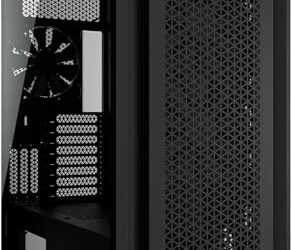
1. NZXT H9 Flow RGB (2025) — Black
- Form factor: Dual-chamber ATX mid-tower (model CM-H92FB-R1)
- Motherboard support: E-ATX, ATX, Micro-ATX, Mini-ITX
- Included fans: 1 x 420 mm RGB fan unit (F420 RGB Core) and 1 x 120 mm fan
- Radiator support: Up to 420 mm
The H9 Flow RGB is the showcase option. Its dual-chamber layout hides the power supply and cable runs in a separate compartment behind the motherboard, so the tempered glass front and side panels frame only the components and the lighting. NZXT fits a single F420 RGB Core fan unit — three 140 mm fans joined in one frame — along the side intake, plus a 120 mm fan at the rear, giving a wide, even band of light across the build.
Radiator support reaches 420 mm, the largest figure in this guide, and the case is ready for back-connect motherboards, which keeps connector cables out of the lit chamber. Motherboard support covers E-ATX, ATX, Micro-ATX and Mini-ITX, so the same chassis can host anything from a compact board to a flagship platform.
View the NZXT H9 Flow RGB on Amazon
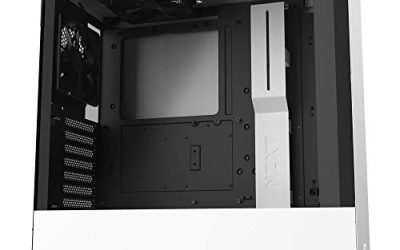
2. Corsair iCUE 4000X RGB — Black
- Form factor: Mid-tower ATX (model CC-9011204-WW)
- Included fans: 3 x 120 mm SP120 RGB Elite fans
- Lighting control: iCUE Lighting Node CORE included, iCUE software, supports up to 6 fans
- Radiator support: Up to 360 mm (120/140/240/280/360 mm sizes listed)
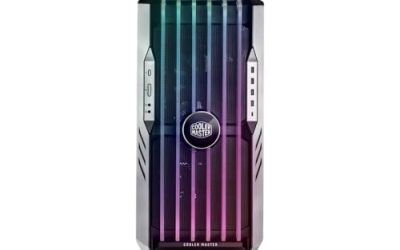
The 4000X RGB builds its lighting around control. Three SP120 RGB Elite fans sit behind the tempered glass front panel, each with eight individually addressable RGB LEDs, and the included iCUE Lighting Node CORE controller connects them to Corsair’s iCUE software for synchronised effects across the system. The controller supports up to six fans, so the lighting scheme can expand as fans are added.
Beyond the lighting, the case uses Corsair’s RapidRoute cable management system with 25 mm of routing space behind the motherboard tray, tempered glass side and front panels, and radiator support up to 360 mm. It is a mid-tower for ATX builds that want software-driven lighting without moving to a dual-chamber design.
View the Corsair iCUE 4000X RGB on Amazon
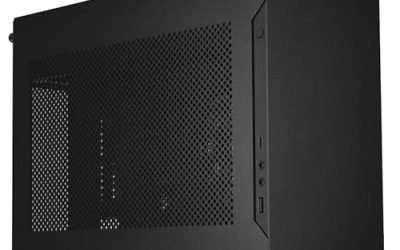
3. Lian Li Lancool 216 RGB — Black
- Form factor: ATX mid-tower (model LANCOOL 216 RGB)
- Motherboard support: E-ATX (up to 280 mm), ATX, Micro-ATX, Mini-ITX
- Included fans: 2 x 160 mm ARGB front fans and 1 x 140 mm PWM rear fan
- Lighting control: Two LED channels, motherboard lighting software via header connection
The Lancool 216 RGB puts airflow first and lights it with two oversized 160 mm ARGB fans behind its mesh front panel, backed by a 140 mm PWM rear fan. The big front fans move a large volume of air at lower speeds, and their two channels of LEDs can be controlled separately through an optional accessory or directly through motherboard lighting software when connected to a motherboard header.
The chassis supports E-ATX boards up to 280 mm wide alongside ATX, Micro-ATX and Mini-ITX, with room for graphics cards up to 392 mm long and CPU coolers up to 180 mm tall. Radiator support reaches 360 mm at the front and the top. For builders who want the lighting carried by the fans rather than by glass on every side, this is the balanced pick.
View the Lian Li Lancool 216 RGB on Amazon
4. Montech X3 Mesh — Black
- Form factor: ATX mid-tower
- Motherboard support: ATX, Micro-ATX, Mini-ITX
- Included fans: 6 fixed RGB fans (3 x 140 mm and 3 x 120 mm)
- Lighting control: Fixed RGB pattern with case LED button
The X3 Mesh arrives with the most fans in this guide: six fixed RGB lighting fans, three 140 mm units at the front and three 120 mm units filling the top and rear. Because the lighting pattern is fixed, there is no software setup and no controller to wire — the rainbow effect runs as soon as the system powers on, and an LED button on the case handles the lighting state.
A full mesh front panel feeds those front fans directly, and the tempered glass side panel opens on a door-style hinge for quick access to the interior. The case supports ATX, Micro-ATX and Mini-ITX boards and includes USB 3.0 front connectivity. It suits builders who want a complete lighted look in one purchase, with nothing extra to add.
View the Montech X3 Mesh on Amazon
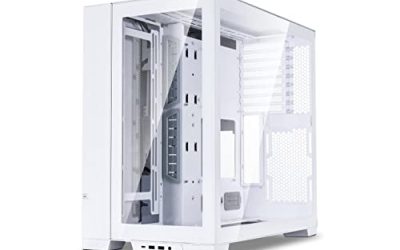
5. Thermaltake View 270 Plus TG ARGB — Black
- Form factor: Mid-tower (model CA-1Y7-00M1WN-01)
- Motherboard support: E-ATX, ATX, Micro-ATX, Mini-ITX
- Included fans: 3 x 120 mm ARGB fans
- Radiator support: Up to 360 mm
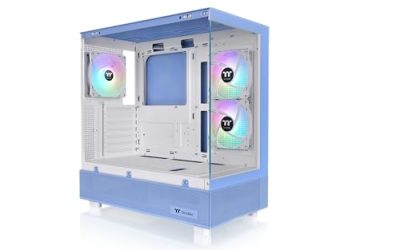
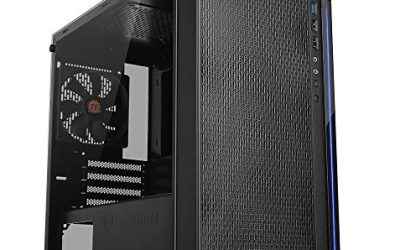
The View 270 Plus TG ARGB takes the panoramic route: tempered glass on both the front and the side wraps the interior in an uninterrupted view, and three 120 mm ARGB fans are included to light it. The fans connect for motherboard ARGB control, so effects can be matched with the rest of the system through the board maker’s lighting software.
Despite the glass-first design, the chassis is roomy. It supports E-ATX motherboards, radiators up to 360 mm, graphics cards up to 420 mm long and air coolers up to 180 mm tall, in a footprint of 456 x 230 x 454 mm. For a build that will sit on the desk as a display piece, the dual-glass layout shows more of the lighting than a standard side window.
View the Thermaltake View 270 Plus TG ARGB on Amazon
How these five compare
The NZXT H9 Flow RGB and the Thermaltake View 270 Plus TG ARGB are the display-first designs: dual glass, wide interiors, and lighting that fills the frame. The Corsair 4000X RGB is the control-first design, with per-LED addressing and software sync through iCUE. The Lian Li Lancool 216 RGB is the airflow-first design that still lights the front with two large ARGB fans, and the Montech X3 Mesh is the simplest route — six lighted fans fitted at the factory with a fixed pattern and no software involved.
Cooling headroom follows size. The H9 Flow RGB accepts the largest radiators at 420 mm, while the other four top out at 360 mm, which still covers the most common liquid cooling loops. GPU clearance is generous across the group, from 392 mm in the Lancool 216 to 420 mm in the View 270 Plus.
One practical check before ordering: confirm that your motherboard has the right headers for the lighting system you choose. ARGB fans need a 3-pin addressable header for motherboard control, while the Corsair system runs through its included controller and a USB header instead. The Montech’s fixed lighting needs no header at all.
FAQ
Do these cases need a separate lighting controller?
Not always. The Corsair 4000X RGB includes its iCUE Lighting Node CORE controller in the box, the Lancool 216 RGB and View 270 Plus TG ARGB connect to a motherboard ARGB header for software control, the NZXT H9 Flow RGB works with NZXT’s CAM ecosystem, and the Montech X3 Mesh uses fixed lighting with a case button, so it needs no controller or header.
What is the difference between RGB and ARGB fans?
Standard RGB fans light the whole fan in one colour at a time. Addressable RGB fans carry individually controllable LEDs, which allows different colours on the same fan and flowing gradient effects. The listings for each case above state which type is fitted, and the Specs blocks note the control method for each model.
Can the included fans be replaced or expanded later?
Yes. All five cases publish fan and radiator mounting support beyond the included fans — the H9 Flow RGB supports up to ten fans in total, and the 4000X RGB’s included controller alone handles up to six. Any standard fans of the published sizes can be added or swapped, as long as the lighting type matches the control method you plan to use.
Will a long graphics card fit in these cases?
Each case publishes a GPU clearance figure: 392 mm for the Lancool 216 RGB and 420 mm for the View 270 Plus TG ARGB are stated in their Specs blocks, and the dual-chamber H9 Flow RGB is built around large flagship cards. Measure your card’s length from its listing and compare it with the published clearance before ordering.
Related guides
More from Amazon
Programs that pair well with the guide above. Offers and eligibility are set by Amazon and may change.
A free business account with business pricing and bulk-buying tools for work, shop or home office.
Create a business accountFree shipping on eligible items, Prime Video and more. Eligible new members can start with a free trial.
Start a Prime free trialAudiobooks and podcasts to listen to on the go. Eligible new members can start with a free trial.
Try Audible freeAd-free music streaming. Eligible new subscribers can start with a free trial.
Try Music Unlimited freeAs an Amazon Associate we earn from qualifying purchases.