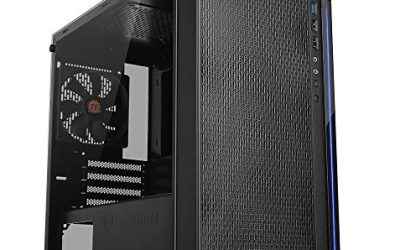
A case for many hard drives is really a decision about how your storage grows. A chassis with two or three trays looks fine on the day you build, then turns into a rebuild once the fourth and fifth drives arrive and there is nowhere sensible to mount them. The right choice starts by counting the drives you own today, adding the ones you expect over the next couple of years, and picking a case whose cage layout leaves those future slots reachable without pulling the whole build apart.


This guide is for home server builders, media collectors, and anyone keeping a local backup library instead of renting cloud space. Every case below states its drive-bay count on its Amazon listing, so the shortlist rests on the numbers the listing itself gives: trays, hot-swap cages, and combo mounts, not a vague claim about capacity.
Quick Picks
As an Amazon Associate we earn from qualifying purchases
| Product | Best for | Key spec from title |
|---|---|---|
| Fractal Design Define 7 XL | Largest drive collection in a quiet room | Up to 18 HDDs |
| Fractal Design Define 7 | Mid-tower build with room to grow | Up to 14 HDDs |
| Cooler Master HAF 700 EVO | Full tower with a display and strong airflow | IRIS Customizable LCD |
| JONSBO N5 | Home server with hot-swap bays | 12HDD+4SSD Drive Bay |
| Phanteks Enthoo Pro 2 Server Edition | Workstation board with server storage | 11-PCI Slots |
How to Choose
Count bays the honest way
A listing can describe the same case in several numbers, so read the bay count the way the manufacturer breaks it down. Included trays are the drives you can mount on day one, while total positions often need extra trays or brackets bought separately. A combo tray that takes either a 3.5-inch hard drive or a 2.5-inch SSD counts once, not twice, and a 5.25-inch bay only holds a hard drive with an adapter. Write down how many 3.5-inch drives you need, then compare that number against included trays first and total positions second.
Cage layout decides airflow
A drive cage sitting in front of the intake fans blocks the air that cools everything behind it, so a case full of spinning disks needs a plan for moving air past them. Look for cages you can shift, remove, or split, because pulling one cage out can open a clear path from the front fans to the graphics card. Cases with a second chamber or a separate drive compartment keep the disks away from the hottest parts entirely. If the layout forces every drive into one solid wall in front of the intake, expect warmer drives and louder fans under load.
Mind the size and power supply trade-offs
The biggest storage cases are full towers for a reason, and that size brings its own demands. Measure the desk or shelf first, because a 600 mm deep chassis overhangs furniture built for mid-towers, and a loaded case is heavy enough that moving it for cleaning becomes a two-person job. Power supply length also eats into drive space: several cases in this guide lose front bays when a long ATX unit goes in, so check the length limit with the cages installed before ordering. A shorter supply is often the cheaper fix.
Plan access, noise, and growth
Spinning hard drives hum and click, and a dozen of them together are louder than any single fan, so sound damping matters when the machine sits in a living room or bedroom. Solid panels and dense foam cut the noise, while mesh fronts trade quiet for cooler drives. Think about how often you will touch the drives: hot-swap cages let you pull one out without opening the side panel, which matters for a server you service monthly. Finally, leave one or two empty bays and a spare SATA port, because a full case is a rebuild waiting to happen.
The 5 Best Options
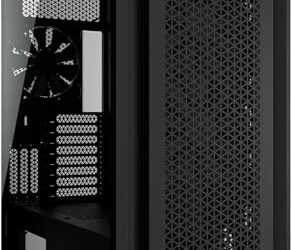
Fractal Design Define 7 XL
The Define 7 XL is the case to buy when the drive count itself is the brief. Its Storage Layout holds up to 18 hard drives alongside five SSD mounts, which is more than any other case here and enough for a media library that keeps growing year after year. Sound-damped panels keep a full cage of spinning disks from dominating the room, and the dual-layout interior lets you trade some of that storage for radiator space if the build later turns toward water cooling. It is a large, heavy full tower, so it suits a build that stays put.
Specs
- Full tower case with brushed aluminum and steel construction
- Up to 18 HDDs alongside 5 SSD mounts in the Storage Layout
- 6 HDD/SSD trays, 2 SSD brackets, and 2 multi-brackets included
- Two 5.25-inch ODD bays convertible to a front fan mount
- Three Dynamic X2 GP-14 140mm fans preinstalled
- Front I/O with USB 3.1 Gen 2 Type-C, 2 USB 3.0, and 2 USB 2.0 ports
- Dimensions 604 x 240 x 566 mm
Best for: Builders with the largest drive collection who want a quiet room.
Watch out for: Confirm it is still sold before buying. The size and weight make it a poor fit for small desks, and long graphics cards need the Open Layout.
ASIN: B08146GB6Y
Fractal Design Define 7
The Define 7 brings the same storage-first thinking into a mid-tower that fits where a full tower cannot. Its Storage Layout takes up to 14 hard drives with four dedicated SSD mounts, and six HDD/SSD trays come in the box, so most builders will never need to buy extra mounting hardware. Sound-damped panels and a solid side panel keep the build discreet, while the dual-layout interior still leaves room for radiators up to 420 mm up top. For a home server or media PC that lives in a shared space, this is the most balanced case in the group.
Specs
- Mid tower case with brushed aluminum and steel construction
- Up to 14 HDDs along with 4 dedicated SSD mounts in the Storage Layout
- 6 HDD/SSD trays, 2 SSD brackets, and 1 multi-bracket included
- One 5.25-inch ODD bay convertible to a front fan mount
- Three Dynamic X2 GP-14 140mm fans preinstalled
- Front I/O with USB 3.1 Gen 2 Type-C, 2 USB 3.0, and 2 USB 2.0 ports
- Dimensions 547 x 240 x 475 mm
Best for: A mid-tower home server or media PC in a shared room.
Watch out for: Confirm it is still sold before buying. Filling every bay shortens graphics card clearance, so check the storage-layout limit before choosing a long card.
ASIN: B084SZFVK1
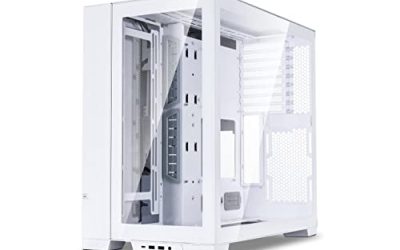
Cooler Master HAF 700 EVO
The HAF 700 EVO is the pick for a build that stores a lot and still wants to be looked at. Twelve combo bays take 2.5-inch or 3.5-inch drives, and the customizable Iris LCD on the front gives the case a control panel that no other option here offers. Two 200 mm SickleFlow fans move a large volume of air through the mesh front, which helps when a dozen drives are adding heat inside the chassis. Rotatable radiator brackets and support for boards up to SSI-EEB make it flexible for workstation duty as well as storage.
Specs
- E-ATX high airflow full tower case with breathable tempered glass front panel
- 12 combo 2.5-inch / 3.5-inch drive bays
- IRIS customizable LCD display on the front panel
- 200mm SickleFlow ARGB fans included
- 1 x USB 3.2 Gen 2 Type-C and 4 x USB 3.2 Gen 1 ports
- Radiator support up to 480mm
- Dimensions 556 x 279 x 540 mm
Best for: A showpiece full tower that still needs room for many drives.
Watch out for: Confirm it is still sold before buying. The case is wide and heavy, and the LCD and lighting add setup steps a plain storage build does not need.
ASIN: B09TL7Z2DZ
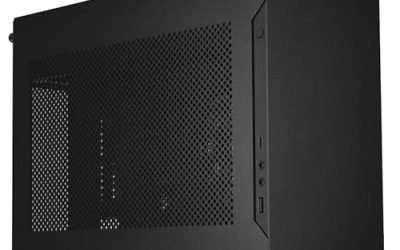
JONSBO N5
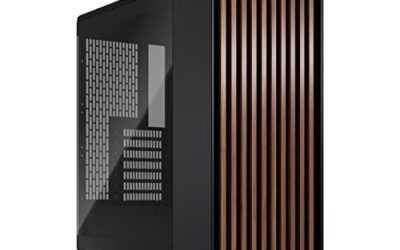
The JONSBO N5 is built for one job: holding a home server’s drives where you can reach them. Twelve 3.5-inch bays sit behind the front on hot-swap backplanes, so a failed drive slides out without opening the case or unplugging cables inside. Four more 2.5-inch mounts sit on the side for cache or system SSDs, and the case still takes boards up to E-ATX plus up to four graphics cards. A walnut veneer front softens the look, which helps when the server lives in a living room rather than a closet.
Specs
- E-ATX NAS PC case with solid wood veneer front panel
- 12 hot-swap 3.5-inch HDD bays plus 4 SSD bays
- 16 internal bays in total
- Supports up to 4 GPUs with 350mm clearance
- 3 fans built in, 8 PCI slots
- Supports E-ATX motherboards up to 330mm and ATX power supplies
- North American black walnut veneer decoration
Best for: A home server where drives get swapped without opening the case.
Watch out for: Confirm it is still sold before buying. A power supply 170mm or longer cuts the front to 8 drive slots, so pick a shorter unit first.
ASIN: B0DG2N3PBB
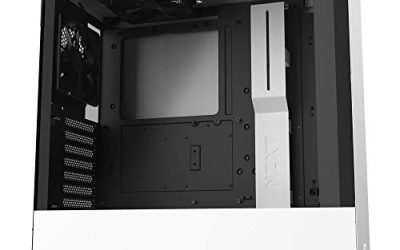
Phanteks Enthoo Pro 2 Server Edition
The Enthoo Pro 2 Server Edition is the case for a machine that is half server and half workstation. Ten internal bays give it real storage capacity, while support for SSI-EEB boards and eleven PCI slots leaves room for a host bus adapter, a network card, and more besides. Fifteen fan positions mean airflow can be tuned around a full drive load rather than squeezed through one intake. The closed panel keeps the focus on function, and the big-tower frame has the depth for large boards that smaller cases cannot take.
Specs
- Server edition full tower case with closed panel
- 10 internal drive bays with hidden SSD mounts
- SSI-EEB motherboard support
- 11 PCI slots
- 15 fan positions
- Closed panel design
Best for: A workstation or server build on a large board with many drives.
Watch out for: Confirm it is still sold before buying. It ships without fans in some configurations, so check what is included before ordering cooling.
ASIN: B0CBPL895B
Which One Fits Your Situation
You want the biggest drive count in a quiet room
Choose the Fractal Design Define 7 XL. Its Storage Layout holds up to 18 hard drives, and the sound-damped panels are designed for exactly this situation: a full cage of spinning disks in a room where people work or sleep. Nothing else here comes close on raw capacity, and the dual-layout interior leaves an escape route if the build later needs more cooling than storage.
You run a home server and swap drives often
Choose the JONSBO N5. Hot-swap bays mean a failed drive comes out from the front without opening the side panel or tracing cables, which is the difference between a five-minute fix and an afternoon. Twelve 3.5-inch bays plus four SSD mounts cover a serious array, and the walnut front keeps the box presentable outside a rack.
You need many drives but only have mid-tower space
Choose the Fractal Design Define 7. It fits a standard desk footprint while still holding up to 14 hard drives in its Storage Layout, and six trays arrive in the box. The quiet panels suit a shared room, and the case still takes radiators up to 420 mm if the processor needs serious cooling later.
You want a full tower that shows off the build
Choose the Cooler Master HAF 700 EVO. Twelve combo bays hold the storage, two 200 mm fans keep air moving through the mesh front, and the Iris LCD gives the case a display no plain storage box offers. It also supports boards up to SSI-EEB, so a workstation build with a large drive array fits without compromise.
Common Mistakes
- Counting combo trays twice: one tray holds either a 3.5-inch hard drive or a 2.5-inch SSD, not both at once.
- Buying a long power supply that blocks the front bays, then discovering the case only fits eight drives instead of twelve.
- Filling every cage and leaving no empty bay or spare SATA port for the next drive.
- Putting a dozen spinning drives in a mesh case in a bedroom and being surprised by the hum at night.
- Choosing a case for its looks and only checking the drive count after the rest of the parts arrive.
Frequently Asked Questions
How many hard drives should I plan room for?
Count the drives you own now, then add the ones you expect over the next two or three years. A media library or backup set grows faster than most people predict, so leaving two empty bays is cheap insurance. If your count already passes six, a storage-focused case with removable cages beats a gaming case with two token trays.
Do hot-swap bays actually matter?
They matter when the machine runs all the time and a drive fails. A hot-swap cage lets you pull the failed drive from the front and slide a replacement in without opening the case or powering down. For a media PC you touch twice a year, fixed trays are fine and the extra cost buys nothing.
Will a full drive cage hurt cooling?
It can, because a wall of drives in front of the intake blocks air from reaching the graphics card and processor. Cases with removable or split cages let you open a path for the front fans, and a second chamber keeps drives away from hot parts. Check the cage layout, not just the fan count, before buying.
Can I use a server motherboard in these cases?
Some of them, yes. The Phanteks Enthoo Pro 2 Server Edition and the Cooler Master HAF 700 EVO both support SSI-EEB boards, and the Fractal Design Define 7 XL takes E-ATX and SSI-EEB as well. Check the board width against the case specification, since a wide server board needs the mounting points and the clearance behind the drive cages.
Related guides
More from Amazon
Programs that pair well with the guide above. Offers and eligibility are set by Amazon and may change.
A free business account with business pricing and bulk-buying tools for work, shop or home office.
Create a business accountFree shipping on eligible items, Prime Video and more. Eligible new members can start with a free trial.
Start a Prime free trialAudiobooks and podcasts to listen to on the go. Eligible new members can start with a free trial.
Try Audible freeAd-free music streaming. Eligible new subscribers can start with a free trial.
Try Music Unlimited freeAs an Amazon Associate we earn from qualifying purchases.