Our Short List of 3

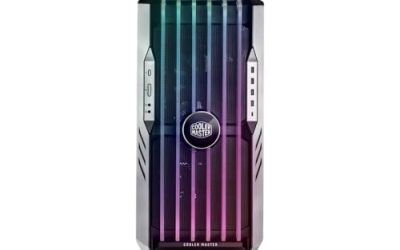
- Best for: A large ATX gaming build where the front fans and lighting are part of the display.
- Mid-tower ATX case with four tempered glass panels
- Supports Mini-ITX, Micro-ATX, ATX, and E-ATX motherboards
- Three 120mm SP RGB ELITE fans included with iCUE Lighting Node CORE
- Up to ten 120mm fan mounts and three 360mm radiator locations

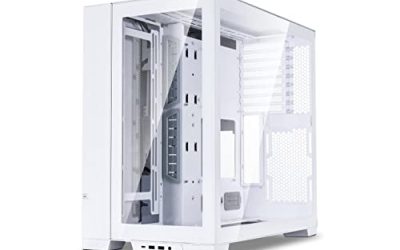
- Best for: A compact dual-chamber showcase where a clean interior matters as much as the glass.
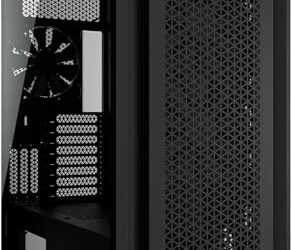
- ATX mid-tower case with three-sided tempered glass panels
- Dual-chamber layout with a mesh top panel
- Supports back-connect motherboards for hidden cable routing
- Graphics cards up to 408mm in length
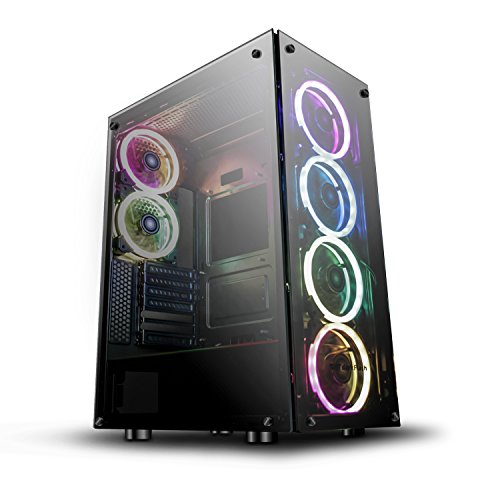
- Best for: A full-tower custom loop where every side of the build is meant to be seen.
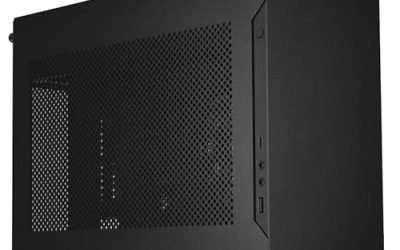
- Full-tower case with four 5mm tempered glass panels on the front, top, and both sides
- Supports Mini-ITX, Micro-ATX, ATX, and E-ATX motherboards
- Three 140mm Riing RGB fans included, two at the front and one at the rear
- Vertical GPU mount with dual PCI-E slots
All 4 Picks at a Glance
| Product | Specs | Action |
|---|---|---|
| Corsair iCUE 5000X RGB |
| Check price on Amazon |
| Lian Li O11 Vision Compact |
| Check price on Amazon |
| Thermaltake View 71 TG RGB |
| Check price on Amazon |
 HYTE Y60 Snow White |
| Check price on Amazon |
A front window changes the whole decision around a PC case. Instead of hiding the graphics card, the cooler, and the lighting behind a solid steel panel, the front of the case becomes part of the display, so the look of the build matters as much as the hardware inside it. That trade-off is the real choice here: more glass means a clearer view of the components, while a case with generous fan mounts and radiator room keeps the showpiece running cool under load.
This guide is for builders putting together a showcase system, whether that means a first gaming rig with lit fans, a dual-chamber build with a vertical graphics card, or a full custom loop that deserves to be seen. The four cases below were picked from their Amazon listing names and specifications, and every one of them states a tempered glass front panel rather than a plain side window alone.
Our Top Picks
Top 3 picks at a glance
Quick Picks
As an Amazon Associate we earn from qualifying purchases.
| Product | Best for | Key spec from title |
|---|---|---|
| Corsair iCUE 5000X RGB | A large ATX show build with lit fans | Four tempered glass panels |
| Lian Li O11 Vision Compact | A compact dual-chamber showcase | Three-sided tempered glass panels |
| Thermaltake View 71 TG RGB | A full-tower custom loop display | Four 5mm tempered glass panels |
| HYTE Y60 Snow White | A panoramic white build with a vertical GPU | Panoramic tempered glass front and side |
How to Choose
Glass Coverage and Panel Layout
Start by checking exactly which panels are glass. A case with a glass side panel only still hides the front of the build, while a front window puts the fans, the cooler, and the graphics card face on display from the front of the desk. Some designs use a single flat front pane, while others wrap the glass around the corner for a panoramic view with no pillar in the middle. Thicker glass, such as the 5mm panels on a full tower, also feels sturdier when the case is moved. Look at how each panel is held in place, too, since hinged doors and tool-free panels make cleaning and part swaps far easier than panels fixed with many small screws.
Airflow Behind the Glass
Glass looks great, but a solid front pane blocks the direct path air would normally take into the case, so the cooling layout matters more here than on a mesh-front chassis. Check how many fans fit at the front, the top, and the rear, and whether the case leaves a gap or a side channel for intake air to slip past the glass. Cases with dust-filtered side intakes or a raised glass panel tend to breathe better than designs where the glass sits flush against the frame. If the build will run a hot graphics card or a long rendering session, favour a case with room for several large fans or a thick radiator.
Size, Clearance, and Radiator Room
A show build often grows: a longer graphics card, a taller air cooler, or a second radiator added later. Measure the desk space first, then compare the case dimensions and the maximum graphics card length, CPU cooler height, and power supply length in the listing. Full towers swallow the biggest custom loops and the longest cards, while a compact dual-chamber case trades some of that room for a smaller footprint. Also confirm how many radiator positions the case offers and which sizes each one accepts, because a 360mm radiator that only fits at the top limits the layout more than one that fits at the front or the side as well.
Cable Management and Build Access
A front window exposes messy cabling just as clearly as it shows off tidy work, so the interior layout deserves real attention. Dual-chamber cases hide the power supply and the drive cables behind the motherboard tray, which keeps the visible chamber clean without hours of cable routing. Look for a generous gap behind the tray, tie-down points, and a power supply shroud on single-chamber designs. Removable panels, a sliding motherboard tray, and a front I/O cluster placed within easy reach all make the build itself less fiddly, and they matter even more once the system is finished and the glass goes back on.
The 4 Best Options
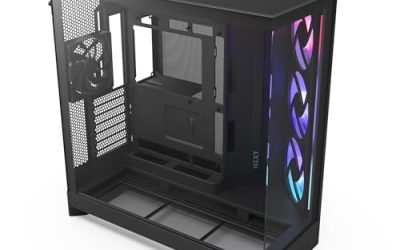
Corsair iCUE 5000X RGB
- Best for: A large ATX gaming build where the front fans and lighting are part of the display.
- Mid-tower ATX case with four tempered glass panels
- Supports Mini-ITX, Micro-ATX, ATX, and E-ATX motherboards
- Three 120mm SP RGB ELITE fans included with iCUE Lighting Node CORE
- Up to ten 120mm fan mounts and three 360mm radiator locations
A large ATX gaming build where the front fans and lighting are part of the display.
The glass panels add weight and need a firm grip during removal, so clear a flat surface before opening the case.
The 5000X RGB suits a builder who wants a big, bright ATX system where the front of the case does as much showing off as the side. Its four tempered glass panels wrap the build in glass, and the three included RGB fans sit right behind the front pane, so the lighting is visible head-on rather than only from the side. With room for several radiators and a long list of fan mounts, it handles a high-end gaming build without forcing the cooling layout into a corner. The wide interior also gives a first-time builder room to work without scraping knuckles on the frame.
Watch out for: The glass panels add weight and need a firm grip during removal, so clear a flat surface before opening the case.
Lian Li O11 Vision Compact
- Best for: A compact dual-chamber showcase where a clean interior matters as much as the glass.
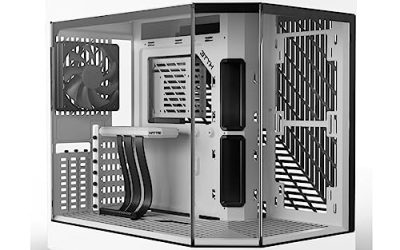
- ATX mid-tower case with three-sided tempered glass panels
- Dual-chamber layout with a mesh top panel
- Supports back-connect motherboards for hidden cable routing
- Graphics cards up to 408mm in length
A compact dual-chamber showcase where a clean interior matters as much as the glass.
The glass wraps around the corner, so leave clearance on both the front and the side of the desk for viewing and cleaning.
The O11 Vision Compact is the pick for a builder who wants the panoramic look without giving up half the desk to a full-size tower. Its three-sided glass wraps the front and side in one clear view, and the dual-chamber layout keeps the power supply and cables out of sight behind the motherboard tray. Back-connect motherboard support hides even more wiring, which suits builders who want the visible chamber to look clean from every angle. Despite the smaller footprint, it still accepts a full ATX board and a long graphics card.
Watch out for: The glass wraps around the corner, so leave clearance on both the front and the side of the desk for viewing and cleaning.
Thermaltake View 71 TG RGB
- Best for: A full-tower custom loop where every side of the build is meant to be seen.
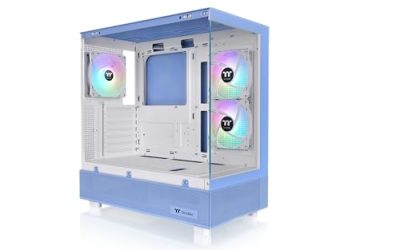
- Full-tower case with four 5mm tempered glass panels on the front, top, and both sides
- Supports Mini-ITX, Micro-ATX, ATX, and E-ATX motherboards
- Three 140mm Riing RGB fans included, two at the front and one at the rear
- Vertical GPU mount with dual PCI-E slots
A full-tower custom loop where every side of the build is meant to be seen.
At full-tower size and weight, measure the desk or floor space carefully before committing to this chassis.
The View 71 TG RGB is built for the biggest showpieces, the kind of system with a custom water loop, a vertical graphics card, and a long list of drives. Four 5mm tempered glass panels cover the front, top, and both sides, and the hinged side doors swing open for access without removing the glass entirely. Three included RGB fans light the interior from the front and rear, and the modular racks and brackets let the interior be rearranged around radiators and reservoirs. It is a heavy full tower, so it suits a permanent spot on or beside a sturdy desk.
Watch out for: At full-tower size and weight, measure the desk or floor space carefully before committing to this chassis.
HYTE Y60 Snow White
- Best for: A white-themed build with a vertical graphics card shown through panoramic glass.
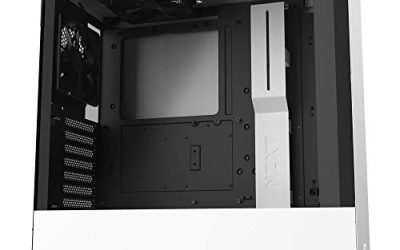
- Mid-tower ATX case with panoramic tempered glass front and side panels
- Dual-chamber layout with the power supply housed behind the motherboard tray
- PCIe 4.0 riser cable included for vertical GPU mounting
- Three-part bezel-less tempered glass panel design
A white-themed build with a vertical graphics card shown through panoramic glass.
A white interior shows dust and fingerprints sooner than a dark one, so plan on wiping the glass more often.
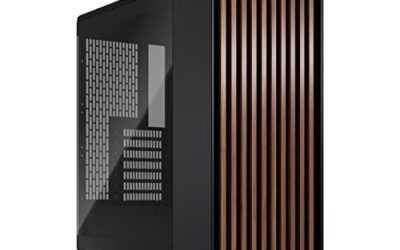
The Y60 in Snow White is the choice for a bright, white-themed build where the graphics card takes centre stage. Its bezel-less panoramic glass runs across the front and side with no corner pillar, and the included PCIe 4.0 riser cable lets the graphics card mount vertically so its fans and shroud face outward through the glass. The dual-chamber layout keeps the power supply and storage tucked away, which helps a white build stay visually clean. It is a strong fit for a builder who wants the case itself to look like a display cabinet.
Watch out for: A white interior shows dust and fingerprints sooner than a dark one, so plan on wiping the glass more often.
Which One Fits Your Situation
A First Showcase Build on a Desk
Pick the Corsair iCUE 5000X RGB. Its wide mid-tower interior is forgiving for a first build, the included RGB fans already fill the front window with light, and the three radiator positions leave room to add a liquid cooler later. The four glass panels make the finished system look complete from the front without demanding a custom loop or a vertical GPU mount to earn the display.
A Big Custom Loop You Want to Display
Pick the Thermaltake View 71 TG RGB. The full-tower frame and modular interior accept large radiators and reservoirs, the vertical GPU mount puts the graphics card on show, and glass on all four sides means the loop is visible from any angle. Its hinged side doors also make draining and refilling a loop less awkward than removing a screwed-on panel every time.
A Compact Desk With a Back-Connect Board
Pick the Lian Li O11 Vision Compact. The three-sided glass gives the panoramic effect in a smaller footprint, and back-connect support keeps the visible chamber free of cable clutter. It still fits a full ATX board and a long graphics card, so the smaller size does not force a compromise on the core hardware.
A White Build With a Vertical Graphics Card
Pick the HYTE Y60 Snow White. The panoramic glass and the included riser cable are made for showing a vertical graphics card, and the white finish ties the whole build together. The dual-chamber layout hides the power supply and cables, keeping the bright interior looking tidy and clean through the glass.
Common Mistakes
- Buying a case for its side window alone and discovering the front panel is solid steel with no window at all.
- Choosing the biggest full tower available without measuring the desk, then finding it blocks a monitor arm or a drawer.
- Forgetting that a solid glass front needs side or top intake paths, and then wondering why temperatures climb under load.
- Picking a graphics card longer than the case clearance, or a cooler taller than the listed maximum, and only learning it during assembly.
- Routing cables loosely in a glass-front case, where every stray wire is visible through the window.
Frequently Asked Questions
Does a front glass panel hurt airflow?
A solid glass front restricts direct intake compared with a mesh front, so the case needs another path for air, such as side intakes, a raised panel, or strong top and rear exhaust. Check the fan mounts and radiator positions before buying, and favour a design with several large fans if the build will run hot. A sensible layout can still cool a high-end system well.
What size case do I need for a show build?
Match the case to the largest part first, usually the graphics card or the radiator. A mid-tower suits most ATX builds with one long card and a 240mm or 360mm cooler, while a full tower suits custom loops, multiple radiators, and extra drives. Measure the desk as well, since a full tower can dominate a small workspace and block other gear.
Can I mount my graphics card vertically in these cases?
It depends on the case. The Thermaltake View 71 TG RGB includes a vertical GPU mount, and the HYTE Y60 ships with a PCIe 4.0 riser cable for vertical mounting. The Corsair 5000X RGB and the Lian Li O11 Vision Compact use horizontal mounting as standard, so check the listing for a vertical bracket or riser support before assuming the card can face outward.
How do I keep a glass-front case looking clean?
Wipe the glass with a soft, lint-free cloth and avoid paper towels that can leave fibres or fine scratches. Route cables behind the motherboard tray or in the second chamber so the visible area stays tidy. A quick dusting of the fans and filters every few weeks also keeps the interior bright, since dust shows up fast behind clear glass.
Related guides
More from Amazon
Programs that pair well with the guide above. Offers and eligibility are set by Amazon and may change.
A free business account with business pricing and bulk-buying tools for work, shop or home office.
Create a business accountFree shipping on eligible items, Prime Video and more. Eligible new members can start with a free trial.
Start a Prime free trialAudiobooks and podcasts to listen to on the go. Eligible new members can start with a free trial.
Try Audible freeAd-free music streaming. Eligible new subscribers can start with a free trial.
Try Music Unlimited freeAs an Amazon Associate we earn from qualifying purchases.