A 32 inch curved monitor earns its desk space when the curve, the resolution and the refresh rate all pull in the same direction. At this size a flat panel leaves the corners farther from your eyes than the center, which is the problem the curve solves, and a QHD panel keeps text and game detail clean across the whole width. The four models below all meet the two hard requirements of this roundup: a screen in the 32 inch class and a genuinely curved panel.


One honest note before the picks. Several monitors sold in the 32 inch class, including two here, use a panel with 31.5 inches of viewable area, and their listings say so plainly. That is the standard way this size class is sold, not a downgrade, and each affected model’s specs flag it so you can compare like with like. Beyond that, the real differences are curve radius, refresh headroom and which adaptive sync standard each panel carries.
Quick Picks
As an Amazon Associate we earn from qualifying purchases.
| Product | Best for | Key spec from title |
|---|---|---|
| Samsung Odyssey G55C 32 Inch | The deepest curve and fast QHD play | 1000R Curved, 165Hz, 1ms |
| ASUS TUF Gaming VG32VQ1B | All-round gaming with built-in speakers | 1500R Curved, 165Hz, ELMB |
| Dell S3222DGM | A gentler curve for mixed work and play | 1800R Curved, 165Hz, VA Panel |
| MSI Optix G32CQ4 E2 | The highest refresh rate in this group | 1500R Curvature, 170Hz, 1ms |
How to Choose
Match the curve radius to your seating distance
Curve radius is written as a number followed by R, and a smaller number means a tighter wrap. A 1000R panel curves the most aggressively and suits a single viewer sitting close, centered on the screen, because the edges bend toward your peripheral vision. A 1500R panel is the middle ground most gaming monitors in this class use, while an 1800R curve is gentle enough that the screen still feels natural when you lean back or share the view with someone beside you. There is no correct radius in isolation; there is only the radius that matches how close you sit and whether anyone else watches the screen.
Insist on QHD rather than Full HD at this size
Stretching a 1920 by 1080 picture across 32 inches spreads each pixel thin, and the softness shows first in text, menus and fine detail in strategy games. Every monitor in this roundup uses a 2560 by 1440 QHD panel, which keeps the image dense enough for reading and sharp enough for gaming at typical desk distances. If a listing in this size class advertises Full HD instead, treat that as a step down rather than a bargain feature, because no refresh rate or curve can compensate for a picture that is visibly grainy at arm’s length.
Check the refresh rate and the sync standard together
A high refresh rate only helps if your graphics card can feed it and the panel can keep the image clean when frame rates wander. All four monitors here run at 165Hz or 170Hz, and each carries AMD FreeSync in standard or Premium form, which matches the panel’s refresh to the card’s output to prevent tearing. Premium adds low framerate compensation, useful when a demanding scene dips well below the panel’s range. Console players should also check the listing for how the monitor handles a 120Hz signal over HDMI, since that behavior differs between models even when the headline refresh rate looks identical.
Count the inputs and the stand before you buy
A 32 inch monitor usually serves more than one machine, so the port layout matters. Look for DisplayPort for a PC, at least one or two HDMI inputs for consoles or a second computer, and a VESA mount pattern if the panel will go on an arm. Stand adjustment is the other quiet deal-breaker: some models in this class offer tilt only, which is fine on a desk at the right height and frustrating everywhere else. Reading the listing’s own specification lines for inputs, mount pattern and adjustment range takes a minute and prevents the most common returns.
The 4 Best Options
1. Samsung Odyssey G55C 32 Inch
Samsung builds the G55C around the tightest curve in this group, and that single decision shapes everything about using it. The 1000R radius wraps the QHD panel close around a centered viewer, which makes racing games, flight sims and first-person titles feel unusually enveloping for a single screen. The 165Hz refresh rate and 1ms MPRT response keep motion tidy, HDR10 support is on the listing, and FreeSync smooths out frame rate dips. If you sit close, sit centered and play mostly alone, this is the monitor here that commits hardest to immersion.
Specs (from the listing):
– Model: Odyssey G55C, LS32CG550ENXZA
– Screen size: 32 inch
– Resolution: QHD 2560 x 1440
– Curve: 1000R curved
– Refresh rate: 165Hz
– Response time: 1ms MPRT
– HDR: HDR10
– Adaptive sync: AMD FreeSync
Best for: Solo gamers who sit close and want the strongest wrap-around effect in this size class.
Watch out for: The tight 1000R curve is a poor match for viewers sitting off to the side, and the listing does not promise height adjustment.
ASIN: B0CRGJC5ZD
2. ASUS TUF Gaming VG32VQ1B
The VG32VQ1B is the most complete all-rounder in this roundup. Its 1500R curve sits between the Samsung’s deep wrap and the Dell’s gentle arc, the QHD panel runs at 165Hz with support for 144Hz output, and ASUS adds ELMB motion blur reduction alongside FreeSync Premium. Built-in speakers are genuinely useful for a desk that doubles as a console station, and the listing confirms both DisplayPort and HDMI inputs plus VESA mountability. Buyers who want one screen to handle PC gaming, console sessions and everyday work without a separate speaker purchase will find the fewest compromises here.
Specs (from the listing):
– Model: TUF Gaming VG32VQ1B
– Screen size: 32 inch class (31.5 inch viewable)
– Resolution: WQHD 2560 x 1440
– Curve: 1500R curved
– Refresh rate: 165Hz (supports 144Hz)
– Response time: 1ms MPRT
– Motion feature: ELMB (Extreme Low Motion Blur)
– Adaptive sync: FreeSync Premium
– Extras: built-in speakers, DisplayPort and HDMI, VESA mountable
Best for: Mixed PC and console desks that want one balanced panel with speakers included.
Watch out for: The viewable area is 31.5 inches rather than a full 32, as the listing itself states.
ASIN: B088MKF848
3. Dell S3222DGM
Dell’s S3222DGM takes the opposite approach to the Samsung: an 1800R curve so mild that the monitor behaves almost like a flat panel for work, while still taking the edge glare and corner distance out of long gaming sessions. The VA panel runs at 165Hz with FreeSync Premium, the listing states 99 percent sRGB coverage for color work, and the input set covers DisplayPort plus two HDMI ports for a PC and two consoles at once. For a desk that splits its hours between documents, spreadsheets and games, this is the most natural fit in the group.
Specs (from the listing):
– Model: S3222DGM
– Screen size: 31.5 inch viewable (32 inch class)
– Resolution: QHD 2560 x 1440
– Curve: 1800R curved
– Refresh rate: 165Hz
– Panel type: VA
– Adaptive sync: AMD FreeSync Premium
– Color coverage stated on listing: 99 percent sRGB
– Inputs: DisplayPort and 2 x HDMI
Best for: Shared desks where the monitor splits time between office work and evening gaming.
Watch out for: The gentle curve gives the least immersion of the four, so dedicated sim players should look at the Samsung instead.
ASIN: B09FCR5658
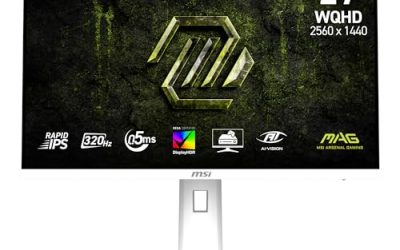
4. MSI Optix G32CQ4 E2
The G32CQ4 E2 is the refresh-rate pick. Its listing leads with a 170Hz refresh rate, the highest in this roundup, paired with a 1ms response time and FreeSync support on a 1500R curved QHD panel. That combination suits competitive players who run fast-paced titles at high frame rates and want a big screen rather than the usual smaller esports sizes. The listing confirms tilt adjustment on the stand. Anyone whose graphics card regularly pushes past 165 frames per second in their main games gets a panel here that can actually display the difference.
Specs (from the listing):
– Model: Optix G32CQ4 E2
– Screen size: 32 inch
– Resolution: WQHD 2560 x 1440
– Curve: 1500R curvature
– Refresh rate: 170Hz
– Response time: 1ms
– Adaptive sync: FreeSync
– Stand: tilt adjustment
Best for: High frame rate players who want a large curved panel that keeps up with a strong graphics card.
Watch out for: FreeSync here is the standard version rather than Premium, and the stand adjusts for tilt only.
ASIN: B09YLCM4X1
Which One Fits Your Situation
You play immersive single-player games alone at your desk
Choose the Samsung Odyssey G55C. The 1000R curve is designed for exactly one viewer in exactly one seat, and it delivers the strongest sense of being surrounded by the game world that a single 32 inch panel can offer. Pair it with a chair position you keep consistent, because the effect depends on staying centered.
Your desk hosts a PC, a console and your day job
Choose the ASUS VG32VQ1B. The moderate 1500R curve, the built-in speakers, the DisplayPort and HDMI inputs and the VESA mount option make it the easiest of the four to build a flexible desk around, and FreeSync Premium keeps console and PC gaming both smooth.
The monitor is shared with family or a partner
Choose the Dell S3222DGM. Its gentle 1800R curve keeps the picture comfortable from off-center seats, the two HDMI inputs remove cable swapping, and the stated sRGB coverage makes it the safest choice here for photo viewing and general work alongside games.
You chase frame rates in competitive titles
Choose the MSI Optix G32CQ4 E2. The 170Hz panel is the point of this model, and it makes the most sense when your hardware can feed it. If your card sits closer to 100 frames per second in your main games, the money is better spent on the ASUS or Dell.
Common Mistakes
- Buying a Full HD panel at 32 inches and discovering the picture looks soft for both text and games.
- Choosing the tightest curve for a shared screen, then finding the edges distort for anyone not sitting dead center.
- Assuming a 165Hz or 170Hz headline rate applies over every input, without checking what the listing says about HDMI.
- Ignoring stand adjustment and VESA support, then finding the panel sits at the wrong height with no way to mount it.
- Overlooking the viewable-size line in the listing and feeling misled by a 31.5 inch panel sold in the 32 inch class.
Frequently Asked Questions
Is a curved monitor worth it at 32 inches?
At this size, yes for most single viewers. The corners of a flat 32 inch panel sit far enough from your eyes that a curve genuinely evens out viewing distance and reduces the need to turn your head. The benefit shrinks for shared viewing, which is why the gentler 1800R models exist.
What does the R number in 1000R or 1500R mean?
It describes the radius of the circle the panel’s curve is taken from, measured in millimeters. A 1000R screen would form a complete circle with a radius of one meter, so a lower number always means a deeper curve. Matching the number to your seating distance matters more than chasing the lowest figure.
Can these monitors run a console at 120Hz?
That depends on the individual listing’s HDMI specification, which is why this guide treats it as a check rather than a promise. The panels here are built around DisplayPort refresh rates for PC use. Read the HDMI lines on the listing of the model you choose before assuming console high-refresh support.
Why do some 32 inch monitors list a 31.5 inch viewable size?
Manufacturers sell this size class by the panel’s nominal diagonal, and the actual viewable area on many QHD panels measures 31.5 inches. Honest listings, including the ASUS and Dell above, state the viewable figure in the title or specs. The difference is small in practice, but it should never come as a surprise after delivery.
Related guides
More from Amazon
Programs that pair well with the guide above. Offers and eligibility are set by Amazon and may change.
A free business account with business pricing and bulk-buying tools for work, shop or home office.
Create a business accountFree shipping on eligible items, Prime Video and more. Eligible new members can start with a free trial.
Start a Prime free trialAudiobooks and podcasts to listen to on the go. Eligible new members can start with a free trial.
Try Audible freeAd-free music streaming. Eligible new subscribers can start with a free trial.
Try Music Unlimited freeAs an Amazon Associate we earn from qualifying purchases.