Once you commit to a home NAS, the filesystem you choose shapes your data safety, features, and how much RAM the box needs. Btrfs and ZFS are the two heavyweight options that add checksums, snapshots, and self-healing on top of plain storage. They aim at the same goals but make very different trade-offs, and picking the right one depends on your hardware and appetite for complexity.
As an Amazon Associate we earn from qualifying purchases at no extra cost to you.


Our Top Picks
 Synology DS225+ Private Cloud Media ServerDS225+ (Diskless)9.14 x 4.25 x 6.5 inches2.9 PoundsCheck on Amazon
 Synology DS725+ Expandable NAS Storage166 mm x 106 mm x 223 mm8.78 x 4.17 x 6.54 inches3.3 PoundsCheck on Amazon
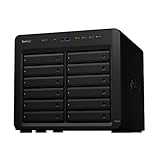
 Synology DiskStation 12 Bay DS2422+ Quad Core CPU12-bay; 4GB DDR418.5 x 17 x 16.5 Inches20.9 poundsCheck on Amazon

Top 3 picks at a glance
What They Have in Common
Both are copy-on-write filesystems that checksum every block of data, so silent corruption (bit rot) can be detected and, with redundancy, repaired automatically. Both support snapshots that let you roll back to earlier states cheaply, and both can pool multiple drives. This is a huge step up from older filesystems that trust the drive to never lie about your data.
Where They Differ
| Aspect | ZFS | Btrfs |
|---|---|---|
| Maturity for RAID | Very mature, battle-tested | Solid for RAID 1; RAID 5/6 discouraged |
| RAM appetite | Heavy; 1GB per TB is a common rule | Modest; runs on light hardware |
| ECC RAM | Strongly recommended | Recommended but less critical |
| Ease of expansion | Historically rigid; improving | Flexible, add/remove drives easily |
| Feature depth | Deep: compression, dedup, caching tiers | Good, simpler |
| Typical home platform | TrueNAS, FreeBSD, Proxmox | Synology, openSUSE, DIY Linux |
Matching the Filesystem to Your Build
ZFS rewards you with rock-solid reliability and rich features, but it wants a lot of RAM and ideally ECC memory. A ZFS box with 8 useful terabytes benefits from roughly 8GB of RAM or more just for the filesystem’s caching, on top of what the OS and apps need. If you are building a dedicated NAS with plenty of memory, ZFS is a fantastic choice.
Btrfs runs comfortably on lighter hardware and is far more flexible about adding and removing drives of different sizes, which suits home users who grow storage piecemeal. The key caveat is its parity RAID (5/6) modes, which have known reliability concerns, so most people stick to Btrfs RAID 1 style mirroring for safety.
Practical Recommendations
For a low-power NAS with 8-16GB of RAM and a desire to mix drive sizes, Btrfs with mirroring is friendly and safe. For a purpose-built server with 32GB or more and ECC memory, ZFS gives you the strongest data protection and the most tuning headroom. Either way, remember that redundancy plus checksums is what enables self-healing, so always run at least a mirror.
Snapshots Are the Underrated Win
Whichever filesystem you choose, the snapshot feature is arguably the biggest day-to-day benefit for a home user, and it is easy to overlook while arguing about RAID modes. A snapshot captures the state of your data at a moment in time almost instantly and using little space, storing only what changes afterward. That means you can take frequent snapshots and roll back a folder, or the whole share, if you delete something by accident or ransomware scrambles your files. Both ZFS and Btrfs do this well. Combined with checksums that catch silent corruption, snapshots turn a NAS from mere storage into a genuinely resilient data vault. Just remember snapshots are not backups: they live on the same pool, so you still need an off-site copy to survive a fire, theft, or a failed array. Snapshots protect against mistakes; backups protect against disasters.
FAQ
Do I really need ECC RAM for ZFS?
ZFS works without ECC, but ECC is strongly recommended because ZFS trusts data in memory during its integrity operations. A memory error could, in rare cases, propagate a fault. For a filesystem chosen specifically for data safety, pairing it with ECC RAM completes the protection chain.
Is Btrfs safe for a home NAS?
Yes, in mirrored (RAID 1) configurations it is reliable and widely used, including in popular commercial NAS units. The main caution is avoiding its parity RAID 5/6 modes, which are not considered production-ready. Stick to mirroring and keep backups, and Btrfs serves home users well.
Bottom Line
Both filesystems protect your data far better than legacy options. Choose ZFS when you have ample RAM, ideally ECC, and want maximum reliability and features on a dedicated NAS. Choose Btrfs when you want flexibility, lighter hardware requirements, and easy drive expansion, but keep it to mirrored setups. Whichever you pick, redundancy plus a real backup remains the foundation of a safe home NAS.









