
Choosing between the 2280 and 2230 NVMe SSD form factor is less about picking the “faster” size and more about matching the drive to your device, available space, storage needs, and upgrade plans. Both are compact M.2 solid-state drives, and both can use PCIe NVMe technology. The important difference is physical length: a 2280 drive measures approximately 22mm wide by 80mm long, while a 2230 drive measures approximately 22mm wide by 30mm long.
That 50mm difference affects installation, capacity, cooling, price, and compatibility. A desktop computer or roomy laptop will usually favor 2280, while a handheld gaming PC, tablet, mini computer, or especially thin device may require 2230. Before buying, check the device manual and the motherboard’s mounting points. An M.2 slot that accepts NVMe does not automatically accept every M.2 length.
As an Amazon Associate we earn from qualifying purchases at no extra cost to you.



Our Top Picks


Top 3 picks at a glance
Quick Verdict
Choose a 2280 NVMe SSD if you want the widest selection, higher maximum capacities, easier upgrades, and strong value for a desktop, laptop, NAS, or home workstation. It is the standard size for many consumer computers and is available in capacities from 500GB to 4TB or more.
Choose a 2230 NVMe SSD when your device specifically requires a short drive. Its compact footprint is ideal for handheld gaming systems, compact PCs, tablets, and other space-constrained electronics. The trade-off is a smaller product selection, fewer high-capacity options, and sometimes a higher price per gigabyte.
In short, 2280 is the practical all-purpose choice, while 2230 is the space-saving choice. Neither form factor is automatically better in every home.
Side by Side
| Consideration | 2280 NVMe SSD | 2230 NVMe SSD |
|---|---|---|
| Physical size | Approximately 22mm × 80mm | Approximately 22mm × 30mm |
| Comfort | Usually hidden inside a computer; may need more clearance during installation | Easy to fit in compact devices; less room to handle in a tight enclosure |
| Durability | Solid-state construction; longer board can require proper screw support | Solid-state construction; short board is less exposed to flexing |
| Typical price range | About $45–$400, depending on capacity and speed | About $45–$250, with fewer budget and high-capacity choices |
| Maintenance | Easy to find replacement drives and firmware tools | Replacement choices can be limited; exact compatibility matters |
| Space needed | Needs an 80mm mounting position and adequate heatsink clearance | Needs only a 30mm mounting position, making it suitable for compact designs |
| Look | Often covered by a motherboard heatsink or laptop shield | Minimal footprint and easier to conceal in small electronics |
| Resale | Broad compatibility generally makes used drives easier to sell | More device-specific, which may narrow the resale audience |
| Best for | Desktops, laptops, workstations, gaming PCs, and home servers | Handheld consoles, tablets, mini PCs, and ultra-compact laptops |
Where 2280 Wins
The biggest advantage of 2280 is availability. Because it is the dominant consumer M.2 size, shoppers can compare many brands, capacities, controller designs, warranties, and performance levels. A 1TB 2280 drive is commonly available for roughly $50–$120, while 2TB models often range from $100 to $400 depending on the memory type, endurance rating, and advertised speed.
For example, the Kingston NV3 1TB is a PCIe 4.0 x4 M.2 2280 drive listed at $156, while the Samsung SSD 990 PRO 2TB is a higher-priced PCIe 4.0 M.2 2280 option listed at around $390. These examples show the breadth of the 2280 market: the same physical size can serve a mainstream storage upgrade or a premium performance-focused system.
2280 also wins when you need capacity. The longer circuit board can accommodate more NAND packages and, in some designs, a larger controller or cache arrangement. That does not guarantee greater capacity or speed, but it gives manufacturers more room to build high-end products. For a family photo library, game collection, video archive, or home office computer, 2TB or 4TB capacity can reduce the need for external drives.
Cooling is another potential benefit. A 2280 drive may have more surface area for a label, thermal pad, or heatsink. High-performance PCIe 4.0 drives can draw approximately 5–8 watts during heavy transfers, although idle and everyday consumption is much lower. A desktop motherboard with a dedicated M.2 heatsink can manage that heat more easily than a tightly packed handheld device.
The main caution is clearance. Some laptops and small PCs use a 2230 or 2242 mounting point and leave no room for an 80mm drive. Never assume that an adapter will solve the problem: the enclosure, screw position, thermal shield, and key type all need to match.
Where 2230 Nvme Ssd Form Factor Wins
The 2230 form factor exists for devices where every millimeter matters. At 30mm long, it can fit beneath a compact shield or beside a small battery, cooling assembly, wireless card, or controller board. This makes it common in handheld gaming PCs, tablets, miniature desktops, and thin portable computers.
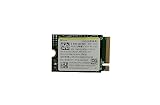
A 2230 drive can also be a sensible replacement when a device originally shipped with limited storage. The OEM Hyn PVC10 256GB PCIe Gen 4 x4 2230 drive is listed at around $59, and the Micron 2500 512GB PCIe Gen 4 x4 2230 drive is listed at around $120. Prices vary considerably, but these examples illustrate why buyers should compare cost per gigabyte rather than judging only by the sticker price.
Shorter drives may also simplify physical installation. There is less board length to support, and the drive occupies less space around other components. That matters in a handheld device that may be opened repeatedly for cleaning or repair. Still, the small size does not make a 2230 SSD immune to heat. A fast PCIe 4.0 model can still need a thermal pad, airflow, or a manufacturer-approved shield.
The limitation is choice. Many 2230 drives are sold in 256GB, 512GB, and 1TB capacities, while 2TB options are less common and can cost more per gigabyte. Some are OEM pulls or designed for a particular product family, so confirm the interface, key notch, single-sided or double-sided construction, and supported capacity before ordering.
Cost Over 5 Years
The purchase price is only one part of long-term cost. For a typical home computer, a 1TB 2280 drive bought for $60–$160 may be the least expensive route. A 2TB model may cost approximately $110–$400, but the extra capacity can delay another upgrade. If a 2280 drive lasts five years, that works out to roughly $1–around $6 per month before considering electricity.
A 2230 drive may cost approximately $60–$250 depending on capacity and availability. A 512GB model at $100–$130 can be reasonable for a small device, but replacing it later with another 512GB drive may be less economical than buying a larger drive at the beginning. Over five years, a $125 2230 drive equals about $2 per month; a $200 model equals about $3 per month.
Power differences are usually modest in everyday home use. Many NVMe drives draw under 1 watt at idle, while active consumption can range from roughly 3–8 watts depending on workload and design. The more important financial decision is buying a compatible drive with enough capacity and endurance, rather than choosing solely by peak sequential speed.
Which One for Your Home
Small apartment
For a desktop or conventional laptop in a small apartment, choose 2280 unless the device requires 2230. The larger market makes it easier to find a quiet, efficient 1TB or 2TB drive for documents, photos, streaming downloads, and games. A 2280 drive also leaves more upgrade choices if your storage needs grow.
Family with kids or pets
A 2280 drive is usually the better household choice for a shared computer because replacement drives are easy to find and capacities are broad. Use the motherboard’s heatsink when available, and choose a drive with a suitable endurance rating if the computer stores years of photos, school files, and videos. An internal SSD also avoids a loose external drive being knocked from a desk.
Rental
For a rented home, the room itself does not determine the form factor; the computer does. If you are upgrading a standard laptop or desktop, 2280 offers the simplest, most reversible improvement. For a compact mini PC or handheld used in a rental, use 2230 if that is the specified size. Keep the original drive and screws so the device can be returned in its original configuration.
Long-term home
Choose 2280 for a long-term home workstation, media computer, or home server when the hardware supports it. The larger ecosystem makes future replacements more likely, and higher-capacity options can reduce cable clutter and external storage. Choose 2230 only when compact design is a continuing priority, such as a handheld gaming system or permanently space-limited computer.
FAQ
Can a 2230 SSD replace a 2280 SSD?
Usually not without the correct mounting point or an approved adapter. The slot may accept the same M.2 connector, but the screw position and surrounding clearance must support the shorter drive. Check the manufacturer’s documentation before installing it.
Is a 2280 SSD faster than a 2230 SSD?
Not simply because it is longer. Speed depends on the controller, NAND, PCIe generation, firmware, cooling, and device limits. Both sizes can use PCIe 4.0 x4, although 2280 models offer a wider range of high-performance options.
Which form factor runs cooler?
There is no universal winner. A 2230 drive has less physical area, but its host device may be designed around its heat output. A 2280 drive may have more room for a heatsink, while a poorly ventilated laptop can still make it run hot. Follow the device’s thermal design and use the supplied pad or shield.
Is 2230 a good choice for 2026 upgrades?
Yes, when the computer specifically requires it. For a new desktop or standard laptop, 2280 remains the easier size to shop for and upgrade. For a compact handheld, tablet, or mini PC, a compatible 2230 NVMe SSD can provide a practical storage increase without interfering with the rest of the hardware.









