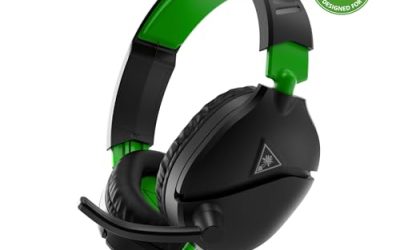
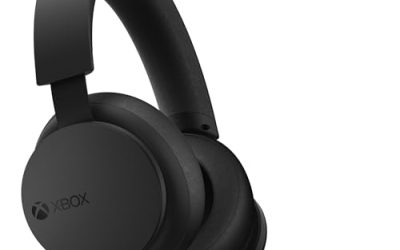
The best budget PS4 headset is a wired 3.5 mm model with a detachable or flip-up microphone, 40-50 mm drivers and a weight under 300 grams. The Turtle Beach Recon 70, HyperX Cloud Stinger and Razer Kraken X are the usual starting points, and the wireless Sony Pulse 3D adds PlayStation-specific features at a higher price. Most 3.5 mm gaming headsets work with the DualShock 4 controller jack, so the choice comes down to comfort, mic clarity and cable length.
The query’s “buget” is read here as “budget”.
As an Amazon Associate we earn from qualifying purchases at no extra cost to you.
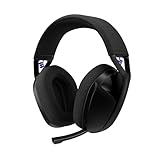
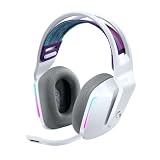
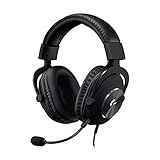
Our Top Picks
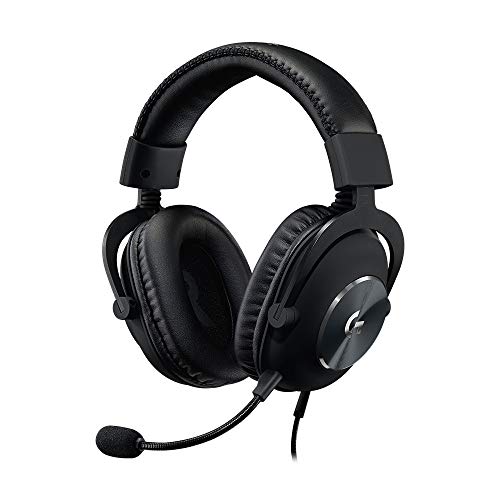
Top 3 picks at a glance
Quick comparison of budget PS4 headsets
| Pick | Best for | Key specs | Typical price range |
|---|---|---|---|
| Turtle Beach Recon 70 | Best overall budget | Wired 3.5 mm, 40 mm drivers, flip-up or fixed mic, about 270 g | USD 25-40 |
| HyperX Cloud Stinger | Best comfort | Wired 3.5 mm, 50 mm drivers, swivel-to-mute mic, about 275 g | USD 30-50 |
| Razer Kraken X | Best lightweight | Wired 3.5 mm, 40 mm drivers, about 250 g | USD 40-60 |
| SteelSeries Arctis 1 | Best mic and multi-device | Wired 3.5 mm with detachable mic, 40 mm drivers, cross-platform | USD 40-60 |
| Sony Pulse 3D Wireless | Best wireless step up | 2.4 GHz USB adapter, 3D audio tuning, about 300 g | USD 80-100 |
Specs follow manufacturers’ published sheets. Prices are general market ranges and shift with sales.
Best overall budget: Turtle Beach Recon 70
The Recon 70 is built for consoles and uses a single 3.5 mm plug that goes straight into the controller. It has large ear cups, a boom mic that is easy to position and a volume dial. For its price, the sound is clear enough for voice chat and basic game audio.
Trade-off: the plastic build is light and can creak, and the bass is moderate. It is aimed at casual and entry-level play rather than detailed audio.
Best comfort: HyperX Cloud Stinger
The Stinger uses 50 mm drivers and a swivel-to-mute mic with a firm arm. The memory foam ear cushions are comfortable during long sessions, and the steel headband slider feels durable. Many players choose it for comfort over a longer play period.
Trade-off: the clamping force is firm at first, and the cups can get warm. The mic is average, so voice chat is fine but not studio quality.
Best lightweight: Razer Kraken X
At around 250 g, the Kraken X is one of the lighter wired headsets at the price. The cups are padded with cooling-friendly foam and the cable has an inline control. It suits younger players or anyone with smaller heads.
Trade-off: the mic is fixed on some versions, and the tuning leans towards bass.
Best mic and multi-device: SteelSeries Arctis 1
The Arctis 1 has a clean, clear mic that can be detached, a lightweight suspension headband and a 3.5 mm plug that works with PS4, Switch, phones and PC. The ClearCast mic is above average for voice chat according to the manufacturer.
Trade-off: it costs a little more than the cheapest picks and does not include surround sound.
Best wireless step up: Sony Pulse 3D Wireless
The Pulse 3D has a USB wireless adapter and works on PS4, PS5 and PC, so it carries over to a future console. It has a retractable boom mic, battery life around 12 hours per Sony’s spec and tuned 3D audio on PS5.
Trade-off: the price is about double the wired picks, and 3D audio on PS4 is limited compared with PS5.
Wired or wireless on PS4?
Wired is cheap and has no latency or battery to manage. Wireless on PS4 requires a USB dongle, and not all wireless headsets support the console. Always check platform compatibility. Bluetooth headsets do not work natively with PS4 for game audio.
Worked example: what a 3.5 mm headset needs from the controller
A DualShock 4 headphone jack supplies low power, so a headset with an impedance of 32 ohms or lower and a sensitivity near 100 dB or higher reaches loud, clean volume. A 20 mW amplifier output into 32 ohms gives volume headroom, while a high-impedance studio headphone, say 250 ohms, would sound quiet. That is why consoles pair best with efficient gaming headsets.
| Headset type | Impedance | Sensitivity | Result on a DualShock 4 |
|---|---|---|---|
| Typical budget gaming headset | 32 ohms or less | 95-110 dB | Loud, plenty of headroom |
| Mid impedance headphone | 60-80 ohms | 100 dB | Acceptable, slightly quieter |
| Studio headphone | 250 ohms | 95 dB | Low volume, needs an amp |
Also note the plug standard. PS4 uses the common TRRS 4-pole jack for headset plus mic. A 3-pole headphone plug will carry audio only and not the mic.
Setting up a headset on PS4
- Plug the headset into the 3.5 mm jack at the bottom of the DualShock 4. Seat the plug fully.
- Open Settings, then Devices, then Audio Devices. Set Input and Output Device to Headset Connected to Controller.
- Set Output to Headphones to “All Audio” so game sound goes to the headset.
- Adjust the Volume Control (Headphones) to a comfortable level, usually in the mid range to avoid clipping.
- Check the mic in Party chat or in the Sound and Screen settings, and adjust the mic level if teammates say it is quiet.
If you use a USB headset, plug it into the console’s USB port and select it in the same Audio Devices menu.
How to choose: decision criteria
- Connection: a 3.5 mm TRRS plug is the simplest route on PS4. Check that the cable is long enough for your couch distance, typically 1.2 m plus an extension.
- Weight and clamp: under 300 g with soft padding for long sessions.
- Mic quality: a boom mic placed near the mouth gives clearer voice than a mic in the cable.
- Cup size: over-ear cups are more comfortable for most users. On-ear cups press on the ears.
- Glasses wearers: look for soft cushions to reduce pressure.
- Future-proofing: a 3.5 mm headset also works on PS5 controllers, Switch and PC, so the purchase carries over.
Decision matrix: which headset fits your situation
| Your situation | Choose | Reason |
|---|---|---|
| Lowest cost, casual online play | Turtle Beach Recon 70 | Simple plug-in setup and decent voice chat |
| Long evening sessions | HyperX Cloud Stinger | Soft cushions and a stable headband |
| Small head or glasses | Razer Kraken X or Arctis 1 | Lighter weight and softer pressure |
| Play on PS4, Switch and phone | SteelSeries Arctis 1 | One 3.5 mm plug and detachable mic |
| Want no cables, plan to buy a PS5 later | Sony Pulse 3D Wireless | Works across PS4, PS5 and PC |
Common problems and quick fixes
- No sound from the headset: reseat the plug until it clicks, then confirm the Output Device setting is Headset Connected to Controller and Output to Headphones is set to All Audio.
- Teammates cannot hear you: check that the mute switch is off, the mic boom is lowered and the plug is a 4-pole TRRS type. A 3-pole plug carries no mic signal.
- Crackling or cutting out: the cable or plug is usually the cause. Try a different headset to confirm, and avoid bending the cable at the plug.
- Sound too quiet: raise the headphone volume control in the PS4 audio menu, and use the in-line wheel if present. Avoid very high impedance headphones on the controller jack.
- Game audio and chat unbalanced: lower the chat volume or adjust the party audio mix in the Sound settings so voices do not drown out the game.
Frequently Asked Questions
Do any 3.5 mm headsets work on PS4?
Yes. Any wired headset with a 3.5 mm TRRS plug works through the DualShock 4 jack. A headset with a splitter cable for separate mic and headphone jacks needs a combiner adapter.
Can I use Bluetooth headphones on PS4?
Not directly. The PS4 does not support standard Bluetooth audio, so you need a Bluetooth transmitter plugged into the USB or 3.5 mm port. These add some latency, which is noticeable in fast games.
Is a cheap headset good enough for chat?
Yes. Modern budget headsets from Turtle Beach, HyperX and Razer deliver clear voice for party chat. A boom mic helps with clarity, and a mute switch is a useful feature.
Will the same headset work on PS5?
A 3.5 mm headset works in the DualSense controller jack, and USB headsets work in the console ports. Some features, such as 3D audio profiles, require compatible headsets.
How long does a budget headset last?
With careful use, two to four years is realistic. Ear pads and the cable wear first, and many brands sell replacement pads. Wrap the cable loosely and avoid pulling it from the controller.
Related guides
More from Amazon
Programs that pair well with the guide above. Offers and eligibility are set by Amazon and may change.
A free business account with business pricing and bulk-buying tools for work, shop or home office.
Create a business accountFree shipping on eligible items, Prime Video and more. Eligible new members can start with a free trial.
Start a Prime free trialAudiobooks and podcasts to listen to on the go. Eligible new members can start with a free trial.
Try Audible freeAd-free music streaming. Eligible new subscribers can start with a free trial.
Try Music Unlimited freeAs an Amazon Associate we earn from qualifying purchases.