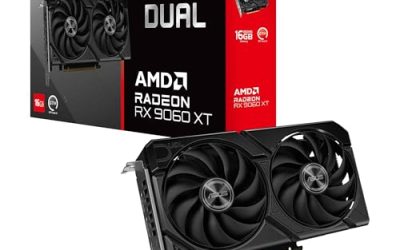
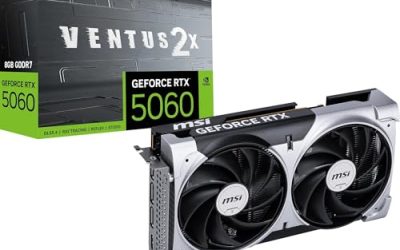
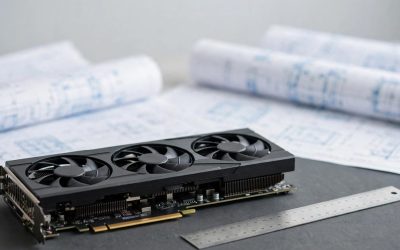
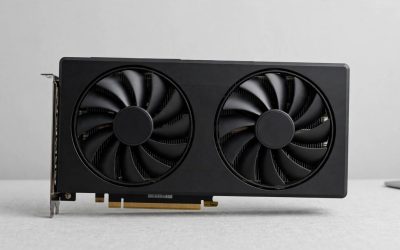
The best graphics card for most gamers in 2026 is a 16 GB card in the $500 to $800 class, such as the GeForce RTX 5070 Ti or the Radeon RX 9070 XT, because they run 1440p at high refresh rates and handle 4K with upscaling. If your budget is lower, the RTX 5060 Ti 16 GB, RX 9060 XT 16 GB and Intel Arc B580 are the strongest value tiers, and only the RTX 5090 makes sense if you want maximum 4K performance and can pay for it.
People searching for graphics card “ratings” usually want a ranking they can trust. A single score hides the things that decide a purchase: VRAM, power draw, your monitor and your budget. Instead of a star list, this guide ranks cards by performance tier, gives the specs that matter, and shows how to match a card to your screen and power supply. Street prices move with supply, so all prices below are general market ranges.
As an Amazon Associate we earn from qualifying purchases at no extra cost to you.


Our Top Picks


Top 3 picks at a glance
Quick comparison by performance tier
| Tier | Card | VRAM | Board power (per maker spec) | Typical price range |
|---|---|---|---|---|
| Enthusiast 4K | GeForce RTX 5090 | 32 GB GDDR7 | 575 W | $2,000–$3,000 |
| High-end 4K | GeForce RTX 5080 | 16 GB GDDR7 | 360 W | $1,000–$1,500 |
| Best overall | RTX 5070 Ti / RX 9070 XT | 16 GB | 300 W / 304 W | $700–$950 |
| Upper mid 1440p | RTX 5070 / RX 9070 | 12 GB / 16 GB | 250 W / 220 W | $550–$700 |
| Value 1440p / 1080p | RTX 5060 Ti 16 GB / RX 9060 XT 16 GB | 16 GB | 180 W / 160 W | $400–$550 |
| Entry 1080p | RTX 5060 / RX 9060 XT 8 GB | 8 GB | 145 W / 150 W | $300–$400 |
| Budget | Intel Arc B580 | 12 GB GDDR6 | 190 W | $250–$330 |
Best overall: RTX 5070 Ti and RX 9070 XT
Both cards pair 16 GB of memory with enough power for 1440p at 144 Hz or higher and playable 4K with upscaling. The RTX 5070 Ti offers DLSS 4 with multi-frame generation and strong ray tracing performance; the RX 9070 XT usually costs a little less and gives comparable rasterization performance, with FSR 4 upscaling supported on the RDNA 4 generation. Published reviews typically place them within roughly 10 percent of each other in raster games, with NVIDIA ahead in ray tracing and AMD often ahead on price. Exact frame rates vary with settings, resolution, CPU and patch.
The trade-off: both draw about 300 W and want a 750 W power supply. If your PSU is 550 W, factor in an upgrade.
Best for 4K without compromise: RTX 5090 and RTX 5080
The RTX 5090 has 32 GB of GDDR7 on a 512-bit bus and a 575 W board power rating, which makes it the only card that can drive demanding 4K games at 120 fps and above with ray tracing without leaning on upscaling. It also suits creators who need the VRAM for large AI or 3D workloads. The RTX 5080 offers 16 GB and a 360 W rating at a much lower price and fits many 4K 60 to 120 fps targets with DLSS. The trade-off for the 5090 is cost, heat and a 1000 W recommended power supply with a 12V-2×6 connector in good condition.
Best upper mid-range: RTX 5070 and RX 9070
These cards target 1440p. The RTX 5070 has 12 GB of GDDR7, which is enough today but tighter for future games at max texture settings. The RX 9070 has 16 GB and draws 220 W, making it easier to cool and power. If you play at 1440p and keep cards for four or five years, the extra 4 GB on the AMD card is a practical advantage; if you value DLSS and NVIDIA features, the 5070 is the pick.
Best value: RTX 5060 Ti 16 GB and RX 9060 XT 16 GB
These 16 GB versions are the sweet spot for 1080p and entry-level 1440p. Both draw under 200 W and work with a 550 to 650 W power supply. Be careful to choose the 16 GB variants; both families also have 8 GB versions that can run out of memory in newer games at high texture settings, which causes stutter even when raw GPU speed is fine.
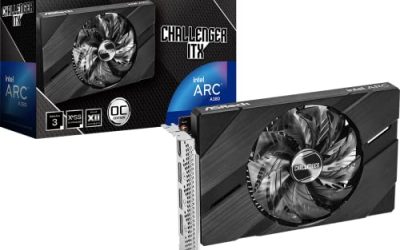
Best budget: Intel Arc B580
The Arc B580 has 12 GB of GDDR6 on a 192-bit bus, more memory than most cards in its price class, and it performs well at 1080p and moderate 1440p in recent titles. It benefits from a modern platform with Resizable BAR enabled, and older games can show driver quirks. The trade-off is lower overhead in older DirectX 9 and 11 games than competing cards and a smaller driver history.
Worked example: match the card to your screen
A simple way to pick is to count pixels per second. A card needs to render width x height x frame rate pixels each second. The table shows how much more work a higher target demands.
| Target | Pixels per frame | Pixels per second | Relative load vs 1080p60 | Card tier that fits |
|---|---|---|---|---|
| 1080p at 60 fps | 2.07 M | 124 M | 1.0x | Arc B580, RTX 5060 |
| 1080p at 144 fps | 2.07 M | 299 M | 2.4x | RTX 5060 Ti, RX 9060 XT |
| 1440p at 144 fps | 3.69 M | 531 M | 4.3x | RTX 5070, RX 9070 |
| 4K at 60 fps | 8.29 M | 498 M | 4.0x | RTX 5070 Ti, RX 9070 XT |
| 4K at 120 fps | 8.29 M | 995 M | 8.0x | RTX 5080 or RTX 5090 |
Read it like this: a 1440p 144 Hz monitor asks for about 4.3 times the pixel throughput of a 1080p60 display. Upscaling lowers the internal resolution, so DLSS or FSR at “Quality” renders at about 67 percent of the output resolution per axis (roughly 44 percent of the pixels), which lets a mid-tier card reach a higher tier’s target. This is a rough guide, since real games vary with engine, CPU and ray tracing.
Power supply check
Add the card’s board power to your CPU’s peak draw, then add 100 W for the rest of the system and 20 percent headroom for transient spikes. Example: RTX 5070 Ti at 300 W, a Ryzen 7 at about 120 W, plus 100 W gives 520 W; with 20 percent headroom, about 625 W, so a quality 750 W power supply is a comfortable choice. For an RTX 5090 at 575 W, a 9800X3D-class CPU and 100 W, you get about 800 W, so choose 1000 W.
How to read a ranking critically
- Check the resolution used. A card that leads at 1080p can fall behind at 4K because of memory bandwidth.
- Look at 1 percent lows, not only averages; they reveal stutter.
- Separate raster from ray tracing. Many rankings merge them.
- Check which VRAM version was used. 8 GB and 16 GB models of the same name can differ a lot in newer games.
- Watch the date. Driver updates and game patches can shift standings by several percent.
Frequently Asked Questions
What is the best graphics card overall in 2026?
For most players the RTX 5070 Ti or RX 9070 XT, because 16 GB of VRAM and strong 1440p and 4K performance come at a mid-range price. The RTX 5090 is faster but costs two to three times as much.
How much VRAM do I need?
8 GB is the floor for 1080p, 12 GB is comfortable for 1440p, and 16 GB is the safer choice for 1440p high texture settings and 4K. Running out of VRAM causes stutter and texture pop-in regardless of GPU speed.
NVIDIA or AMD?
NVIDIA leads in ray tracing and has broad DLSS support, while AMD often offers more VRAM and lower prices per frame. Choose based on the games you play and whether you use features like frame generation or creative applications.
Will my CPU bottleneck a new card?
It can at 1080p with a high-end card. At 1440p and 4K the GPU does more of the work, so an older six-core CPU is usually adequate for mid-range cards but may limit an RTX 5080 or 5090.
Is it worth waiting for the next generation?
Prices and supply change often, and a new generation usually arrives every two years. If your current card cannot handle your games, buy now; if it still runs them acceptably, waiting costs nothing.
Related guides
More from Amazon
Programs that pair well with the guide above. Offers and eligibility are set by Amazon and may change.
A free business account with business pricing and bulk-buying tools for work, shop or home office.
Create a business accountFree shipping on eligible items, Prime Video and more. Eligible new members can start with a free trial.
Start a Prime free trialAudiobooks and podcasts to listen to on the go. Eligible new members can start with a free trial.
Try Audible freeAd-free music streaming. Eligible new subscribers can start with a free trial.
Try Music Unlimited freeAs an Amazon Associate we earn from qualifying purchases.