
Older Intel gaming builds can still make excellent living-room, bedroom, or desk-side PCs, but memory upgrades need more care than a simple “buy the fastest kit” approach. Many older Intel motherboards use DDR4-only slots, may have limited clearance around a large air cooler, and often deliver their best results with a matched dual-channel kit rather than a single module. The right upgrade can make a system feel more responsive in games, improve multitasking, and reduce the need to close background apps before launching a title.
For this 2026 roundup, we focused on the listed DDR4 options first, then flagged products that do not truly fit an older Intel DDR4 motherboard. That distinction matters: a prebuilt mini PC is not a RAM upgrade, and DDR5 cannot be installed in a DDR4 slot. Our top pick is the Silicon Power 32GB kit for buyers who want a straightforward matched pair with a sensible 3200MHz rating, while Corsair’s RGB kits are better suited to gamers building around visible lighting.
As an Amazon Associate we earn from qualifying purchases at no extra cost to you. Product prices and availability are accurate as of the date shown and are subject to change.





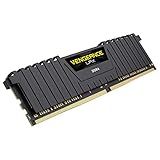
Top 3 picks at a glance
Quick Picks
| Product | Best for | Price |
|---|---|---|
| Silicon Power Value Gaming DDR4 32GB (2x16GB) 3200MHz CL16 | Best overall capacity upgrade for older Intel DDR4 builds | $229.97 |
| DDR4 Desktop Memory Module with D35 Low-Profile Heatsink | Low-profile installations when full specifications are confirmed | $79.99 |
| G.SKILL Trident Z RGB Series DDR4 32GB (2x16GB) 4000MT/s CL18 | Enthusiast Intel builds with strong memory support | $259.99 |
| ASUS NUC 12 Pro NUC12WSHi7 Mini PC | Replacing an aging desktop with a compact complete PC | $999 |
| CORSAIR Vengeance RGB PRO DDR4 16GB (2x8GB) 3200MHz CL16 | RGB-focused 16GB dual-channel upgrades | $135.05 |
| Corsair Vengeance RGB Pro 16GB (2x8GB) DDR4 3200MHz C16 White | White-themed gaming setups | $127 |
| Crucial Pro 32GB DDR5 Kit (2x16GB) 6000MHz CL36 | New DDR5 platform builds, not older Intel DDR4 systems | $549 |
| Corsair Vengeance LPX 16GB (1x16GB) DDR4 3600 C18 | Adding a matching single module to an existing compatible stick | $128 |
How We Picked
We prioritized physical and electrical compatibility with older Intel desktop platforms. That means DDR4 desktop UDIMM memory belongs at the top, while DDR5 and complete computers are included only to make their limitations clear. We also weighed kit layout, rated speed, primary timings when provided, voltage, heatspreader style, XMP support, capacity, and price.
A matched two-stick kit generally makes the most sense for an older Intel gaming system because it is designed to run as a pair in dual-channel memory slots. We also gave extra consideration to 32GB kits for players who keep a browser, voice chat, launchers, or recording tools open while gaming. Finally, we treated unlisted specifications carefully: if capacity, timings, or voltage were not provided, we did not assume them.
The 8 Best Picks
1. Silicon Power Value Gaming DDR4 32GB (2x16GB) 3200MHz CL16
This Silicon Power kit is the strongest all-around choice for an older Intel gaming desktop that needs more breathing room for modern multitasking. It includes 32GB as two 16GB modules, uses the standard 288-pin desktop UDIMM format, and is rated for 3200MHz at CL16 and 1.35V. The gray heatsinks give it a purposeful gaming-PC look without making RGB a requirement. At $229.97, it is a premium-priced option, but its matched 2x16GB configuration is the key advantage for a clean dual-channel upgrade.
- Pro: 32GB capacity in a matched two-module kit.
- Pro: 3200MHz CL16 rating and 1.35V specification are clearly stated.
- Con: Its $229.97 price is high for a value-branded kit.
Skip it if your motherboard cannot support 32GB total memory or if you only need a basic 16GB upgrade.
2. DDR4 Desktop Memory Module with D35 Low-Profile Heatsink
This D35 low-profile DDR4 module is aimed at gamers and creators who need a compact heatspreader, especially in a crowded case or beneath a large CPU cooler. Its PC4-25600 designation aligns it with a 3200-class DDR4 category, and XMP 2.0 support is useful for Intel owners whose motherboards can apply memory profiles. At $79.99, it is the lowest-priced DDR4 listing here. Still, shoppers should pause before buying: the supplied listing does not state capacity, module count, timings, or voltage, all of which are essential compatibility details.
- Pro: Low-profile D35 heatsink can suit tight-clearance builds.
- Pro: XMP 2.0 support is specifically listed.
- Con: Important specifications, including capacity and timings, are not provided.
Skip it if you cannot verify those missing details against your motherboard and existing RAM.
3. G.SKILL Trident Z RGB Series DDR4 32GB (2x16GB) 4000MT/s CL18
G.SKILL’s Trident Z RGB kit is for the experienced Intel enthusiast who has a motherboard and processor combination capable of making use of aggressive DDR4 settings. This 32GB 2x16GB kit is rated up to 4000MT/s with CL18-22-22-42 timings and 1.40V, and it includes RGB lighting for a more display-oriented build. Those are appealing specifications for a system built around tuning and visual customization. The trade-off is price: at $259.99, it costs more than the Silicon Power kit and may not run at its advertised profile on every older Intel board.
- Pro: High 4000MT/s rated speed for compatible systems.
- Pro: 32GB matched capacity with RGB styling.
- Con: Requires 1.40V and may be more demanding than an older platform prefers.
Skip it if you want a simple plug-in upgrade or your motherboard documentation does not list support for this speed.
4. ASUS NUC 12 Pro NUC12WSHi7 Mini PC
The ASUS NUC 12 Pro is not a RAM kit, but it is a legitimate alternative for someone replacing an entire aging Intel gaming setup rather than upgrading it. It includes an Intel Core i7-1260P, 32GB DDR4 RAM, a 1TB PCIe 4.0 NVMe SSD, Iris Xe Graphics, WiFi 6E, Bluetooth 5.3, 8K support, and Windows 11 Pro. Its compact format can be attractive in a small office or media cabinet. However, this $999 purchase does not add memory to an existing motherboard, and integrated Iris Xe Graphics is a very different proposition from a desktop gaming GPU.
- Pro: Complete system with 32GB DDR4 RAM and 1TB PCIe 4.0 storage.
- Pro: Compact PC with modern wireless connectivity.
- Con: It is a $999 mini PC rather than an upgrade module.
Skip it if your current desktop only needs more RAM or relies on a dedicated graphics card for gaming.
5. CORSAIR Vengeance RGB PRO DDR4 16GB (2x8GB) 3200MHz CL16
CORSAIR’s black Vengeance RGB PRO kit is a dependable-looking option for gamers who want 16GB in a matched dual-channel layout and visible lighting. The package includes two 8GB modules rated at 3200MHz with CL16-18-18-36 timings at 1.35V. It supports Intel and AMD desktop systems, though this roundup’s focus is older Intel hardware. For a modest gaming build, 16GB remains a practical capacity target, particularly when the rest of the system is already balanced. At $135.05, though, it is worth deciding whether RGB lighting is important enough to justify the price.
- Pro: Matched 2x8GB layout supports dual-channel operation.
- Pro: Clear 3200MHz, CL16, and 1.35V specifications.
- Con: 16GB offers less multitasking headroom than a 32GB kit.
Skip it if you regularly stream, edit, or run many applications alongside demanding games.
6. Corsair Vengeance RGB Pro 16GB (2x8GB) DDR4 3200MHz C16 White
This white Corsair Vengeance RGB Pro kit is the aesthetic counterpart to the black 16GB option. It provides two 8GB DDR4 modules, a 3200MHz C16 rating, and RGB LED lighting, making it a natural match for white cases, white coolers, or coordinated desktop setups. Its $127 price is lower than the black Corsair kit listed above, so it is the better value of the two if the color works with your build. The limitation is familiar: 16GB is appropriate for many gaming PCs, but it is not the most future-minded capacity in this selection.
- Pro: White finish supports coordinated light-colored builds.
- Pro: Two-module 16GB configuration at 3200MHz C16.
- Con: The listing does not provide detailed timings or voltage beyond the C16 rating.
Skip it if your case has no window, you do not want RGB, or you would rather move directly to 32GB.
7. Crucial Pro 32GB DDR5 Kit (2x16GB) 6000MHz CL36
The Crucial Pro 32GB kit is a capable-looking DDR5 option on paper, with two 16GB modules, a 6000MHz rating, CL36 timing, and Intel XMP 3.0 plus AMD Expo compatibility. But it does not belong in an older Intel DDR4 gaming build. DDR5 desktop memory is physically and electrically different from DDR4, so it cannot be installed in a DDR4 motherboard slot. At $549, it is also the most expensive memory kit in this group. Consider it only when planning a full platform replacement built specifically around DDR5 support.
- Pro: 32GB matched kit with 6000MHz DDR5 rating.
- Pro: Supports Intel XMP 3.0 and AMD Expo.
- Con: Completely incompatible with DDR4 motherboards.
Skip it for every older Intel DDR4 build; it is not an upgrade path for that platform.
8. Corsair Vengeance LPX 16GB (1x16GB) DDR4 3600 C18
The Corsair Vengeance LPX module is a single 16GB DDR4 stick rated at 3600MHz C18 and identified as PC4-28800. Its low-profile LPX styling can be helpful when a CPU cooler crowds the memory area, and it may be useful for a buyer trying to match an existing compatible module. However, it is sold as one 16GB stick rather than a matched pair. For most older Intel gaming builds starting from scratch, that makes it less attractive than a two-stick kit because dual-channel operation is usually the more sensible configuration. It is also optimized for AMD Ryzen, so Intel compatibility should be confirmed.
- Pro: Low-profile design can improve cooler clearance.
- Pro: 3600MHz DDR4 rating offers higher advertised speed than 3200MHz options.
- Con: A single module is not ideal for a fresh dual-channel upgrade.
Skip it if you are replacing all your memory; choose a matched two-module kit instead.
Buying Guide
Confirm DDR4 UDIMM Compatibility First
Check your motherboard manual before ordering. Older Intel desktop boards typically require DDR4 UDIMMs, while laptops and mini PCs may use different memory formats. DDR5 kits cannot fit DDR4 slots. Also check the board’s supported memory capacity and whether it lists XMP support. A rated profile is useful only when the motherboard and processor can apply it reliably.
Choose a Matched Pair for a Fresh Upgrade
For most gaming desktops, two matching modules are the cleanest route. A 2x8GB kit creates 16GB total, while a 2x16GB kit creates 32GB total. Mixing old and new RAM can work, but it can also force the system to use more conservative settings. If you are keeping an existing stick, match its capacity and specifications as closely as possible.
Balance Speed, Timings, Clearance, and Budget
A 3200MHz CL16 kit is a sensible starting point for many older Intel systems. Higher-speed choices, such as 3600MHz or 4000MT/s, may require stronger motherboard support and XMP configuration. Tall RGB modules can interfere with some air coolers, so low-profile designs deserve attention in compact builds. Finally, compare the price against your actual need: more capacity may be more valuable than decorative lighting.
Our Verdict
The Silicon Power Value Gaming DDR4 32GB kit is the best overall pick because it combines a matched 2x16GB layout with 3200MHz CL16 specifications, 1.35V operation, and standard desktop UDIMM compatibility. Choose the G.SKILL Trident Z RGB kit only if your older Intel board is known to support high-speed memory profiles and you want RGB. For a budget-minded but carefully verified low-clearance option, the D35 listing is appealing at $79.99, though its missing specifications demand caution. Avoid the Crucial DDR5 kit for any DDR4 motherboard, and treat the ASUS NUC as a complete-PC replacement rather than a memory upgrade.
FAQ
Is 32GB of DDR4 worth it for an older Intel gaming PC?
It can be, especially if you game while keeping browser tabs, voice chat, launchers, recording tools, or creative apps open. A 32GB 2x16GB kit also gives more headroom than 16GB for future use. If your system is used only for lighter gaming and everyday tasks, 16GB may still be sufficient.
Can I install DDR5 RAM in an older Intel DDR4 motherboard?
No. DDR5 and DDR4 use different desktop memory designs and are not interchangeable. The Crucial Pro DDR5 6000MHz kit in this list requires a DDR5-compatible motherboard.
Should I choose one 16GB stick or two 8GB sticks?
For a new 16GB upgrade, two matching 8GB sticks are usually the better choice because they are intended for dual-channel operation. A single 16GB module is mainly useful when you are adding to an existing compatible module or working with a board that has limited slots.
Do I need to enable XMP after installing DDR4 RAM?
Often, yes. XMP allows compatible Intel motherboards to apply the memory kit’s advertised profile. Without it, the memory may operate at a lower default setting. Check your motherboard BIOS and documentation, and use a supported profile rather than assuming every older board can run every high-speed rating.
Related guides
- 8 Best SSDs for Steam Deck Microsd Replacement Upgrade: Tested and Ranked (2026)
- Best 8tb Nas Drive for Home Media Server: Tested and Ranked: 8 Tested (2026)
- Best Ssd Heatsink for Laptops with Thin Chassis: Tested and Ranked: 8 Tested (2026)
- 8 Best 1tb Portable SSDs under $100 Dollars: Tested and Ranked (2026)


