The best stylish laptop backpack is the one that looks clean and still fits your laptop with room to spare. For most people that means the Peak Design Everyday Backpack for design and flexibility, the Bellroy Tokyo Backpack for a minimal commuter look, or the Thule Subterra 2 for a low-key travel profile. Gamers with 16-inch or 17-inch machines and a thick charger should size the bag first and judge style second, because a bag that barely closes looks bad quickly.
As an Amazon Associate we earn from qualifying purchases at no extra cost to you.


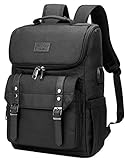

Our Top Picks


Top 3 picks at a glance
Quick comparison of the picks
Specs below follow each manufacturer’s published listings and vary by size and revision, so confirm the current laptop-compartment dimensions before buying.
| Pick | Best for | Key traits | Price range |
|---|---|---|---|
| Peak Design Everyday Backpack (20L / 30L) | Best overall | Weatherproof shell, side and back access, adjustable dividers, 20L and 30L sizes | Premium |
| Bellroy Tokyo Backpack | Minimal office and commuter look | Slim silhouette, structured laptop pocket, tidy organization | Upper mid-range to premium |
| Thule Subterra 2 Backpack | Travel and mixed use | Protective laptop compartment, muted styling, size options | Mid-range to premium |
| Incase ICON Backpack | Padded protection with a modern look | Padded sleeve, structured body, work-ready layout | Mid-range to premium |
| Herschel Little America | Budget-friendly retro style | Classic flap design, padded sleeve, casual look | Budget to mid-range |
| ASUS ROG Ranger series | Gamers wanting a gaming look without neon | Built for gaming laptops, accessory pockets, rugged fabric | Mid-range |
Best overall: Peak Design Everyday Backpack
Peak Design’s Everyday Backpack gets the most attention from people who want style without a “tech bag” look. The shell is weather-resistant, the lines are clean, and the interior can be reconfigured with flexible dividers. Side and back access panels let you pull out a laptop without putting the bag fully down. The 20L suits a 14-inch or 15-inch laptop and a light load, and the 30L is the one to look at for larger laptops, per the maker’s size guidance.
Trade-off: it is a premium purchase, and it is heavier than minimalist fabric bags. Check the current 16-inch compatibility on the product page, because laptop sleeves are measured differently between brands.
Best minimalist: Bellroy Tokyo Backpack
Bellroy is the pick if “stylish” to you means quiet, tailored and suited to an office or campus. The Tokyo Backpack has a slim profile and organized pockets, with materials and stitching that look more like a luxury daypack than a gear bag. It suits thin-and-light laptops and ultrabooks best.
Trade-off: slim bags give little room for a thick gaming laptop plus a 180W-class power brick. If your machine is above roughly 25 mm thick, work out the fit (see the calculation below) before committing.
Best for travel: Thule Subterra 2
The Subterra 2 line is built around protecting electronics while keeping a subtle, urban look. It works well when the bag goes from a desk to a train to an overhead bin. The laptop compartment is padded and separated from the main area, which helps when you pack a jacket or a change of clothes on top.
Trade-off: the styling is understated rather than distinctive. Choose the size carefully, because Thule offers multiple capacities.
Best padded option: Incase ICON
The Incase ICON is a good choice when you want a modern look and extra impact protection. The structure keeps the laptop upright and the shape stays neat even when only half full. It also suits creators who carry a laptop, a tablet and a few accessories.
Trade-off: structured, padded bags use up internal volume, so the usable space is smaller than the capacity number suggests.
Best on a budget: Herschel Little America
The Herschel Little America has a retro flap-over design that looks good with casual clothes. It is a fair option when you want style on a tighter budget and carry a mainstream 13-inch to 15-inch laptop.
Trade-off: it is not designed for heavy gaming-laptop loads. The flap-and-strap closure also makes it slower to open than a zip-access bag.
Best for gamers: ASUS ROG Ranger series
If you want a bag that signals “gaming” without looking like a toy, the ROG Ranger backpacks are built around larger laptops and typical gaming accessories. They usually include rugged fabric and dedicated pockets for a mouse, cables and a charger. Pick the model whose listed laptop size matches yours, since the series covers different compartments.
Trade-off: the look is more gaming-oriented, so it may stand out in a formal office.
How to choose: fit first, style second
Step 1: Measure your laptop and add clearance
Brands often list a laptop size as “fits up to 16 inches,” but the screen diagonal says nothing about the chassis. Measure your laptop’s width, depth and thickness, then compare with the bag’s internal pocket. Aim for 10–15 mm of spare width and depth and about 10 mm of spare thickness.
| Laptop class | Typical chassis (W × D × H, mm) | Minimum pocket (W × D × H, mm) |
|---|---|---|
| 14-inch thin-and-light | 315 × 225 × 18 | 330 × 240 × 28 |
| 15.6-inch mainstream | 360 × 250 × 23 | 375 × 265 × 33 |
| 16-inch gaming | 360 × 265 × 27 | 375 × 280 × 37 |
| 17.3-inch gaming | 400 × 290 × 28 | 415 × 305 × 38 |
These are typical class ranges, not exact figures for any single model. Check your own laptop’s spec sheet.
Step 2: Work out the total carry weight
A worked example: a 16-inch gaming laptop at about 2.5 kg, a 180W charger with cables at about 0.8 kg, a mouse and headset at about 0.5 kg, and a bag at about 1.3 kg. That totals 5.1 kg. A common ergonomic rule of thumb suggests keeping a regular carried load near 10–15% of body weight. For a 60 kg person that is roughly 6–9 kg, so this setup fits, but an additional 3 kg of books or a second device pushes it to the limit. Prioritize a padded back panel and a sternum strap if you will carry above 5 kg regularly.
Step 3: Check the access style
- Top-loading with a rear panel: safest against theft on a commute, but slower to reach the laptop.
- Clamshell opening: easy packing and better for travel.
- Side access: quick to grab a laptop, but check that the zipper is protected.
Step 4: Look at materials and weather resistance
Coated nylon and recycled-polyester fabrics keep their shape and wipe clean, which helps a bag stay stylish for longer. Waxed canvas ages well but is heavier and needs care. Leather looks great but suits light loads. Water-resistant zippers or a weatherproof shell matter more for daily commuters than for desk-to-car use.
Decision matrix: match your situation to a bag
| Your situation | Choose | Why |
|---|---|---|
| 14-inch ultrabook, office commute | Bellroy Tokyo | Slim and tidy, little wasted space |
| 15-inch or 16-inch laptop, camera or creator gear | Peak Design Everyday (30L) | Flexible dividers and multiple access points |
| Frequent flights, mixed work and travel | Thule Subterra 2 | Protective compartment, discreet look |
| 17.3-inch gaming laptop with a large charger | ROG Ranger series or a bag with a confirmed 17-inch pocket | Pocket and strap design made for heavier loads |
| Student on a budget, casual style | Herschel Little America | Affordable and attractive for lighter laptops |
Mistakes that make a stylish bag a bad one
- Buying by capacity alone. A 20L bag with a slim pocket can beat a 30L bag in which the laptop area is shallow.
- Ignoring the charger. High-wattage bricks are bulky, so check for an outer or lower pocket.
- Assuming a “17-inch” label means every 17-inch laptop fits. Compare the dimensions in the table above.
- Skipping the strap check. Thin straps look elegant but can dig in above roughly 5 kg.
Frequently Asked Questions
What is the most stylish laptop backpack for everyday use?
The Peak Design Everyday Backpack and the Bellroy Tokyo Backpack are the most commonly recommended for a clean, modern look. Peak Design is better for flexibility and larger laptops, while Bellroy is better for a slim, office-friendly style.
Will a stylish backpack fit a gaming laptop?
It can, but check the internal laptop pocket dimensions instead of the screen-size label. A 16-inch gaming laptop usually needs a pocket of roughly 375 × 280 mm or larger, with enough thickness for a chassis near 27 mm. Slim fashion-oriented bags often fall short.
How much should a laptop backpack weigh when it is empty?
Aim for roughly 1 to 1.5 kg for a daily-carry bag. Heavier bags tend to have more padding and structure, but they eat into the share of body weight you can comfortably carry, so a lighter bag helps if you also pack a charger and accessories.
Are leather laptop backpacks a good idea?
Leather looks premium and ages well, but it is heavier, more expensive and less weather-tolerant than coated nylon. It suits a light load, such as a thin laptop and a few essentials, more than a gaming setup.
Do I need a waterproof backpack?
Not fully waterproof for most commutes, but water resistance is worth having. A weather-resistant shell or coated fabric with protected zippers handles rain on the way to work, and a rain cover covers heavier conditions.
How do I keep a backpack looking good over time?
Do not overstuff it, wipe it down with a damp cloth, and avoid machine washing unless the manufacturer says it is safe. Keeping the load balanced also stops the structured panels from bulging and losing their shape.
Related guides
More from Amazon
Programs that pair well with the guide above. Offers and eligibility are set by Amazon and may change.
A free business account with business pricing and bulk-buying tools for work, shop or home office.
Create a business accountFree shipping on eligible items, Prime Video and more. Eligible new members can start with a free trial.
Start a Prime free trialAudiobooks and podcasts to listen to on the go. Eligible new members can start with a free trial.
Try Audible freeAd-free music streaming. Eligible new subscribers can start with a free trial.
Try Music Unlimited freeAs an Amazon Associate we earn from qualifying purchases.


