The best soundbars for flat frequency response are ones with measured, room-corrected output: the Sonos Arc Ultra for a premium all-rounder, the Sonos Beam (Gen 2) for mid-range, and the Sennheiser Ambeo Soundbar Plus if you want wide, cleanly voiced mids and highs. No mainstream soundbar is truly flat out of the box, so room calibration, a published tolerance such as ±3 dB, and independent measurements matter more than a “50 Hz–20 kHz” claim on the box.
As an Amazon Associate we earn from qualifying purchases at no extra cost to you.
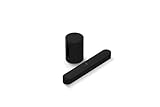

What “flat frequency response” means for a soundbar
A flat response means every frequency plays at roughly the same level at your listening position. Dialogue, footsteps in a shooter and bass hits then sound as the mix engineer intended, without a boomy low end or a hyped treble. A spec like “50 Hz–20 kHz” only says the bar produces sound at those frequencies. It says nothing about how loud each one is. The number that matters is the tolerance, for example 60 Hz–18 kHz ±3 dB, and most manufacturers don’t publish one.
Two things make a soundbar deviate from flat: its own tuning (many are deliberately voiced with extra bass and sparkle) and your room (walls, desks and furniture add peaks and dips). That is why the picks below lean on calibration features and on the way independent reviewers describe their tonal balance. Treat that as guidance, not a guarantee.
Quick comparison of the picks
| Pick | Best for | Key specs | Price tier |
|---|---|---|---|
| Sonos Arc Ultra | Best overall, living room | Dolby Atmos, HDMI eARC, Trueplay room tuning, optional Sub | Premium |
| Sonos Beam (Gen 2) | Best mid-range balance | Compact, Dolby Atmos, HDMI eARC, Trueplay | Mid-range |
| Sennheiser Ambeo Soundbar Plus | Best for detail and mids | Virtual 3D, HDMI eARC, room calibration | Premium |
| Samsung HW-Q990F | Best full system with sub and rears | 11.1.4 channels, wireless sub and rear speakers, SpaceFit Sound Pro | Premium |
| Yamaha SR-C20A | Best budget and desktop | 2.1 with built-in subwoofer, HDMI ARC, compact | Budget |
| Sonos Ray | Best small and simple | No HDMI (optical only), compact, Trueplay | Budget |
Specs are per each manufacturer’s published sheets. Check current feature lists before buying, because firmware updates change calibration support.
Best overall: Sonos Arc Ultra
The Arc Ultra suits a living room where the TV, console and PC share one bar. It combines Dolby Atmos, HDMI eARC and Trueplay, which measures your room with a phone microphone and adjusts the output to offset the room’s effect. Published reviews commonly describe Sonos tuning as balanced rather than aggressively bass-heavy, which is the starting point you want. Its main trade-off is bass: even a good bar can’t go truly low without help, so a Sonos Sub is the logical addition for a flat low end. It’s also a closed ecosystem, with little manual EQ beyond bass, treble and loudness settings.
Best mid-range: Sonos Beam (Gen 2)
The Beam (Gen 2) gives you the same room-tuning approach in a bar short enough for a desk or a small TV stand. It makes sense for bedrooms, apartments and gaming setups where the screen is a monitor or a mid-size TV. The trade-off is physics: a compact enclosure rolls off earlier in the bass, so a flat response above roughly 70–80 Hz is a reasonable expectation, not full-range accuracy. Atmos is virtualized, so don’t expect true overhead effects.
Best for detail and midrange: Sennheiser Ambeo Soundbar Plus
Sennheiser’s Ambeo line uses its own calibration routine and a focus on clean vocals and wide imaging. It fits people who watch a lot of dialogue-driven content or play story-heavy games and care about midrange clarity. The trade-off is that it’s a premium purchase for a bar that is smaller than the Arc Ultra and, like all bars, still benefits from a subwoofer for the lowest octaves.
Best full system: Samsung HW-Q990F
If you want surround and a dedicated subwoofer, the HW-Q990F bundles a wireless sub and rear speakers with SpaceFit Sound Pro room adaptation. A separate subwoofer lets the bar’s drivers handle mids and highs, which is how you get a flatter low end in a bigger room. The trade-off is setup complexity and placement: rear speakers need power outlets, and a sub placed in a bad spot can create exactly the bass peak you’re trying to avoid.
Best budget and desktop: Yamaha SR-C20A
The SR-C20A is a small 2.1 bar with a built-in subwoofer and HDMI ARC, so it suits a monitor or small TV on a desk. At this tier you won’t get measured room correction, so flatness depends on placement and the bar’s built-in tuning. It also has no eARC and no height channels. If you only need cleaner dialogue and mild bass for a small room, it’s a sensible budget option.
Best small and simple: Sonos Ray
The Ray is the entry point to Sonos tuning. It connects by optical only, with no HDMI, so it won’t pass Atmos or take volume commands as easily from a console. It works for a bedroom TV where you want a smoother, less boomy sound than the TV speakers.
How placement changes “flat”: a worked example
Placement on a desk can put a dip right in the voice range, whatever the bar’s own response is. Take a bar 0.15 m above the desk surface, with your ears 0.45 m above the desk and 0.7 m away horizontally.
- Direct path: vertical difference 0.30 m, so the distance is √(0.7² + 0.3²) ≈ 0.76 m.
- Reflected path (the sound bouncing off the desk, treated as coming from a mirror image 0.15 m below the surface): vertical difference 0.60 m, so √(0.7² + 0.6²) ≈ 0.92 m.
- Path difference ≈ 0.16 m.
- The first cancellation dip falls at roughly speed of sound ÷ (2 × path difference) = 343 ÷ 0.32 ≈ 1,070 Hz.
That 1 kHz region is the core of the human voice, so a bar that measures flat on a stand can still sound a little hollow on a bare desk. Tilting the bar toward your ears, raising it on a stand, or putting a desk mat or absorbent surface in front of it changes the path lengths and softens the dip. These figures are a simplified geometry model, not a measurement of any product.
Room modes below 100 Hz
The lowest standing wave between two parallel walls sits at 343 ÷ (2 × room length). In a 4 m room that is about 43 Hz, and in a 3 m room about 57 Hz. Bass notes near those frequencies are boosted or smeared. This is why a calibrated sub can sound flatter than an uncalibrated bar with bigger drivers, and why moving the sub by even half a metre can change how it sounds.
How to choose: a decision matrix
| Your situation | Choose | Why |
|---|---|---|
| Large living room, TV plus console | Sonos Arc Ultra, add a sub later | Room tuning, eARC, room to scale bass |
| Medium room or bedroom, balanced sound | Sonos Beam (Gen 2) | Calibration in a compact body |
| Dialogue and detail first | Sennheiser Ambeo Soundbar Plus | Clean mids and wide imaging |
| You want surround and real bass | Samsung HW-Q990F | Separate sub and rears with room adaptation |
| Desk, budget | Yamaha SR-C20A | Small, built-in sub, HDMI ARC |
| Tiny budget, optical TV | Sonos Ray | Cleaner than TV speakers, simple |
Checklist for judging flatness before you buy
- Look for a tolerance. A response range with ±3 dB means something, and a range with no tolerance means little.
- Prefer room calibration. Trueplay, Ambeo calibration and SpaceFit Sound Pro all try to counter the room’s effect. They help most with bass and with reflections from nearby walls.
- Find independent measurements. Graphs from review sites show whether a bar has a bass hump or a bright treble spike. Compare the shape, not just the headline score.
- Check EQ options. Bass and treble sliders let you trim a bump, and a “night” or “speech” mode usually alters the balance, so switch them off for flat listening.
- Plan for a sub. Most bars start to roll off below roughly 60–80 Hz. A subwoofer is the usual route to flat response below that.
Settings to use for the flattest result
- Run room calibration with the bar in its final position, with the microphone at your seat.
- Set bass and treble to zero, then adjust by ear in small steps of 1–2 steps.
- Turn off dynamic range, night, voice-boost and “surround AI” modes while evaluating.
- Keep the bar a few centimetres from walls and away from corners. A corner boosts bass.
When a soundbar isn’t the right tool
If a flat response is your top priority, for instance for music mixing or critical listening at a PC, a pair of powered studio monitors such as the Yamaha HS5 or JBL 305P MkII is the more accurate approach. They are designed for neutral output and are typically measured against a tolerance. A soundbar wins on convenience, a single HDMI cable and simple TV integration. For gaming and movies, a calibrated bar plus a sub gets you most of the way.
Frequently Asked Questions
Is any soundbar truly flat?
Not in the way studio monitors are. Soundbars are tuned for a pleasing sound with extra bass and a clear top end, and their small enclosures limit low-frequency output. Calibrated models get closer, especially in the midrange.
What does ±3 dB mean on a spec sheet?
It means the output stays within 3 dB above or below the reference level across the stated frequency range. Three decibels is audible but modest, so a bar that stays within it is considered reasonably neutral. If a spec sheet lists a range with no tolerance, you can’t tell how flat it is.
Does room calibration make a soundbar flat?
It improves the balance but doesn’t guarantee flatness. Calibration measures the response at one spot and corrects the largest bass and mid errors, but it can’t fix severe reflections or a bar that physically can’t reproduce low bass. Run it again whenever you move the bar or the furniture.
Do I need a subwoofer for a flat response?
For flatness below about 60–80 Hz, usually yes. A subwoofer takes over the low frequencies and lets the bar’s drivers concentrate on mids and highs. Place and calibrate it carefully, because a badly placed sub adds the room-mode peaks you are trying to avoid.
Is a soundbar good enough for a gaming PC desk?
Yes for casual play and movies, provided you manage desk reflections by tilting or raising the bar. For competitive or critical listening, a pair of nearfield monitors or a good headset gives more accurate positioning and tonal balance.
Should I turn off sound modes to get a flat sound?
Yes. Night, speech, bass-boost and virtual-surround modes all change the tonal balance on purpose. Disable them, set bass and treble to neutral, and add small adjustments by ear afterwards.
Related guides
More from Amazon
Programs that pair well with the guide above. Offers and eligibility are set by Amazon and may change.
A free business account with business pricing and bulk-buying tools for work, shop or home office.
Create a business accountFree shipping on eligible items, Prime Video and more. Eligible new members can start with a free trial.
Start a Prime free trialAudiobooks and podcasts to listen to on the go. Eligible new members can start with a free trial.
Try Audible freeAd-free music streaming. Eligible new subscribers can start with a free trial.
Try Music Unlimited freeAs an Amazon Associate we earn from qualifying purchases.


