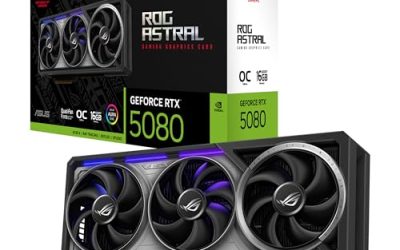
The desktop GeForce RTX 5060 has a TDP of 145 watts — NVIDIA rates the card at 145W total graphics power, fed through a single 8-pin PCIe power connector. That makes it an easy card to power: a decent 550W power supply covers a full system built around it. Laptop RTX 5060 chips are a different story, because each laptop maker sets its own wattage, so there is no single laptop figure.
This guide is for builders and upgraders who need the power numbers before anything else: whether an existing PSU survives the swap, and which partner card suits a small or quiet case. Every card below is a desktop RTX 5060 whose Amazon listing states its clocks, memory and outputs, and all of them share the same 145W ceiling, so the real differences are cooler size, factory overclock and dimensions.
Our Top Picks
 GIGABYTE GeForce RTX 5060 WINDFORCE OC 8G GraphicsRTX5060|OC|8GB7.83 x 4.57 x 1.57 inchesCheck on Amazon
 ASUS Dual NVIDIA GeForce RTX 5060 8GB GDDR7RTX5060|8GB|OC9 x 4.8 x 2 inches1.4 poundsCheck on Amazon
Top 3 picks at a glance
Quick Picks
As an Amazon Associate we earn from qualifying purchases.
| Product | Best for | Key spec from title |
|---|---|---|
| MSI Gaming RTX 5060 8G Shadow 2X OC | Compact cases that still want a factory overclock | 2535 MHz Extreme Performance clock |
| GIGABYTE GeForce RTX 5060 Windforce OC 8G | A straightforward dual-fan upgrade for older systems | 2512 MHz GPU clock speed |
| ASUS Dual GeForce RTX 5060 8GB GDDR7 OC Edition | Quiet builds that should idle silently | 0dB fan-stop technology |
| ZOTAC Gaming GeForce RTX 5060 Twin Edge OC | Small-form-factor builds with tight length limits | SFF-Ready compact design |
How to Choose
TDP, TGP and what the 145W rating covers
TDP and TGP describe the same budget from two angles. NVIDIA specifies the RTX 5060 at 145W of total graphics power, which covers the GPU core, the 8GB of GDDR7 memory, the voltage regulators and the fans — the whole card, not just the chip. That figure is what your power supply and case cooling have to handle under a sustained gaming load. Short transient spikes can jump above it for milliseconds, which is one reason the recommended system power supply sits far higher than 145W even though the card itself never draws anywhere near that much continuously.
One 8-pin connector and the 550W system recommendation
Every desktop RTX 5060 in this guide draws its power through a single 8-pin PCIe connector, with the slot itself supplying the rest. An 8-pin lead is rated for 150W and the slot adds up to 75W, so the 145W card sits comfortably inside that combined budget. Board partners translate this into a 550W recommended power supply for a complete system, which leaves room for the processor, drives, fans and USB devices. If your current unit is a quality 550W model with a native 8-pin lead, an RTX 5060 upgrade rarely forces a power supply purchase.
Cooler size matters more than wattage at 145W
A 145W heat load is modest by modern standards, so no RTX 5060 needs a triple-fan flagship cooler to stay in check. The practical differences between partner cards are physical: shorter dual-fan models drop into compact cases that reject longer cards, while 2.5-slot designs spread the same heat over a thicker heatsink and can run their fans slower. Fan-stop behaviour also varies, and it matters for noise whenever the PC is idling. Before choosing, measure the length and slot clearance in your case and compare it with the dimensions on the listing, because fit — not power — is where most RTX 5060 purchases go wrong.
Factory overclocks stay inside the same power envelope
Partner cards with OC in the name raise clock speeds a few steps above NVIDIA’s 2497 MHz reference boost, and their listings quote figures such as 2512 MHz or 2535 MHz. Those higher clocks do not create a new power class: the cards still carry a 145W power consumption rating, and the same 550W power supply recommendation applies to every model in this guide. Treat the overclock as a small, free performance nudge rather than a reason to resize your power supply, and spend your attention instead on cooler design, card dimensions and the display outputs you actually need.
The 4 Best Options
MSI Gaming RTX 5060 8G Shadow 2X OC

MSI’s Shadow 2X OC is the card to look at when the power question comes with a space question attached. Its Amazon listing quotes an Extreme Performance clock of 2535 MHz, the highest figure in this roundup, from a compact dual-fan cooler built around TORX Fan 5.0 blades. The card keeps the standard RTX 5060 power design — a 145W consumption rating and one 8-pin connector — so it suits older systems whose power supplies are adequate but whose cases cannot swallow a long graphics card. Three DisplayPort 2.1a outputs plus HDMI 2.1b cover multi-monitor desks without adapters.
Specs
- Graphics coprocessor: NVIDIA GeForce RTX 5060
- Memory: 8GB GDDR7, 128-bit
- Extreme Performance clock: 2535 MHz
- Outputs: 3x DisplayPort 2.1a, 1x HDMI 2.1b
- Cooling: TORX Fan 5.0 dual-fan design
- Model number: G5060-8S2C
Best for: Small or mid-tower builds that want a mild factory overclock without a longer card.
Watch out for: Confirm your power supply has a free native 8-pin PCIe lead before ordering, and that the case clears a dual-fan card’s length.
ASIN: B0F4LP8VH5
GIGABYTE GeForce RTX 5060 Windforce OC 8G
The Windforce OC is Gigabyte’s straightforward take on the RTX 5060: a dual-fan Windforce cooler, a mild factory overclock to a 2512 MHz GPU clock, and no change to the card’s 145W power draw or single 8-pin connector. That restraint is the appeal for upgraders, because the card behaves exactly as the reference specification promises your power supply it will. The listing confirms 8GB of GDDR7 memory, DisplayPort and HDMI outputs, and a standard PCIe interface that drops into motherboards several generations old, which makes it the least surprising card here to install and power.
Specs
- Graphics coprocessor: NVIDIA GeForce RTX 5060
- Memory: 8GB GDDR7
- GPU clock speed: 2512 MHz
- Memory clock speed: 28000 MHz
- Outputs: DisplayPort and HDMI
- Model number: GV-N5060WF2OC-8GD
Best for: Upgraders replacing an older midrange card in a standard ATX case with a 550W power supply.
Watch out for: Check the clock figure on the listing against the non-OC Windforce variant, which runs at reference speeds.
ASIN: B0F8LDHQ7Y
ASUS Dual GeForce RTX 5060 8GB GDDR7 OC Edition
ASUS builds the Dual OC around silence at low load as much as speed at full load. Its 0dB technology holds the Axial-tech fans completely still until the card is working hard, which suits a 145W part that produces little heat during desktop use, video playback or light esports titles. The 2.5-slot cooler is thicker than most in this guide, buying thermal headroom that keeps fan speeds modest under sustained gaming. Power requirements match the rest of the field: the same 145W class draw, one 8-pin connector, and a 550W recommended system power supply.
Specs
- Graphics coprocessor: NVIDIA GeForce RTX 5060
- Memory: 8GB GDDR7
- Interface: PCIe 5.0
- Outputs: HDMI 2.1b, DisplayPort 2.1b
- Design: 2.5-slot with Axial-tech fans
- 0dB technology: fans stop under light load
- DLSS 4 support
Best for: Quiet PCs and living-room builds where fan noise at idle matters as much as frame rates.
Watch out for: The 2.5-slot cooler can crowd the slot below it on compact motherboards, so check clearance first.
ASIN: B0F8PR9L3X
ZOTAC Gaming GeForce RTX 5060 Twin Edge OC

Zotac’s Twin Edge OC is built for small-form-factor systems, where the RTX 5060’s modest 145W draw is a genuine advantage over hungrier cards. The compact dual-fan design is labelled SFF-Ready on its listing, and the card keeps full desktop specifications: 8GB of GDDR7 on a 128-bit bus at 28 Gbps, PCIe 5.0 connectivity and DLSS 4 support. Because the power envelope is small, builders can pair it with the compact power supplies that mini-ITX cases often require, instead of redesigning the whole build around the graphics card’s electrical demands.
Specs
- Graphics coprocessor: NVIDIA GeForce RTX 5060
- Memory: 8GB GDDR7, 128-bit, 28 Gbps
- Interface: PCIe 5.0
- DLSS 4 support
- Form factor: SFF-Ready compact card
- Model number: ZT-B50600H-10M
Best for: Mini-ITX and small-form-factor builds using compact power supplies.
Watch out for: Compact coolers have less thermal mass, so give the card clean intake airflow in a small case.
ASIN: B0F8T73MZP
Which One Fits Your Situation
You are upgrading a prebuilt with a modest power supply
Start by reading the wattage and connector list on your existing unit. If it is a genuine 550W supply with a native 8-pin PCIe lead, the Gigabyte Windforce OC is the safest swap: reference-style power behaviour, a mild overclock and a cooler that fits standard cases. If the supply is smaller or lacks the connector, budget for a replacement before choosing any card.
You are building in a small-form-factor case
The Zotac Twin Edge OC is the natural pick, since its SFF-Ready design and 145W draw suit the compact power supplies these cases use. The MSI Shadow 2X OC is the fallback if you want a higher factory clock and your case has a little more length to spare. In both cases, measure twice: small cases punish assumptions about card length and cable bend room.
You want the quietest card for a living-room PC
Choose the ASUS Dual OC. Its fans stay stopped during streaming, browsing and light games, and the thick 2.5-slot heatsink keeps speeds low when a demanding title does spin them up. The 145W ceiling helps here too, because there is simply less heat for the cooler to move than with a higher-tier card.
You play at 1080p and want set-and-forget power draw
Any card in this guide works, because all four share the same 145W rating and connector. Pick on price-independent factors instead: the MSI Shadow 2X OC for the highest listed clock, the Gigabyte Windforce OC for the plainest installation, or whichever card’s outputs match your monitors. Your power supply choice stays identical either way.
Common Mistakes
- Confusing the card’s 145W TDP with the 550W figure, which is the recommendation for the whole system, not the graphics card alone.
- Assuming the laptop RTX 5060 also runs at 145W, when laptop makers each configure their own wattage for the same chip name.
- Buying a power supply on wattage alone and ignoring whether it has a native 8-pin PCIe connector and a reputable design.
- Paying extra for an OC edition in the belief that it needs a bigger power supply, when its rating stays at 145W.
- Reusing a very old power supply whose capacitors have aged, even if its label wattage looks sufficient on paper.
Frequently Asked Questions
What is the TDP of the desktop RTX 5060?
The desktop RTX 5060 is rated at 145W. NVIDIA lists this as total graphics power, covering the GPU, its GDDR7 memory and the rest of the board. Every partner card in this guide follows the same figure, including the factory-overclocked models, so the answer does not change between brands or cooler designs.
What power supply do I need for an RTX 5060?
Plan on a 550W power supply for a complete system, which is the recommendation board partners print for these cards. The card itself draws up to 145W, and the remainder covers the processor, motherboard, storage, fans and peripherals, with headroom left for brief transient spikes during sudden load changes in games.
Does the RTX 5060 need an 8-pin power connector?
Yes. Desktop RTX 5060 cards take one 8-pin PCIe power connector alongside the power delivered through the motherboard slot. Use a native lead from your power supply rather than a Molex or SATA adapter cable, and check that your unit actually provides the connector before assuming an older supply will work.
What is the TDP of the laptop RTX 5060?
There is no single figure. Laptop manufacturers set the RTX 5060 Laptop GPU’s wattage to suit each chassis, so a thin laptop may cap it far below the desktop card, while some gaming laptops configure it at 100W with a further 15W of Dynamic Boost. Always check the specific laptop’s own specification sheet.
Related guides
More from Amazon
Programs that pair well with the guide above. Offers and eligibility are set by Amazon and may change.
A free business account with business pricing and bulk-buying tools for work, shop or home office.
Create a business accountFree shipping on eligible items, Prime Video and more. Eligible new members can start with a free trial.
Start a Prime free trialAudiobooks and podcasts to listen to on the go. Eligible new members can start with a free trial.
Try Audible freeAd-free music streaming. Eligible new subscribers can start with a free trial.
Try Music Unlimited freeAs an Amazon Associate we earn from qualifying purchases.