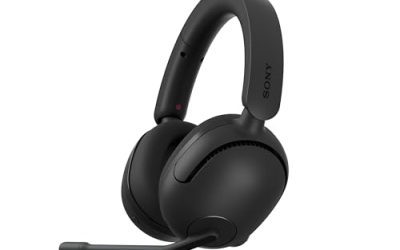
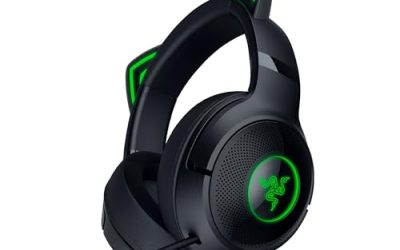
The best Android wireless headset for most people is the Sony WH-1000XM6, because it combines strong noise cancelling, LDAC high-bitrate audio and multipoint pairing. If you mainly play mobile games or want low lag, a headset with a USB-C 2.4GHz dongle, such as the SteelSeries Arctis Nova 7 Wireless, beats any Bluetooth model on latency. Android is the one platform where the codec your phone and headset share matters as much as the brand name, so this guide ranks picks by connection type first.
Quick comparison of the picks
| Pick | Best for | Key specs (per manufacturer) | Price range |
|---|---|---|---|
| Sony WH-1000XM6 | Best overall, travel, music | Over-ear, Bluetooth, LDAC, LE Audio, active noise cancelling, multipoint, roughly 30 hours with ANC on | Premium |
| Samsung Galaxy Buds3 Pro | Samsung Galaxy phone owners | Earbuds, Samsung Seamless Codec on Galaxy devices, ANC, Bluetooth 5.4 | Mid-range to premium |
| Google Pixel Buds Pro 2 | Pixel owners, calls, all-day comfort | Earbuds, ANC, Bluetooth 5.4, tight Pixel integration | Mid-range to premium |
| SteelSeries Arctis Nova 7 Wireless | Best for gaming on Android | 2.4GHz USB-C dongle plus Bluetooth at the same time, detachable boom mic, long battery life | Mid-range to premium |
| Razer Barracuda X (2.4GHz USB-C + Bluetooth) | Budget gaming and commuting | About 250 g, USB-C dongle, Bluetooth, up to roughly 50 hours per Razer | Budget to mid-range |
| Logitech G435 Lightspeed | Lightest budget option | About 165 g, Lightspeed dongle (USB-A, needs a USB-C adapter) plus Bluetooth, around 18 hours | Budget |
Start with the connection type, not the brand
Android phones offer three audio routes, and each behaves differently. Bluetooth is universal but codec-dependent. A 2.4GHz dongle in the USB-C port gives the lowest lag but uses the charging port. A 3.5 mm or USB-C wired connection is not wireless, but it is the fallback when the battery dies.
| Connection | Typical audio delay | Bitrate ceiling | Good for |
|---|---|---|---|
| Bluetooth SBC | about 170-250 ms | about 328 kbps | Music only |
| Bluetooth AAC | about 120-200 ms | about 256 kbps | Music, video on most phones |
| Bluetooth aptX Adaptive / LC3 (LE Audio) | about 50-120 ms | varies with link quality | Video, casual games |
| Bluetooth LDAC | about 150-250 ms | 330 / 660 / 990 kbps | High-quality music |
| 2.4GHz USB-C dongle | about 15-40 ms | lossless-class, vendor-specific | Games, rhythm titles, cloud gaming |
The delay figures are typical ranges from published measurements and vary with phone, firmware and app buffering. Treat them as a guide, not a guarantee.
Best overall: Sony WH-1000XM6
The WH-1000XM6 is the safest pick for an Android phone because Sony supports LDAC, which Android has included natively since version 8. LDAC can send up to 990 kbps, close to the 1,411 kbps of CD audio. Multipoint lets the headset stay connected to a phone and a laptop together. The trade-off is price and size: it is a premium over-ear that folds but is still bulky, and LDAC at the highest bitrate can stutter in crowded places. Dropping to the 660 kbps “Connection Quality” mode usually fixes that.
Best for Samsung phones: Galaxy Buds3 Pro
These earbuds are strongest when paired with a Galaxy phone, where Samsung’s own Seamless Codec and its feature suite work as designed. On a non-Samsung Android phone they fall back to standard codecs and lose some features, so the value drops. Choose them only if your phone is a recent Galaxy.
Best for Pixel and calls: Pixel Buds Pro 2
Google’s earbuds pair quickly with Android through Fast Pair and offer strong ANC in a small, comfortable shape. They suit commuters, callers and people who dislike over-ear headbands. The trade-off is that they do not offer a high-bitrate codec like LDAC, so audiophiles on Bluetooth will find the Sony a better fit.
Best for gaming: SteelSeries Arctis Nova 7 Wireless
The Arctis Nova 7 Wireless uses a USB-C 2.4GHz dongle, which suits Android phones directly, and it can hold a Bluetooth link at the same time. That means game audio on the dongle while Bluetooth carries a call or music from the same phone. SteelSeries rates the battery well above 30 hours. The trade-off is a plastic gaming look and a boom mic that is good but not studio-grade. The dongle also occupies the charging port, so long sessions need a USB-C hub with pass-through charging or a battery that lasts.
Best budget: Razer Barracuda X or Logitech G435
The Barracuda X pairs a USB-C dongle with Bluetooth, so it connects to an Android phone without any adapter. Razer lists up to roughly 50 hours of battery life. The G435 is lighter at around 165 g and cheaper, but its dongle is USB-A, so you need a USB-C adapter, and its battery is shorter. Both give up noise cancelling and use plain tuning. For most budget buyers, the Barracuda X is the simpler Android choice.
Decision matrix: match your situation to a headset
| Your situation | Choose | Why |
|---|---|---|
| Any Android phone, mostly music and travel | Sony WH-1000XM6 | LDAC plus strong ANC |
| Galaxy phone, want earbuds | Galaxy Buds3 Pro | Samsung codec and integration |
| Pixel phone, many calls | Pixel Buds Pro 2 | Fast Pair, small, good mics |
| Competitive mobile games, cloud gaming | Arctis Nova 7 Wireless or Barracuda X | Dongle cuts delay to about 15-40 ms |
| Tight budget, light weight | Logitech G435 | About 165 g, dongle plus Bluetooth |
| Phone also used with a PC or console | Dongle headset with Bluetooth | One headset, two sources |
How to choose: the numbers that matter
1. Latency in frames
At 60 fps, one frame lasts 16.7 ms. A Bluetooth SBC link at 200 ms is about 12 frames late, which is why gunshots and button taps feel disconnected. A dongle at 25 ms is about 1.5 frames, which most players cannot notice. At 120 fps, one frame is 8.3 ms, so the gap is even clearer.
2. Battery runtime, worked example
Runtime is capacity divided by average current. As an illustration, a 500 mAh cell running an average draw of 25 mA with ANC on lasts 500 / 25 = 20 hours. Turning ANC off and lowering the draw to 15 mA gives 500 / 15 = about 33 hours. Rated battery life from manufacturers usually assumes moderate volume and the lowest-power codec, so expect real runtime to fall 10-30% when you use LDAC or play loud.
3. Codec support on both ends
The headset and the phone must both support a codec for it to be used. Check the phone’s Developer options (Bluetooth audio codec) to see which one is active. If it shows SBC when you expected LDAC or aptX, reconnect the headset, then select the codec manually.
4. Microphone and call quality
Bluetooth calls are limited to narrow or wideband voice profiles, so even a premium headset sounds thin on a call. For team voice chat in games, a boom mic on a dongle headset is clearer than earbud mics, especially in noisy rooms.
5. Comfort and weight
Under about 260 g is comfortable for multi-hour sessions. Heavier over-ears can still be fine if the clamp force is low, but earbuds are better for exercise and commuting.
Settings that fix the most common Android problems
- Audio lag in video: most video apps compensate for Bluetooth delay, but games do not. Switch to a dongle for games, or choose aptX Adaptive or LE Audio if both devices support them.
- LDAC dropouts: choose the “Optimized for connection quality” playback quality (660 or 330 kbps) in Developer options. This reduces stutter in busy environments.
- Dongle not recognized: use a USB-C port with data support, restart the headset, and make sure the phone allows USB audio. A USB-A dongle needs an OTG-capable adapter.
- Battery drain: turn off ANC and spatial audio when you do not need them, and avoid the highest LDAC bitrate on long trips.
Frequently Asked Questions
Do all wireless headsets work with Android?
Any Bluetooth headset connects to Android, but features differ. Codecs such as LDAC or aptX only work when the phone also supports them. Brand-specific features, like Samsung’s codec, may only work on that brand’s phones.
Is a Bluetooth or a 2.4GHz dongle headset better for Android gaming?
A 2.4GHz USB-C dongle is better for games because its delay is typically around 15-40 ms against 150-250 ms for most Bluetooth codecs. Bluetooth is more convenient for music and calls. Headsets with both, like the Arctis Nova 7 Wireless, cover each case.
Which codec is best on Android?
LDAC offers the highest bitrate, up to 990 kbps, so it suits music. aptX Adaptive and LE Audio’s LC3 are better balanced for video and games because of lower delay. SBC is the baseline all devices support, and AAC works acceptably on many Android phones.
Can I use one headset with my phone and my PC?
Yes, if it has multipoint Bluetooth or a dongle plus Bluetooth. A headset like the Sony WH-1000XM6 can be connected to two devices at once, and a dongle model can keep the dongle in the PC while the phone connects over Bluetooth.
Are earbuds or over-ear headsets better for Android?
Earbuds are better for portability, exercise and calls. Over-ear headsets usually deliver stronger noise cancelling, bigger batteries and, in gaming models, a proper boom mic. Pick by where you will use them most.
Related guides
More from Amazon
Programs that pair well with the guide above. Offers and eligibility are set by Amazon and may change.
A free business account with business pricing and bulk-buying tools for work, shop or home office.
Create a business accountFree shipping on eligible items, Prime Video and more. Eligible new members can start with a free trial.
Start a Prime free trialAudiobooks and podcasts to listen to on the go. Eligible new members can start with a free trial.
Try Audible freeAd-free music streaming. Eligible new subscribers can start with a free trial.
Try Music Unlimited freeAs an Amazon Associate we earn from qualifying purchases.