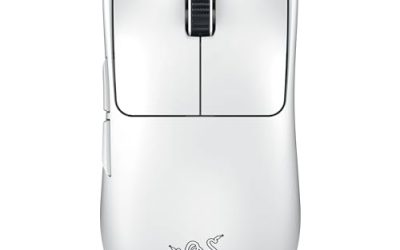
Polling rate is the number of times per second your mouse reports its position to your computer, and for years the standard was 1,000 Hz, or one report every millisecond. That was fast enough for most players, but the newest mice have pushed the standard to 8,000 Hz, cutting the delay between your hand and the screen to an eighth of a millisecond. The difference is subtle, but in a fast shooter it is the kind of edge that players feel before they can explain it.
This guide compares five mice that take polling rate seriously, using the names and specifications printed on their Amazon listings. Some poll at 8,000 Hz out of the box, some reach it with an included dongle, and one is here as a reference point so you can judge whether the upgrade is worth it for you.
Our Top Picks
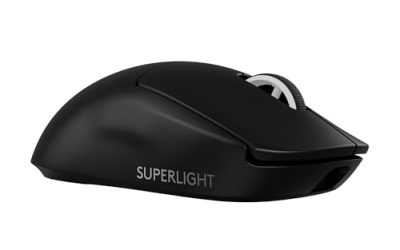
 Logitech G Pro X Superlight 2 Lightspeed WirelessClassic1.57 x 2.5 x 4.92 inches0.1 poundsCheck on Amazon

Top 3 picks at a glance

Quick Picks
As an Amazon Associate we earn from qualifying purchases
| Product | Best for | Key spec from title |
|---|---|---|
| Logitech G Pro X Superlight 2 | True 8 kHz wireless | 60g, HERO 2 sensor, 8 kHz polling |
| Razer DeathAdder V3 Pro + HyperPolling Dongle | 8 kHz ergonomic | 63g, 8K polling, Focus Pro 30K |
| HyperX Pulsefire Haste 2 Wired | 8,000 Hz wired value | 53g, 8,000Hz polling rate |
| Razer Viper V2 Pro | Lightweight 1 kHz reference | 58g, Focus Pro 30K optical sensor |
| Logitech G502 X LIGHTSPEED | Feature-rich 1 kHz control | HERO 25K sensor, 13 programmable buttons |
How to Choose
Understand what polling rate actually does
Polling rate measures how often the mouse sends its position to the computer. At 1,000 Hz the mouse reports every millisecond, while at 8,000 Hz it reports eight times per millisecond, which means the computer always has a fresher picture of where your hand is. The benefit shows up as smoother cursor movement and slightly faster response, especially on high-refresh-rate monitors where the screen can actually show the difference. It is a real improvement, but a small one, so treat it as a bonus on top of a good sensor and a comfortable shape, not as a reason to buy a mouse on its own.
Native 8 kHz beats dongle 8 kHz for simplicity
Some mice poll at 8,000 Hz straight out of the box, while others need an optional dongle to reach it. The Superlight 2 is the simplest case here: it polls at up to 8 kHz with the receiver in the box, no extra purchase needed. The DeathAdder V3 Pro bundle includes the HyperPolling dongle, so it also reaches 8,000 Hz, but you need to keep track of the extra receiver. When you compare mice, check whether the 8 kHz figure applies to the standard model or only to a bundle, because the price and the setup are different.
Battery life drops at higher polling rates
Polling at 8,000 Hz uses more power than polling at 1,000 Hz, so battery life is the trade-off you pay for the faster report rate. A mouse that lasts 90 hours at 1,000 Hz may last noticeably less at 8,000 Hz, which means charging more often. Some players run their mouse at 8,000 Hz for competitive matches and drop it to 1,000 Hz for everyday use, which is a sensible compromise. If you hate charging, a wired 8,000 Hz mouse removes the problem entirely.
The rest of the mouse still matters
A high polling rate cannot rescue a mouse with a poor sensor or an uncomfortable shape. The sensor still has to track accurately, the switches still have to click reliably, and the shell still has to fit your hand, because those are the things you notice every minute of play. Polling rate is the last five percent of performance, not the first ninety-five. Choose a mouse you would be happy with at 1,000 Hz, and let the higher polling rate be the reason you pick it over an otherwise identical rival.
The 5 Best Options
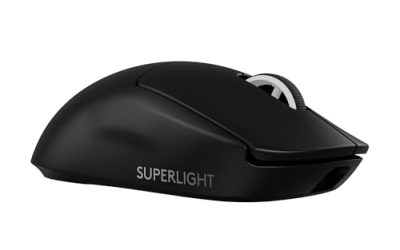
Logitech G Pro X Superlight 2
The Superlight 2 is the cleanest high-polling-rate mouse you can buy, because it polls at up to 8 kHz with the receiver in the box and no dongle to buy or lose. The HERO 2 sensor tracks up to 44,000 DPI with sub-micron accuracy, so the faster report rate is built on a sensor that deserves it. At 60 grams the mouse moves with almost no effort, and LIGHTFORCE switches combine optical speed with a mechanical click feel. Five programmable buttons keep the layout clean, USB-C charging makes top-ups quick, and the battery lasts up to 95 hours at standard polling rates.
Specs
- 60g lightweight design
- HERO 2 sensor with up to 44,000 DPI
- LIGHTSPEED wireless with up to 8 kHz polling
- 5 programmable buttons
- Up to 95 hours of battery life
- USB-C charging
- LIGHTFORCE hybrid optical-mechanical switches
Best for: Players who want true 8 kHz polling with no extra hardware to buy.
Watch out for: The symmetrical shape suits claw and fingertip grips better than a full palm grip, and battery life drops when you run at 8 kHz.
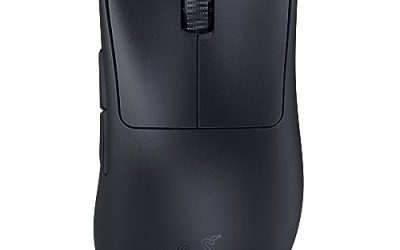
Razer DeathAdder V3 Pro + HyperPolling Wireless Dongle
This bundle pairs the DeathAdder V3 Pro with Razer’s HyperPolling wireless dongle, lifting the polling rate from 1,000 Hz to 8,000 Hz while keeping the ergonomic shape that made the DeathAdder famous. The Focus Pro 30K optical sensor tracks with flagship precision, and Gen-3 optical switches click with almost no debounce delay. At 63 grams the right-handed shell supports your palm through long sessions, and the six programmable buttons give you room for the binds that matter. Battery life reaches up to 90 hours, which is generous for a mouse polling this fast.
Specs
- 63g right-handed ergonomic design
- 8K polling rate with HyperPolling wireless dongle
- Focus Pro 30K optical sensor
- Gen-3 optical mouse switches
- 6 programmable buttons
- Up to 90 hours of battery life
- HyperSpeed wireless technology
Best for: Right-handed players who want 8 kHz polling in a comfortable ergonomic shell.
Watch out for: The dongle is an extra piece to keep track of, and the ergonomic shape is built for right hands only.
HyperX Pulsefire Haste 2 Wired
The Pulsefire Haste 2 Wired is the cheapest way to get a true 8,000 Hz polling rate, and it does it without a battery to worry about. At 53 grams it is the lightest mouse in this guide, and the HyperFlex 2 cable is soft and flexible enough that it barely feels like a cable at all. The HyperX 26K sensor tracks up to 26,000 DPI with the precision competitive play demands, and the 8,000 Hz polling rate means the sensor’s readings reach your computer almost instantly. It is a wired mouse, so there is no battery life to manage and no wireless latency to think about.
Specs
- 53g lightweight design
- 8,000Hz polling rate
- HyperX 26K sensor with up to 26,000 DPI
- HyperFlex 2 cable
- Wired connection
- 6 programmable buttons
Best for: Players who want 8,000 Hz polling at the lowest price, with no battery concerns.
Watch out for: It is wired, so you will want a mouse bungee to keep the cable out of the way, and there is no wireless option.
Razer Viper V2 Pro

The Viper V2 Pro is the reference point in this guide: a flagship mouse that polls at 1,000 Hz and is still fast enough for almost every player. The Focus Pro 30K sensor and Gen-3 optical switches are the same proven combination as the DeathAdder, and the 58-gram symmetrical shell is the lightest wireless mouse here. HyperSpeed wireless delivers a cable-like response, and the 90-hour battery means charging is a rare event. If you are wondering whether 8,000 Hz is worth paying for, this is the mouse to compare against, because it shows how good 1,000 Hz already is.
Specs
- 58g symmetrical design
- Focus Pro 30K optical sensor
- Gen-3 optical mouse switches
- HyperSpeed wireless technology
- Up to 90 hours of battery life
- On-mouse DPI controls
- 5 programmable buttons
Best for: Players who want flagship performance and are happy with a 1,000 Hz polling rate.
Watch out for: It polls at 1,000 Hz out of the box, so it cannot match the 8 kHz mice above on raw report rate without a separate dongle.
Logitech G502 X LIGHTSPEED

The G502 X LIGHTSPEED is the control pick for players who care more about features than raw report rate. Thirteen programmable buttons cover push-to-talk, melee, and ability keys, and the dual-mode scroll wheel switches between a notched step and a free-spin mode. The HERO 25K sensor tracks up to 25,600 DPI with the accuracy the G502 line is known for, and LIGHTFORCE switches combine optical speed with a mechanical click feel. Battery life reaches up to 140 hours, the longest of any rechargeable mouse here, and the shell works with PowerPlay charging mats.
Specs
- HERO 25K sensor with up to 25,600 DPI
- 13 programmable buttons
- LIGHTFORCE hybrid optical-mechanical switches
- Up to 140 hours of battery life
- PowerPlay wireless charging compatible
- Dual-mode scroll wheel with hyper-fast scroll
- LIGHTSPEED wireless technology
Best for: Players who want the most buttons and the longest battery life, with a standard 1,000 Hz polling rate.
Watch out for: It polls at 1,000 Hz, so it cannot match the 8 kHz mice above, and it is heavier than the ultra-light picks here.
Which One Fits Your Situation
You want the simplest path to 8 kHz
Pick the Logitech G Pro X Superlight 2. It polls at up to 8 kHz with the receiver in the box, no dongle to buy or lose, and the HERO 2 sensor is the most accurate Logitech has ever made. At 60 grams it is also one of the lightest mice here.
You want 8 kHz in an ergonomic shell
Pick the Razer DeathAdder V3 Pro bundle with the HyperPolling dongle. The 8,000 Hz polling rate pairs with a right-handed ergonomic shape that supports your palm through long sessions, and the 90-hour battery is generous for a mouse polling this fast.
You want 8 kHz for the least money
Pick the HyperX Pulsefire Haste 2 Wired. At 53 grams it is the lightest mouse in this guide, the 8,000 Hz polling rate is genuine, and being wired means there is no battery to manage. A mouse bungee keeps the cable out of the way.
You are not sure 8 kHz matters for you
Pick the Razer Viper V2 Pro. It polls at 1,000 Hz and is still fast enough for almost every player, with a flagship sensor and a 58-gram shell. If you cannot feel the difference between this and an 8 kHz mouse, you have your answer.
Common Mistakes
- Buying a mouse for its polling rate alone, when sensor accuracy and shape matter far more.
- Paying for an 8 kHz dongle and then playing on a 60 Hz monitor, where the benefit is hardest to see.
- Running at 8,000 Hz constantly and wondering why the battery drains faster than expected.
- Assuming every mouse with an 8 kHz figure in its name polls that fast out of the box, when some need a separate dongle.
- Ignoring the sensor and buying a high-polling mouse with mediocre tracking.
Frequently Asked Questions
What is polling rate?
Polling rate is how many times per second your mouse reports its position to your computer. A 1,000 Hz mouse reports every millisecond, while an 8,000 Hz mouse reports eight times per millisecond. A higher polling rate means the computer always has a fresher picture of where your hand is, which shows up as smoother cursor movement and slightly faster response, especially on high-refresh-rate monitors.
Can I feel the difference between 1,000 Hz and 8,000 Hz?
Most players can feel a small difference on a high-refresh-rate monitor, usually described as smoother cursor movement rather than a dramatic change. On a 60 Hz monitor the difference is much harder to notice, because the screen itself only updates 60 times per second. If you play on a 144 Hz or faster monitor and you play fast shooters, the upgrade is worth trying; otherwise, a good 1,000 Hz mouse is already fast enough.
Does 8,000 Hz polling drain the battery faster?
Yes. Polling eight times as often uses more power, so a wireless mouse will last noticeably less time at 8,000 Hz than at 1,000 Hz. Many players run their mouse at 8,000 Hz for competitive matches and drop it to 1,000 Hz for everyday use, which is a sensible compromise. A wired 8,000 Hz mouse avoids the problem entirely.
Do I need a special dongle for 8,000 Hz?
It depends on the mouse. The Superlight 2 polls at up to 8 kHz with the receiver in the box, while the DeathAdder V3 Pro needs the HyperPolling dongle, which is included in the bundle listed here. Always check whether the 8 kHz figure applies to the standard model or only to a bundle, because the price and the setup are different.
Related guides
More from Amazon
Programs that pair well with the guide above. Offers and eligibility are set by Amazon and may change.
A free business account with business pricing and bulk-buying tools for work, shop or home office.
Create a business accountFree shipping on eligible items, Prime Video and more. Eligible new members can start with a free trial.
Start a Prime free trialAudiobooks and podcasts to listen to on the go. Eligible new members can start with a free trial.
Try Audible freeAd-free music streaming. Eligible new subscribers can start with a free trial.
Try Music Unlimited freeAs an Amazon Associate we earn from qualifying purchases.