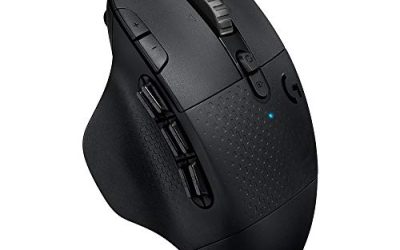
Escape from Tarkov punishes sloppy aim harder than almost any other shooter. Fights are slow until they are suddenly not, and the moment an enemy appears in a doorway you have a fraction of a second to land a headshot before the raid ends. There is no respawn, no second chance, and no forgiveness for a mouse that spins out or a click that fails to register when it matters most.
This guide picks five mice that suit Tarkov’s particular demands: precise tracking for long sightlines, a shape you can hold through a forty-minute raid, and enough buttons for leaning, healing, and switching fire modes without taking your fingers off the movement keys. Every pick below is chosen from the names and specifications on its Amazon listing.
Our Top Picks
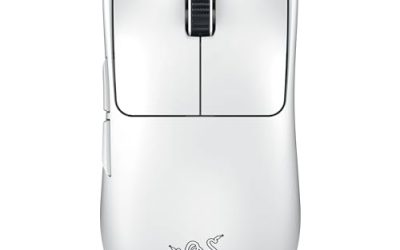
 Razer DeathAdder V3 Pro Wireless Gaming Mouse1000 Hz5.01 x 2.65 x 1.69 inches0.1 poundsCheck on Amazon
 Razer Basilisk V3 Pro Customizable RGB Wireless GamingMouse5.12 x 2.96 x 1.67 inches0.24 poundsCheck on Amazon
 Razer Cobra Pro Wireless Gaming MouseCobra Pro Mouse4.71 x 2.46 x 1.5 inches0.17 poundsCheck on Amazon

Top 3 picks at a glance

Quick Picks
As an Amazon Associate we earn from qualifying purchases
| Product | Best for | Key spec from title |
|---|---|---|
| Razer DeathAdder V3 Pro | Ergonomic raid comfort | 63g, Focus Pro 30K optical sensor |
| Razer Viper V2 Pro | Fast flicks in close fights | 58g, Focus Pro 30K optical sensor |
| Logitech G502 X LIGHTSPEED | Extra buttons for Tarkov controls | HERO 25K sensor, 13 programmable buttons |
| Razer Basilisk V3 Pro | Feature-rich tactical play | Focus Pro 30K, HyperScroll tilt wheel |
| Razer Cobra Pro | Compact control and RGB | 30K optical sensor, 10 customizable controls |
How to Choose
Precision matters more than speed in Tarkov
Tarkov rewards careful, deliberate aim far more than raw flick speed. Most engagements happen at medium range, where a millimetre of crosshair drift is the difference between a headshot and a whiffed shot into a wall. Choose a mouse with a flagship sensor that tracks without acceleration or smoothing, because your muscle memory depends on the mouse reporting the same movement the same way every single time. A sensor that behaves inconsistently will undo weeks of practice, so treat tracking fidelity as the first thing to check and the last thing to compromise on.
Comfort decides whether you survive the raid
A Tarkov raid can run for forty minutes or more, and your hand will be on the mouse the whole time. An ergonomic shell that supports your palm prevents the cramping that creeps in during a long hold on a corridor, while a grip that forces your fingers into an awkward curl will have you shaking your hand out between fights. Weight matters here too: a lighter mouse is easier to keep steady when your arm is tired, but an ultralight shell with no palm support can be just as tiring. Pick a shape that matches your grip and hand size before you worry about anything else.
Buttons should map to Tarkov’s controls
Tarkov uses more keys than most shooters, and a mouse with extra buttons can take real pressure off your left hand. Leaning, checking your magazine, switching fire modes, and using painkillers are all actions you can bind to the mouse, keeping your fingers on the movement keys where they belong. Look for side buttons that are easy to find by touch but hard to press by accident, because an accidental grenade throw in a quiet raid is a mistake you only make once.
Wireless freedom helps in long sessions
A wireless mouse removes the cable drag that builds up over a long raid, and modern 2.4 GHz connections are fast enough that you will not notice any delay. Battery life is the practical question: a mouse that lasts 90 hours or more will run for weeks of evening raids between charges, while one that needs charging every other day will eventually die at the worst possible moment. A mouse that can charge over USB-C while you play is a useful safety net.
The 5 Best Options
Razer DeathAdder V3 Pro
The DeathAdder V3 Pro is the natural first pick for Tarkov because its right-handed ergonomic shell is built for the long, slow sessions the game demands. At 63 grams it is light enough for fast flicks when a fight breaks out, yet the shape supports your palm through an entire raid without cramping. The Focus Pro 30K optical sensor tracks with the precision that long sightlines require, and Gen-3 optical switches register clicks with almost no debounce delay. HyperSpeed wireless keeps the connection responsive, and the 90-hour battery means charging is a rare event.
Specs
- 63g right-handed ergonomic design
- Focus Pro 30K optical sensor
- Gen-3 optical mouse switches
- HyperSpeed wireless technology
- Up to 90 hours of battery life
- 5 programmable buttons
- On-mouse DPI controls
Best for: Players who want an ergonomic mouse that stays comfortable through long raids.
Watch out for: The shape is right-handed only, and the side buttons sit close together for smaller hands.
Razer Viper V2 Pro
The Viper V2 Pro is the pick for Tarkov players who favour a claw or fingertip grip and want the lightest mouse possible. At 58 grams it moves with almost no effort, which helps when you need to snap from a doorway to a window in a fraction of a second. The Focus Pro 30K sensor and Gen-3 optical switches are the same flagship combination as the DeathAdder, so tracking and clicking are every bit as reliable. HyperSpeed wireless delivers a cable-like response, and the 90-hour battery will last through many raids before it needs a charge.
Specs
- 58g symmetrical design
- Focus Pro 30K optical sensor
- Gen-3 optical mouse switches
- HyperSpeed wireless technology
- Up to 90 hours of battery life
- On-mouse DPI controls
- 5 programmable buttons
Best for: Claw and fingertip players who want the lightest mouse for fast close-quarters fights.
Watch out for: The low profile offers little palm support, and there is no RGB lighting if that matters to your setup.
Logitech G502 X LIGHTSPEED
Tarkov asks more of your mouse buttons than most games, and the G502 X LIGHTSPEED answers with thirteen programmable buttons. You can bind leaning, fire-mode switching, and painkillers to the mouse and keep your left hand free for movement, which is a real advantage in a game where one wrong key press can end a raid. The HERO 25K sensor tracks up to 25,600 DPI with the accuracy the G502 line is known for, and LIGHTFORCE switches combine optical speed with a mechanical click feel. Battery life reaches up to 140 hours, and the shell works with PowerPlay charging mats.
Specs
- HERO 25K sensor with up to 25,600 DPI
- 13 programmable buttons
- LIGHTFORCE hybrid optical-mechanical switches
- Up to 140 hours of battery life
- PowerPlay wireless charging compatible
- Dual-mode scroll wheel with hyper-fast scroll
- LIGHTSPEED wireless technology
Best for: Players who want to move Tarkov’s many controls onto the mouse.
Watch out for: It is heavier than the ultra-light picks here, and the shape is large for small hands.
Razer Basilisk V3 Pro
The Basilisk V3 Pro is the most feature-packed mouse in this guide, and Tarkov players will find plenty to use. The HyperScroll tilt wheel gives you a free-spinning scroll for looting menus and a notched mode for precise weapon selection, while the thirteen programmable controls cover every bind Tarkov can throw at you. The Focus Pro 30K optical sensor tracks with flagship precision, and Gen-3 optical switches keep clicks instant. Three connection modes mean you can switch between HyperSpeed wireless, Bluetooth, and wired play without touching a cable, and the 13-zone Chroma RGB lighting is there if you want it.
Specs
- Focus Pro 30K optical sensor
- HyperScroll tilt wheel
- Gen-3 optical mouse switches
- 13 programmable controls
- 13-zone Chroma RGB lighting
- 3 connection modes: HyperSpeed, Bluetooth, wired
Best for: Players who want the most controls and features on a single mouse.
Watch out for: It is the heaviest-feeling mouse here, and the feature list takes time to set up properly.
Razer Cobra Pro
The Cobra Pro is a compact, versatile option for Tarkov players who want flagship tracking in a smaller shell. The Focus Pro 30K optical sensor and Gen-3 optical switches deliver the same precision as Razer’s larger mice, while the ten customizable controls give you room for the binds that matter most. Chroma RGB lighting runs through eleven zones with an underglow that looks sharp on a dark desk, and the battery lasts up to 170 hours, the longest of any mouse here. Three connection modes cover HyperSpeed wireless, Bluetooth, and USB-C, so it adapts to any setup.
Specs
- Focus Pro 30K optical sensor
- Gen-3 optical mouse switches
- 10 customizable controls
- Chroma RGB lighting with 11 zones
- Up to 170 hours of battery life
- 3 connection modes: 2.4 GHz, Bluetooth, USB-C
Best for: Players who want a compact mouse with the longest battery life here.
Watch out for: The compact shell suits medium and smaller hands better than large palms.
Which One Fits Your Situation
You hold angles for most of the raid
Pick the Razer DeathAdder V3 Pro. The ergonomic shell supports your palm through long holds, and the Focus Pro 30K sensor keeps your crosshair steady on a doorway for minutes at a time. The 90-hour battery will not quit mid-raid.
You rush buildings and fight up close
Pick the Razer Viper V2 Pro. At 58 grams it snaps between targets faster than anything else here, and the symmetrical shape suits the claw grip that close-quarters fighting rewards. The flagship sensor means those fast flicks land where you meant them to.
You want Tarkov’s controls on the mouse
Pick the Logitech G502 X LIGHTSPEED. Thirteen programmable buttons cover leaning, fire modes, and medical items, and the 140-hour battery means you will rarely think about charging. The dual-mode scroll wheel is handy for looting.
You want one mouse for everything
Pick the Razer Cobra Pro. The compact shell, 170-hour battery, and ten customizable controls make it a strong all-rounder, and the three connection modes mean it works with any setup you plug it into.
Common Mistakes
- Using a high sensitivity in Tarkov, where low sensitivity and a large mousepad give far better control for long-range shots.
- Picking a mouse with too few buttons and then fumbling for keyboard binds during a fight.
- Ignoring battery life and having the mouse die in the middle of a raid.
- Choosing a shape that cramps your hand over a forty-minute raid instead of one that fits your grip.
- Buying on DPI alone, when sensor consistency and shape matter far more in Tarkov’s slow, deliberate gunfights.
Frequently Asked Questions
What DPI should I use in Tarkov?
Most experienced Tarkov players run 400 to 800 DPI with a low in-game sensitivity, because that combination gives the fine control needed for headshots at range. Tarkov’s gunfights reward small, precise adjustments over fast flicks, so a lower sensitivity with a large mousepad works better than a high one. Start at 800 DPI and lower your in-game sensitivity until small movements feel steady and deliberate.
Is a wireless mouse reliable enough for Tarkov?
Yes. Modern 2.4 GHz wireless mice report movement at 1,000 Hz or more, which is indistinguishable from wired in practice. Tarkov is not a game where a millisecond of input delay decides a fight the way it can in a fast arena shooter, so wireless is a safe choice. Just make sure the battery is charged before a raid, or pick a mouse with a very long battery life.
How important is mouse weight in Tarkov?
Less important than in fast arena shooters, but still noticeable. A lighter mouse is easier to move quickly when a fight breaks out, and it tires your arm less over a long raid. That said, Tarkov’s slow pace means a slightly heavier mouse with a comfortable shape can be the better choice if it fits your hand well. Comfort over a forty-minute raid beats a few grams on paper.
Should I bind Tarkov actions to my mouse?
Yes, if your mouse has spare buttons. Leaning, checking your magazine, and switching fire modes are all good candidates, because binding them to the mouse keeps your left hand on the movement keys. Avoid binding anything you might press by accident, such as grenade throws or dropping your weapon, to a button you brush during normal play.
Related guides
More from Amazon
Programs that pair well with the guide above. Offers and eligibility are set by Amazon and may change.
A free business account with business pricing and bulk-buying tools for work, shop or home office.
Create a business accountFree shipping on eligible items, Prime Video and more. Eligible new members can start with a free trial.
Start a Prime free trialAudiobooks and podcasts to listen to on the go. Eligible new members can start with a free trial.
Try Audible freeAd-free music streaming. Eligible new subscribers can start with a free trial.
Try Music Unlimited freeAs an Amazon Associate we earn from qualifying purchases.