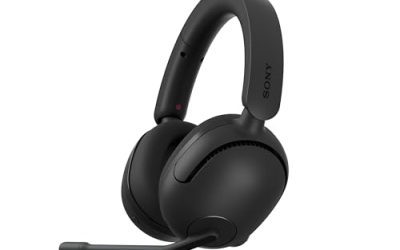
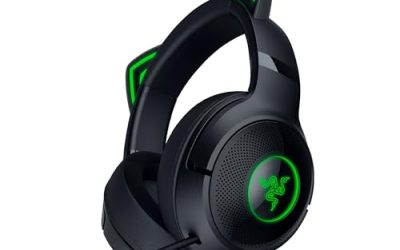
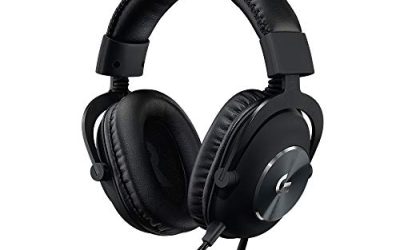
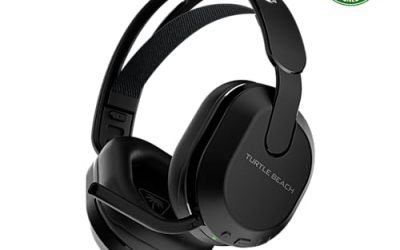
The best affordable microphone headset for most gamers is a wired model in the $30–$60 range, such as the Razer BlackShark V2 X, HyperX Cloud Stinger 2 or Logitech G335. Wired headsets give you the most dependable voice quality per dollar, and they have no battery or wireless dongle to worry about. If you need wireless, the Logitech G435 Lightspeed is the cheapest well-known option with a built-in mic.
This guide ranks seven picks, then shows how to match a headset to your platform, connector and voice-chat habits. It also includes a battery-runtime calculation and the mic settings that make a cheap boom mic sound much better.
Quick comparison of affordable microphone headsets
| Pick | Best for | Key specs (per manufacturer) | Typical price range |
|---|---|---|---|
| Razer BlackShark V2 X | Best overall for competitive play | 50 mm drivers, 3.5 mm wired, cardioid detachable boom mic, about 240 g | $40–$60 |
| HyperX Cloud Stinger 2 | Best budget pick | 50 mm drivers, 3.5 mm wired, swivel-to-mute mic | $30–$50 |
| Logitech G335 | Best lightweight, all-day comfort | 40 mm drivers, 3.5 mm wired, flip-to-mute mic, about 240 g | $40–$70 |
| SteelSeries Arctis Nova 1 | Best for mic clarity at low cost | 40 mm drivers, wired, retractable noise-cancelling mic | $45–$70 |
| Turtle Beach Recon 70 | Best for consoles and Switch | 40 mm drivers, 3.5 mm wired, flip-to-mute mic | $25–$45 |
| Logitech G435 Lightspeed | Best budget wireless | 40 mm drivers, 2.4 GHz dongle plus Bluetooth, about 165 g, up to 18 h battery | $40–$80 |
| HyperX Cloud III (stretch) | Best if you can spend a little more | 53 mm drivers, wired 3.5 mm and USB-C, detachable mic | $60–$100 |
Prices move with sales and stock. Treat them as general market ranges rather than fixed figures.
Best overall: Razer BlackShark V2 X
This is the headset to start with if you mostly play competitive shooters and want a clear voice channel. It uses large 50 mm drivers and a detachable cardioid boom mic. A cardioid pattern picks up mostly what is in front of it, so keyboard noise from the side is reduced. The ear cups are plush for the price.
Trade-off: The 3.5 mm cable has no inline controls, so volume changes happen in software or on the source. It also has no virtual surround without extra software setup.
Best budget: HyperX Cloud Stinger 2
The Cloud Stinger 2 is the pick when every dollar counts. It has 50 mm drivers, a swivel-to-mute mic and a simple wired design that works on PC, PlayStation, Xbox and Switch through a standard jack. It is a sensible first headset for a younger player or a secondary desk setup.
Trade-off: The mic is fine for party chat but sounds thinner than the Nova 1 or BlackShark in quiet rooms. The plastic build is also less durable if it gets thrown into a bag.
Best for comfort: Logitech G335
The G335 is built around a suspension-style headband and a light frame, which helps during long sessions. It has a 3.5 mm connection, a flip-to-mute mic and color options if you want something less “gamer” looking.
Trade-off: The drivers are smaller (40 mm), so bass is moderate, and the mic is not removable.
Best for mic clarity: SteelSeries Arctis Nova 1
SteelSeries has a reputation for strong headset mics, and the Nova 1 carries that into a lower price. The mic retracts into the ear cup, which is handy if you also use the headset for music or calls away from the desk. The sound profile is balanced and suits a mix of games and streaming.
Trade-off: It usually costs more than the Stinger 2 or Recon 70, and the features are basic.
Best for consoles: Turtle Beach Recon 70
The Recon 70 is cheap, simple and widely compatible. It is a good fit for a PlayStation, Xbox or Switch where you just want to plug in and talk. Its flip-to-mute mic and straightforward controls keep setup simple.
Trade-off: It is the most basic option here. Expect average comfort on long sessions and a mic that is better suited to casual chat than streaming.
Best budget wireless: Logitech G435 Lightspeed
The G435 is very light at about 165 g, connects through a 2.4 GHz USB dongle or Bluetooth, and lists up to 18 hours of battery life per the manufacturer’s spec sheet. Bluetooth lets it double as a phone headset.
Trade-off: The mic is built in, so it is not as clean as a boom mic, and the lightweight frame has less bass and clamp than wired rivals. Its dongle is USB-A, so check for a free port.
Stretch pick: HyperX Cloud III
If you can stretch the budget, the Cloud III adds larger drivers, a more durable build and both 3.5 mm and USB-C connections. It is no longer strictly “affordable” at the high end of its range, but sales can bring it close to the others.
How to choose: decision matrix by situation
| Your situation | Choose | Why |
|---|---|---|
| PC with separate mic and headphone jacks | Any wired 3.5 mm model plus a Y-splitter, or a USB audio adapter | A single 4-pole (TRRS) plug will not carry the mic on a desktop with split jacks |
| PC with a single combo jack, or a laptop | BlackShark V2 X, Stinger 2, G335 or Nova 1 | Plug directly into the combo port with no adapter |
| PlayStation or Xbox controller jack | Recon 70, Stinger 2 | Standard 3.5 mm works with most controllers |
| Switch or phone, handheld use | G435 (Bluetooth) or any 3.5 mm wired set | Light and low-latency enough for casual play |
| Streaming or recording voice | BlackShark V2 X, Nova 1 | Cardioid or noise-reducing mics give cleaner voice |
| Noisy room, mechanical keyboard | Detachable cardioid boom mic | Directional pickup rejects side noise better than a tiny built-in mic |
Worked example: wireless battery runtime
Take the G435’s rated 18 hours. Manufacturer figures are usually measured at moderate volume, so a safe real-world estimate is about 80%, or 14.4 hours. If you play 3 hours a day, that is 14.4 ÷ 3 = 4.8 days between charges. At 5 hours a day it is under 3 days, which is a good reason to pick a wired model if you use a headset all day on a desktop.
What matters more than specs
- Mic type: A boom mic sitting about 2–3 cm from the corner of your mouth captures a stronger voice than a built-in mic farther away.
- Mute design: Flip-to-mute or swivel-to-mute is faster and more reliable than a software toggle.
- Weight and clamp: Under about 250 g is comfortable for most people for several hours. Glasses wearers should avoid tight clamping force.
- Cable length: Check that the cable is long enough to reach your console or PC without tugging.
- Driver size: 50 mm drivers tend to offer more bass, but driver size alone does not decide sound quality.
Mic settings that make a cheap headset sound better
- Set input level to about 70–80% in Windows. Cheap mics have low output, and maxing the slider adds hiss. Raise it only if your voice is quiet.
- Aim for peaks around -12 to -6 dB. In Discord’s input test or OBS meters, speak normally. Peaks near the top cause distortion, while very low peaks need gain that raises noise.
- Turn off “mic boost” first. Boost raises noise as well as voice. Use it only if the unboosted signal is too quiet.
- Enable noise suppression selectively. Discord’s Krisp or the Windows/GPU noise filters help with fans and keyboard clicks, but they can clip the ends of words if the mic is far away.
- Move the mic, not the slider. Place it to the side of your mouth to avoid breath pops and keep it about two fingers from your lips.
What to skip
- Unbranded headsets with “7.1 surround” marketing and no stated driver specs.
- Very cheap wireless models with built-in mics, because latency and battery life are inconsistent.
- Headsets with a non-detachable, floppy mic arm if you stream or record often.
Frequently Asked Questions
How much should I spend on a headset with a good microphone?
Most people get a good result between $40 and $60. Below about $30 the mic quality drops noticeably, and above $100 you are paying more for wireless, materials and software than for voice clarity.
Are wired or wireless affordable headsets better?
Wired headsets usually give better mic and sound quality at the same price and never need charging. Wireless is worth it if you move around or switch between devices, but expect a built-in mic and a battery that needs charging every few days.
Will a 3.5 mm headset work on my PC?
If your PC has a single combo jack, yes. Many desktop motherboards have separate green (headphone) and pink (mic) jacks, so you need a Y-splitter or a USB audio adapter to carry both signals from a single 4-pole plug.
Is a detachable boom mic better than a built-in one?
Generally yes. A boom mic sits closer to your mouth, so it picks up more voice relative to room noise, and a detachable one lets you remove it when you only listen. Built-in mics are more convenient but tend to sound more distant.
Can I use these headsets on both PC and console?
Most wired 3.5 mm models, including the Stinger 2, BlackShark V2 X, G335 and Recon 70, work on PlayStation, Xbox, Switch and PC. Check that your controller or device has a 3.5 mm port and that the headset uses a standard 4-pole plug.
Do I need a separate USB microphone instead?
Not unless you stream or record voice regularly. A decent headset mic is enough for gaming chat, and a separate USB mic mainly improves voice quality for content creation.
Related guides
More from Amazon
Programs that pair well with the guide above. Offers and eligibility are set by Amazon and may change.
A free business account with business pricing and bulk-buying tools for work, shop or home office.
Create a business accountFree shipping on eligible items, Prime Video and more. Eligible new members can start with a free trial.
Start a Prime free trialAudiobooks and podcasts to listen to on the go. Eligible new members can start with a free trial.
Try Audible freeAd-free music streaming. Eligible new subscribers can start with a free trial.
Try Music Unlimited freeAs an Amazon Associate we earn from qualifying purchases.