The best LGA 1151 CPU cooler for most builds is a single-tower air cooler such as the Thermalright Peerless Assassin 120 SE. It handles even an overclocked Core i7-9700K or i9-9900K for roughly $30–$40. If you run a locked 65W chip like the i5-8400, a $20–$35 tower like the DeepCool AK400 is enough. Large dual-tower coolers or 240mm liquid coolers are only worth it for heavily overclocked K-series chips.
LGA 1151 covers two generations (6th/7th gen Skylake and Kaby Lake, and 8th/9th gen Coffee Lake). All of them use the same 75mm mounting-hole spacing as LGA 1150, 1155 and 1156. Any cooler that lists “LGA115x” support fits. The real questions are whether the cooler can handle your chip’s actual heat output and whether it fits your RAM and case.
As an Amazon Associate we earn from qualifying purchases at no extra cost to you.
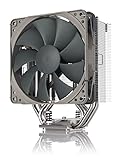

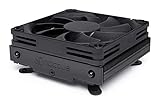
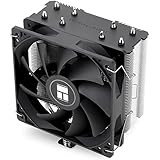
Our Top Picks
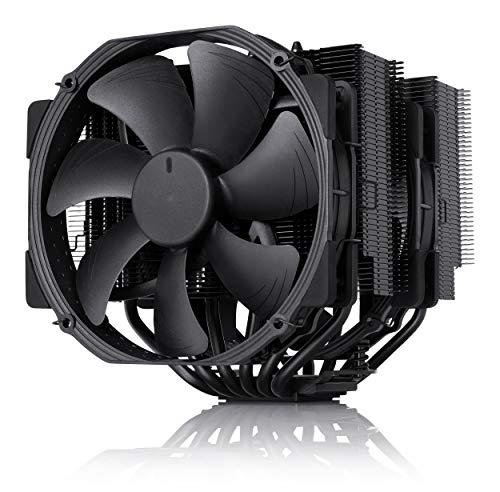

Top 3 picks at a glance
Quick comparison of the best LGA 1151 coolers
| Pick | Best for | Key specs (per manufacturer) | Typical price |
|---|---|---|---|
| Thermalright Peerless Assassin 120 SE | Best overall | Dual-tower, 2x 120mm fans, 6 heatpipes, about 155mm tall | $30–$40 |
| DeepCool AK400 | Best budget | Single tower, 120mm fan, 4 heatpipes, about 155mm tall, rated around 220W | $20–$35 |
| Noctua NH-D15 | Best for overclocked i7/i9 K chips | Dual-tower, 2x 140mm fans, 6 heatpipes, about 165mm tall | $100–$150 |
| be quiet! Pure Rock 2 | Quiet, simple builds | Single tower, 120mm fan, 4 heatpipes, about 155mm tall, rated 150W | $35–$50 |
| Noctua NH-L12S | Small cases (low profile) | About 70mm tall, 120mm slim fan | $60–$80 |
| 240mm AIO with LGA115x bracket | Tight RAM clearance, open cases | 240mm radiator, 2x 120mm fans, pump block | $80–$130 |
Prices are general market ranges and vary by region and stock. Older sockets get dropped from new box contents, so confirm the cooler includes LGA115x brackets before you buy.
Best overall: Thermalright Peerless Assassin 120 SE
This is the value pick for almost every LGA 1151 build. The dual-tower fin stack and two fans give it more cooling capacity than a classic 212-style cooler, at a similar price. The manufacturer’s spec sheet lists LGA115x support, and the mounting uses a standard backplate with spring screws.
Trade-off: It is wide. On boards with the first DIMM slot close to the socket, the front fan can collide with tall RAM. Slide the fan up or run a single fan. Check the case too: at roughly 155mm tall, it will not fit in some slim cases.
Best budget: DeepCool AK400
For an i3, i5 or locked i7 on an H310, B360 or H110 board, the AK400 is plenty. Its single tower is slimmer than the Peerless Assassin, so RAM clearance is rarely an issue. It is also quiet at moderate fan speeds.
Trade-off: With a K-series chip pushed past 4.8GHz, the single tower runs out of headroom and fan noise climbs quickly.
Best for overclocked K chips: Noctua NH-D15
If you run an i7-8700K, i7-9700K or i9-9900K at 5GHz or more, the NH-D15 is the air cooler that holds temperatures down without a liquid loop. It comes with an LGA115x mounting kit and a long-term warranty. The two 140mm fans stay quiet at low RPM.
Trade-off: It is tall (about 165mm) and heavy, and the price is three to four times that of the budget picks. It also needs a wide case. The front fan must be raised above tall RAM. Noctua’s own compatibility list covers the clearance details by motherboard.
Best quiet pick: be quiet! Pure Rock 2
This is a conservative, tidy single-tower cooler. It is rated for about 150W per the manufacturer, which suits 65W and 95W chips at stock. The black finish and simple design suit a plain build.
Trade-off: It costs more than the AK400 without much extra cooling headroom. Choose it for noise and look, not for raw power.
Best low-profile: Noctua NH-L12S
At around 70mm tall, it fits many small-form-factor and HTPC cases where a 155mm tower cannot go. It suits locked 65W chips such as the i5-8400 or i5-9400.
Trade-off: Do not pair a low-profile cooler with an unlocked, overclocked i9. It will throttle under sustained load.
Best liquid option: a 240mm AIO
A 240mm all-in-one with an LGA115x bracket makes sense when your case has radiator mounts and your RAM is tall. It also helps if you want a clean CPU area. Many current AIOs only list LGA 1700 and newer, so check the spec sheet or the manufacturer’s compatibility page. Older models from Arctic, Corsair and NZXT include 115x brackets.
Trade-off: For 1151 chips, a $30 tower usually cools about as well for a quarter of the price. Pump failure is also a risk on older units.
How to choose: match the cooler to real heat output
Intel’s TDP figure is a base-clock number. Real power draw differs with the motherboard’s power-limit setting. Many Z370, Z390 and Z170 boards ignore Intel’s limits by default (so-called multi-core enhancement), so a “95W” chip can draw well over 100W in all-core loads. These figures are approximate and vary by board and BIOS:
| CPU | Intel TDP | Approx. all-core load power | Minimum cooler class |
|---|---|---|---|
| i3-8100 / i5-8400 (locked) | 65W | 55–75W | Stock cooler or low-profile |
| i7-6700K / 7700K at stock | 91W | 90–110W | Budget single tower |
| i5-9600K / i7-8700K at stock | 95W | 100–130W | Quality single or dual tower |
| i7-9700K / i9-9900K at stock | 95W | 120–160W | Dual tower or 240mm AIO |
| i9-9900K at 5.0GHz+ | 95W | 180–220W | NH-D15 class or 280/360mm AIO |
A worked example
Suppose you own an i9-9900K and expect about 160W sustained in all-core work. Cooler makers’ rated TDP numbers are often optimistic, and a sensible margin is about 30%. 160W x 1.3 = 208W of capacity. A cooler rated around 220–245W, such as the AK400 or Peerless Assassin 120 SE, technically clears that. In practice, the dual-tower design with two fans holds the fan speed lower for the same temperature. For the same chip at 5.0GHz and 200W, 200 x 1.3 = 260W, which points to an NH-D15 or a 280mm AIO.
For gaming only, loads are lower: usually 60–100W on these chips. In that case a mid-range tower will do, and the extra capacity just keeps fans slower.
Compatibility checklist before you buy
- Mounting: LGA115x brackets or a universal bracket with 75mm holes. LGA 1151 uses the same pattern as 1150/1155/1156, but not LGA 2011 or AM4.
- RAM clearance: Measure the gap from the socket to the first DIMM. Many dual-tower coolers need RAM 32mm tall or lower under the front fan, or the fan must be raised.
- Case height: Compare the cooler height to the case’s listed CPU cooler limit. Most mid-towers allow 160–170mm, but small cases may only allow 150mm or less.
- VRM heatsink and top PCIe slot: Large coolers can cover the first PCIe x16 slot on some micro-ATX boards.
- Thermal paste: Most coolers include a tube. Reapply fresh paste if you move a used cooler to a new board.
Which cooler fits your situation?
| Your situation | Choose |
|---|---|
| Locked i5/i3, mid-tower case | DeepCool AK400 or the stock cooler |
| Locked chip, small case under 100mm cooler height | Noctua NH-L12S |
| K-series chip at stock settings | Peerless Assassin 120 SE |
| i9-9900K or heavy overclock | Noctua NH-D15 or a 240–360mm AIO |
| Tall RAM, wide case | Single tower or AIO |
| Noise priority at low load | Pure Rock 2 or NH-D15 |
Frequently Asked Questions
Does any LGA 1150 or 1155 cooler fit LGA 1151?
Yes. LGA 1150, 1155, 1156 and 1151 share the same 75mm mounting-hole spacing, so coolers made for those sockets generally fit. Always check the manufacturer’s compatibility list, because the bracket hardware and heatsink clearance can differ.
Do I need an aftermarket cooler for an i5-8400 or i3-8100?
No. Intel’s boxed cooler is designed for these 65W locked chips and is adequate for gaming. A $20–$35 tower cooler lowers temperatures and noise, but it will not increase performance on a locked chip.
Do K-series CPUs come with a cooler?
No. Intel sold Core K-series chips like the i7-8700K and i9-9900K without a boxed cooler, so you need to buy one. A cooler capable of handling about 130–160W is a good starting point.
Is a liquid cooler better than air for LGA 1151?
Not automatically. A good dual-tower air cooler often matches a 240mm AIO for these chips and has no pump to fail. AIOs are better for case airflow layout, tall RAM clearance or very high overclocks.
Will a modern cooler still support LGA 1151 in 2026?
Many do, since LGA115x brackets are still included with popular tower coolers such as the Peerless Assassin 120 SE and the AK400. Some newer AIOs and coolers list only LGA 1700 and newer, so check the spec sheet before buying.
How do I know if my cooler is throttling the CPU?
Run a monitoring tool such as HWiNFO during a sustained load. If the CPU sits near 95–100°C and the clock speed drops below its set value, the cooler is not keeping up. Check mounting pressure and thermal paste first. Then lower the power limit or move up a cooler class.
Related guides
More from Amazon
Programs that pair well with the guide above. Offers and eligibility are set by Amazon and may change.
A free business account with business pricing and bulk-buying tools for work, shop or home office.
Create a business accountFree shipping on eligible items, Prime Video and more. Eligible new members can start with a free trial.
Start a Prime free trialAudiobooks and podcasts to listen to on the go. Eligible new members can start with a free trial.
Try Audible freeAd-free music streaming. Eligible new subscribers can start with a free trial.
Try Music Unlimited freeAs an Amazon Associate we earn from qualifying purchases.


