The best LED CPU cooler for most gaming builds is a 360 mm ARGB AIO such as the Arctic Liquid Freezer III 360 A-RGB, or a dual-tower air cooler such as the Thermalright Peerless Assassin 120 SE ARGB if you want lower cost and no pump. Pick by cooling capacity first, then by lighting type (addressable ARGB, not fixed-color LED) and by whether your motherboard has the 5V 3-pin header the lighting needs. Looks come last, because a pretty cooler that throttles your CPU is a bad buy.
As an Amazon Associate we earn from qualifying purchases at no extra cost to you.


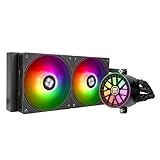

Top 3 picks at a glance
Quick comparison of the picks
| Pick | Best for | Type / key specs | Price range |
|---|---|---|---|
| Arctic Liquid Freezer III 360 A-RGB | Best overall | 360 mm AIO, three 120 mm A-RGB fans, 5V ARGB | Mid-range to upper mid-range |
| Thermalright Peerless Assassin 120 SE ARGB | Best value air cooler | Dual tower, two 120 mm fans, 5V ARGB | Budget |
| Cooler Master Hyper 212 Halo Black | Best budget single-tower | Single tower, ARGB fan, 5V ARGB | Budget |
| Lian Li Galahad II Trinity 360 (ARGB) | Best for lighting looks | 360 mm AIO, daisy-chained ARGB fans and pump ring | Upper mid-range |
| DeepCool LT720 | Best AIO on a moderate budget | 360 mm AIO, ARGB pump with mirror-style cap and ARGB fans | Mid-range |
| NZXT Kraken Elite 360 RGB | Best for a pump display | 360 mm AIO with LCD pump cap, RGB fans, NZXT CAM software | Premium |
| Corsair iCUE LINK TITAN 360 RX RGB | Best for cable-free lighting | 360 mm AIO, iCUE LINK fan chaining, needs the iCUE LINK hub | Premium |
Prices move often, so treat the ranges as general tiers. Capacities and compatibility details below come from each manufacturer’s spec sheet, and you should recheck them against the current listing for your region.
Best overall: Arctic Liquid Freezer III 360 A-RGB
Arctic’s Liquid Freezer III line is regularly cited in published reviews for cooling that matches or beats pricier AIOs. The A-RGB version adds addressable lighting to the fans, and the pump block carries a VRM fan that cools the area around the CPU socket. It suits high-wattage chips like a Core i7 or i9 K-series or a Ryzen 9, where a 360 mm radiator gives real headroom.
Trade-off: the lighting is tasteful rather than flashy, and the pump head has no screen. The radiator is also thick, so check RAM and top-mounted case clearance before buying.
Best value air cooler: Thermalright Peerless Assassin 120 SE ARGB
This dual-tower design uses heatpipes and two 120 mm fans, and published reviews often put it in the same band as 240 mm AIOs at a fraction of the cost. It has no pump to fail and no leak risk. The ARGB version lights the fans with a standard 5V 3-pin connector.
Trade-off: it is a big, heavy tower. Check your case’s CPU cooler height limit and your RAM clearance, since tall heat-spreader kits can foul the front fan.
Best budget single tower: Cooler Master Hyper 212 Halo Black
A compact, familiar form factor with an ARGB fan and a black finish that suits most builds. It fits mainstream chips such as a Ryzen 5 or Core i5 well, and it works in small and mid-size cases.
Trade-off: a single tower has limited headroom. Pair it with a 65 W to 125 W CPU, not an overclocked flagship.
Best for lighting looks: Lian Li Galahad II Trinity 360
Lian Li’s daisy-chained fans link together with few cables, and the pump ring lights up as part of the same chain. For glass-panel builds where cable tidiness matters as much as the glow, it is one of the cleaner options.
Trade-off: it asks more of you at install time. Plan the fan and pump cable routing before mounting, and use the vendor’s software or your motherboard’s ARGB control for effects.
Best AIO on a moderate budget: DeepCool LT720
The LT720 has a mirror-style, ARGB-lit pump cap and ARGB fans, which gives showpiece lighting without the premium screen cost. It is a good fit if you want the “infinity” look on a 360 mm radiator and don’t need a display.
Trade-off: cooling is solid but not class-leading, so choose it for looks and fair value rather than for the lowest possible temperatures.
Best for a pump display: NZXT Kraken Elite 360 RGB
The Kraken Elite has an LCD pump cap that can show temperatures, GIFs or system stats. If you want the cooler to be a visible feature of the build, this is the one.
Trade-off: it costs more and depends on NZXT CAM software. If you prefer lightweight, driver-free setups, a standard ARGB cooler fits better.
Best for cable-free lighting: Corsair iCUE LINK TITAN 360 RX RGB
Corsair’s iCUE LINK system chains fans and the pump on one cable and routes everything through a hub. It cuts the cable clutter of a 360 mm AIO and gives per-LED control through iCUE.
Trade-off: it is a closed ecosystem. You need the iCUE LINK hub (often bundled), and mixing in other brands’ lighting is awkward.
How to choose: the numbers that matter
Step 1: Match cooling capacity to CPU power
Use the CPU’s real peak draw, not the label TDP. Example: a Core i7-14700K can hit about 253 W at its maximum turbo power limit, according to Intel’s spec sheet. A cooler needs headroom above that so fans don’t run at full speed all the time. Aim for roughly 20% headroom:
- 253 W × 1.2 ≈ 304 W of cooling capacity.
- A Ryzen 7 9800X3D has a 120 W TDP and draws roughly 160 W at its package power limit (per AMD’s published figures). With the same 20% margin that is about 190 W, which a good dual-tower or 240 mm AIO covers.
Manufacturer “TDP ratings” for coolers are not standardized, so use them as rough class markers. Independent reviews with measured temperatures at fixed wattage are more reliable.
Step 2: Check the LED power budget
ARGB strips and fans use a 5V 3-pin header, typically rated up to 3 A (check your motherboard manual). Addressable LEDs of the WS2812B type draw up to about 60 mA each at full white. At full white, 3 A ÷ 0.06 A ≈ 50 LEDs per header. A 360 mm AIO with three fans and a pump ring can already use 60 to 100 LEDs, which is why such coolers usually ship with a controller or hub. In everyday use, effects rarely run full white, so real draw is lower. Still, it is a good reason to split fans, strips and the pump across separate headers or use the supplied controller.
Step 3: Match the connector to the board
| Connector | Voltage / pins | Works with | Common mistake |
|---|---|---|---|
| ARGB (addressable) | 5V, 3-pin (+5V, data, ground) | Board headers labeled “ADDR_LED”, “5V ARGB” or “Rainbow” | Plugging into a 12V RGB header |
| RGB (fixed-color per channel) | 12V, 4-pin | Board headers labeled “12V RGB” or “RGB_LED” | Using it with a 5V ARGB cable |
| Proprietary hub | Brand-specific | Corsair iCUE LINK, NZXT CAM and similar | Expecting motherboard software to control it |
Plugging a 5V ARGB cable into a 12V RGB header can damage the LEDs, so confirm the labels in your motherboard manual first. The two connectors look different: ARGB has three pins, RGB has four.
Decision matrix: your situation to a pick
| Your situation | Choose | Why |
|---|---|---|
| Ryzen 5 or Core i5, small case | Single-tower ARGB air cooler | Low power, simple, no radiator mounting |
| Ryzen 7 or Core i7, mid tower, tight budget | Dual-tower ARGB air cooler | Strong cooling with no pump noise |
| Core i9 or Ryzen 9, overclocking | 360 mm AIO | Most heat-dissipating surface area |
| Glass-panel showcase build | AIO with pump lighting or LCD | Pump block is the visible centerpiece |
| Only two ARGB headers free | Chained or hub-based AIO | One cable to the board instead of several |
| Case with a low height limit | AIO or low-profile cooler | Tower height may not fit the side panel |
Step 4: Check physical fit
- Cooler height: compare against your case’s maximum CPU cooler height. Many mid towers allow roughly 160 to 170 mm, but check yours.
- Radiator mounting: confirm your case supports a 360 mm radiator in the front or top, and that tubing reaches the CPU.
- Socket support: confirm LGA1700, LGA1851 or AM5 in the spec sheet. Most current coolers cover these, but check the bracket in the box.
- RAM clearance: tall RAM can block the front fan on dual towers.
Common LED mistakes to avoid
- Buying on lighting alone and ignoring radiator size or tower class.
- Mixing brands’ lighting ecosystems and then needing three software suites running at once.
- Connecting 5V ARGB to a 12V RGB header.
- Ignoring noise: fan curves matter more than the glow, so set a sensible curve in BIOS.
Frequently Asked Questions
Does an LED cooler cool worse than a non-LED one?
No. LEDs add negligible heat and the cooling comes from the heatsink, heatpipes or radiator and the fans. Compare the same cooler design in LED and non-LED versions, and in most cases the temperatures are within normal margin of error.
Is ARGB the same as RGB?
No. ARGB (addressable RGB) lets each LED be controlled separately for effects like waves or rainbow cycling, and uses a 5V 3-pin connector. Standard RGB sets one color across all LEDs and uses a 12V 4-pin connector. They are not interchangeable.
Should I pick an AIO or an air cooler for a lit build?
Choose an AIO if you want a lit pump block, tidy visuals and a high-power CPU. Choose air if you want a lower cost, no pump failure risk and strong cooling for mainstream chips. A good dual-tower air cooler often matches a 240 mm AIO.
Can I control cooler lighting without extra software?
Often yes. If the cooler uses a standard 5V ARGB header, motherboard utilities such as Asus Aura Sync, MSI Mystic Light, Gigabyte RGB Fusion or ASRock Polychrome can control it. Proprietary systems like Corsair iCUE LINK or NZXT CAM generally need their own software.
How do I turn the LEDs off?
Use your motherboard’s lighting app or a BIOS setting to set the LEDs to off, or unplug the ARGB cable from the header. On a proprietary AIO, use the vendor’s software. Unplugging the cable is the most reliable method, as the fans and pump keep running on their own power connectors.
How many ARGB headers do I need?
Most motherboards have two or three 5V ARGB headers. One header is enough if your cooler is chained or ships with a hub, but plan one per device if you also run case fans and strips. Check the 3 A limit per header to avoid overload.
Related guides
More from Amazon
Programs that pair well with the guide above. Offers and eligibility are set by Amazon and may change.
A free business account with business pricing and bulk-buying tools for work, shop or home office.
Create a business accountFree shipping on eligible items, Prime Video and more. Eligible new members can start with a free trial.
Start a Prime free trialAudiobooks and podcasts to listen to on the go. Eligible new members can start with a free trial.
Try Audible freeAd-free music streaming. Eligible new subscribers can start with a free trial.
Try Music Unlimited freeAs an Amazon Associate we earn from qualifying purchases.


