The best gaming PC components for most buyers in 2026 are a Ryzen 7 9800X3D or Ryzen 5 9600X CPU, a 16GB graphics card such as the RTX 5070 Ti or RTX 5060 Ti 16GB, 32GB of DDR5-6000 CL30 memory, a 2TB PCIe 4.0 NVMe SSD, and a quality ATX 3.1 power supply sized to your GPU. Put the largest share of your budget into the graphics card, then pick the other parts so they never bottleneck it or limit future upgrades.
As an Amazon Associate we earn from qualifying purchases at no extra cost to you.


Our Top Picks
 ASUS TUF Gaming GeForce RTX 5070 Ti 16GBRTX5070Ti|OC|Black|Standard13 x 5.5 x 2.5 inches3.6 poundsCheck on Amazon
 ASUS TUF Gaming GeForce RTX 5060 8GB GDDR7RTX5060|8GB|OC11.9 x 5.3 x 2.4 inches2.5 poundsCheck on Amazon
Quick comparison: the best picks by component
Prices are general market ranges and shift with stock and regional pricing. Specs come from the manufacturers’ published spec sheets.
| Component | Pick | Best for | Key specs | Typical price range |
|---|---|---|---|---|
| GPU (best overall) | GeForce RTX 5070 Ti | High-refresh 1440p, entry 4K | 16GB GDDR7, 256-bit, 300W | $750–$900 |
| GPU (best budget) | RTX 5060 Ti 16GB or Radeon RX 9060 XT 16GB | 1080p–1440p on a budget | 16GB, 128-bit, 160–180W | $350–$520 |
| GPU (best high end) | RTX 5080 / RTX 5090 | 4K, high-refresh 4K, VR | 16GB / 32GB GDDR7, 360W / 575W | $1,000–$1,500 / $2,000+ |
| CPU (best overall) | Ryzen 7 9800X3D | Gaming at any resolution | 8 cores, 3D V-Cache, AM5, 120W TDP | $450–$550 |
| CPU (best value) | Ryzen 5 9600X | Budget to mid-range builds | 6 cores, AM5, 65W TDP | $200–$280 |
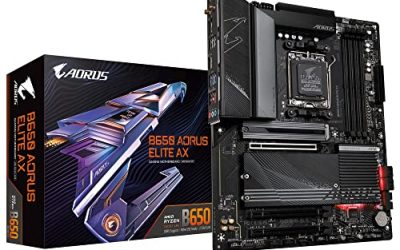
| Motherboard | B850 (AM5) ATX | Most builders | PCIe 5.0 x16, DDR5, USB4 on some | $170–$260 |
| Memory | 32GB (2x16GB) DDR5-6000 CL30 | Ryzen AM5 builds | EXPO/XMP profile, 1.35V typical | $90–$200 |
| Storage | 2TB PCIe 4.0 NVMe with DRAM | Game library plus OS | ~7,000 MB/s read class | $120–$200 |
| Power supply | 850W ATX 3.1, 80 Plus Gold | RTX 5070 Ti / 9070 XT class | 12V-2×6 connector, 10-year warranty typical | $110–$170 |
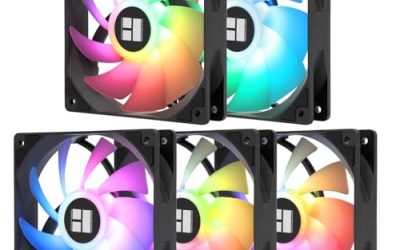
| CPU cooler | Dual-tower air (e.g., Thermalright Peerless Assassin 120) or 240–360mm AIO | Quiet, low-cost cooling | 120mm fans, ~150mm height for air | $35–$150 |
Best graphics card: spend here first
Best overall: RTX 5070 Ti (or Radeon RX 9070 XT)
The RTX 5070 Ti has 16GB of GDDR7 on a 256-bit bus and a 300W rated board power. That covers 1440p at high settings without VRAM stress, and 4K with upscaling. The Radeon RX 9070 XT is the main alternative, with 16GB and a similar power draw (around 304W). It often costs less, while Nvidia offers DLSS and stronger ray-tracing support. The trade-off is price: you pay a clear premium over 12GB cards that can feel limiting within a couple of years.
Best budget: 16GB cards in the $350–$520 range
The RTX 5060 Ti 16GB and RX 9060 XT 16GB both sit on a 128-bit bus with 16GB of memory. The 16GB versions matter, because 8GB variants exist and run into limits in newer games at high texture settings. The trade-off is raw speed: they target 1080p high refresh and comfortable 1440p, not native 4K.
Best high end: RTX 5080 and RTX 5090
The RTX 5080 (16GB, 360W) is the sensible 4K card. The RTX 5090 (32GB, 575W) is for 4K at high refresh, heavy VR, or mixed gaming and AI or creator work. Its trade-offs are cost, a 1000W-class power supply, and a case with real clearance.
Best CPU: cache beats core count for gaming
Best overall: Ryzen 7 9800X3D
The 9800X3D has 8 cores and stacked 3D V-Cache, which is why published reviews consistently place X3D chips at the top for gaming, especially at 1080p and 1440p with fast GPUs. It also runs efficiently, which keeps cooling simple. The trade-off is price, and extra cores do little for games. If you also render video, a 12- or 16-core chip such as the Ryzen 9 9950X3D makes more sense.
Best value: Ryzen 5 9600X
A 6-core, 65W chip is plenty for GPUs up to the RTX 5070 class at 1440p. You can later drop in an X3D chip on the same AM5 socket. Its trade-off is lower 1% lows in CPU-heavy games at high refresh rates than an X3D part. Intel’s Core Ultra 7 265K is a viable alternative for mixed gaming and productivity, but it draws more power under load and has a less certain upgrade path.
Motherboard, memory and storage: where to avoid overspending
A B850 board gives you PCIe 5.0 for the GPU slot, solid VRMs for any non-overclocked Ryzen, and enough M.2 slots. X870E is worth it only if you need extra USB4 or more PCIe 5.0 lanes. Choose DDR5-6000 CL30 in a 2x16GB kit: it sits at the sweet spot for AM5, and two sticks are easier to run at rated speed than four. Pick a 2TB NVMe drive with a DRAM cache or a strong controller. Games now commonly take 100–150GB each, so a 1TB drive fills quickly. PCIe 5.0 SSDs cost more and run hotter, with little gaming benefit over a good PCIe 4.0 drive.
Best power supply and cooling
Buy an ATX 3.1 unit with a native 12V-2×6 connector from a brand with a published 10-year warranty and good independent reviews. Gold efficiency is enough, and Platinum rarely pays back the extra cost for a gaming load. For cooling, a dual-tower air cooler matches many 240mm AIOs on a 65–120W CPU at lower noise and with no pump to fail. Choose a 360mm AIO for 16-core chips or a very quiet, compact look.
How to choose: numbers that decide the build
Budget split
| Total parts budget | GPU share | CPU share | Everything else | Sensible target |
|---|---|---|---|---|
| $900–$1,200 | ~38–42% | ~15–18% | ~42% | Ryzen 5 + 16GB 5060 Ti class, 1080p/1440p |
| $1,500–$2,000 | ~42–45% | ~18–22% | ~35% | 9800X3D or 9600X + RTX 5070 Ti / 9070 XT |
| $3,000+ | ~50% | ~15% | ~35% | RTX 5080 or 5090, 1000W PSU, premium case |
Worked power budget
Take a Ryzen 7 9800X3D build with an RTX 5070 Ti. The 9800X3D’s package power limit is about 162W under full load, the GPU is rated at 300W, and the board, RAM, SSD and fans add roughly 70W. That makes 162 + 300 + 70 = 532W peak. Power supplies run best, quietest and most efficiently at 50–70% load, and GPUs spike briefly above rated power. Dividing 532W by 0.65 gives about 820W, so an 850W unit is the right size. For an RTX 5090 build: 162 + 575 + 80 = 817W peak, which points to a 1000W unit (the usual manufacturer recommendation) and is not a place to go smaller.
VRAM by resolution
| Target | Minimum VRAM | Comfortable | Notes |
|---|---|---|---|
| 1080p high | 8GB | 12GB | 8GB is workable but leaves little headroom |
| 1440p high/ultra | 12GB | 16GB | Ray tracing and frame generation add usage |
| 4K high with upscaling | 16GB | 16–24GB | Texture packs and mods push higher |
| 4K ultra, VR, AI work | 24GB | 32GB | RTX 5090 class |
These are planning figures, not exact requirements: actual use varies by game, settings and patch.
Decision matrix: your situation to your build
| If you… | Choose | Why |
|---|---|---|
| Play esports at 240Hz+ on 1080p | Ryzen 7 9800X3D, mid GPU | CPU-bound; spend on cache and a fast monitor |
| Play AAA at 1440p/144Hz | RTX 5070 Ti or 9070 XT, Ryzen 5 or 7 | GPU-bound; 16GB gives headroom |
| Want 4K, 60–120Hz | RTX 5080 or 5090, 1000W PSU | Needs bandwidth and VRAM |
| Stream or edit video too | Ryzen 9 or Core Ultra 7, 64GB RAM | More cores and memory help encoding |
| Upgrade gradually | AM5 B850, 850W PSU, roomy case | Supports a GPU or CPU swap later |
Compatibility checks before you buy
- GPU length and thickness: many RTX 5070 Ti and 5080 cards run 300–340mm and use 2.5–3 slots. Check the case’s maximum GPU length.
- Cooler height: compare the air cooler’s height with the case’s published clearance, usually 150–170mm.
- Socket and chipset: Ryzen 9000 CPUs need AM5, and older boards may need a BIOS update before they boot.
- RAM: use DDR5 only, since DDR4 is not compatible with AM5 or current Intel boards.
- Power connector: check that the PSU has the needed 12V-2×6 or 8-pin connectors, and avoid bending the cable sharply near the plug.
Frequently Asked Questions
Which component should I buy first for a gaming PC?
Start with the graphics card, since it sets frame rates at 1440p and 4K more than any other part. Then choose a CPU that won’t limit it, and size the PSU and case for it. If you are upgrading gradually, buy the platform (AM5 board, DDR5, good PSU) with upgrades in mind.
Is 16GB of RAM enough for gaming in 2026?
16GB works for many games, but 32GB is the better buy now. It leaves room for background apps, browsers, streaming and heavier titles. The price gap is usually modest, and a 2x16GB kit is simple to run at rated speed.
Do I need an X3D processor?
Not always. X3D chips give the biggest gains in CPU-limited cases, such as esports at high refresh rates or when pairing with a fast GPU at 1080p or 1440p. At 4K, or with a mid-range GPU, a Ryzen 5 9600X will usually be close, and the savings can go into the graphics card.
How much PSU wattage do I really need?
Add up the CPU’s peak power, the GPU’s rated board power, and about 70–80W for the rest. Then divide by 0.65 for headroom. In practice that means 650–750W for RTX 5060 Ti class systems, 850W for RTX 5070 Ti or RX 9070 XT, and 1000W or more for an RTX 5090.
Is Nvidia or AMD better for a gaming PC?
Both are strong. Nvidia leads in ray tracing, DLSS support and creator software, while AMD often delivers more VRAM and raster performance per dollar. Compare specific cards at your target resolution in current published reviews, since driver updates change the picture.
Should I buy a PCIe 5.0 SSD?
Usually no. PCIe 5.0 drives have higher peak speeds but cost more, run hotter and often need active cooling. Game load times are limited by other factors, so a good 2TB PCIe 4.0 drive gives nearly the same gaming experience for less.
Related guides
More from Amazon
Programs that pair well with the guide above. Offers and eligibility are set by Amazon and may change.
A free business account with business pricing and bulk-buying tools for work, shop or home office.
Create a business accountFree shipping on eligible items, Prime Video and more. Eligible new members can start with a free trial.
Start a Prime free trialAudiobooks and podcasts to listen to on the go. Eligible new members can start with a free trial.
Try Audible freeAd-free music streaming. Eligible new subscribers can start with a free trial.
Try Music Unlimited freeAs an Amazon Associate we earn from qualifying purchases.