The best quality sound card for most gaming PCs is the Creative Sound Blaster AE-9 if you want maximum headroom and a strong headphone amp, or the AE-7 if you want most of that quality for less money. If your headphones are 80 ohms or lower, a cheaper card such as the Sound Blaster Z SE or ASUS Xonar SE gets you most of the benefit, and an external USB unit avoids the electrical noise inside the case.
A sound card only makes a clear difference in three situations: driving demanding headphones, removing noise or hiss you can already hear on onboard audio, and feeding analog speakers or a proper microphone chain. If none of those apply, a modern motherboard codec is already close to transparent, and your money is better spent on the headphones or speakers.
As an Amazon Associate we earn from qualifying purchases at no extra cost to you.


Our Top Picks
Top 3 picks at a glance
Quick comparison of the best sound cards
| Pick | Best for | Key specs (per manufacturer) | Price range |
|---|---|---|---|
| Creative Sound Blaster AE-9 | Best overall / high-impedance headphones | PCIe, 32-bit/384 kHz, ESS Sabre-class DAC, about 129 dB DAC SNR, up to 600 ohm headphones, external DAC box with balanced out | Usually $250–$350 |
| Creative Sound Blaster AE-7 | Best value high-end card | PCIe, 32-bit/384 kHz, ESS Sabre-class DAC, about 127 dB SNR, up to 600 ohm headphones, desktop control module | Usually $180–$250 |
| Creative Sound Blaster Z SE | Best budget internal card | PCIe x1, 24-bit/192 kHz, about 116 dB SNR, up to 600 ohm headphones, 5.1 analog output | Usually $80–$150 |
| ASUS Xonar SE | Best for simple, clean stereo and 5.1 | PCIe x1, 24-bit/192 kHz, about 116 dB SNR, 5.1 analog output, no extra power cable | Usually $60–$110 (stock varies) |
| Creative Sound Blaster G6 | Best external (USB) option | USB DAC/amp, 32-bit/384 kHz, optical in/out, works on PC, PS5 and Xbox | Usually $100–$160 |
| Focusrite Scarlett Solo (4th Gen) | Best for streaming and XLR microphones | USB audio interface, 24-bit/192 kHz, one XLR mic preamp, one instrument input, headphone out | Usually $120–$160 |
Best overall: Creative Sound Blaster AE-9
The AE-9 is the most complete sound card still sold for gaming PCs. It uses a separate external DAC and amplifier box, which keeps the sensitive analog stage away from GPU and VRM noise, and it supports headphones up to 600 ohms per Creative’s spec sheet. It also has balanced outputs for powered monitors and a software suite for speaker virtualization and mic processing.
Who it suits: owners of 250-ohm or 600-ohm headphones, people running powered studio monitors, and anyone who wants one card for gaming, music and voice chat.
Trade-off: it needs a PCIe slot plus an auxiliary power connection from the PSU, it costs more than a good USB DAC, and the Creative software is bulkier than most people want. A large GPU can also block the slot you need.
Best value high-end: Creative Sound Blaster AE-7
The AE-7 keeps the core of the AE-9 experience: a high-grade ESS DAC, 32-bit/384 kHz playback, 600-ohm headphone support and a desktop control module for volume and input switching. It loses the AE-9’s external audio box and balanced outputs, and those are the main reasons to pay more for the AE-9. For one pair of headphones and a mic, you will rarely miss them.
Trade-off: the amp circuit sits on the card inside the case, so it is more exposed to interference from a hot, busy system than the AE-9’s external box.
Best budget internal: Sound Blaster Z SE
The Z SE targets people who want a clear step up from onboard audio without paying for a high-end DAC. It has a quoted SNR of about 116 dB, supports headphones up to 600 ohms, and does not need an extra power cable. The analog 5.1 outputs also suit older multi-channel speaker sets.
Trade-off: the amp is less powerful and the DAC is a tier below the AE series. It can run a 250-ohm headphone, but it will have less headroom than the AE-7 or AE-9.
Best for simple stereo or 5.1: ASUS Xonar SE
The Xonar SE is a small PCIe x1 card aimed at clean output rather than feature count. Availability is less consistent than with Creative’s cards, but it is worth buying at the low end of its price range. It is a good fit for analog desktop speakers or low-to-mid impedance headphones.
Trade-off: its headphone amp is meant for moderate loads, so skip it if you own 300-ohm headphones.
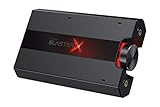
Best external: Creative Sound Blaster G6
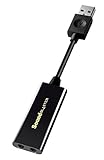
The G6 is a USB DAC/amp that works on a desktop PC, a laptop and consoles. It avoids slot and power-cable issues and moves the analog stage out of the case. It also offers optical connections, which is useful if you want to feed a receiver.
Trade-off: its amp suits headphones up to about 600 ohms on paper, but it is built for gaming headsets and mid-impedance cans, not demanding audiophile headphones. Choose the AE-9 for those.
Best for streaming: Focusrite Scarlett Solo (4th Gen)
If your goal is a good XLR microphone, a USB audio interface is a better buy than a gaming sound card. The Scarlett Solo provides a quiet mic preamp, a headphone output and stable drivers. The audio quality comes from the preamp and converters, not from gaming-oriented surround modes.
Trade-off: it has no built-in game-oriented virtual surround and little routing for chat and game mixes, so you may need software mixing.
How to choose: the headphone power calculation
The spec that matters most is whether the amp can drive your headphones to a clean, loud level. The formula is: required power (mW) = 10^((target SPL − sensitivity in dB/mW) ÷ 10), and voltage = √(power in watts × impedance).
The table below assumes 110 dB SPL peaks, which leaves room for loud transients when your average listening level is around 85–90 dB.
| Headphone example class | Impedance | Sensitivity | Power needed for 110 dB peaks | Voltage needed (RMS) |
|---|---|---|---|---|
| Typical gaming headset | 32 ohm | 100 dB/mW | 10 mW | about 0.57 V |
| Mid-impedance open-back | 80 ohm | 96 dB/mW | about 25 mW | about 1.4 V |
| Studio-style headphone | 250 ohm | 98 dB/mW | about 16 mW | about 2.0 V |
| High-impedance reference headphone | 600 ohm | 96 dB/mW | about 25 mW | about 3.9 V |
The 600-ohm row shows why “supports 600 ohms” is not enough. At roughly 3.9 V, many consumer-grade outputs run out of headroom and distort or sound flat at high volume. Check the manufacturer’s rated output voltage or power at your impedance, not just the maximum impedance rating. If you only listen around 85 dB average, your needs are lower, but the 250-ohm and 600-ohm headphones still benefit from a stronger amp.
Decision matrix: match your situation to a choice
| Your situation | Best choice | Reason |
|---|---|---|
| Gaming headset, 32 ohm, no hiss on onboard audio | Keep onboard audio | 0.57 V is trivial for any modern codec |
| Hear hiss or GPU whine through headphones | Sound Blaster G6 (external) | Moves the analog stage out of the case |
| 80-ohm headphones, want a cleaner upgrade | Sound Blaster Z SE or Xonar SE | 1.4 V is within reach of a budget card |
| 250-ohm or 600-ohm headphones | AE-7 or AE-9 | 2–4 V demand needs a stronger amp stage |
| Analog 5.1 or stereo speakers | Z SE, Xonar SE or AE-9 | Dedicated analog outputs with low noise floor |
| XLR microphone for streaming | Focusrite Scarlett Solo | Real mic preamp with phantom power |
| Laptop or console too | Sound Blaster G6 | USB, works across devices |
What matters, and what is marketing
- SNR and DAC chip: a 116 dB card and a 129 dB card are both well below the noise floor of human hearing in a normal room. The real difference is output stage design and amplifier power, not the headline figure.
- 32-bit/384 kHz: useful for compatibility, but you will not hear a difference from 24-bit/96 kHz in blind listening. Do not pay extra for it alone.
- Virtual surround: it is a software effect. Some players like it for positional cues, but it can be replicated with Windows Spatial Sound or in-game settings.
- Slot and cables: check that a free PCIe x1 slot is not covered by a large GPU, and that your PSU has the connector the card requires.
- Drivers: Creative and ASUS cards depend on vendor drivers. Check current Windows 11 driver support before buying an older model.
Frequently Asked Questions
Do sound cards still make a difference in 2026?
Yes, but only in specific cases. They help with high-impedance headphones, analog speaker setups and systems where onboard audio picks up noise. For a 32-ohm gaming headset on a recent motherboard, the difference is usually small.
Is a sound card better than a USB DAC?
Not automatically. A USB DAC/amp keeps the analog stage outside the PC, which avoids interference and slot limits. An internal card such as the AE-9 or AE-7 can offer more amp power and fits neatly in a desktop, while a USB unit also works with laptops and consoles.
Will a sound card improve FPS?
No. Modern CPUs handle audio processing with negligible load, and a sound card does not raise frame rates. Some cards offload a few effects, but the impact on gaming performance is minimal.
What headphones need a dedicated sound card?
Headphones above about 150 ohms, or ones with low sensitivity, benefit most. As the calculation above shows, a 600-ohm headphone can need nearly 4 V RMS for loud peaks, which exceeds what many onboard outputs deliver cleanly.
Do I need a sound card for a microphone?
Not for a USB microphone. For an XLR microphone, a USB interface such as the Scarlett Solo is usually a better choice than a gaming sound card because it has a proper preamp and phantom power.
Can I use a sound card with a laptop?
Internal PCIe cards need a desktop. For a laptop, use a USB option such as the Sound Blaster G6 or a USB audio interface, which gives you a separate DAC and headphone amp.
Related guides
More from Amazon
Programs that pair well with the guide above. Offers and eligibility are set by Amazon and may change.
A free business account with business pricing and bulk-buying tools for work, shop or home office.
Create a business accountFree shipping on eligible items, Prime Video and more. Eligible new members can start with a free trial.
Start a Prime free trialAudiobooks and podcasts to listen to on the go. Eligible new members can start with a free trial.
Try Audible freeAd-free music streaming. Eligible new subscribers can start with a free trial.
Try Music Unlimited freeAs an Amazon Associate we earn from qualifying purchases.