The best ASUS sound card for most gaming PCs is the Xonar SE: it is a cheap PCIe x1 card with a headphone amp that handles high-impedance headsets, and it costs far less than the premium options. Step up to the Xonar AE if you want 7.1 output, more connectivity and RGB, and look at the Essence STX II only if you own demanding 250-600 ohm headphones and can find one in stock. I read “asi” in your search as ASUS, the brand behind the Xonar and Essence lines.
One caveat before you shop: ASUS has slowed its sound card output, so stock and pricing on these models are inconsistent. Driver updates are infrequent too. Treat the picks below as a shortlist and confirm availability and current Windows 11 driver support on ASUS’s product pages before paying.
As an Amazon Associate we earn from qualifying purchases at no extra cost to you.
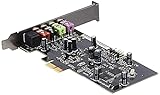

Quick comparison of the ASUS sound cards worth considering
| Pick | Best for | Key specs (per manufacturer spec sheets) | Typical price range |
|---|---|---|---|
| ASUS Xonar SE | Best budget / best overall value | PCIe x1, 5.1 analog output, about 116 dB SNR on stereo output, headphone amp rated for up to 600 ohm | Usually $50-$90 |
| ASUS Xonar AE | Best for 7.1 speakers and flexibility | PCIe x1, 7.1 analog output, 192 kHz/24-bit, headphone amp rated for up to 150 ohm, RGB lighting | Usually $90-$150 |
| ASUS ROG Essence STX II | Best for hard-to-drive headphones | PCIe x1 with a separate amp unit, very high SNR (about 124 dB per ASUS), headphone amp for high-impedance cans | Often $200-$300 when available |
| External USB DAC/amp (spec class) | Best for laptops and avoiding case clutter | USB-C or USB-A, no free slot needed, many with 3.5 mm or 4.4 mm balanced out | Usually $50-$250 |
Best overall: ASUS Xonar SE
The Xonar SE suits players who want cleaner stereo audio and a stronger headphone output than a typical motherboard provides. It is a 5.1 card, which is enough for most desktop speaker setups, and its headphone amp is rated up to 600 ohm per ASUS. That rating makes it more capable than its price suggests.
Trade-off: it lacks 7.1 output and has fewer features than the AE. Its software is also simpler and dated. If you only use a stereo headset or 2.0 speakers, that rarely matters.
Best for 7.1 and extras: ASUS Xonar AE
The Xonar AE adds 7.1 analog output, 192 kHz/24-bit playback and a more complete connector layout. It suits anyone with a multichannel speaker system or who wants a card that looks good through a case window. It also includes a low-profile bracket option, which helps in small builds.
Trade-off: the headphone amp is rated lower (up to 150 ohm), so very high-impedance headphones are better served by the SE or the STX II. Paying more for the AE only makes sense if you will use the extra channels or features.
Best for audiophile headphones: ASUS ROG Essence STX II
The Essence STX II is a premium card built around a dedicated headphone amplifier, aimed at people with 250-600 ohm studio headphones. It is the one ASUS card where the amp, not the features, is the reason to buy.
Trade-off: it costs several times more than the SE and is hard to find new. A separate USB DAC/amp in the same price range often offers a better choice of connectors and works on laptops too.
Best when you have no free slot: an external USB DAC/amp
If a long GPU covers your PCIe x1 slot, or you game on a laptop, skip the internal card. An external DAC/amp gives you most of the same benefit with no slot, no driver conflicts and easy portability. Look for the output impedance, rated output power and supported headphone impedance on the spec sheet.
Do you need a sound card at all?
Most modern motherboards have decent onboard audio, and a sound card won’t change game FPS or add much for a typical USB headset. A card helps in four cases:
- You use wired analog headphones with an impedance above about 80 ohm and onboard volume runs out.
- You hear electrical noise (hiss, GPU whine) on the front-panel or onboard output.
- You run analog multichannel speakers.
- Your motherboard has poor or no analog audio, which is common on small-form-factor boards.
If you use a USB or wireless headset, the audio is converted inside the headset or dongle, so an internal sound card does nothing for it.
Worked example: how much amp power do your headphones need?
Headphone sensitivity (dB per mW) and impedance tell you whether the amp is enough. The calculation:
- Pick a target average volume, say 100 dB SPL, and allow about 10 dB of headroom for peaks like explosions (105 dB average is the same sum with 5 dB less).
- Power needed = 10^((target – sensitivity) / 10) mW.
- Voltage needed = square root of (power in watts x impedance).
Take a 250 ohm headphone with 98 dB/mW sensitivity. For 100 dB average plus 10 dB peaks, the peaks need 110 dB, which is 12 dB above sensitivity. That is 10^1.2, about 15.8 mW. Voltage = sqrt(0.0158 x 250) = sqrt(3.96), about 2.0 V peak, or roughly 1.4 Vrms. Many onboard outputs are rated at or below about 1-2 Vrms, so this headphone is borderline on motherboard audio. A 32 ohm headset at 100 dB/mW needs just 10^1.0 = 10 mW, which is sqrt(0.01 x 32) = about 0.57 V peak, which any onboard output handles.
| Headphone | Sensitivity | Peak voltage for 110 dB peaks | Onboard enough? |
|---|---|---|---|
| 32 ohm gaming headset | 100 dB/mW | about 0.57 V | Yes |
| 80 ohm open-back | 100 dB/mW | about 0.9 V | Usually |
| 250 ohm studio | 98 dB/mW | about 2.0 V | Borderline, amp helps |
| 600 ohm studio | 96 dB/mW | about 4-5 V | No, needs a strong amp |
These figures are approximations from the standard formulas. Compare them with the output voltage on the card’s spec sheet, because a card’s “up to 600 ohm” rating means it can drive that load, not that it reaches peak volume with every model.
Which card fits your situation
| Your setup | Best choice | Reason |
|---|---|---|
| Wired headset, 32-64 ohm, desktop | Onboard audio, or Xonar SE if noisy | Low voltage requirement; a card is only for cleaner sound |
| Open-back headphones, 80-300 ohm | Xonar SE | The amp has plenty of headroom at a low price |
| 5.1 or 7.1 analog speakers | Xonar SE (5.1) or Xonar AE (7.1) | Match the channel count to your speakers |
| 250-600 ohm headphones | Essence STX II or external DAC/amp | High voltage and current needs |
| Laptop or no free PCIe slot | External USB DAC/amp | Nothing to install |
| USB or wireless headset | No card needed | The headset has its own DAC |
Before you buy: compatibility checks
- Slot: the cards use PCIe x1. Check that the slot is not covered by a thick GPU cooler (many 2.5-slot and larger GPUs cover the slot nearest the card).
- Bracket height: small cases may need the low-profile bracket.
- Drivers: check the ASUS support page for a Windows 11 driver. Some features work better with generic Windows drivers than with the old software.
- Rear connectors: confirm the card’s analog jacks match your speakers and that you don’t need optical output you won’t get.
- Disable onboard audio: turn off the motherboard codec in the BIOS or the Windows sound settings to avoid routing confusion.
Frequently Asked Questions
Is a sound card worth it for gaming in 2026?
For most players using a USB or wireless headset, no. It is worth it for high-impedance wired headphones, analog multichannel speakers, or a noisy motherboard output. It does not raise FPS.
Which ASUS sound card is best for a 250 ohm headphone?
The Xonar SE is the best-value choice, and the Essence STX II is the step up if you can find one. Both are rated for high-impedance loads, but check your headphone’s sensitivity against the output voltage on the spec sheet.
Does the Xonar SE or AE work on Windows 11?
Both have been used on Windows 11 with ASUS drivers, but updates are infrequent. Check the ASUS support page for the current driver and read recent user feedback before buying, since support may change.
Can I use an ASUS sound card with a USB headset?
No benefit. A USB headset has its own DAC and bypasses the card entirely. The card only helps analog headphones, microphones and speakers connected to its jacks.
What if I cannot find an ASUS card in stock?
Consider an external USB DAC/amp or a comparable internal card from another brand, such as the Creative Sound Blaster AE-5 Plus or AE-9. Match the headphone impedance support and connector layout to your needs rather than the brand.
Related guides
More from Amazon
Programs that pair well with the guide above. Offers and eligibility are set by Amazon and may change.
A free business account with business pricing and bulk-buying tools for work, shop or home office.
Create a business accountFree shipping on eligible items, Prime Video and more. Eligible new members can start with a free trial.
Start a Prime free trialAudiobooks and podcasts to listen to on the go. Eligible new members can start with a free trial.
Try Audible freeAd-free music streaming. Eligible new subscribers can start with a free trial.
Try Music Unlimited freeAs an Amazon Associate we earn from qualifying purchases.