
The real decision is not simply “which drive is faster?” It is whether your home’s computers, tablets, cables, and everyday routines can actually take advantage of that speed. USB 3.2 Gen 2×2 external SSDs offer a practical 20Gbps connection for large file transfers at a more approachable price. Thunderbolt 4 external SSDs cost more, but they bring a 40Gbps connection, stronger support for demanding creative work, and a better fit for a desk built around a modern Mac or high-end Windows laptop.
For most households, the right choice comes down to the files you move, the ports on your primary computer, and whether the drive will live in a drawer, travel in a bag, or stay connected to a workstation. In 2026, the label on the port matters more than ever: a USB-C-shaped connector alone does not guarantee USB 3.2 Gen 2×2 or Thunderbolt 4 performance.
As an Amazon Associate we earn from qualifying purchases at no extra cost to you.



Our Top Picks
 SABRENT Rocket XTRM 5 2TB Thunderbolt 5 Portable2TB4.13 x 1.77 x 0.57 inches0.2 PoundsCheck on Amazon


Top 3 picks at a glance
Quick Verdict
Choose a USB 3.2 Gen 2×2 external SSD if you want fast portable storage for photo libraries, household backups, game files, and occasional large transfers on a compatible Windows PC. It is usually the better value when you do not need the highest sustained performance every day.
Choose a Thunderbolt 4 external SSD if you edit video, work with large design files, keep a drive connected to a desktop setup, or own a computer with verified Thunderbolt 4 ports. Thunderbolt 4 is generally the more capable and predictable option for demanding workflows, although it is not automatically the best fit for every USB-C laptop.
Side by Side
| Buying Factor | USB 3.2 Gen 2×2 External SSD | Thunderbolt 4 External SSD |
|---|---|---|
| Connection bandwidth | Up to 20Gbps | Up to 40Gbps |
| Comfort in daily use | Excellent for routine backups and moving folders | Best for frequent large transfers and active project work |
| Typical 2TB price range | About $140 to $250 | About $220 to $400 or more |
| Port compatibility | Requires a true USB 3.2 Gen 2×2 port for top speed | Requires Thunderbolt 4 for top capability; works with some USB-C setups at reduced speed |
| Durability options | Many compact aluminum and rubberized models available | Premium metal enclosures and rugged options are common |
| Maintenance | Minimal; keep the USB-C port and cable clean | Minimal, but use a certified high-speed cable and avoid cable swaps |
| Space needed | Usually about 4 to 5 inches long and under 3 inches wide | Often about 4 to 5.5 inches long; some run thicker for cooling |
| Look | Simple, pocketable, often colorful or understated | More workstation-oriented, usually aluminum in black, gray, or silver |
| Resale and future flexibility | Good, but Gen 2×2 support is inconsistent across devices | Stronger among users with Thunderbolt-equipped Macs and PCs |
| Best for | Value-minded households with compatible Windows hardware | Creative workstations, large media libraries, and power users |
Where USB 3.2 Gen 2×2 Wins
USB 3.2 Gen 2×2 wins on value. Its maximum 20Gbps connection is plenty for most home storage needs, including copying a phone backup, archiving family photos, transferring a game library, or moving a large collection of PDFs and scanned documents. With a capable NVMe-based drive and a compatible port, these SSDs can be markedly faster than older 5Gbps and 10Gbps USB drives.
It also makes sense when the drive is not your primary working disk. If you connect an SSD once a month to back up a desktop, or bring it out before a vacation to clear space on a laptop, paying a large premium for Thunderbolt 4 may not change your experience enough to justify the cost.
Physical convenience is another advantage. Many USB 3.2 Gen 2×2 SSDs measure roughly 4.0 to 4.8 inches long, 2.0 to 2.5 inches wide, and 0.4 to 0.6 inch thick, often weighing 2 to 4 ounces. They are easy to keep in a small desk organizer, media-console drawer, or zip pouch. Most are bus-powered, typically drawing roughly 4 to 10 watts while in use, so no separate power brick is needed.
The important caution is compatibility. A USB-C port may support only 5Gbps or 10Gbps USB data. Many computers, particularly some Macs, do not support the USB 3.2 Gen 2×2 mode at its full 20Gbps rate. On those systems, the drive can still work, but it may run at a lower speed. Before buying, check the computer manufacturer’s port specification rather than relying on the connector shape or the words “USB-C.”
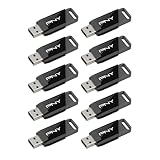
For perspective, basic flash drives remain useful for handoffs and documents. A PNY 32GB Attaché X USB 3.2 Gen 1 2-pack at around $15, or the 10-pack priced at around $64, is a sensible household supply for school files and small documents. But with read speeds stated up to 130MB/s, those drives serve a completely different role from a portable SSD intended for multi-gigabyte backups.
Where Thunderbolt 4 External SSD Wins
Thunderbolt 4 wins when time spent waiting for storage becomes a real household or work-from-home frustration. Its 40Gbps link has substantially more bandwidth than USB 3.2 Gen 2×2, making it a better platform for high-resolution video projects, large RAW photo catalogs, music-production sessions, virtual machines, and large work folders that remain on the external drive.
It is also a more natural fit for a permanent workstation. A Thunderbolt 4 SSD can sit beside a monitor dock, laptop stand, and charging cable without feeling like a compromise. Many models use sturdy aluminum cases that help manage heat during extended transfers. Expect common portable dimensions of roughly 4 to 5.5 inches long, 2 to 3 inches wide, and 0.5 to 0.8 inch thick, with weights often in the 3- to 6-ounce range.
Thunderbolt 4 can be particularly appealing in a mixed-device home centered on a newer MacBook Pro, MacBook Air, or a Windows laptop with Thunderbolt certification. It is still essential to verify compatibility and the included cable. A short 0.3- to 0.8-meter certified Thunderbolt cable is normal, and replacing it with an ordinary USB-C charging cable can reduce performance or prevent the drive from operating as intended.
Premium drives show how broad this category has become. The Corsair EX400U Survivor 2TB USB4 external SSD is listed at around $430 and combines high-speed connectivity with an IP55 ruggedness rating. The SABRENT Rocket XTRM 5 2TB, priced at around $400, is a Thunderbolt 5 model designed to work across several connection types, including Thunderbolt 4, Thunderbolt 3, USB4, and USB 3.2 modes. These products illustrate an important shopping point: a newer or faster standard does not mean every home computer will reach the drive’s maximum potential.
Cost Over 5 Years
For a typical 2TB portable SSD, a USB 3.2 Gen 2×2 setup may cost about $140 to $250 initially, while a Thunderbolt 4 setup commonly lands around $220 to $400. Add $20 to $40 over five years for a replacement cable, protective sleeve, or both. Neither drive type has meaningful electricity costs in a home budget because bus-powered SSDs consume power only while connected and active.
The larger cost question is replacement timing. If a USB 3.2 Gen 2×2 drive works well with your current computer but your next laptop lacks 20Gbps support, you may eventually use it at a reduced speed. A Thunderbolt 4 drive can command a higher initial investment, but may remain more useful if your household expects to keep Thunderbolt-equipped computers for several upgrade cycles.
Regardless of connection type, do not treat one portable SSD as your only copy of irreplaceable photos. A practical five-year plan includes a second backup location: another drive stored elsewhere in the home, a trusted family member’s home, or a cloud backup service.
Which One for Your Home
Small apartment
Choose USB 3.2 Gen 2×2 if your main goal is compact, quick storage for a laptop and limited desk space. A small 2TB SSD can hold years of household documents and a substantial photo collection while disappearing into a drawer. Move up to Thunderbolt 4 only if the drive will support frequent creative work or act as a daily working disk.
Family with kids or pets
Prioritize a rugged enclosure, a short cable, and a predictable storage spot over maximum interface speed. A USB 3.2 Gen 2×2 SSD is often the practical choice for backup duty. Look for a drive with a protective shell or purchase a padded case, since a 3-ounce device can easily be knocked off a coffee table or desk. Keep it away from drink spills and pet-accessible charging areas.
Rental
A USB 3.2 Gen 2×2 SSD is usually the better rental-friendly option because it is easy to pack, inexpensive enough to replace, and useful across a wide range of PCs. Keep the original cable attached to the case. If you work remotely with video or design files, Thunderbolt 4 can be worth the premium, especially when your laptop is your entire workstation.
Long-term home
For a settled home with a dedicated office, choose Thunderbolt 4 if you expect growing photo, video, or creative archives and already own compatible computers. It supports a cleaner, more capable desk setup and reduces the chances that storage becomes the slow part of a demanding workflow. For ordinary backup and file storage, USB 3.2 Gen 2×2 remains the more economical long-term choice.
FAQ
Is USB 3.2 Gen 2×2 the same as USB-C?
No. USB-C describes the connector shape. USB 3.2 Gen 2×2 describes a data mode capable of up to 20Gbps. A USB-C port can support slower USB speeds, charging only, video output, Thunderbolt, or several combinations of these features.
Will a USB 3.2 Gen 2×2 SSD work in a Thunderbolt 4 port?
It will often connect and function, but it may not reach 20Gbps. Thunderbolt 4 ports support USB devices, yet support for the specific USB 3.2 Gen 2×2 mode varies by computer. Check the computer’s technical specifications before expecting full-speed operation.
Do Thunderbolt 4 SSDs need external power?
Most portable Thunderbolt 4 SSDs are bus-powered and do not need a wall outlet. They normally connect with one short cable and draw power from the computer. Larger desktop-class storage enclosures may require separate power, but that is less common for pocket-size SSDs.
Should I buy more capacity or a faster connection?
For household backups, capacity usually matters more. A 2TB USB 3.2 Gen 2×2 SSD is often more useful than a 1TB Thunderbolt 4 SSD if it lets you keep complete photo, video, and computer backups in one place. Choose Thunderbolt 4 first when your daily work involves large files and transfer speed directly affects your time.









