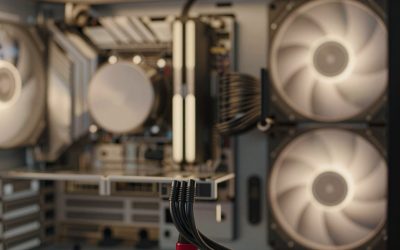
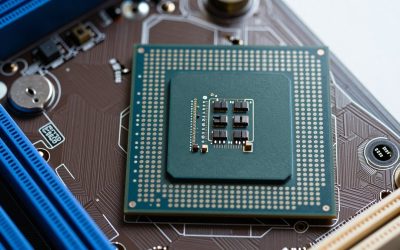
If you only want the short answer on which SSD drive to put in your PC, it’s the Samsung 990 Pro. It is a PCIe 4.0 NVMe drive with a DRAM cache and reads at up to 7,450 MB/s, and it works in nearly any desktop built in the last five years. The runner-up is the WD_Black SN850X, which delivers almost the same real-world speed and is available in sizes up to 8TB for large game libraries. If your motherboard has a PCIe 5.0 M.2 slot and you move huge files, the Samsung 9100 Pro roughly doubles sequential speed. On a budget, the Kingston NV3 and Crucial P310 still feel dramatically faster than any hard drive. We also cover SATA picks for older PCs, a buying guide and the PCIe 4.0 vs 5.0 question.
Disclosure: this guide contains affiliate product cards. We may earn a commission if you buy through them, at no extra cost to you. SSD prices have climbed in 2026 because of the global memory shortage, so we use price tiers instead of numbers.
Our Top Picks
Top Picks at a Glance
- Best Overall: Samsung 990 Pro (PCIe 4.0, DRAM)
- Best for Gaming PCs: WD_Black SN850X (PCIe 4.0, up to 8TB)
- Best PCIe 5.0 SSD: Samsung 9100 Pro (up to 14,700 MB/s)
- Best Value PCIe 5.0: Crucial T705
- Best Value PCIe 4.0: WD_Black SN7100
- Best Budget NVMe: Crucial P310
- Best Cheap Bulk Storage: Kingston NV3
Best SSDs for PC Compared
| SSD | Best For | Interface | Max Seq. Read | DRAM Cache | Watch For | Price Tier |
|---|---|---|---|---|---|---|
| Samsung 990 Pro | Most PCs | PCIe 4.0 x4 NVMe | 7,450 MB/s | Yes | Often pricier than SN850X | Upper-mid |
| WD_Black SN850X | Gaming, big libraries | PCIe 4.0 x4 NVMe | 7,300 MB/s | Yes | Heatsink version needed for PS5 | Upper-mid |
| Samsung 9100 Pro | Creators on PCIe 5.0 | PCIe 5.0 x4 NVMe | 14,700 MB/s | Yes | Needs Gen 5 slot for full speed | Premium |
| Crucial T705 | Gen 5 speed at lower cost | PCIe 5.0 x4 NVMe | 14,500 MB/s | Yes | Runs hot; needs a heatsink | Premium |
| WD_Black SN7100 | Value Gen 4 | PCIe 4.0 x4 NVMe | 7,250 MB/s | No (HMB) | Slower under sustained writes | Mid-range |
| Crucial P310 | Budget builds | PCIe 4.0 x4 NVMe | 7,100 MB/s | No (HMB) | QLC NAND, lower endurance | Budget |
| Kingston NV3 | Cheap secondary drive | PCIe 4.0 x4 NVMe | 6,000 MB/s | No | Components can vary by batch | Budget |
1. Samsung 990 Pro: Best SSD for Most PCs

Samsung SSD 990 PRO 2TB, PCIe 4.0 M.2 2280, Up to 7,450 MB/s | NVMe Internal Solid State Hard Drive for High End Computing, Gaming, and Heavy Duty Workstations, (MZ-V9P2T0B/AM)


As an Amazon Associate we earn from qualifying purchases. Product prices and availability are accurate as of the date/time indicated.
Key Specs
- Interface: PCIe 4.0 x4, NVMe, M.2 2280
- Sequential read: up to 7,450 MB/s; write up to 6,900 MB/s (2TB)
- Cache: LPDDR4 DRAM
- NAND: Samsung V-NAND TLC
- Capacities: 1TB, 2TB, 4TB (heatsink versions available)
- Warranty: 5 years
Best for: almost any desktop with an M.2 NVMe slot, from gaming rigs to workstations. Skip if: your board has a free PCIe 5.0 slot and you edit large video projects.
Why we picked it
The 990 Pro is the drive most 2026 buying guides keep returning to, including GamesRadar’s top overall pick, and the reason is consistency. It pairs Samsung’s own controller with a DRAM cache and TLC NAND, which keeps random read and write performance high and avoids the slowdowns that DRAM-less drives can hit when they are nearly full. Those small random operations are what make Windows, game loading and app launches feel quick.
Its sequential speed of up to 7,450 MB/s is at the ceiling of what PCIe 4.0 can deliver. Most desktops from the last few generations of AMD and Intel platforms have at least one PCIe 4.0 M.2 slot, so you will get the full performance without needing a new motherboard. On a PCIe 3.0 board it still works, but tops out around 3,500 MB/s.
The 990 Pro is also known for good power efficiency for a high-end Gen 4 drive, which keeps temperatures in check. Compared with the WD_Black SN850X below, the two trade wins in reviews and feel the same in daily use; buy whichever is cheaper in the capacity you need. Samsung’s Magician software adds firmware updates, health monitoring and a data migration tool for moving your old system drive.
Pros
- Top-tier PCIe 4.0 speed with DRAM cache
- Strong random performance for OS and games
- Efficient for its class; heatsink option for consoles
- Mature firmware and good software tools
Cons
- Often costs more than equally fast rivals
- Tops out at 4TB
2. WD_Black SN850X: Best SSD for Gaming PCs

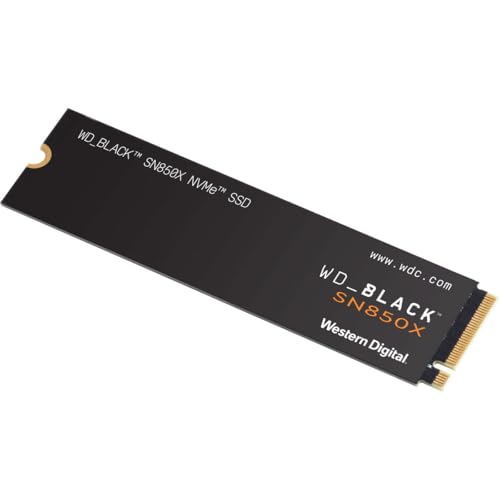
WD_Black SN850X 2TB NVMe PCIe 4.0 x4 M.2 Internal Gaming SSD Without Heatsink



As an Amazon Associate we earn from qualifying purchases. Product prices and availability are accurate as of the date/time indicated.
Key Specs
- Interface: PCIe 4.0 x4, NVMe, M.2 2280
- Sequential read: up to 7,300 MB/s
- Cache: DRAM
- NAND: TLC
- Capacities: 1TB up to 8TB; heatsink versions available
- Extras: WD_Black Dashboard with Game Mode
Best for: gamers who want top Gen 4 speed and the option of very large capacities. Skip if: you only need a small boot drive on a tight budget.
Why we picked it
The SN850X has been one of the most popular gaming SSDs for years, and it is still near the top of the PCIe 4.0 class in 2026. With a DRAM cache and TLC flash, it handles the mix of large sequential reads and random access that modern games use, and its speed is effectively identical to the 990 Pro in everyday use.
Capacity is where it pulls ahead. While many premium Gen 4 drives top out at 4TB, the SN850X is offered up to 8TB, which is enough to keep a very large game library installed on one fast drive. Modern AAA titles regularly exceed 100 GB each, so a 2TB drive fills quickly; the 4TB and 8TB options make it a one-drive solution for many gamers.
The WD_Black Dashboard software provides firmware updates and a Game Mode that keeps the drive in its fastest state. The drive line now sits under the Sandisk brand after Western Digital spun off its flash business, but the product and its support remain the same. If you also own a PS5, the heatsink version fits the console’s expansion slot.
Pros
- Top-class Gen 4 performance with DRAM
- Available up to 8TB
- Heatsink versions for consoles and hot cases
Cons
- Larger capacities are expensive during the memory shortage
- No real advantage over the 990 Pro at the same price
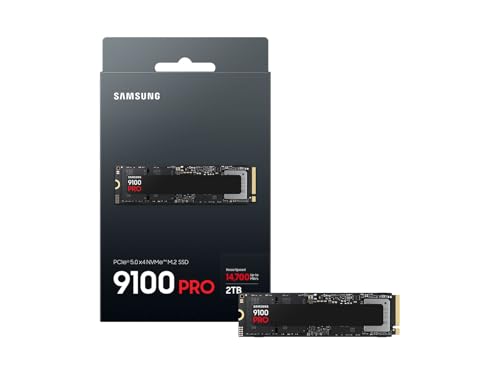
3. Samsung 9100 Pro: Best PCIe 5.0 SSD

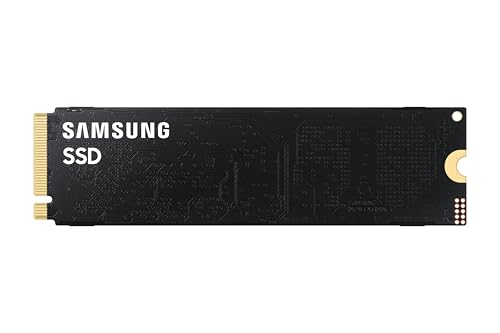
Samsung SSD 9100 PRO 2TB, PCIe 5.0x4 M.2 2280, Up to 14,700MB/s | NVMe Internal Solid State Hard Drive best for AI Computing, Gaming, and Heavy Duty Workstations (MZ VAP2T0B/AM)





As an Amazon Associate we earn from qualifying purchases. Product prices and availability are accurate as of the date/time indicated.
Key Specs
- Interface: PCIe 5.0 x4, NVMe, M.2 2280
- Sequential read: up to 14,700 MB/s (2TB), up to 14,800 MB/s on 4TB and 8TB
- Cache: DRAM
- Capacities: 1TB, 2TB, 4TB, 8TB; heatsink versions available
Best for: creators and power users with a PCIe 5.0 M.2 slot who move very large files. Skip if: your PC only has PCIe 4.0 or 3.0 slots, or you mostly game.
Why we picked it
The 9100 Pro is Samsung’s first consumer PCIe 5.0 drive and one of the fastest you can buy, with reads up to roughly 14,700 MB/s, about twice the PCIe 4.0 ceiling. That matters when you are copying large video projects, scrubbing high-bitrate footage, loading huge datasets or working with big AI model files. For gaming and everyday desktop work, real-world gains over a good Gen 4 drive are small, because load times depend more on decompression and CPU work than raw throughput.
You need a motherboard with a PCIe 5.0 M.2 slot to get its full speed. Recent AMD AM5 and Intel boards often provide one, usually the slot closest to the CPU. In an older PCIe 4.0 slot, the drive still works but runs at Gen 4 speeds, which wipes out the reason to pay for it.
Gen 5 drives run warmer than Gen 4 drives, so use your motherboard’s M.2 heatsink or buy the heatsink version. Compared with the Crucial T705 below, the 9100 Pro comes in capacities up to 8TB and uses Samsung’s newer controller, which has a reputation for running more efficiently than first-generation Gen 5 designs.
Pros
- Roughly double Gen 4 sequential speed
- Up to 8TB
- DRAM cache and Samsung software support
Cons
- Premium price
- Needs a PCIe 5.0 slot and cooling
- Little gaming benefit over Gen 4
4. Crucial T705: Best Value PCIe 5.0 SSD

Crucial T705 PCIe Gen5 NVMe 2TB SSD, Up to 14,500MB/s, TLC NAND, Intel & Ryzen Compatible, for Hardcore Gaming & High-Speed Storage, Solid State Drive, Includes 1Mo Adobe CC – CT2000T705SSD3


As an Amazon Associate we earn from qualifying purchases. Product prices and availability are accurate as of the date/time indicated.
Key Specs
- Interface: PCIe 5.0 x4, NVMe, M.2 2280
- Sequential read: up to 14,500 MB/s (2TB)
- Controller: Phison E26 with DRAM
- NAND: TLC
- Capacities: 1TB, 2TB, 4TB; with or without heatsink
Best for: builders who want Gen 5 speed and sometimes find it priced below premium Gen 4 drives. Skip if: your case has poor airflow and you cannot add an M.2 heatsink.
Why we picked it
The T705 is one of the fastest drives built on Phison’s E26 controller, with sequential reads up to 14,500 MB/s on the 2TB model. In 2026, the memory shortage has created an odd situation in which some Gen 5 drives sell for little more than, or occasionally less than, premium Gen 4 drives. When that happens, the T705 is an easy upgrade for anyone with a PCIe 5.0 slot.
The E26 is a first-generation Gen 5 controller and runs hot under sustained load. Crucial sells heatsink and bare versions; choose the bare version only if your motherboard includes a solid M.2 cooler. With proper cooling, it sustains its speed well during large file transfers.
Compared with the Samsung 9100 Pro, the T705 offers similar headline read speed and tops out at 4TB rather than 8TB. It is a good choice if you find it at a lower price, and both are far more than gamers need.
Pros
- Very fast Gen 5 sequential reads
- DRAM cache and TLC NAND
- Heatsink and bare versions
Cons
- Runs hot without cooling
- Less power-efficient than newer Gen 5 controllers
5. WD_Black SN7100: Best Value PCIe 4.0 SSD

WD_Black SN7100 2TB NVMe SSD - Gen4 PCIe, M.2 2280, Up to 7,250 MB/s Read Speed, Up to 6,900 MB/s Write Speed, Next Gen TLC 3D NAND, for Laptops, Handheld Gaming Devices - WDS200T4X0E


As an Amazon Associate we earn from qualifying purchases. Product prices and availability are accurate as of the date/time indicated.
Key Specs
- Interface: PCIe 4.0 x4, NVMe, M.2 2280
- Sequential read: up to 7,250 MB/s; write up to 6,900 MB/s (1TB and 2TB)
- Cache: DRAM-less with Host Memory Buffer
- NAND: TLC 3D NAND
- Capacities: 500GB to 4TB
Best for: gaming and everyday PCs that want near-flagship Gen 4 speed for less. Skip if: you regularly write hundreds of gigabytes in one go.
Why we picked it
PCWorld names the SN7100 its best PCIe 4.0 SSD, and Tom’s Hardware likes it for laptops, which tells you a lot about its balance of speed and efficiency. It reaches sequential reads close to the 990 Pro and SN850X, but skips the DRAM chip and uses a slice of system memory instead through Host Memory Buffer. That lowers cost and power use with little impact on gaming and normal desktop tasks.
Where DRAM-less designs give ground is in long, sustained writes, such as copying a full drive or recording large video files, once the fast cache fills. For a typical gaming PC, that rarely comes up. The TLC NAND keeps endurance and sustained performance better than QLC budget drives.
If you want a fast boot and game drive without paying for a flagship, the SN7100 is one of the best balances of price and speed this year. It is also an excellent choice for a second M.2 slot alongside an existing system drive.
Pros
- Near-flagship Gen 4 sequential speed
- Efficient and cool running
- TLC NAND at a mid-range price
Cons
- No DRAM; slower in very long writes
- Same brand family as the SN850X, so check price gaps
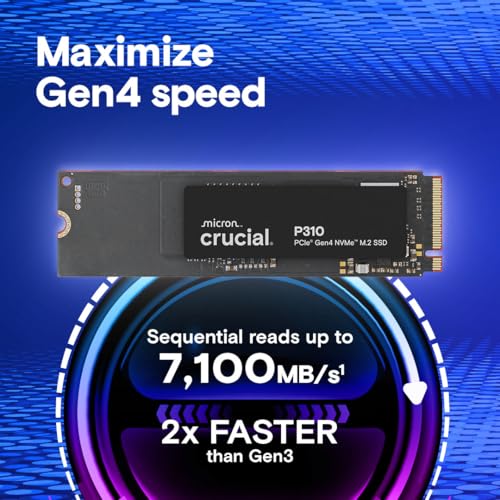
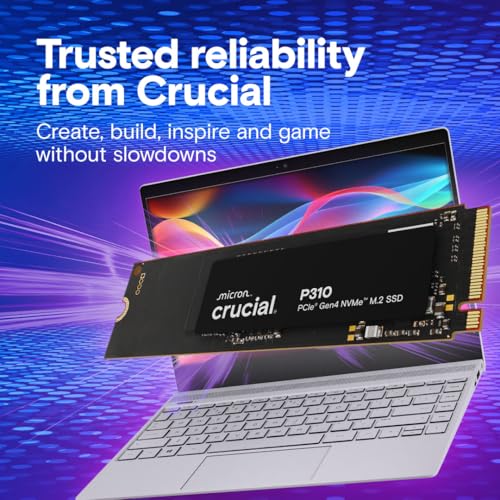
6. Crucial P310: Best Budget NVMe SSD

Crucial P310 2TB SSD, PCIe Gen4 NVMe M.2 2280, Up to 7,100MB/s, for Laptop, Desktop (PC), & Handheld Gaming Consoles, Includes Acronis Data Recovery Software, Solid State Drive - CT2000P310SSD801



As an Amazon Associate we earn from qualifying purchases. Product prices and availability are accurate as of the date/time indicated.
Key Specs
- Interface: PCIe 4.0 x4, NVMe, M.2 2280 (2230 version also sold)
- Sequential read: up to 7,100 MB/s (1TB and 2TB)
- Cache: DRAM-less with Host Memory Buffer
- NAND: QLC
- Capacities: 500GB, 1TB, 2TB and larger
Best for: budget gaming PCs and upgrades from a hard drive. Skip if: you write large files daily or want maximum endurance.
Why we picked it
The P310 delivers headline Gen 4 read speeds at a budget price, which is why it appears on several 2026 lists as a top value drive. For game loading, booting Windows and launching apps, it feels nearly as quick as far more expensive drives, and it is a huge step up from any SATA drive or hard disk.
The trade-off is QLC NAND. QLC stores four bits per cell, which lowers cost but reduces endurance and makes sustained writes slower once the cache is exhausted. For a gaming or general-use PC that mostly reads data, this is a sensible compromise. For video editing scratch disks or frequent large transfers, step up to the SN7100 or a DRAM-equipped drive.
Crucial also sells the P310 in the short M.2 2230 size, which is useful for compact PCs, some laptops and handheld gaming PCs. Make sure you pick the 2280 version for a standard desktop motherboard slot.
Pros
- Fast Gen 4 reads at a budget price
- Low power and heat
- 2280 and 2230 versions
Cons
- QLC NAND with lower endurance
- Slower once its cache fills
7. Kingston NV3: Best Cheap SSD for Bulk Storage

Kingston NV3 2TB M.2 2280 NVMe SSD | PCIe 4.0 Gen 4x4 | Up to 6000 MB/s | SNV3S/2000G


As an Amazon Associate we earn from qualifying purchases. Product prices and availability are accurate as of the date/time indicated.
Key Specs
- Interface: PCIe 4.0 x4, NVMe, M.2 2280
- Sequential read: up to 6,000 MB/s (1TB and larger), 5,000 MB/s on 500GB
- Cache: DRAM-less
- Capacities: 500GB to 4TB
Best for: cheap secondary drives for games and media. Skip if: you want predictable performance for a primary workstation drive.
Why we picked it
The NV3 is a no-frills NVMe drive aimed at the lowest cost per gigabyte in the Gen 4 class. Its rated reads of up to 6,000 MB/s are lower than the P310 or SN7100, but in practice that difference is hard to notice for game loading. It is a good way to add a large, fast library drive to a PC that already has a quality boot SSD.
Kingston positions the NV line as value storage and does not guarantee specific NAND or controller combinations, so performance in sustained writes can vary between production batches. That is the main reason it sits behind the P310 and SN7100 here.
For a game library, media archive or an upgrade to an older desktop with a spare M.2 slot, it is hard to beat on price. Pair it with a DRAM-equipped boot drive for the best mix of speed and capacity.
Pros
- Low cost per gigabyte
- Up to 4TB
- Fast enough for game libraries
Cons
- Components can vary between batches
- Slower sustained writes
Also Consider
WD_Black SN8100 (Sandisk Optimus GX Pro 8100)
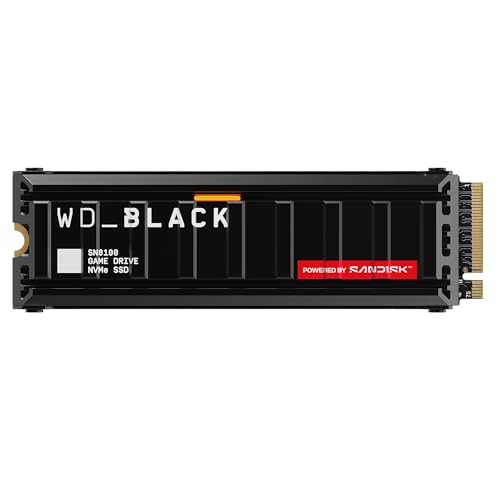
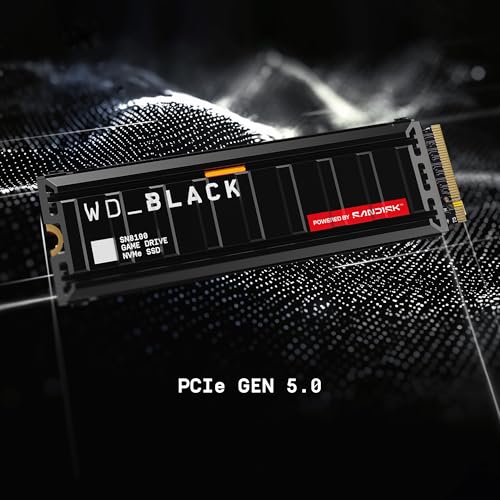
WD_Black SN8100 2TB NVMe SSD with Heatsink - PCIe 5.0x4, M.2 2280, Up to 14,900MB/s Read Speed, up to 11,000MB/s Write Speed, Best for AI Applications, Gaming, and Video Editing - WDS200T1XHM








As an Amazon Associate we earn from qualifying purchases. Product prices and availability are accurate as of the date/time indicated.
Best for: the fastest efficient Gen 5 drive. Rated for reads up to 14,900 MB/s, it is one of the quickest consumer SSDs and runs cooler than older Gen 5 designs. Trade-off: premium pricing and little gaming benefit over Gen 4.
Samsung 870 EVO (SATA)

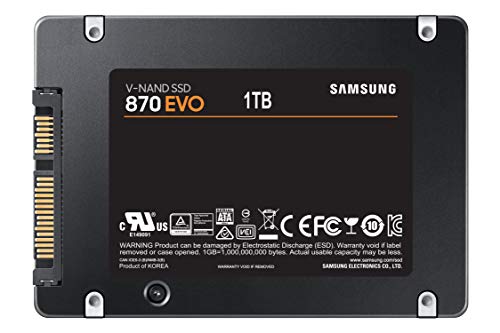
Samsung SSD 870 EVO SATA III 2.5” 1TB, Read Speeds Up to 560MB/s | SATA Internal Solid State Drive, Upgrade PC or Laptop Memory & Storage for IT Pros, Creators, Everyday Users (MZ-77E1T0B/AM)




As an Amazon Associate we earn from qualifying purchases. Product prices and availability are accurate as of the date/time indicated.
Best for: older PCs without M.2 slots. This 2.5-inch SATA drive reads at up to 560 MB/s, the practical ceiling for SATA, and comes in sizes up to 4TB. Trade-off: about a twelfth of the sequential speed of a Gen 4 NVMe drive, though it still transforms a PC running on a hard disk.
Samsung 990 EVO Plus

Samsung SSD 990 EVO Plus 2TB, PCIe Gen 4x4 | 5x2 M.2 2280, Up to 7,250 MB/s | NVMe Internal Solid State Drive, Upgrade Storage for PC/Laptops, HMB Technology & Intelligent Turbowrite 2.0 (MZ-V9S2T0B/AM)


As an Amazon Associate we earn from qualifying purchases. Product prices and availability are accurate as of the date/time indicated.
Best for: efficient mid-range Gen 4 storage. It works as PCIe 4.0 x4 or PCIe 5.0 x2, reads at up to 7,250 MB/s on the 2TB model and uses Host Memory Buffer instead of DRAM. Trade-off: some cheaper Gen 4 drives match it on speed.
How We Chose
We compared the drives most frequently recommended in 2026 by PCWorld, TechRadar, GamesRadar, Tom’s Hardware and Club386, then checked each drive’s official specifications from Samsung, Sandisk/WD, Crucial and Kingston. Our criteria were:
- Interface and speed: PCIe 4.0 for most picks, PCIe 5.0 for enthusiasts, SATA only for older systems.
- Cache and NAND type: DRAM and TLC preferred for primary drives; HMB and QLC accepted for value and secondary storage.
- Capacity range: 2TB as the default recommendation for gaming PCs, with options up to 4TB or 8TB.
- Endurance and warranty: maker-rated endurance and warranty terms where published.
- Price tier spread: budget through premium, with no more than two main picks per brand.
These picks are research-based. We did not run our own benchmarks; speeds quoted are maker ratings, and any real-world expectations are estimates based on drive class and published reviews.
SSD Buying Guide for PCs
NVMe or SATA: which does your PC support?
Check your motherboard manual for M.2 slots and whether they support NVMe (PCIe) or only SATA. Most desktops from the last six or seven years have at least one NVMe M.2 slot. If yours does not, a 2.5-inch SATA SSD connected with a SATA data cable and power lead is the upgrade path. NVMe drives are several times faster than SATA, and Gen 4 NVMe reaches up to about 7,500 MB/s compared with SATA’s ceiling of around 560 MB/s.
PCIe 3.0, 4.0 or 5.0?
All NVMe generations are backward compatible, but a drive runs at the speed of the slot. PCIe 3.0 tops out around 3,500 MB/s, PCIe 4.0 around 7,500 MB/s and PCIe 5.0 around 14,000 to 15,000 MB/s. For gaming and general use, a PCIe 4.0 drive is the sweet spot. Gen 5 makes sense if you have the slot and move very large files often.
How much capacity do you need?
Windows and everyday apps fit easily in 500GB, but games change the picture. With many modern AAA titles at 100 GB or more, 1TB is the practical minimum for a gaming PC and 2TB is the comfortable default. Creators and players with large libraries should consider 4TB, or a 2TB boot drive plus a cheaper secondary drive.
DRAM, HMB and NAND types
DRAM-equipped drives keep their mapping tables in fast onboard memory, which helps random performance and consistency when the drive is busy or nearly full. HMB drives borrow a small amount of system RAM and come close for most users. TLC NAND offers a good balance of speed and endurance; QLC is cheaper but slower in long writes and rated for fewer total writes. For a primary drive, TLC is the safer choice.
Endurance and warranty
Endurance is listed as TBW (terabytes written). Most users write far less than the rated figures, so endurance rarely matters for gaming PCs. It does matter for video editing, scratch disks and heavy download workloads. A five-year warranty is standard on mid-range and premium drives.
Cooling and installation
Gen 4 drives usually run fine under a motherboard’s M.2 heatsink or even bare in a well-ventilated case. Gen 5 drives need a heatsink. Installing an M.2 drive takes one screw or a tool-less latch; after installing, initialize it in Disk Management, or clone your old drive with the maker’s migration software.
PCIe 4.0 vs PCIe 5.0: Which Should You Buy?
For most PC owners, PCIe 4.0 is the right answer in 2026. Game load times and everyday responsiveness depend more on random access performance, CPU speed and game engine design than on sequential throughput, and Gen 4 drives like the 990 Pro and SN850X already deliver excellent random performance. Microsoft’s DirectStorage can make faster drives more useful in supported games, but even then a good Gen 4 drive does very well.
PCIe 5.0 is worth it in three situations: you regularly copy or edit very large files, you work with big datasets or AI models that must load from disk, or Gen 5 drives happen to cost about the same as Gen 4 where you shop. In 2026, the memory shortage has made that last case surprisingly common, so compare prices for both before you decide.
Before buying Gen 5, confirm that your motherboard has a PCIe 5.0 M.2 slot, that using it does not reduce your graphics card’s lanes on your specific board, and that you have cooling for it. If any of those is a no, buy a good Gen 4 drive and save the difference.
FAQ
What is the best SSD drive for a PC?
The best SSD for most PCs is the Samsung 990 Pro, a PCIe 4.0 NVMe drive with DRAM and reads up to 7,450 MB/s. The WD_Black SN850X is an equally strong alternative with capacities up to 8TB. Buy whichever is cheaper in your chosen size.
Is NVMe better than SATA for a PC?
Yes, NVMe is much faster than SATA. A PCIe 4.0 NVMe drive can read at over 7,000 MB/s, while SATA SSDs top out around 560 MB/s. SATA still makes sense only for older PCs without M.2 slots or as cheap extra storage.
How much SSD storage do I need for gaming?
For gaming, 1TB is the practical minimum and 2TB is the recommended size in 2026. Many modern games exceed 100 GB each, so a 1TB drive fills quickly. If you keep a large library installed, consider 4TB or add a cheaper secondary drive.
Does a PCIe 5.0 SSD make games load faster?
A PCIe 5.0 SSD makes only a small difference to game load times compared with a good PCIe 4.0 drive. Most loading is limited by decompression and CPU work. Gen 5 drives help most with large file transfers and creative workloads.
Can I put a PCIe 4.0 SSD in a PCIe 3.0 slot?
Yes, PCIe 4.0 SSDs work in PCIe 3.0 slots, but they run at Gen 3 speeds of about 3,500 MB/s. You still get the benefits of NVMe over SATA, and the drive will run at full speed if you move it to a newer PC later.
Do SSDs need a heatsink?
PCIe 4.0 SSDs usually do not need a dedicated heatsink in a well-ventilated desktop, though a motherboard M.2 cover helps. PCIe 5.0 SSDs do need one, because they can throttle under sustained loads without cooling. PS5 expansion drives also need a heatsink.
Is a DRAM-less SSD bad?
No, a DRAM-less SSD is not bad for most users. Modern drives that use Host Memory Buffer perform close to DRAM drives in gaming and everyday tasks. DRAM drives keep a lead in sustained heavy workloads and when the drive is nearly full.
How long does an SSD last?
A modern SSD typically lasts many years in a desktop PC. Endurance ratings for 1TB TLC drives are commonly several hundred terabytes written, far more than most users write. Most failures are unrelated to wear, so keep backups regardless.
Which SSD for Your PC Should You Buy?
- Safe all-round choice: Samsung 990 Pro.
- Big game library: WD_Black SN850X in 4TB or 8TB.
- PCIe 5.0 board and large files: Samsung 9100 Pro, or Crucial T705 if it is cheaper.
- Best balance of price and speed: WD_Black SN7100.
- Budget gaming PC: Crucial P310.
- Cheap second drive: Kingston NV3.
- Older PC without M.2: Samsung 870 EVO SATA.
Check your motherboard’s slots first, choose at least 1TB (ideally 2TB), and favor TLC NAND for your main drive. Any of these picks will make an older PC feel noticeably faster.
Last updated: October 2026