
For an external drive, an SSD is the better choice when you need speed, portability and drop resistance, while an HDD wins when you need the most terabytes for the money, such as archiving a large game library or backing up a whole PC. A portable SSD on a USB 3.2 Gen 2 port reads around 1,000 MB/s, roughly eight to ten times faster than a typical portable hard drive, but it costs about three to four times as much per terabyte. The right pick comes down to what the drive will do day to day.
As an Amazon Associate we earn from qualifying purchases at no extra cost to you.




Our Top Picks



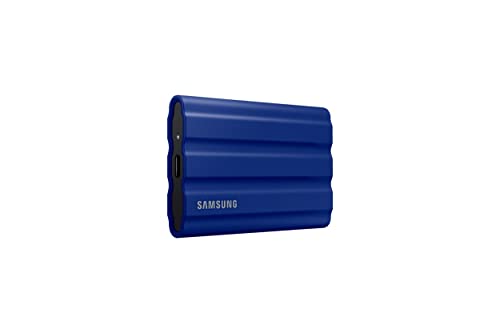
Top 3 picks at a glance
External SSD vs HDD at a Glance
| Drive type | Typical sequential read | Random 4K access | Typical price per TB | Common capacities |
|---|---|---|---|---|
| Portable HDD (2.5″, 5,400 rpm, USB 3.x) | 100–140 MB/s | Very slow (milliseconds per seek) | $20–$35 | 1–5 TB |
| Desktop external HDD (3.5″, 5,400–7,200 rpm, needs wall power) | 160–260 MB/s | Very slow | $15–$25 | 4–24 TB |
| External SATA SSD (USB 3.2 Gen 1/Gen 2) | 400–550 MB/s | Fast | $55–$90 | 500 GB–4 TB |
| Portable NVMe SSD (USB 3.2 Gen 2, 10 Gbps) | 900–1,050 MB/s | Fast | $60–$100 | 500 GB–4 TB |
| Portable NVMe SSD (USB 3.2 Gen 2×2, 20 Gbps) | about 2,000 MB/s | Fast | $70–$120 | 1–4 TB |
| NVMe SSD on USB4 / Thunderbolt | 2,800–3,800 MB/s | Fast | $90–$150 (enclosure plus drive) | 1–8 TB |
The USB link often matters more than the drive inside. An NVMe SSD plugged into a 5 Gbps USB 3.2 Gen 1 port tops out around 450 MB/s, and USB 3.2 Gen 2×2 only works when both the drive and the PC port support it.
Hard Disk 7,200 rpm vs SSD: Why the Gap Is Bigger Than the Numbers Suggest
A 7,200 rpm drive improves on 5,400 rpm sequential speeds by roughly 20–40%, reaching around 200–260 MB/s on modern high-capacity desktop drives. That still trails even a SATA SSD by half. The bigger difference is random access. A hard drive must physically move its head and wait for the platter to spin, which takes around 8–12 ms per seek and limits it to roughly 80–200 small reads per second. An SSD handles tens of thousands of random reads per second because it has no moving parts.
Games are full of small, scattered file reads, especially in open-world titles that stream assets as you move. That is why load times and texture pop-in improve so much more on SSDs than the sequential MB/s figures predict.
Worked Example: Copying and Loading a Game Library
Take a 150 GB game install, typical of a large modern shooter or open-world title with high-resolution textures.
| Drive | Sustained speed used | Time to copy 150 GB |
|---|---|---|
| Portable 5,400 rpm HDD | ~120 MB/s | about 21 minutes |
| Desktop 7,200 rpm HDD | ~220 MB/s | about 11–12 minutes |
| External SATA SSD | ~500 MB/s | about 5 minutes |
| Portable NVMe SSD, 10 Gbps | ~950 MB/s | about 2.6 minutes |
The calculation is simply size divided by speed: 150,000 MB / 120 MB/s = 1,250 seconds. In practice, an HDD copying thousands of small files will run slower than the table, and a budget SSD without much cache can slow down partway through very large transfers once its fast cache fills.
Which External Drive Fits Your Use
| Your situation | Better choice | Reasoning |
|---|---|---|
| Playing PC games directly from the external drive | Portable NVMe SSD | Load times close to an internal SATA SSD; HDD causes stutter in asset-streaming games |
| Storing games you rotate in and out | Large desktop HDD | Re-copying to the internal drive is cheaper than buying SSD capacity for the whole library |
| Whole-PC backup images | HDD, 2x the size of your used space | Backups run overnight; cost per TB matters more than speed |
| Laptop gamer or LAN parties | Portable SSD | Tolerates knocks while moving; bus-powered |
| Video capture and editing footage | Portable NVMe SSD for active projects, HDD for finished archives | High sustained writes now, cheap bulk storage later |
| Console storage | Depends on console rules (below) | Platform limits decide what can run from USB |
Console Owners: What USB Drives Can Actually Do
- PS5: USB extended storage can hold PS5 games, but they must be moved to the internal SSD or an M.2 expansion slot to play. PS4 games can run directly from USB. An HDD works fine as a cheap “parking” drive; an SSD only shortens the copy time.
- Xbox Series X|S: Xbox One, Xbox 360 and original Xbox titles can run from a USB 3.x drive. Series X|S optimized games can be stored on USB but must play from internal storage or the official expansion card. An external SSD noticeably speeds up older-generation games compared with an HDD.
Durability and Ownership Realities
Physical shock
Portable hard drives are most vulnerable while spinning. A drop from desk height during a transfer can damage the heads or platters. SSDs have no moving parts and handle typical bumps and drops far better, which is the strongest argument for them in a backpack.
Wear and lifespan
SSDs have a rated write endurance (TBW). A 1 TB consumer drive is commonly rated for around 600 TBW, which would take decades of typical game installs to exhaust. HDDs do not wear from writes, but their motors and bearings age; drives commonly show rising failure rates after several years of heavy use.
Long-term storage unplugged
For drives that will sit in a drawer for years, HDDs are generally considered the safer cold-storage medium. SSDs hold data while unpowered for a long time when new, but retention drops as the flash wears and in warm storage. Plug archive SSDs in periodically and keep a second copy either way.
Heat and throttling
Small NVMe portable drives can get warm during long transfers and slow down to protect themselves. Models with metal or finned housings sustain speed better.
Cables and ports
Use the cable that came with the drive or a cable rated for the drive’s full speed. Many USB-C charging cables only carry USB 2.0 data, which caps any drive at about 40 MB/s.
Frequently asked questions
Can I use an external NVMe SSD at its advertised speed on any USB-C port?
No, the port, drive, and cable must all support the required standard. An NVMe SSD connected to a 5 Gbps USB 3.2 Gen 1 port tops out around 450 MB/s, while USB 3.2 Gen 2 can reach around 1,000 MB/s. USB 3.2 Gen 2×2 works only when both the drive and the computer port support it.
Will an external SSD make every console game run faster?
No, console rules determine which games can run from external storage. On PS5, PS4 games can run directly from USB, but PS5 games must be moved to internal storage or an M.2 expansion slot to play. On Xbox Series X|S, older-generation games can run from USB, while optimized games must use internal storage or the official expansion card.
How much faster is copying a large game to an SSD?
Copying a 150 GB game takes about 21 minutes from a portable 5,400 rpm HDD, 11–12 minutes from a desktop 7,200 rpm HDD, 5 minutes from an external SATA SSD, and 2.6 minutes from a portable NVMe SSD on a 10 Gbps connection. Actual HDD transfers may take longer when many small files are involved.
Is an external SSD reliable enough for frequent game installs and removals?
Yes, typical game installs are unlikely to exhaust a consumer SSD’s write endurance quickly. A 1 TB consumer drive is commonly rated for around 600 TBW, which the article says could take decades of typical game installs to use. SSDs also have no moving parts, so they tolerate typical bumps and drops better than portable hard drives.
Why is my external drive much slower than expected?
The cable or port may be limiting it. Many USB-C charging cables carry only USB 2.0 data, capping any drive at about 40 MB/s. The drive can also slow during long transfers if an NVMe portable model becomes warm, or if a budget SSD’s fast cache fills. Using the supplied, appropriately rated cable can avoid one common limitation.
Bottom Line for Gamers
If the drive will run games or travel with you, buy a portable NVMe SSD of 1–2 TB and plug it into a 10 Gbps or faster port. If it will hold backups or a library you copy from occasionally, a desktop HDD gives you four to five times more capacity for the same money. Many setups end up with both: an SSD for what you play this month and an HDD for everything else.








