Our Top Picks
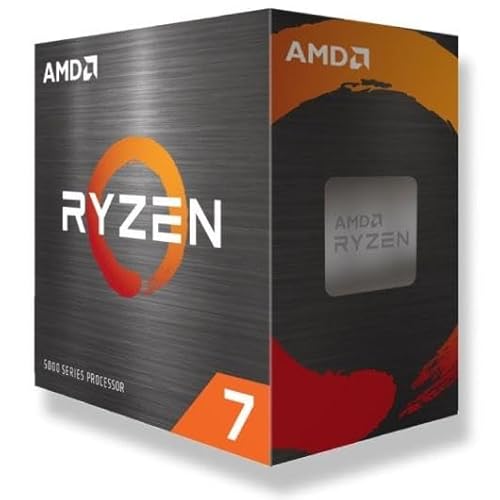


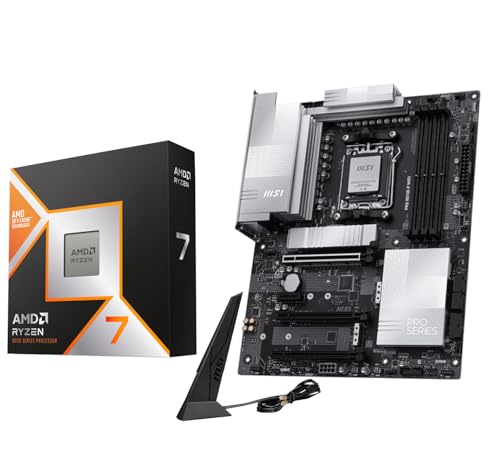


Top 3 picks at a glance
Quick Comparison
The table below covers every product in this roundup, from the CPUs themselves to the coolers that keep them in check. Price tiers are deliberately broad: CPU and motherboard bundle pricing swings week to week, and cooler pricing moves with sales cycles, so treat the tier as a guide to where each product sits in the market rather than a fixed number.
| Product | Best for | Key specs | Price tier |
|---|---|---|---|
| AMD Ryzen 7 5800XT | AM4 owners wanting a cheap 8-core drop-in upgrade | 8 cores / 16 threads, Zen 3, AM4, unlocked, sold without a cooler | Mid-range |
| Micro Center AMD 5800XT + ASUS Prime B550-PLUS AC | Building a full AM4 system from scratch on a bundle deal | 8C/16T Zen 3 CPU plus B550 ATX board with Wi-Fi | Premium |
| Micro Center AMD 5500 + ASUS TUF Gaming A520M Plus | Absolute lowest-cost entry into AM4 gaming | 6C/12T Zen 3 CPU plus A520 micro-ATX board | Premium |
| Micro Center Ryzen 7 9800X3D + MSI PRO X870E-P | No-compromise gaming performance with a modern platform | 8C/16T Zen 5 with 3D V-Cache, plus X870E ATX board | Premium |
| Micro Center AMD 7700X + ASUS B650E MAX Gaming WF | A balanced AM5 build with PCIe 5.0 headroom | 8C/16T Zen 4 CPU plus B650E ATX board with Wi-Fi | Premium |
| AMD Wraith Stealth | Stock replacement or a low-power AM4 build | Aluminum heatsink, 92mm-class slim fan, 4-pin PWM, AM4 mounting | Budget |
| ARCTIC Liquid Freezer III Pro 360 A-RGB | High-wattage CPUs in big cases with heavy sustained loads | 360mm AIO, three fans, ARGB, thick radiator design | Mid-range |
| Thermalright Aqua Elite 240 V3 | Compact cases and mid-range CPUs on a tight budget | 240mm AIO, two PWM ARGB fans, S-FDB bearings | Budget |
| Thermaltake Gravity A2 | Low-TDP builds and budget office or HTPC systems | 92mm PWM fan, 1200–3500 RPM, aluminum extrusion, 95W class | Budget |
| Thermalright Assassin X 90 SE V2 | Quiet budget air cooling on a narrow cooler budget | 92mm PWM fan, compact tower, multi-socket mounting | Budget |
| Thermalright Aqua Elite 360 V6 ARGB | Mid-tier builds wanting 360mm cooling without a premium tag | 360mm radiator, three 120mm ARGB fans | Mid-range |
| darkFlash DV360S | Showcase builds that want a display on the pump block | 360mm AIO, 3.2-inch LCD at 320×320, ARGB sync, PWM fans | Mid-range |
If you only want the short version: the AMD Ryzen 7 5800XT is the best value AMD CPU for most people already on AM4, because it delivers eight fast cores for a mid-range outlay and reuses the board, memory and cooler you already own. If you are starting fresh and want a platform that will accept future CPU generations, the AMD Ryzen 7 7700X bundle is the value pick on AM5. The Ryzen 7 9800X3D bundle is the fastest gaming option here but is priced as a premium product, and the 5500 + A520M bundle is the cheapest way onto the platform if you accept that you are buying into a dead-end socket with limited upgrade room.
How We Chose
Value in CPUs is not a single number. It is a ratio between what you pay and what you get across five axes: gaming frames per dollar, productivity throughput per dollar, upgrade headroom, power efficiency, and total platform cost including motherboard, memory and cooling. We ranked candidates using published specifications and widely reported reviewer measurements rather than any testing of our own.
For gaming we weighted single-thread performance and cache size, since most games still lean on one or two heavy threads and cache-heavy designs hold up longer as titles get more demanding. For productivity we weighted core count, all-core clock behaviour and memory bandwidth, because rendering, compiling and encoding scale with cores and memory speed.
Upgrade path mattered heavily. A CPU on a socket with a documented future generation is worth more than a marginally faster one on a dead socket, because the second purchase you avoid is often worth more than the frame rate you gain today. Power efficiency fed into both electricity cost and cooler cost — a 65W part does not need a 360mm radiator, and that difference shows up in the total build price.
Finally, we accounted for platform cost. A cheap CPU on an expensive board, or a fast CPU that forces a new PSU and cooler, is not good value. Bundles were judged as complete packages: CPU plus board plus the realistic need for cooling, memory and power. We did not test, benchmark, or own any of these products; everything here is derived from published specs, brand documentation and reported third-party measurements.
1. AMD Ryzen 7 5800XT – Best for AM4 Owners Wanting an 8-Core Drop-In Upgrade
As an Amazon Associate we earn from qualifying purchases at no extra cost to you.
The Ryzen 7 5800XT is the most straightforward value proposition on this list for anyone who already owns an AM4 system. It is an eight-core, sixteen-thread Zen 3 desktop part, unlocked for overclocking, sold without a fan, and designed to slot into the same socket that has been serving AMD buyers since the first Ryzen generation. If you are running a Ryzen 5 3600, a Ryzen 7 2700X, or even an older first-generation chip on a board with a current BIOS, this is the upgrade that costs you one component instead of a whole new platform.
Who it suits
- Gamers on AM4 who want more cores and better single-thread performance without replacing the motherboard or RAM.
- Content creators doing video export, streaming or photo work on an existing AM4 build.
- Anyone who wants a CPU that supports overclocking and memory tuning headroom without paying X3D prices.
- Bargain hunters who already own a competent AM4 cooler and do not want to pay for a bundled one.
Key specs
- 8 cores, 16 threads
- Zen 3 architecture
- AM4 socket
- Unlocked multiplier
- Sold without a cooler
- Rated as a 105W-class part with a configurable TDP, so it can be run in a 65W-style eco mode in BIOS to cut heat and noise
- PCIe 4.0 support, dependent on the motherboard chipset
Strengths
The obvious strength is that the 5800XT is the last great AM4 upgrade. AM4 boards from B450, X470, B550 and X570 generations can support it with a BIOS update, and DDR4 memory you already own continues to work. That collapses the upgrade cost to a single component. Eight cores and sixteen threads is also a genuinely useful configuration in 2026: it is enough for modern games that use six to eight threads well, and enough for moderate multitasking and export work that a six-core part would slow to a crawl.
Because it is unlocked and ships without a cooler, you keep control of both the thermal solution and the power profile. Running it in a reduced TDP mode in BIOS drops heat output and fan noise substantially with a modest hit to all-core performance, which is a useful lever in small cases or with a modest air cooler. Compared with the Ryzen 5 5600X that many AM4 owners currently run, the 5800XT roughly adds two cores and a slightly higher clock ceiling — a meaningful upgrade for streaming and rendering, less dramatic for pure gaming at 1440p and above where the GPU is usually the limit.
Compared with AM5 options, the value case is entirely about platform reuse. A Ryzen 7 7700X is faster in essentially every workload and opens the door to future CPU generations, but it also requires a new AM5 board and DDR5 memory. For a buyer with a working AM4 system on a B550 or X570 board, the 5800XT buys several more years of comfortable use for a fraction of the cost of moving platforms.
Pros
- Eight cores and sixteen threads at a mid-range price tier
- Drops into existing AM4 boards with a BIOS update — reuses RAM, cooler and PSU
- Unlocked, with configurable power limits for quieter or cooler operation
- Strong long-term track record on the AM4 platform with mature drivers and BIOS support
- No bundled cooler keeps the price down if you already have one
Cons
- No cooler included — budget for one if you are coming from a stock low-profile solution
- AM4 has no future CPU generations, so this is the last upgrade on that platform
- Zen 3 trails Zen 4 and Zen 5 in single-thread performance and memory bandwidth
- Requires a BIOS update on older boards, which can be awkward without a compatible CPU to boot with
Against the 5500 + A520M bundle, the 5800XT is the better long-term buy: two more cores, an unlocked multiplier, and a B550-class board path rather than an A520 board that limits memory tuning and PCIe bandwidth. Against the 7700X bundle, the 5800XT wins on total cost if you own AM4 hardware and loses on performance and future upgrade potential.
2. Micro Center AMD 5800XT with ASUS Prime B550-PLUS AC Motherboard – Best for Building a Complete AM4 System on a Bundle

This bundle pairs the Ryzen 7 5800XT with an ASUS Prime B550-PLUS AC motherboard, which turns a CPU upgrade into a complete AM4 platform refresh. It is aimed at the buyer who does not already own a compatible board, or whose existing board is old enough that a fresh one makes sense. B550 is the sweet spot of the AM4 chipset stack: it supports PCIe 4.0 for both the graphics card and a primary NVMe drive, it supports CPU overclocking and memory tuning, and it is far cheaper than X570 while matching it on the features most people actually use.
Who it suits
- Builders assembling a new AM4 system from scratch who want one purchase to cover CPU and board.
- Owners of older B350 or A320 boards who want modern PCIe 4.0 and better memory support.
- Anyone who wants integrated Wi-Fi on the board rather than a separate card or dongle.
- Buyers who want eight cores and a full-featured ATX board at a bundle price rather than shopping separately.
Key specs
- CPU: 8 cores, 16 threads, Zen 3, AM4, unlocked
- Motherboard: ASUS Prime B550-PLUS AC, ATX form factor
- Chipset: AMD B550, PCIe 4.0 support
- Wireless: onboard Wi-Fi with antenna
- Memory: four DDR4 DIMM slots, supporting high-frequency kits on B550
- Cooler: not included — a separate air or liquid cooler is required
Strengths
The value here is in the pairing. B550 gives you PCIe 4.0 to the graphics card and to one M.2 slot, which matters if you are running a modern GPU or a fast NVMe drive. It supports CPU overclocking and memory overclocking, unlike the A520 boards that sit below it in the stack, so the 5800XT’s unlocked multiplier and the DDR4 memory you buy can actually be tuned. The AC suffix means Wi-Fi is integrated, which saves a slot and a cable run in most rooms.
Prime is ASUS’s mainstream line, which means a straightforward feature set: a sensible VRM for a 105W-class CPU, a good spread of USB ports, and BIOS support that is well documented. Coupled with the 5800XT, this bundle effectively extends the life of the AM4 platform by several years — eight cores today, the ability to add a PCIe 4.0 GPU and a fast NVMe drive, and DDR4 memory that remains cheap and plentiful.
Compared with the 5500 + A520M bundle, this one costs more but removes two significant bottlenecks. First, two extra cores and an unlocked multiplier. Second, PCIe 4.0 and memory tuning support that A520 does not provide. If you intend to run a modern graphics card or overclock at all, the B550 board makes more sense. Compared with the 7700X + B650E bundle, this keeps you on AM4 and DDR4, which is cheaper per gigabyte of memory and lets you reuse a DDR4 kit you may already own, but it sacrifices the modern socket and DDR5 bandwidth.
Pros
- Complete CPU and motherboard package in a single purchase
- B550 chipset supports PCIe 4.0 and overclocking
- Integrated Wi-Fi on the motherboard
- ATX layout with room for expansion cards and multiple drives
- DDR4 memory is cheap and easy to source
Cons
- Priced as a premium bundle versus buying the CPU alone
- Still an AM4 dead-end platform with no future CPU generations
- No cooler included
- DDR4 only — no DDR5 migration path on this board
3. Micro Center AMD 5500 with ASUS TUF Gaming A520M Plus Motherboard – Best for the Lowest-Cost Entry into AM4 Gaming

This bundle is the cheapest legitimate way onto the AM4 platform with a current-generation CPU. It pairs the Ryzen 5 5500 — a six-core, twelve-thread Zen 3 part — with an ASUS TUF Gaming A520M Plus micro-ATX motherboard. It is aimed at budget builds, second systems, and buyers who want a working gaming PC now and are willing to accept that the platform has limits.
Who it suits
- First-time builders on a strict budget who want six modern cores without a premium board.
- Buyers assembling a compact micro-ATX system for 1080p gaming.
- Anyone building a second PC for streaming, a home server or a family machine.
- Shoppers who value the price of the bundle above expansion and upgrade headroom.
Key specs
- CPU: 6 cores, 12 threads, Zen 3, AM4
- Motherboard: ASUS TUF Gaming A520M Plus, micro-ATX form factor
- Chipset: AMD A520 — PCIe 3.0 class for graphics and storage, no CPU overclocking support
- Memory: DDR4, limited memory tuning compared with B550
- Cooler: a stock-class cooler is generally expected in 5500-class retail packages; confirm what the bundle listing includes
- Socket longevity: AM4 only, no path to newer CPU families
Strengths
The defining strength is cost. Six Zen 3 cores for 1080p gaming is still a perfectly reasonable configuration in 2026 — most titles at that resolution are limited by the graphics card, not a six-core CPU with decent single-thread performance. The TUF Gaming branding indicates a board built with a slightly more robust component selection than the absolute cheapest A520 boards, and the micro-ATX form factor fits compact cases and small desks.
Because it sits on AM4, DDR4 memory is cheap and widely available, and the low power draw of the 5500 means you do not need an elaborate cooler or a high-wattage power supply. That combination makes the total build cost for a functional 1080p gaming system considerably lower than any AM5 route, and it makes this bundle a reasonable choice for a spare machine or a first build where the goal is to get running rather than to leave upgrade room.
Compared with the 5800XT + B550 bundle, this is a clear step down. You give up two cores, the unlocked multiplier, PCIe 4.0, memory tuning and a full ATX layout. In exchange you save money and get a smaller board. If your budget can stretch to the B550 bundle, that is the better long-term purchase; if it cannot, this one still delivers a capable 1080p machine. Compared with the 7700X bundle, it is not a performance comparison at all — the AM5 option is dramatically faster and has an upgrade path, but costs considerably more once DDR5 memory is included.
Pros
- Lowest-cost entry point to a current AM4 CPU and board
- Six Zen 3 cores and twelve threads handle 1080p gaming well
- Low power draw keeps PSU and cooling costs down
- micro-ATX board fits compact builds
- DDR4 memory is inexpensive
Cons
- A520 chipset does not support CPU overclocking
- PCIe 3.0-class graphics and storage links limit fast NVMe and some GPU configurations
- Only six cores — weaker for streaming, rendering and heavy multitasking
- No upgrade path beyond AM4, and little headroom within it
4. Micro Center Ryzen 7 9800X3D with MSI PRO X870E-P Motherboard – Best for No-Compromise Gaming Performance
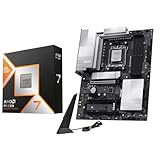
The Ryzen 7 9800X3D bundle is the performance flagship of this group. It combines an eight-core, sixteen-thread Zen 5 desktop processor with 3D V-Cache — a stacked cache design that dramatically increases the amount of L3 cache available to the cores — with an MSI PRO X870E-P motherboard on the AM5 socket. It is aimed squarely at buyers who want the highest gaming frame rates this platform can deliver and who intend to keep the machine for a long time.
Who it suits
- High-refresh-rate gamers at 1080p and 1440p where the CPU is often the limiting factor.
- Buyers who want the fastest gaming CPU available on the current AMD platform and are willing to pay premium pricing.
- Simulation, strategy and MMO players whose games are unusually sensitive to CPU cache and single-thread performance.
- Builders who want a top-tier motherboard with modern connectivity and a long upgrade runway.
Key specs
- CPU: 8 cores, 16 threads, Zen 5 architecture
- 3D V-Cache: additional stacked L3 cache, the defining feature of the X3D line
- Socket: AM5
- Motherboard: MSI PRO X870E-P, ATX form factor
- Chipset: AMD X870E — PCIe 5.0 support and high-speed USB connectivity
- Memory: DDR5, with support for high-frequency EXPO profiles
- Cooler: not included — a strong air cooler or a 240mm-and-up liquid cooler is recommended
Strengths
The X3D cache design is the reason this chip exists. In games that hammer the cache — large open worlds, simulation titles, busy MMO scenes — the extra L3 capacity reduces how often the cores wait on system memory, which shows up as higher and, more importantly, more consistent frame rates. Published reviews consistently place X3D parts at or near the top of gaming charts, with the margin over standard parts varying substantially by title, resolution, settings and game patch. The gains are largest at 1080p with a fast GPU and shrink as resolution rises and the graphics card becomes the bottleneck.
Pairing it with an X870E board adds PCIe 5.0 for both the graphics card and storage, plus a modern USB and networking feature set. That means the platform can accept a future PCIe 5.0 GPU and the fastest available NVMe drives without compromise. On AM5, AMD has committed to multiple CPU generations on the same socket, so the board is likely to accept at least one more CPU upgrade later — a meaningful value factor for a premium purchase.
Compared with the 7700X bundle, the 9800X3D is the better gaming choice and the more expensive one. The 7700X is a strong all-rounder and cheaper, and for productivity workloads the gap is much narrower than for gaming because the X3D advantage is specific to cache-sensitive workloads. Compared with the AM4 options, the 9800X3D is in a different class entirely, but it also requires DDR5 memory and a new board, so the total platform cost is much higher.
Pros
- Top-tier gaming performance from 3D V-Cache
- AM5 socket with a documented multi-generation upgrade path
- X870E board brings PCIe 5.0 and modern connectivity
- Eight Zen 5 cores handle productivity workloads well
- Strong resale and relevance outlook for a long-lived build
Cons
- Premium tier pricing — the most expensive item in this roundup
- Requires DDR5 memory, adding cost over an AM4 build
- No cooler included; a capable cooler is effectively mandatory
- The gaming advantage over cheaper CPUs narrows at 1440p and 4K where the GPU dominates
- X3D gains are workload-dependent, not universal
5. Micro Center AMD 7700X with ASUS B650E MAX Gaming WF Motherboard – Best for a Balanced AM5 Build with Upgrade Headroom

This bundle is the value entry to AM5. It pairs the Ryzen 7 7700X — eight Zen 4 cores and sixteen threads — with an ASUS B650E MAX Gaming WF motherboard. B650E is a useful chipset tier: it supports PCIe 5.0 for the graphics card and an NVMe slot, which is the main feature that separates it from standard B650, while costing less than X670E and X870E boards.
Who it suits
- Builders moving to AM5 who want modern performance without paying X870E prices.
- Gamers at 1440p where the CPU matters less and the GPU budget matters more.
- Productivity users who want eight strong cores for mixed workloads.
- Anyone prioritising the upgrade path — this socket will accept future AMD generations.
Key specs
- CPU: 8 cores, 16 threads, Zen 4 architecture
- Socket: AM5
- Motherboard: ASUS B650E MAX Gaming WF, ATX form factor
- Chipset: AMD B650E — PCIe 5.0 support
- Wireless: onboard Wi-Fi (WF designation) with antenna
- Memory: DDR5 with EXPO support
- Cooler: not included
Strengths
The 7700X is the sensible middle of the AM5 stack. It runs hot under sustained all-core load by design — it targets a high thermal threshold and boosts aggressively — but that behaviour can be tamed with a modest power limit adjustment in BIOS, which is a well-documented tuning step. Eight Zen 4 cores at high clocks deliver strong gaming performance and genuinely good productivity throughput, and DDR5 memory bandwidth helps in memory-sensitive applications.
The B650E board is the other half of the value case. PCIe 5.0 support for the primary graphics slot and one M.2 slot means the platform will accept the fastest current and near-future GPUs and SSDs. Onboard Wi-Fi removes a peripheral cost. AM5’s multi-generation commitment means this board is a sound long-term foundation: you can upgrade the CPU later without replacing the motherboard or memory, which is the single biggest value argument in favour of AM5 over AM4 in 2026.
Compared with the 9800X3D bundle, the 7700X is cheaper and, in games that do not lean heavily on cache, the two are closer than the price gap suggests. In cache-sensitive titles the X3D part pulls ahead meaningfully. For productivity, the 7700X is competitive and sometimes preferable for value. Compared with the 5800XT bundle, the 7700X is the modern-platform choice: faster, on a socket with a future, and with PCIe 5.0 — but it requires DDR5 memory and a new board, so the total system cost is higher.
Pros
- Eight Zen 4 cores with strong all-round performance
- B650E brings PCIe 5.0 at a lower price than X-series boards
- AM5 socket supports future CPU generations
- Onboard Wi-Fi included
- Cheaper than the X3D bundle while remaining fast for most workloads
Cons
- Runs warm under sustained load; a capable cooler is required
- Requires DDR5 memory, pushing platform cost above AM4 options
- No cooler included
- Trails X3D parts in cache-sensitive games
6. AMD Wraith Stealth – Best for Low-Power AM4 Builds and Stock Replacement

The Wraith Stealth is AMD’s low-profile stock-class air cooler: an aluminum heatsink with a slim 92mm-class fan and a standard 4-pin PWM connector, designed for AM4 mounting. It is the cooler AMD ships with many of its lower-TDP processors, and it is available separately as a replacement or a cheap solution for a low-power build.
Who it suits
- Builders running a 65W-class AM4 CPU who want a compact, low-noise-enough cooler.
- Anyone replacing a failed or missing stock cooler on a budget system.
- Small form factor builds where cooler height is the binding constraint.
- Office, HTPC and light-gaming systems where sustained CPU load is brief.
Key specs
- Aluminum heatsink, downward-facing design
- Slim fan, listed at approximately 3.93 inches / 92mm class
- 4-pin PWM connector for BIOS fan control
- AM4 socket mounting
- Low profile — designed to fit under tight clearance
Strengths
The Wraith Stealth’s value is that it is cheap, small and entirely adequate for a low-wattage CPU. Because it uses a standard 4-pin PWM connector, the motherboard can control its speed, so it idles quietly and ramps only under load. Its low profile makes it usable in cases where a tower cooler would not fit, and its mounting is designed specifically for AM4, so installation is straightforward.
As a replacement part it is the cheapest way to get a system running again after a cooler failure. As a pairing for a 65W-class CPU, it is a sensible match: the thermal load is modest enough that a small aluminum heatsink with a slim fan can handle it without excessive noise. Compared with the Thermalright Assassin X 90 SE V2, the Wraith Stealth is smaller and less capable under sustained load, but it costs less and fits in tighter spaces. Compared with any of the 240mm or 360mm liquid coolers in this list, it is not a competitor — those are for 105W-and-up parts under sustained load. The honest framing is that the Wraith Stealth is the right cooler for a low-power CPU and the wrong one for a high-wattage chip; matching it to the wrong CPU is how people end up with a noisy, throttling system.
Pros
- Very low cost
- Low profile fits compact cases
- Standard 4-pin PWM for BIOS-controlled fan curves
- AM4-specific mounting
- Adequate for 65W-class processors
Cons
- Not suitable for high-wattage CPUs under sustained all-core load
- Aluminum-only heatsink limits heat capacity compared with copper-based designs
- Slim fan gets audible under sustained load
- AM4 mounting only — no AM5 or Intel support
7. ARCTIC Liquid Freezer III Pro 360 A-RGB – Best for High-Wattage CPUs Under Sustained Load

The Liquid Freezer III Pro 360 A-RGB is a 360mm all-in-one liquid cooler with three fans and addressable RGB lighting. ARCTIC is well known for prioritising radiator thickness and cold plate contact over cosmetic features, and the Pro variant of the Liquid Freezer III line is the more capable version of an already well-regarded design.
Who it suits
- Owners of 105W-and-up CPUs, including X3D parts and high-core-count chips, running long renders or compiles.
- Builds in mid-tower or larger cases with room for a 360mm radiator.
- Users who want ARGB lighting plus strong thermal headroom rather than one or the other.
- Anyone planning to overclock and keep noise low simultaneously.
Key specs
- 360mm radiator with three fans
- Addressable RGB lighting on fans (A-RGB)
- Liquid cooling with a pump and cold plate assembly
- PWM fan control
- Requires a case with 360mm radiator mounting and clearances for the thicker radiator and fan stack
Strengths
A 360mm radiator’s advantage is thermal capacity. Heat is carried from the CPU to a large surface area with three fans moving air across it, so a sustained all-core load can be absorbed without the rapid temperature ramp you get from a small air cooler. For a chip like the 9800X3D or a high-wattage productivity part, that means higher sustained clocks, lower fan noise at a given temperature, and less thermal throttling in long workloads.
The ARGB fans add a visual element that matters in glass-panel builds without compromising the cooling role. Because the fans use PWM, the motherboard can run them on a curve, so the system idles quietly and only ramps under load. The main practical constraint is case fit: a 360mm radiator needs a long mounting area, and thicker radiator-and-fan stacks can interfere with top-mounted motherboards or cable routing. Check both the radiator length and the total thickness against your case documentation before buying. Compared with the Thermalright Aqua Elite 360 V6, the ARCTIC unit is the more premium-featured product at a mid-range tier, generally offering a more substantial radiator and pump assembly. Compared with the darkFlash DV360S, it trades the LCD display for a focus on cooling capability. Compared with any 240mm option, a 360mm radiator gives you more thermal headroom and lower noise at the same temperature, at the cost of case space.
Pros
- Large 360mm radiator handles sustained high-wattage loads
- Three PWM fans allow a quiet idle curve
- A-RGB lighting for aesthetic builds
- ARCTIC’s reputation for prioritising thermal performance
- Ample headroom for overclocking
Cons
- Requires a case with 360mm mounting space
- Radiator thickness may conflict with some motherboard layouts
- More expensive than budget 240mm and air options
- Liquid coolers add a pump as a long-term wear item compared with a simple fan
8. Thermalright Aqua Elite 240 V3 – Best for Compact Cases and Mid-Range CPUs on a Budget

The Thermalright Aqua Elite 240 V3 is a 240mm liquid cooler with two PWM ARGB fans using S-FDB (fluid dynamic) bearings. It occupies the budget tier of the liquid cooling market and is aimed at builders who want liquid cooling performance in a smaller footprint without paying premium prices.
Who it suits
- Builders with cases that only support a 240mm radiator.
- Mid-range CPU owners who want liquid cooling rather than a bulky tower air cooler.
- Anyone wanting ARGB lighting on a tight budget.
- Smaller mid-tower and micro-ATX builds where a 360mm radiator will not fit.
Key specs
- 240mm radiator
- Two PWM fans with ARGB lighting
- S-FDB bearings — a fluid dynamic bearing type chosen for lower noise and longer life than basic sleeve bearings
- Liquid cooling loop with pump and cold plate
Strengths
The 240mm form factor is the practical compromise: it fits in far more cases than a 360mm radiator while still providing meaningfully more thermal capacity than a small air cooler. Two 120mm PWM fans move a decent volume of air, and the S-FDB bearings are a genuinely useful specification — they reduce the mechanical noise and wear compared with cheaper bearing types, which is exactly the kind of detail that matters over years of use.
ARGB lighting is included at a price point where it is often omitted, which suits builders who want a matching aesthetic without paying for a premium cooler. For a mid-range CPU under normal gaming loads, a 240mm radiator is more than sufficient, and it gives you room to raise power limits or overclock modestly. Compared with the Thermalright Aqua Elite 360 V6, the 240 V3 is cheaper and smaller but offers less thermal headroom, which matters if you later move to a high-core-count or X3D CPU. Compared with the ARCTIC Liquid Freezer III Pro 360, it is a step down in capability and up in case compatibility. Compared with the Thermalright Assassin X 90 SE V2 air cooler, it costs more and adds a pump but delivers better sustained-load performance in a comparable footprint.
Pros
- Fits cases that cannot take a 360mm radiator
- S-FDB bearings for quieter, longer-lasting fans
- ARGB lighting at a budget price tier
- More thermal capacity than a compact air cooler
- Two-fan design keeps installation simple
Cons
- Less thermal headroom than a 360mm cooler for high-wattage CPUs
- Adds a pump as a wear item compared with a fan-only air cooler
- Budget-tier materials and finish versus premium lines
- ARGB requires a compatible motherboard header or controller
9. Thermaltake Gravity A2 – Best for Low-TDP Budget Builds

The Thermaltake Gravity A2 is a budget air cooler listed as a 95W-class desktop cooler: an aluminum extrusion heatsink with a 92mm four-pin PWM fan spinning between roughly 1200 and 3500 RPM. It is designed for low-wattage processors and cost-sensitive builds.
Who it suits
- Office, home and light-gaming systems with a 65W-class CPU.
- Budget builds where every dollar counts.
- Replacing a failed stock cooler with a cheap alternative.
- Anyone running a low-TDP part who does not need premium acoustics.
Key specs
- Aluminum extrusion heatsink
- 92mm 4-pin PWM fan
- Fan speed range approximately 1200–3500 RPM
- Listed as a 95W-class cooler
Strengths
The Gravity A2’s value is that it is inexpensive and works. A 4-pin PWM fan means the motherboard can control speed, so it runs slow and quiet at idle and only spins up when the CPU heats up. The 1200–3500 RPM range gives a wide spread between quiet operation and maximum airflow, which is exactly what you want from a small cooler: quiet when it can be, forceful when it must be.
For a low-TDP CPU, the 95W rating is a reasonable match, and the aluminum extrusion design keeps the unit cheap and light. Compared with the AMD Wraith Stealth, the Gravity A2 is broadly in the same class — both are small coolers for low-wattage chips — but the Thermaltake lists a specific 95W thermal rating whereas the Wraith Stealth is positioned as a stock cooler for AMD’s lower-power parts. Either is fine for a 65W CPU; neither should be paired with a 105W-or-higher part under sustained all-core load. Compared with the Thermalright Assassin X 90 SE V2, the Gravity A2 is the cheaper and less refined option, with the Assassin X 90 SE V2 generally offering a more substantial tower design. For a strict budget build, the Gravity A2 is a legitimate choice; for a build where noise matters, the extra spent on a better air cooler is usually worth it.
Pros
- Very low price
- PWM fan with a wide 1200–3500 RPM range
- Compact and light
- Adequate for 65W-class CPUs
- Simple installation with a standard 4-pin header
Cons
- 92mm fan gets noisy near maximum RPM
- Aluminum extrusion has limited heat capacity
- Not suitable for high-wattage CPUs or heavy overclocking
- Basic finish and mounting hardware
10. Thermalright Assassin X 90 SE V2 – Best for Quiet Budget Air Cooling

The Thermalright Assassin X 90 SE V2 is a compact 92mm PWM air cooler with multi-socket mounting, listed as supporting Intel LGA1700, LGA115x and comparable AMD sockets. It sits in the budget tier but, like much of Thermalright’s line, tends to offer more metal and better fan hardware than its price suggests.
Who it suits
- Budget builders who want air cooling with a larger heatsink than a stock cooler.
- Users upgrading from a stock cooler and prioritising quiet operation.
- Builders who need multi-socket compatibility for future reuse.
- Small mid-tower and micro-ATX systems with limited cooler clearance.
Key specs
- 92mm PWM quiet fan
- Compact tower-style heatsink
- Multi-socket mounting, listed as supporting Intel LGA1700, LGA115x and comparable AMD sockets
- PWM fan control for BIOS-managed curves
Strengths
The Assassin X 90 SE V2’s advantage over a stock cooler is thermal mass. A tower heatsink with more surface area and a dedicated 92mm fan can absorb more heat and dissipate it more quietly than a small downward-facing aluminum block. In practice this means lower fan speeds at the same CPU temperature, which is the definition of a quiet cooler.
Multi-socket mounting is the second practical benefit. If you rebuild, swap to a different platform, or move the cooler into a second system, the mounting hardware is likely to still work — a small thing that adds up to real value in budget builds where parts get reused. Compared with the Thermaltake Gravity A2, the Assassin X 90 SE V2 is the more capable cooler with a better heatsink and broader socket support. Compared with the AMD Wraith Stealth, it is a clear upgrade for AM4 users: larger heatsink, similar acoustic profile at idle, and much better behaviour under sustained load. It is still a 92mm-class cooler, so it is not a substitute for a 240mm liquid cooler or a large 120mm tower on a high-wattage chip — but for a mid-range CPU in a budget build, it is one of the best value thermal solutions available.
Pros
- Compact tower heatsink outperforms stock coolers under sustained load
- Quiet 92mm PWM fan with a sane idle curve
- Multi-socket mounting supports reuse across platforms
- Low price tier for the cooling provided
- Fits cases with limited clearance
Cons
- 92mm fan size limits maximum heat dissipation
- Not adequate for high-wattage CPUs under heavy sustained load
- No ARGB or cosmetic lighting
- Installation hardware, while compatible, can be fiddlier than premium mounting systems
11. Thermalright Aqua Elite 360 V6 ARGB – Best for Mid-Tier Builds Wanting 360mm Cooling on a Budget

The Thermalright Aqua Elite 360 V6 is the 360mm sibling of the Aqua Elite 240 V3: a liquid cooler with a 360mm radiator and three 120mm ARGB fans. It brings the thermal capacity of a three-fan radiator to a mid-range price tier.
Who it suits
- Builders with mid-tower or larger cases who want 360mm cooling without a premium price.
- Owners of eight-core and higher CPUs who want headroom for all-core workloads.
- Users who want ARGB fans matched across a full radiator length.
- Anyone planning a moderate overclock and wanting lower noise at load.
Key specs
- 360mm radiator, three 120mm fans
- ARGB lighting
- Liquid cooling with pump and cold plate
- PWM fan control
- Requires a case with 360mm radiator mounting
Strengths
The core value is straightforward: three 120mm fans and a long radiator give you more thermal capacity than a 240mm unit at a price that is still mid-range. In practice that translates into lower fan speeds at a given CPU temperature, which means quieter sustained operation and more thermal headroom before throttling. Three ARGB fans across the full radiator make for a clean, consistent look in a glass-panel case.
For an eight-core CPU running long renders or game-plus-streaming workloads, the extra capacity of a 360mm radiator is genuinely useful. It also means the cooler will remain appropriate if you later upgrade to a higher-wattage CPU on the same socket — a sensible hedge in an AM5 build where a future CPU swap is plausible. Compared with the ARCTIC Liquid Freezer III Pro 360, the Thermalright is the more budget-oriented product, generally with a less substantial radiator and pump assembly, but it delivers the 360mm form factor at a lower cost. Compared with the darkFlash DV360S, it omits the LCD screen and focuses on the cooling and lighting. Compared with the Aqua Elite 240 V3, it is the larger, more capable option for a modest price step, and it is the better choice if your case can accommodate it.
Pros
- 360mm radiator delivers strong thermal capacity at a mid-range tier
- Three ARGB PWM fans for consistent lighting and quiet idle
- Headroom for overclocking and future CPU upgrades
- Lower noise at sustained load than a 240mm unit
- Good value within the 360mm category
Cons
- Requires a case with 360mm mounting space
- Less premium build quality than flagship 360mm coolers
- Adds a pump as a long-term wear item
- ARGB requires a compatible header or controller
12. darkFlash DV360S – Best for Showcase Builds with an LCD Display

The darkFlash DV360S is a 360mm all-in-one liquid cooler whose distinguishing feature is a 3.2-inch LCD screen on the pump block, running at 320×320 resolution, alongside ARGB sync and PWM fans. It targets builders who want the inside of the case to look as deliberate as the outside.
Who it suits
- Showcase and tempered-glass builds where the pump block is a focal point.
- Builders who want a display for system stats, temperatures or custom graphics.
- Users with full-size cases that support a 360mm radiator.
- Anyone who wants ARGB lighting synchronised across the whole cooler.
Key specs
- 360mm radiator with three fans
- 3.2-inch LCD screen on the pump block
- 320×320 screen resolution
- ARGB sync support
- PWM fan control
Strengths
The LCD screen is the reason to choose this cooler. A 320×320 display on the pump block can show live temperatures, fan speeds or custom images, which is a genuinely useful feature for a builder who wants monitoring visible at a glance rather than buried in software. On a 360mm radiator, the cooling capability is also solid: three fans and a long radiator give enough thermal capacity for a mid-range to high-end CPU under normal and sustained workloads.
ARGB sync means the lighting can be coordinated with the rest of the system rather than running its own pattern, and PWM fans allow a quiet idle curve. Compared with the Thermalright Aqua Elite 360 V6, the darkFlash trades some of the price advantage for the display and a more design-led presentation. Compared with the ARCTIC Liquid Freezer III Pro 360, it is the aesthetics-first option — ARCTIC prioritises thermal hardware, darkFlash prioritises the visual feature. For raw cooling per dollar in a no-window case, the display is wasted money; for a glass-panel showcase build, it is the entire point. As with any 360mm cooler, verify case clearance for both radiator length and total thickness before purchase.
Pros
- 3.2-inch LCD at 320×320 for live monitoring or custom graphics
- 360mm radiator with three PWM fans
- ARGB sync with the rest of the build
- Strong visual fit for showcase systems
- Adequate thermal capacity for mid-range to high-end CPUs
Cons
- Paying for a display feature that does not improve cooling
- Requires 360mm radiator mounting space
- LCD introduces an extra component with its own software dependency
- Less thermal hardware per dollar than a performance-focused 360mm cooler
- Pump adds a wear item versus air cooling
How to Choose
Choosing the best value AMD CPU comes down to one question before any others: do you already own an AM4 system you can reuse? That single fact changes the entire calculation, because it determines whether you are buying a component or a platform.
The platform-reuse calculation
Suppose you own a B450 or B550 board with 16GB of DDR4 and a Ryzen 5 3600, and you are considering either a Ryzen 7 5800XT or a move to AM5 with a 7700X. The AM4 route costs you one CPU, plus possibly a cooler if your current one is a small stock unit. The AM5 route costs you a CPU, an AM5 motherboard, and a DDR5 kit, because DDR4 will not work in an AM5 board. Even at conservative mid-market memory pricing, that memory-plus-board requirement typically adds several hundred dollars to the build — often more than the CPU itself in the AM4 scenario. The 7700X is faster, unquestionably, but if your GPU is a mid-range card and you game at 1440p, the practical frame rate difference in many titles will be small because the graphics card is the limiter. The AM4 upgrade wins on value in that specific scenario. It loses if you also need a new board anyway, or if you intend to upgrade the CPU again in two or three years — which brings us to the second calculation.
The second-purchase calculation
AM5 has a documented multi-generation commitment, which means an AM5 board bought today is likely to accept a future CPU generation. That has real monetary value: if you can drop in a newer CPU in two years instead of buying a new board and memory again, you avoid a repeat of the entire platform cost. Over a five-year ownership horizon, an AM5 board can plausibly host two CPUs, while an AM4 board hosts its last one today. If you upgrade CPUs frequently, that future-proofing is worth paying for. If you keep systems for five or more years and swap the whole thing at once, the future-proofing is worth much less.
Matching the CPU to the resolution and refresh rate
CPU choice matters most at high refresh rates and lower resolutions. At 1080p with a fast GPU, a CPU can be the limiting factor in many titles, and the difference between a six-core Zen 3, an eight-core Zen 4, and a cache-heavy X3D part becomes visible in frame rate and, more importantly, frame consistency. At 1440p the gap narrows. At 4K it typically narrows further still, because the GPU becomes the bottleneck in most games. Cache-sensitive genres — simulation, strategy, MMOs, and open-world titles with many active NPCs — show the largest X3D advantage. Esports titles at very high frame rates also benefit from CPU headroom. If you play demanding single-player games at 4K on a mid-range GPU, spending the extra on an X3D CPU is usually better spent on the graphics card instead.
Cooling as part of the value equation
Cooler cost is a real part of platform cost, and it is where the value of a lower-TDP CPU shows up. A 65W-class part can run happily on a budget air cooler such as the Thermalright Assassin X 90 SE V2 or the Thermaltake Gravity A2. A 105W-class unlocked part benefits from more cooling if you intend to run it hard, which means a 240mm liquid cooler like the Thermalright Aqua Elite 240 V3, or a 360mm unit like the Aqua Elite 360 V6 or the ARCTIC Liquid Freezer III Pro 360. A high-end X3D part in a large case is best served by a 360mm radiator to keep clocks high and noise low under sustained load. The rule of thumb: match the cooler class to the sustained workload, not to the peak spec sheet number.
A decision matrix for four reader situations
| Your situation | Best value choice | Why |
|---|---|---|
| You own an AM4 board (B450, B550, X470, X570) with DDR4 and a mid-range CPU | Ryzen 7 5800XT, mid-range cooler if needed | Single-component upgrade, reuses board, RAM and possibly cooler; eight cores carries you for years |
| You own an old AM4 board with limited features and want a full refresh | 5800XT + ASUS Prime B550-PLUS AC bundle | Adds PCIe 4.0, memory tuning and onboard Wi-Fi; still uses cheap DDR4 |
| You are building new and want a platform with future CPU generations | 7700X + ASUS B650E MAX Gaming WF bundle | AM5 socket, PCIe 5.0, DDR5; cheapest sensible entry to a future-proof platform |
| Gaming performance is the top priority and budget is secondary | 9800X3D + MSI PRO X870E-P bundle | Highest gaming performance from 3D V-Cache; premium pricing but longest useful life |
| Absolute lowest budget, 1080p gaming only | 5500 + ASUS TUF Gaming A520M Plus bundle | Cheapest path to six Zen 3 cores; accept A520 limits and no upgrade path |
Memory, power and case checks before you buy
Three practical checks catch most build mistakes. First, memory: AM4 uses DDR4, AM5 uses DDR5, and they are not interchangeable. If you are reusing memory, you are on AM4 by definition. If you are buying new, DDR4 is markedly cheaper per gigabyte, which affects the platform cost comparison. Second, power: a 65W-class CPU needs a modest power supply, while a 105W-class CPU plus a modern GPU pushes you toward a higher-wattage unit with a quality rail. Add the GPU, CPU and roughly 100W of overhead for the rest of the system when sizing the PSU. Third, case clearance: air coolers are limited by height, liquid coolers by radiator length and total thickness. A 360mm radiator needs a case that actually supports a 360mm mount, and thicker radiator-and-fan stacks can foul top-mounted components. Measure before you buy rather than after.
Where the non-CPU parts fit into value
Coolers are not glamorous, but a mismatched cooler destroys the value of a good CPU. Pairing a 105W-or-higher part with a small aluminum cooler produces thermal throttling and noise — you paid for performance you cannot use. Conversely, buying a 360mm liquid cooler for a 65W part is money that would do more good in the GPU budget. The Wraith Stealth, Thermaltake Gravity A2 and Thermalright Assassin X 90 SE V2 are sensible budget-to-midrange air options; the Thermalright Aqua Elite 240 V3 and Aqua Elite 360 V6 cover the mid-range liquid tier; the ARCTIC Liquid Freezer III Pro 360 is the performance-focused option; and the darkFlash DV360S is the choice when the build is meant to be seen. Match the cooler to the CPU’s actual sustained power draw and the workload you run, and the rest of the value calculation holds together.
Frequently Asked Questions
Is the Ryzen 7 5800XT still worth buying in 2026?
Yes, if you already own an AM4 motherboard and DDR4 memory. The 5800XT is an eight-core, sixteen-thread Zen 3 part that drops into most AM4 boards with a BIOS update, and it gives you a capable CPU for gaming and content work without replacing the platform. It is not worth buying if you are building from scratch, because AM4 has no future CPU generations and an AM5 build offers a longer upgrade runway for a higher up-front cost.
Is the 9800X3D worth the premium over the 7700X?
It depends on what you play and at what resolution. The 9800X3D’s 3D V-Cache produces its biggest advantages in cache-sensitive games such as simulations, strategy titles and busy online worlds, and at 1080p with a fast GPU. At 1440p and especially 4K the gap narrows because the graphics card usually becomes the limit. If gaming performance is your top priority and budget is secondary, the X3D is the better long-term choice; if you want the best price-to-performance ratio and game at higher resolutions, the 7700X is the smarter buy.
Do I need a liquid cooler for an eight-core Ryzen?
Not necessarily. A quality compact air cooler is sufficient for mid-range loads, but if you run long all-core workloads such as rendering or compiling, or you overclock, a 240mm or 360mm liquid cooler will keep clocks higher and noise lower. A 240mm unit like the Thermalright Aqua Elite 240 V3 is a reasonable middle step, while a 360mm radiator gives more thermal headroom for high-wattage parts under sustained load.
Can I reuse my AM4 cooler on AM5?
Usually yes, provided the cooler’s mounting hardware supports the AM5 socket. Many popular air and liquid coolers either ship with AM5 mounting or offer a bracket, and AM4 and AM5 share a similar mounting pattern on many designs. Check the cooler manufacturer’s compatibility list for your specific model before assuming it will fit.
How much does the AM5 platform add to the cost over AM4?
The main extra cost is DDR5 memory, since AM4 uses DDR4 and the two are not interchangeable. DDR4 is generally cheaper per gigabyte, so moving to AM5 adds a board and a DDR5 kit to your purchase. That gap is the single biggest reason AM4 upgrades remain good value for people who already own the older hardware.
Does the 5500 + A520M bundle limit future upgrades?
Yes, in two ways. The A520 chipset does not support CPU overclocking and offers PCIe 3.0-class links rather than PCIe 4.0, and the AM4 socket itself receives no future CPU generations. It is a fine choice for a low-cost 1080p build or a second system, but if you want to upgrade the CPU or use the fastest NVMe and graphics hardware later, a B550 or AM5 board is the better foundation.
How do I choose between a 240mm and 360mm liquid cooler?
Start with your case. If it only supports a 240mm radiator, the choice is made for you. If it supports 360mm, ask what your CPU actually draws under sustained load: a 360mm radiator delivers more thermal capacity, which means lower fan speeds at the same temperature and more headroom for overclocking or a future CPU upgrade. For a mid-range CPU in normal gaming use, a 240mm cooler is plenty; for a high-wattage part under long all-core loads, the 360mm is worth the extra case space and cost.
Is a CPU with more cores always better value?
No. More cores help productivity workloads that scale across threads, such as video encoding, 3D rendering and compiling. Most games, however, are more sensitive to single-thread performance and cache than to core count beyond six to eight cores. A faster eight-core CPU will often beat a slower twelve-core CPU in games, and a well-chosen eight-core part is usually the better value for a mixed gaming and productivity system.
The Short Version, by Reader Situation
If you already own an AM4 board and DDR4 memory, the AMD Ryzen 7 5800XT is the best value AMD CPU for you — eight cores, an unlocked multiplier and a single-component upgrade that reuses everything else in your system. Pair it with a Thermalright Assassin X 90 SE V2 or, if you run long all-core loads, a Thermalright Aqua Elite 240 V3.
If you are assembling a new AM4 system from scratch and want modern board features, the 5800XT with the ASUS Prime B550-PLUS AC bundle gives you PCIe 4.0, onboard Wi-Fi and memory tuning while staying on inexpensive DDR4. If your budget is genuinely minimal and 1080p gaming is the goal, the 5500 with the ASUS TUF Gaming A520M Plus bundle gets you six Zen 3 cores for the least money, with the caveat that A520 limits overclocking and PCIe bandwidth.
If you are building new and want a platform that will accept a future CPU, the 7700X with the ASUS B650E MAX Gaming WF bundle is the value entry to AM5 — PCIe 5.0, DDR5 and a socket with a long-term upgrade commitment. Add a Thermalright Aqua Elite 360 V6 for cooling headroom, or the ARCTIC Liquid Freezer III Pro 360 if you want the strongest thermal performance in this group.
If gaming performance is the priority and budget is secondary, the Ryzen 7 9800X3D with the MSI PRO X870E-P bundle is the fastest option here, and the 3D V-Cache advantage is real in cache-sensitive titles. Cool it with a 360mm radiator — the ARCTIC Liquid Freezer III Pro 360 or, if you want a display on the pump block, the darkFlash DV360S. For a low-power build, keep the cooling simple with the AMD Wraith Stealth or the Thermaltake Gravity A2 and put the saved money into a better graphics card.