
A good laptop-backup drive has to solve a very ordinary but frustrating problem: your computer is full, your photos and work files live in too many folders, and cloud syncing is either too slow or too dependent on an internet connection. A portable USB-C SSD can give you a simple place to make a local copy before a software update, trip, move, or major cleanup.
For 2026, the best choice depends less on buying the highest advertised speed and more on matching capacity, connection type, and portability to your backup habits. Below, we ranked eight portable storage options for laptop owners, from compact drives for essential documents to larger-capacity picks for photo libraries and media-heavy backups. The listed speeds are manufacturer claims, not independently measured test results.
As an Amazon Associate we earn from qualifying purchases at no extra cost to you.






Our Top Picks
 LaCie Rugged USB-C 2TB External Hard Drive Portable2TB0.74 x 3.39 x 5.32 Inches0.44 PoundsCheck on Amazon


Top 3 picks at a glance
Quick Picks
| Product | Best for | Price |
|---|---|---|
| Sandisk 1TB Portable SSD, Up to 800MB/s Read Speeds, Black (Old Model) | Balanced everyday laptop backups | Check on Amazon |
| SSK 128GB Portable SSD External Hard Drive Solid State Drive up to 550MB/s | Small document and desktop-file backups | Check on Amazon |
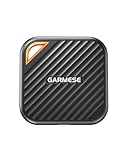
| GARMESE 1TB External SSD Up to 2000MB/s, USB 3.2 Gen 2×2 Portable SSD USB C | Speed-focused USB-C backup workflows | Check on Amazon |
| Sandisk 2TB Portable SSD, Up to 800MB/s Read Speeds, Black (Old Model) | Larger backup libraries | Check on Amazon |
| LaCie Rugged USB-C 2TB External Hard Drive Portable HDD, USB 3.0 Compatible, Drop Shock Dust Rain Resistant, for Mac and PC | Rugged portable storage | Check on Amazon |
| OSCOO 1TB External Hard Drive, Up to 2100MB/s, USB 3.2 Gen 2 External SSD | High advertised-speed backups | Check on Amazon |
| Sandisk 500GB Extreme Portable SSD, Up to 1050MB/s Read Speeds (Old Model) | Portable backups with moderate capacity needs | Check on Amazon |
| Vansuny 250GB Portable External SSD, USB 3.1 Gen2 430MB/s High-Speed Data Transfer, Metal USB C Mini Portable External Solid State Drive for PC, Laptop, Phones and More | Basic grab-and-go file copies | Check on Amazon |
How We Compared
We prioritized the factors that matter when a drive is primarily used for laptop backups: stated capacity, advertised transfer speed, USB-C relevance, portability, durability claims where provided, and price. Capacity is especially important because a backup drive should leave room for new files rather than becoming full immediately after its first use.
We also separated solid-state drives from the one portable hard disk drive in this list. SSDs are typically the more natural fit for people who carry their backup drive in a backpack or use it frequently at a desk. The LaCie is included for shoppers who value its stated rugged features and larger capacity at its listed price. Rankings reflect the product information supplied, not long-term reliability testing or claimed benchmark verification.
The 8 Best Picks
1. Sandisk 1TB Portable SSD, Up to 800MB/s Read Speeds, Black (Old Model)
This Sandisk 1TB Portable SSD is our balanced pick for a laptop owner who wants one straightforward drive for recurring backups of documents, photos, and everyday project folders. Its advertised read speed of up to 800MB/s positions it as a practical middle ground: faster on paper than entry-level portable options without chasing the highest stated speed in the roundup. One terabyte is a sensible starting point for many personal backup routines, particularly when the drive is dedicated to one laptop.
- Pro: 1TB capacity offers useful room for ongoing backups.
- Pro: Advertised read speeds reach up to 800MB/s.
- Con: It is labeled as an old model.
Skip it if your backup archive is already larger than 1TB or if you specifically want a drive with the highest advertised speed here.
2. SSK 128GB Portable SSD External Hard Drive Solid State Drive up to 550MB/s
The SSK 128GB Portable SSD is the budget-minded choice for people who need a compact local copy of essential files rather than a complete laptop image. At around $38, it is the lowest-priced drive in this group, making it approachable for storing schoolwork, tax records, current documents, or a limited selection of photos. Its stated speed of up to 550MB/s should suit occasional transfers, and its solid-state format is a more convenient fit than a bulky desktop drive for a drawer, laptop bag, or small workspace.
- Pro: The around $38 price is the lowest in this roundup.
- Pro: Advertised transfer speeds reach up to 550MB/s.
- Con: 128GB is limited for full-system or media-library backups.
Skip it if you want to back up a photo collection, large video files, or more than the essentials.
3. GARMESE 1TB External SSD Up to 2000MB/s, USB 3.2 Gen 2×2 Portable SSD USB C
The GARMESE 1TB External SSD is for shoppers who want a speed-oriented USB-C backup drive without moving up to the highest price in this list. It carries an advertised speed of up to 2000MB/s and uses USB 3.2 Gen 2×2 in its product description, making it a compelling paper-spec option for frequent large-file transfers. Its 1TB capacity is also more realistic for routine laptop backups than smaller portable drives. At around $150, it costs less than several alternatives here while retaining a full 1TB of stated storage.
- Pro: Advertised speeds reach up to 2000MB/s.
- Pro: 1TB capacity supports broader backup use than entry-level drives.
- Con: Real-world transfer performance depends on your laptop’s connection support.
Skip it if your laptop setup does not benefit from its USB 3.2 Gen 2×2 specification or if basic file backups are your only need.
4. Sandisk 2TB Portable SSD, Up to 800MB/s Read Speeds, Black (Old Model)
Choose the Sandisk 2TB Portable SSD if capacity is the priority and you want to keep more than one category of files together: laptop backups, photo archives, downloaded media, and older project folders. The 2TB capacity gives it a clear advantage over the 1TB and smaller options for households or users whose libraries continue to grow. Its advertised read speed is up to 800MB/s, matching the smaller Sandisk portable option. The tradeoff is price: at around $280, it is the most expensive drive in this roundup.
- Pro: 2TB capacity is well suited to larger backup collections.
- Pro: Advertised read speeds reach up to 800MB/s.
- Con: At around $280, it has the highest listed price.
Skip it if your files fit comfortably within 1TB or if value matters more than maximum capacity.
5. LaCie Rugged USB-C 2TB External Hard Drive Portable HDD
The LaCie Rugged USB-C 2TB External Hard Drive is the standout choice for people whose backup drive may travel between home, office, school, or job sites. Unlike the SSDs above, this is a portable HDD, but it brings useful stated protections: drop, shock, dust, and rain resistance. It is also compatible with USB 3.0 and is described for Mac and PC use. Its 2TB capacity and around $150 price create an appealing capacity-per-dollar proposition for users who need room more than top-end advertised SSD speed.
- Pro: 2TB capacity provides generous backup space.
- Pro: It is described as drop-, shock-, dust-, and rain-resistant.
- Con: It is a portable HDD rather than an SSD.
Skip it if you specifically want solid-state storage or are prioritizing the fastest possible transfer workflow.
6. OSCOO 1TB External Hard Drive, Up to 2100MB/s, USB 3.2 Gen 2 External SSD
The OSCOO 1TB External SSD is for buyers drawn to the highest advertised speed in this lineup. With a stated maximum of up to 2100MB/s and USB 3.2 Gen 2 listed in its name, it is positioned for more demanding backup sessions, such as regularly copying large folders or moving substantial media files. Its 1TB capacity keeps it in the practical range for a primary laptop backup drive. At around $180, it is not the least expensive 1TB option, so its value depends on whether your computer and workflow can make use of the speed claim.
- Pro: It has the highest advertised speed, up to 2100MB/s.
- Pro: 1TB capacity is suitable for regular laptop backups.
- Con: Its around $180 price is higher than some other 1TB choices.
Skip it if you only back up occasionally or if a lower-priced 1TB drive better matches your needs.
7. Sandisk 500GB Extreme Portable SSD, Up to 1050MB/s Read Speeds (Old Model)
The Sandisk 500GB Extreme Portable SSD is aimed at users who need more speed than an entry-level drive but do not require a 1TB archive. Its advertised read speed of up to 1050MB/s is higher than the 800MB/s Sandisk portable models listed above, and 500GB can be enough for a current work folder, a smaller laptop backup, or a curated photo collection. Still, the around $240 price is difficult to overlook when larger-capacity options are also available in this roundup. It is best viewed as a specialized capacity fit rather than a broad value choice.
- Pro: Advertised read speeds reach up to 1050MB/s.
- Pro: 500GB can work well for focused backup sets.
- Con: The around $240 price is high for its listed capacity.
Skip it if you need room for a full and growing laptop backup or want more storage for the money.
8. Vansuny 250GB Portable External SSD, USB 3.1 Gen2 430MB/s
The Vansuny 250GB Portable External SSD is a compact option for light backup duties and quick file handoffs between compatible devices. It is described as a metal USB-C mini portable SSD for PCs, laptops, phones, and more, so it suits shoppers who want something small for current documents, a short-term project archive, or an extra copy of important files. Its advertised data-transfer speed is 430MB/s, and its around $43 price keeps the investment modest. The limitation is straightforward: 250GB fills quickly when used for comprehensive laptop backups.
- Pro: Its around $43 price is accessible for a portable SSD.
- Pro: It is described as a mini metal USB-C drive for multiple device types.
- Con: 250GB is restrictive for larger backup jobs.
Skip it if you want to store a full laptop backup, a large photo library, or frequent video exports.
Buying Guide
Choose Capacity for Tomorrow, Not Just Today
A backup drive should not be sized only for the files currently on your laptop. Storage needs tend to grow as photos, downloads, applications, and work folders accumulate. The 128GB, 250GB, and 500GB options are best for selective backups. A 1TB drive is a more versatile starting point for many users, while 2TB makes more sense for large libraries, multiple users, or longer-term file retention.
Understand What Advertised Speed Means
Higher advertised speed can make backups feel less disruptive, especially when you move large folders often. This list ranges from 430MB/s to 2100MB/s in stated transfer or read speeds. However, your laptop’s port, cable, and connection support affect actual results. Do not pay solely for a high speed rating if your backup routine consists of occasional document copies; capacity and a dependable routine may matter more.
Decide Between an SSD and a Portable HDD
For most laptop owners, an SSD is the easy choice for frequent, portable use. The LaCie option is the exception here: it is a portable HDD with 2TB of capacity and stated resistance to drops, shock, dust, and rain. That makes it worth considering for travel or tougher environments. If you want a drive for a desk drawer and occasional archiving, either format can work; if it will be carried daily, portability and protection deserve extra weight.
Our Verdict
The Sandisk 1TB Portable SSD is the best all-around pick for laptop backups because its 1TB capacity and advertised read speeds of up to 800MB/s create a sensible balance for everyday use. For speed-focused buyers, the GARMESE 1TB External SSD offers an advertised 2000MB/s at around $150, while the OSCOO raises the advertised ceiling to 2100MB/s. If capacity and rugged features matter most, the LaCie Rugged USB-C 2TB Portable HDD is the value-minded alternative at around $150.
FAQ
What capacity SSD is best for laptop backups?
For many people, 1TB is the most flexible starting point because it can hold more than a small set of documents while leaving room for future backups. Choose 2TB if you have a substantial photo or media library. Smaller capacities such as 128GB or 250GB are better for essential files and selective folders.
Is an external SSD better than a portable HDD for backups?
An external SSD is often the better fit for frequent backups and carrying between locations. A portable HDD can still be a good value for larger storage needs. In this list, the LaCie Rugged USB-C drive is a portable HDD with 2TB capacity and stated drop, shock, dust, and rain resistance.
Will a USB-C SSD work with any laptop?
Compatibility depends on the ports and connection standards supported by your laptop. USB-C describes the connector, while performance can vary based on the computer’s USB support. Check your laptop’s port specifications before choosing a drive based on USB 3.1, USB 3.2 Gen 2, or USB 3.2 Gen 2×2 wording.
How often should I back up my laptop?
Back up whenever you create files you would not want to lose. For active work, that may mean daily or after major projects. For a personal laptop used more casually, a regular weekly routine can be practical. The most important part is keeping the drive connected long enough to copy your newest files.









