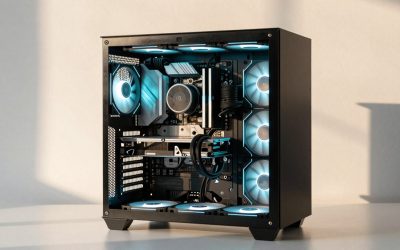
The best prebuilt gaming PC companies are the ones that pair standard parts with clear warranty terms and reachable support. On that basis, our editorial shortlist puts NZXT, CyberPowerPC and iBUYPOWER first for mainstream buyers who want standard components, Lenovo, MSI and HP for big-retailer convenience, Alienware for buyers who value its service options more than upgradeability, and Falcon Northwest, Maingear, Origin PC and Digital Storm for premium builds. This is editorial judgement from published warranty pages and spec practices, not a performance ranking.
If you searched for the best prebuilt gaming PC companies, the best prebuilt PC company, the best gaming PC manufacturer or the best gaming PC makers, you are really asking one question: who will build a machine that is easy to live with for five years, and who will help when something fails? Spec sheets are almost identical across brands at a given tier. What separates companies is everything around the box: how long the warranty runs, whether the power supply and motherboard are standard, how cooling is handled, and what happens when you need to return or repair the system.
As an Amazon Associate we earn from qualifying purchases at no extra cost to you.

Our Top Picks


Top 3 picks at a glance
How we chose these companies
This guide is research-based. We read vendor warranty and policy pages where they loaded, cross-checked them against editorial roundups from sites such as PC Gamer and Newegg’s own buying guide, and compared companies by criteria rather than by benchmark charts. We did not use or review the systems ourselves, so none of the rankings below should be read as performance results. Where a vendor page did not load or a source conflicted, we say so and mark the item as not confirmed. Warranty and return terms change, and several sources we read were older than a year, so treat every duration here as a starting point and confirm it on the vendor page before you pay.
The criteria we weighted, in order:
- Warranty and support: length of parts and labor cover, whether support is lifetime, who pays shipping for repairs, and whether upgrading yourself voids anything.
- Upgradeability and proprietary parts: standard ATX or micro-ATX power supplies and motherboards, a case that accepts normal coolers and fans, and BIOS access that is not locked down.
- Build and cooling quality: mid-range or better power supply, a cooler matched to the CPU, airflow-oriented case, dual-channel memory.
- Return policy: a return window that gives you time to check the system properly.
- Customization: whether you can choose the CPU, GPU, RAM, storage, PSU and cooler or only buy fixed configurations.
- Financing options: whether the company or its retail partners offer monthly payment plans (covered separately later).
Quick comparison of the companies
| Company | Type | Base warranty as stated by sources | Customization | Upgrade friendliness | Best for |
|---|---|---|---|---|---|
| NZXT (Player series) | Design-led direct brand | Two years parts and labor, lifetime technical support (NZXT support pages) | Limited, fixed builds with some options | High, standard parts | Buyers who want a clean, quiet looking PC and a short, simple return process |
| CyberPowerPC | Volume system integrator | Retail roundups cite a three-year labor plan and one-year parts; confirm on vendor page | High, configurator plus a guided finder | High to medium, depends on the case line | Value-minded buyers who want to pick parts |
| iBUYPOWER | Volume system integrator | Roundups cite two-year parts on its configurator builds and one year on stock builds; confirm | High | High to medium | Buyers comparing many GPU and CPU combinations |
| Skytech Gaming | Volume system integrator | Roundups cite one year on stock builds and optional three-year on custom builds; confirm | Medium to high | Medium to high | Quick-shipping standard builds |
| Lenovo Legion | Large OEM | One year standard with paid extensions, per roundups | Low, mostly fixed models | Medium, model dependent | Buyers who want a big-retailer purchase and fixed configurations |
| MSI | Component maker turned PC brand | Not confirmed on a vendor page for this guide | Low, fixed models | Medium | Buyers who prefer a motherboard maker’s own desktop |
| HP (OMEN and Victus) | Large OEM | One year standard with protection plans, per roundups | Medium on HP’s own store | Medium, model dependent | Entry and midrange buyers who want flexible build-to-order options |
| Alienware (Dell) | Large OEM, premium design | One year limited base warranty; paid plans add onsite service | Medium on Dell’s store | Low to medium, proprietary parts reported | Buyers who value service plans over self-upgrades |
| Falcon Northwest | Boutique | Three years on desktops, first year with overnight service; lifetime support | High | Medium, tight small builds, replacing some major parts may affect support | Premium compact builds with strong support |
| Maingear | Boutique | One year limited by default, two or three year options; lifetime tech support | High | Medium to high | Premium builds with careful cable work |
| Origin PC (Corsair-owned) | Boutique | Lifetime phone and online support and labor; selectable one, two or three year parts cover (older terms page) | Very high | High | Heavily customised builds |
| Digital Storm | Boutique | Three years labor and one year parts, lifetime support; four and five year upgrades | High | Medium to high | Liquid-cooled enthusiast builds |
The table is a summary of what published sources say, not a promise of current terms. Several figures come from retail roundups rather than the vendor’s own page, and those are labelled “per roundups” or “confirm”.
Best mainstream prebuilt companies
NZXT
NZXT sells its gaming desktops under the Player name, and its support pages describe a two-year parts and labor warranty with lifetime technical support. The warranty excludes issues caused by third-party components or modifications made after delivery, which is a normal exclusion but one to read if you plan to upgrade. NZXT’s pages also state a 14-day return window for new PCs, with a prepaid return label and an RMA number required before sending anything back, while refurbished PCs and components follow different rules. Financing runs through Affirm for U.S. customers, according to NZXT’s support article.
Where it wins in our editorial view: the machines are built from standard parts in the company’s own cases, the warranty is longer than the common one-year baseline, and the policies are written plainly. Where it is weaker: fewer configuration choices than a full configurator, and the design premium means you may pay more for a given GPU class than at a volume builder. A good fit if you want a tidy build and do not intend to modify it heavily in the first two years.
CyberPowerPC
CyberPowerPC is one of the largest volume builders in the United States, and its site offers a guided finder plus a full build-your-own flow. The homepage lists several warranty documents (system, e-commerce and refurbished) rather than a single headline term, and a retail roundup cites a three-year labor plan with lifetime technical support and one-year parts cover. Because the vendor page did not spell the terms out on the page we could load, treat that figure as not confirmed. The homepage does state 0% APR Affirm financing for up to six months for qualifying U.S. customers, within a stated 0% to 36% APR range depending on terms and eligibility.
Strengths: very wide selection, choices of case, cooler and power supply on configurator builds, and ordering paths for both shoppers who know what they want and those who do not. Risks: with a high volume of builds, quality varies by case line and PSU choice, so choose the PSU and cooler explicitly rather than accepting the default, and check that RAM ships as two matched sticks.
iBUYPOWER
iBUYPOWER covers both ready-to-ship and configurator builds. A retail roundup cites a two-year parts warranty on its Easy Builder (configurator) systems and one year on stock prebuilts, but we could not load the vendor warranty page, so confirm those terms. The brand shows performance numbers for popular games on some listings, which can help you compare tiers, though you should treat any such numbers as the vendor’s own figures.
It is a sensible pick when you want to compare several GPU and CPU combinations for the same budget. As with other volume builders, scrutinise the power supply name, memory configuration and cooler on each listing instead of trusting the headline GPU.
Skytech Gaming
Skytech is a value-focused builder. A roundup describes delivery in a few business days, extensive customization of coolers and power supplies, a one-year warranty on stock builds and an optional three-year plan on custom builds. We did not confirm these on Skytech’s own pages. It tends to appear on retail marketplaces as well as its own site, so check who the seller and warranty provider is on any listing.
Best big-brand and retailer-friendly options
Lenovo Legion
Legion desktops are sold through Lenovo and large retailers. Best Buy’s current listings, for instance, include Legion Tower models paired with current Ryzen and GeForce parts. Roundups describe a one-year standard warranty with optional extensions, and mostly fixed configurations rather than build-to-order. Several editorial lists rank Lenovo and MSI high for support and reliability, though those lists are mostly review sites and the claim is not a measurement.
Editorial verdict: a strong pick if you prefer buying through a large retailer with a well-known return process and do not plan big upgrades. Before buying, check the model page for power supply wattage and whether the PSU and motherboard are standard sizes, because some OEM layouts limit later GPU upgrades.
MSI
MSI is better known for motherboards and graphics cards, and its desktops appear in major retailers’ listings (a current Best Buy example pairs a Ryzen 9 class chip with a GeForce RTX 5060 Ti class card). We could not verify MSI’s desktop warranty from a vendor page for this guide, so the warranty length is not confirmed here. Because MSI makes boards and coolers, its prebuilts often use its own parts and standard form factors, which generally helps upgradeability, but verify per model.
HP OMEN and Victus
HP sells OMEN and the lower-priced Victus line through its store and retailers. Roundups say HP allows component customization on its own store, a one-year standard warranty, and protection plans up to three years. Best Buy listings show OMEN desktops at entry-level GPU classes. Editorial verdict: useful for entry and midrange buyers who want some build-to-order flexibility, with the usual OEM caution about motherboard and PSU standards.
Alienware (Dell)
Alienware is the clearest example of a trade-off. A Dell warranty document says Alienware computers bought in the U.S. or Canada come with a one-year limited warranty, and that service may be delivered by parts dispatch, mail-in or in-home depending on the plan. Third-party sources describe paid plans that add onsite repair for several years. Roundups also report proprietary parts and a BIOS that restricts some changes, plus long backorder times on some parts. Pricing in these roundups starts above the volume builders for similar hardware.
Editorial verdict: choose it if onsite service is the point and you do not plan to swap the motherboard, PSU or case. Skip it if you want a standard-parts platform you can keep upgrading for many years.
Best premium and boutique builders
Boutique companies charge more for the same GPU and CPU class. What you are buying is assembly quality, cable management, thermal tuning, and a support relationship. Because the premium is real, it only makes sense when you value those things.
Falcon Northwest
Founded in 1992, Falcon Northwest is one of the oldest names in the group. Its warranty page describes a three-year desktop warranty, with the first year including Falcon Overnight service in which Falcon pays overnight shipping both ways for major repairs, plus lifetime technical support. The page warns that replacing certain major components yourself, such as the motherboard, may void technical support. Best for: small-form-factor and high-end builds where you want tight support.
Maingear
Maingear’s warranty page states a one-year limited hardware warranty by default with two or three year options, free lifetime technical support for as long as you own the system, ground shipping paid in the first 30 days for a covered problem, and warranty that follows the system if it changes hands. Upgrade services cost parts and labor even under warranty. Best for: buyers who value clean assembly and a transferable warranty and who will buy the extended term.
Origin PC
Origin PC is owned by Corsair, according to the sources we read. An older terms page says all systems come with lifetime phone and online support plus lifetime labor, with a selectable one, two or three year parts warranty. Because that page was dated, confirm current terms. It is known for broad customization, which can include custom artwork and liquid cooling.
Digital Storm
Digital Storm’s warranty page states that each system comes with lifetime expert support and a three-year limited warranty covering three years of labor and one year of parts, with four and five year options. Support is lifetime; repairs are not. Upgrades are allowed, but the company will not give warranty service for hardware it did not supply. A forum post notes that labor coverage helps most when you are willing to ship the system in.
Corsair
Corsair also sells complete PCs under its own name according to a retail roundup that cites a two-year warranty and lifetime technical support. The lineup changes often, so we are not naming specific models; check Corsair’s current system pages.
Warranty length is not the same as good service
A long warranty on paper can still be inconvenient. The practical questions are who pays shipping, how long a repair takes, and whether a hardware change you made voids cover. Digital Storm and Falcon Northwest both note limits when you replace parts they did not supply or major parts such as the motherboard. NZXT excludes problems caused by third-party components or later modification. If you plan to add storage or RAM, ask support in writing which upgrades are safe.
| Question to ask | Why it matters | Good answer |
|---|---|---|
| Who pays for shipping a repair? | A three-year labor warranty is less useful if you pay to crate and ship a heavy tower | Vendor pays at least during the first period |
| Is support lifetime or only during warranty? | Lifetime phone or chat support helps with driver, BIOS and troubleshooting after cover ends | Lifetime support in writing |
| Can I add RAM or storage without voiding cover? | Most owners will upgrade within three years | Yes for RAM and drives, with documented limits |
| Does the CPU or GPU have a separate extension? | Some builders extended CPU cover for 13th and 14th generation Intel chips; others did not | Clear, current extension policy |
| Does the warranty transfer? | Matters for resale | Warranty follows the system |
Proprietary parts: the quiet upgrade killer
A prebuilt becomes expensive to own when a failed part cannot be replaced with a standard retail part. The usual culprits are non-standard motherboard layouts, power supplies with odd connectors or low wattage, and cases built around those layouts. Reports that Alienware uses proprietary parts are the best-known example in roundups, and a few big-brand lines have been described similarly. Volume builders and boutiques mostly use standard ATX parts, which lets you replace a power supply or board with something off a retail shelf.
Before you buy, look for: the named power supply model and wattage (not just “750W”), the motherboard model, a CPU cooler type (air tower or liquid with a stated radiator size), the RAM configuration (two sticks for dual channel), and the SSD brand and type. If the listing hides any of these, treat it as a warning sign.
Return policy and your first two weeks
Return windows are short. NZXT states 14 days for new Player PCs. Best Buy lists 15 days for most products for standard customers with longer windows for members and a holiday extension, according to its policy summary. Micro Center’s computer hardware window is 15 days according to sources, though sources disagree on restocking fees and on whether a custom-built machine can be returned. Treat the first two weeks as the return window: install the games you play, watch temperatures and noise, confirm the memory runs at its rated speed, and photograph any cosmetic issue.
Which company should you pick? A decision matrix
| Your situation | Shortlist | Reason |
|---|---|---|
| You want standard parts and a long upgrade life | NZXT, CyberPowerPC, iBUYPOWER, Origin PC | Standard form factors, easier part swaps |
| You want to buy from a big retailer with a familiar return process | Lenovo Legion, MSI, HP OMEN | Widely stocked, simple returns |
| You value onsite or white-glove service over self-upgrading | Alienware, Falcon Northwest | Service plans or overnight repair service |
| You want a heavily customised, liquid-cooled build | Origin PC, Digital Storm, Maingear | Broad configurators and custom cooling |
| You want the lowest cost for a given GPU class | CyberPowerPC, iBUYPOWER, Skytech | Volume integrators |
| You need a compact high-end machine | Falcon Northwest, NZXT | Small-form-factor focus |
Checklist before you order any prebuilt
- Read the warranty page for the exact system line, not a generic page.
- Confirm the PSU brand, model and wattage; avoid unnamed power supplies.
- Confirm dual-channel memory and a realistic amount for the tier.
- For 1440p and higher, avoid graphics cards with only 8GB of VRAM when other choices exist.
- Check whether the cooler matches the CPU class; a hot CPU under a small cooler throttles.
- Check the case airflow and the number of included fans.
- Check that the SSD is a recognised brand with enough capacity.
- Read the return window, restocking fees and who pays return shipping.
- If financing, read the plan terms before you accept.
- Photograph and register the system the day it arrives.
Frequently asked questions
What is the best prebuilt gaming PC company overall?
There is no single best company. For standard parts and plain policies we favour NZXT, CyberPowerPC and iBUYPOWER, and for premium support Falcon Northwest and Maingear. It depends on whether you prioritise price, service or upgrade freedom.
Are prebuilt gaming PCs reliable?
Modern prebuilts are generally dependable, and one roundup claims first-year failure rates are low, but that is an unverified claim from an affiliate-style site. Reliability depends more on the power supply, cooling and assembly quality than on the brand name.
Which prebuilt companies use proprietary parts?
Roundups most often name Alienware for proprietary parts and BIOS restrictions, and some large OEM lines use non-standard layouts. Volume builders and boutiques generally use standard parts. Always check the specific model’s motherboard and PSU.
Is a boutique builder worth the extra cost?
Only if you value assembly quality, cable work, tuned cooling and support. For pure frames per dollar, a volume builder or a DIY build costs less. Boutique warranties are often stronger, but read the exclusions.
Which companies offer the longest warranty?
According to the vendor pages we read, Falcon Northwest and Digital Storm state three-year terms by default, NZXT states two years, and Maingear and Origin PC let you select longer terms. Many large OEMs start at one year.
Should I buy direct from the company or through a retailer?
Direct purchases usually give the full vendor warranty and configurator choices. Retailers may give easier returns. Check the warranty provider on a retailer listing, since one roundup says some retail units carry shorter terms.
Do prebuilt companies offer financing?
Several do. CyberPowerPC and NZXT list Affirm, and large retailers offer store cards or buy-now-pay-later. Read the APR and any deferred-interest terms before you accept.
Sources
- NZXT support pages (warranty, returns and financing)
- CyberPowerPC website and financing blog
- Maingear, Falcon Northwest and Digital Storm warranty pages
- Newegg buying guide to prebuilt gaming desktops and PC Gamer warranty coverage
- Best Buy and Micro Center return policy pages
Last updated: October 2026
Related guides
- How to Screenshot on a Chromebook: Keyboard Shortcuts, Screen Capture Tool and Tablet Buttons
- Best Gaming PC Financing Options and What to Check First: 4 Compared (2026)
- Best Websites to Buy a Gaming PC, Compared by Return Policy: 4 Compared (2026)
- Best Specs for a Gaming PC by Resolution and Use: 4 Compared (2026)