
Integrated graphics share a laptop’s processor and system memory rather than using a separate graphics card. That makes them cheaper, quieter and more power-efficient, but slower than a dedicated GPU—especially in demanding games and 3D work. The best choice depends on the laptop’s exact processor, memory configuration and cooling, not just the graphics brand on the box.
Our Top Picks
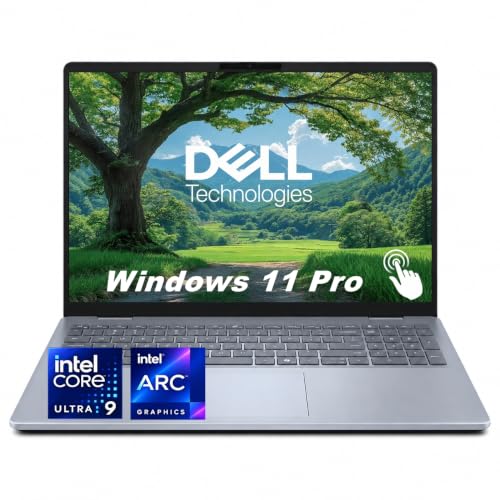

Quick picks by use
| What you need | What to look for | Main trade-off |
|---|---|---|
| Office, streaming and school | Recent Intel or AMD processor with integrated graphics | Entry-level configurations may struggle with games and heavy creative work |
| Casual gaming | A recent AMD Ryzen processor with Radeon 780M-class graphics, or Intel Arc integrated graphics in a compatible Core Ultra laptop | Performance varies with memory, power limits and cooling |
| Lowest cost | Older or lower-tier integrated graphics, if your workload is basic | Less room for new games, effects and future software demands |
| Modern games or demanding creation | A laptop with a dedicated GPU | Higher price, weight, heat and fan noise |
The best integrated graphics options
AMD Radeon 780M-class graphics: This is a strong target for buyers who want to play lighter games without a dedicated GPU. It can suit esports, older releases and less demanding games at modest settings. Look for it in a laptop with AMD Ryzen and Radeon 780M graphics. The catch: not every Ryzen laptop has this graphics tier, and even the same chip can perform differently in thin, low-power designs.
Intel Arc integrated graphics: Some recent Intel Core Ultra laptops include Arc graphics that can handle casual gaming and creative applications better than basic integrated graphics. A Core Ultra laptop with Arc graphics is worth considering if you find a good price and want a general-purpose machine. Check the exact processor and laptop reviews: “Intel graphics” covers a wide range, and not all integrated versions carry the Arc name or offer similar performance.
Basic Radeon or Intel graphics: For web browsing, video calls, office applications and streaming, the cheaper configuration is often enough. Don’t pay extra for a faster integrated GPU if you won’t use it. But a low-cost chip may become limiting if you later want to edit complex video, run 3D software or play newer games.
What matters beyond the graphics name
Memory configuration: Integrated graphics use system RAM, so memory bandwidth affects performance. Dual-channel memory is generally preferable to a single memory channel. Some laptops have soldered RAM that cannot be upgraded; check the capacity and configuration before buying. For everyday use, 16GB is a sensible target, particularly if you expect to keep the laptop for several years. Graphics work and gaming can use a substantial share of that memory.
Power and cooling: A thin laptop may limit processor power to control heat and battery use. That can reduce graphics performance, even when its processor name looks promising. Reviews of the exact laptop are more useful than a processor specification alone. Also check fan noise and whether performance drops during longer gaming sessions.
Screen resolution: Integrated graphics have an easier time driving games at 1080p than at higher resolutions. A high-resolution laptop display can look sharp for work, but it does not mean games will run smoothly at native resolution. Lowering resolution or detail settings may help; some games still won’t reach a comfortable frame rate.
Game compatibility: Check benchmarks for the specific titles you play. Older and competitive games are often a better fit than new, visually demanding releases. Integrated graphics may require low settings, and occasional driver or game-specific issues can arise. If a game’s minimum requirements call for a dedicated GPU, treat that as a warning rather than assuming the laptop will manage it.
When integrated graphics are the wrong choice
Choose a laptop with a dedicated GPU if you want to play recent demanding games at high settings, use GPU-heavy 3D tools, or work with effects that benefit from substantial graphics power. A gaming laptop with a dedicated GPU costs more and is typically heavier, warmer and less quiet. Still, it is a better buy than an integrated-graphics laptop that cannot run your main applications well.
For occasional gaming and everyday tasks, integrated graphics can be the better-value choice. The budget option is fine when it matches your actual workload; spending extra for a stronger integrated GPU makes little sense if you only browse, stream and use office software. Before buying, compare the price difference against a dedicated-GPU laptop too—sometimes a sale makes the latter a more capable long-term purchase.
FAQ
Can integrated graphics run games?
Yes. Many can run lighter or older games, but performance depends on the specific chip, laptop power limits, memory and game settings. Check benchmarks for the games you play.
Is AMD or Intel better for laptop integrated graphics?
Neither brand wins in every laptop. Compare the exact graphics configuration and reviews of the specific machine, not just the processor brand.
Can I upgrade integrated graphics later?
Usually not. The graphics hardware is part of the processor. You may be able to upgrade system memory on some laptops, but many models have soldered RAM.
How much RAM should I get?
For a general-purpose laptop, 16GB is a sensible starting point. Because integrated graphics share system memory, very low capacity can constrain both graphics and everyday multitasking.



