The best closed PC case for most people in 2026 is the Fractal Design Define 7, a foam-lined, solid-front mid-tower that stays quiet while still fitting a modern GPU and a 360 mm radiator. If you want the option to open the front up later, the be quiet! Silent Base 802 is the more flexible choice. A closed case only makes sense if your CPU and GPU draw under roughly 400 W combined, or if you are willing to add fans to compensate.
“Closed” here means a case with a solid front panel, usually steel with sound-dampening foam, and no large mesh intake. These cases trade airflow for lower noise, less dust and a cleaner look. The sections below cover which models fit which builds and how to size fans so a closed case does not turn into an oven.
As an Amazon Associate we earn from qualifying purchases at no extra cost to you.
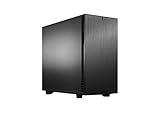


Our Top Picks
Top 3 picks at a glance
Quick comparison of the best closed cases
| Pick | Best for | Key specs (per manufacturer spec sheets) | Typical price |
|---|---|---|---|
| Fractal Design Define 7 | Best overall quiet build | ATX mid-tower, solid front, dampened steel panels, up to 360 mm top/front radiators, pre-installed 140 mm fans | $150–$200 |
| be quiet! Silent Base 802 | Best for flexible airflow | ATX mid-tower, swappable closed or perforated front and top panels, dampening, 360 mm radiator support | $150–$200 |
| Cooler Master Silencio S600 | Best value dampened case | ATX mid-tower, foam-lined solid front, option for a ventilated front, 280/360 mm radiator support | $110–$160 |
| Fractal Design Define 7 XL | Best for large GPUs and custom loops | E-ATX capable full tower, extra fan and radiator mounts, long GPU clearance | $200–$270 |
| Budget closed-front mid-tower (spec class) | Best under $90 | Solid or lightly vented front, tempered-glass or steel side, 2 to 3 included 120 mm fans, ATX | $60–$90 |
Best overall: Fractal Design Define 7
The Define 7 is the reference design for quiet builds. It has a solid front door, dampening on the side and top panels, and a layout with plenty of 140 mm fan positions and drive room. It suits anyone building a mainstream gaming PC with a midrange or upper-midrange GPU and a 65 W to 125 W CPU who values noise over peak cooling.
Main trade-off: the solid front restricts intake. You will want to run the included 140 mm fans at a steady 700 to 900 RPM rather than letting them idle, and avoid pairing it with a 450 W-plus GPU without extra planning. The Define 7 Compact is a smaller sibling if you do not need the full ATX footprint.
Best for flexible airflow: be quiet! Silent Base 802
The Silent Base 802 is built around the idea that you should choose between quiet and cool. Per the manufacturer, the front and top panels can be swapped between closed and perforated versions. You can start silent and open it up if you upgrade to a hotter GPU.
Main trade-off: it is a large, heavy case, and the dampened configuration still limits intake airflow. If you will never change the panels, the Define 7 offers similar quiet for a similar price.
Best value: Cooler Master Silencio S600
The Silencio line targets buyers who want a dampened, plain-looking case at a lower price. It handles a typical 200 W GPU plus a midrange CPU without trouble when fitted with good fans. It suits office-and-gaming builds and first-time builders.
Main trade-off: fan quality and cable management are a step below Fractal and be quiet!. Budget about $20 to $30 for better intake fans.
Best for large GPUs and loops: Fractal Design Define 7 XL
If you run a long, thick 3-slot GPU or a custom water loop, the XL gives you the interior volume to offset the closed front. More internal air means lower fan speeds at the same temperature. It is the closed-case answer for high-end builds.
Main trade-off: it needs a deep desk or floor space, and it costs noticeably more than the standard model.
Best budget: closed-front mid-tower class
Under $90 you will find solid-front or lightly slotted ATX cases with a tempered-glass or steel side panel and two or three 120 mm fans. Look for side-vent slits along the front edge, because a fully sealed front starves the intake fans. These cases suit 1080p builds with GPUs drawing under 200 W.
Main trade-off: thin steel and little or no dampening, so “closed” mostly means dust control, not silence.
How to size airflow for a closed case
A closed front cuts effective airflow, so check your numbers before buying. The standard heat-transfer rule of thumb is CFM = 3.16 × watts ÷ allowed temperature rise in °F. The allowed rise is the difference between room air and case-internal air.
Worked example
Take a 200 W GPU plus a 125 W CPU, plus about 50 W for the motherboard, RAM and drives. That is 375 W of heat under a gaming load. To keep the internal air within 10 °C (18 °F) of the room:
- CFM needed = 3.16 × 375 ÷ 18 ≈ 66 CFM of actual airflow through the case.
- A solid or filtered front can cut a fan’s rated airflow by roughly 30 to 50 percent. This is a common rule of thumb, not a fixed figure, and it varies by design.
- So you need fans rated for about 100 to 130 CFM in total. Two 140 mm fans rated near 60 CFM each, run at moderate speed, cover this.
| Combined CPU + GPU load | Approx. total heat (with 50 W extras) | Airflow needed for a 10 °C rise | Closed-case fan target (rated) |
|---|---|---|---|
| 150 W + 65 W | 265 W | ≈ 47 CFM | 70–95 CFM (two 120/140 mm) |
| 200 W + 125 W | 375 W | ≈ 66 CFM | 100–130 CFM (two to three 140 mm) |
| 320 W + 150 W | 520 W | ≈ 91 CFM | 135–180 CFM (three 140 mm plus exhaust) |
| 450 W + 200 W | 700 W | ≈ 123 CFM | Not recommended in a sealed front; choose mesh |
These are estimates for planning, not measured results. Real temperatures depend on the cooler, fan curve, filters and room temperature.
Decision matrix: which closed case for your build
| Your situation | Choose | Why |
|---|---|---|
| Mid-range GPU (under 250 W), want silence | Define 7 | Dampening plus easy fan placement |
| Might upgrade to a hotter GPU | Silent Base 802 | Panels can be changed to a vented layout |
| Tight budget, 1080p gaming | Silencio S600 or budget class | Closed look at a lower price |
| Flagship GPU or custom loop | Define 7 XL | Extra volume and radiator space |
| GPU above 400 W | A mesh-front case instead | Closed fronts cannot move enough air quietly |
What else to check before buying
- GPU clearance: many closed cases lose length if you mount front radiators or fans. Check the spec sheet for the clearance with and without front fans, and measure your card.
- CPU cooler height: dampened side panels can reduce clearance. Match your tower cooler to the listed maximum height with a 5 mm margin.
- Intake filters: solid-front cases still need filtered side or bottom intake. Easy-to-remove filters matter because blocked filters raise temperatures quickly.
- Fan count and size: 140 mm fans move the same air at lower RPM than 120 mm units, which is the main reason they are used in quiet cases.
- PSU shroud and bottom intake: a bottom fan position adds a second intake path that a closed front cannot block.
Frequently Asked Questions
Are closed PC cases bad for gaming temperatures?
They run warmer than mesh-front cases at the same fan speed, but a mainstream gaming build still stays within safe limits if you add intake through the sides or bottom. The gap matters most with GPUs above about 300 W. With the right fan curve you trade a few degrees for a lower noise level.
Do closed cases actually reduce noise?
Yes, but mainly through dampening foam and a solid panel that blocks direct sound from the GPU and fans. Fans and coil whine still make noise, so a closed case with loud fans is not silent. Slow 140 mm fans and a sensible GPU fan curve have a bigger effect than the panel alone.
Is a closed case better for dust?
A solid front removes one large intake, so less dust enters, but dust still comes in through any filtered opening. Cleaning the filters every one to two months is still necessary. Positive pressure, with more intake than exhaust, helps keep dust out of the case.
Can I fit a 360 mm AIO in a closed case?
Most of the picks above support 360 mm radiators in the top or front, per their spec sheets. Top mounting is usually better in a closed case because it exhausts heat without relying on the restricted front. Check the RAM and motherboard heatsink clearance first.
Should I get a closed case or a mesh case?
Pick a closed case if low noise, dust control and a clean look matter more than the last few degrees of cooling. Pick mesh if you run a high-wattage GPU, overclock, or live in a warm room. The airflow table above helps decide: past roughly 500 W of combined heat, mesh is the safer choice.
Related guides
More from Amazon
Programs that pair well with the guide above. Offers and eligibility are set by Amazon and may change.
A free business account with business pricing and bulk-buying tools for work, shop or home office.
Create a business accountFree shipping on eligible items, Prime Video and more. Eligible new members can start with a free trial.
Start a Prime free trialAudiobooks and podcasts to listen to on the go. Eligible new members can start with a free trial.
Try Audible freeAd-free music streaming. Eligible new subscribers can start with a free trial.
Try Music Unlimited freeAs an Amazon Associate we earn from qualifying purchases.


