The best DIY PC case for most first-time and repeat builders in 2026 is a mesh-front ATX mid tower such as the Lian Li Lancool 216 or Fractal Design North, because they combine easy cable access, generous GPU clearance and strong airflow. If you want to spend less, the Corsair 4000D Airflow is the safe low-cost choice. If you want a showpiece, a dual-chamber case like the Hyte Y70 or Lian Li O11 Dynamic EVO fits better. The right pick depends on three numbers: your GPU length, your cooler height, and how many watts of heat the case has to move.
As an Amazon Associate we earn from qualifying purchases at no extra cost to you.

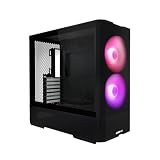


Top 3 picks at a glance
Quick comparison of the picks
Specs below are approximate and based on manufacturers’ published spec sheets. Always confirm the exact variant (colour, fan count, glass or mesh panel) before buying, because clearances can differ between revisions.
| Pick | Best for | Key specs (approx.) | Price range |
|---|---|---|---|
| Lian Li Lancool 216 | Best overall for airflow | ATX; two 160 mm front fans and one 140 mm rear fan; GPU up to about 390 mm; CPU cooler about 180 mm; front USB-C | Mid-range |
| Fractal Design North | Best-looking, quiet-leaning build | ATX; wood or metal front with mesh option; two 140 mm fans; GPU about 355 mm; CPU cooler about 170 mm | Mid-range to upper mid-range |
| Corsair 4000D Airflow | Best budget | ATX; perforated front; GPU about 360 mm; CPU cooler about 170 mm; three 120 mm fans in most kits | Budget |
| Hyte Y70 | Best for showcase builds and big GPUs | Dual-chamber ATX; panoramic glass; GPU up to about 420 mm; riser cable included in the box | Premium |
| Lian Li O11 Dynamic EVO | Best for custom water cooling | Dual-chamber; radiator mounting on three sides (up to 360 mm); reversible layout | Upper mid-range to premium |
| Cooler Master NR200P | Best small form factor | Mini-ITX; about 18 L; vented panels; supports 280 mm radiator or large air cooler within limits | Mid-range |
Best overall: Lian Li Lancool 216
The Lancool 216 suits builders who want strong thermals without extra fan purchases. The large front fans move plenty of air at low noise, the mesh front is not choked by a glass sheet, and the roomy GPU bay handles most current long cards. Per Lian Li’s spec sheet it also supports a 360 mm radiator at the front or top, so it can handle an AIO upgrade later.
Trade-off: the styling is plain, and the 160 mm fans use a less common size, so replacements are harder to find than standard 120 or 140 mm fans.
Best for looks and low noise: Fractal Design North
The North is for someone building in a living space who wants a case that does not look like a gaming rig. Its interior is clean, its cable routing is well thought out, and the mesh front variant keeps temperatures reasonable. It is one of the easier cases to build in for a first-timer thanks to the open layout around the motherboard tray.
Trade-off: GPU and cooler clearance is tighter than in the Lancool 216, and a thick front radiator can cut into card length. Check the numbers using the clearance example below.
Best budget: Corsair 4000D Airflow
The 4000D Airflow has been a default recommendation for years because it is simple, widely stocked and builder-friendly, with a cable-routing channel and tool-free drive trays. It is a good match for mainstream CPUs and mid-range GPUs.
Trade-off: the 360 mm GPU limit and 170 mm cooler limit rule out some of the largest current cards and tower coolers, and the front I/O is more basic than newer designs.
Best for showcase builds: Hyte Y70
The dual-chamber layout moves the PSU and cables behind the motherboard tray and shows off the components behind curved glass. The extra length supports very large GPUs, and Hyte includes a PCIe riser for vertical mounting, which saves an extra purchase.
Trade-off: it is large and heavy, glass-heavy cases run warmer with weak fans, and the premium price buys looks more than thermals.
Best for custom loops: Lian Li O11 Dynamic EVO
If you plan to run a custom loop or multiple radiators, this case remains the reference design. Its three-sided radiator support and reversible layout give you more options than most cases at any price.
Trade-off: airflow with glass panels and a mostly sealed front depends on well-placed intake fans, and cable management takes patience in the narrow rear chamber.
Best small form factor: Cooler Master NR200P
For a compact mini-ITX build, the NR200P is among the friendliest because it has removable panels on all sides and flexible cooler and GPU layouts. It suits living-room gaming PCs and desk setups.
Trade-off: SFF building demands careful part selection. You need an SFX or SFX-L power supply, a low-profile or compact cooler, and a GPU that fits the case’s maximum length and thickness.
How to choose: decision matrix
| Your situation | Choose | Why |
|---|---|---|
| First build, mid-range GPU, tight budget | Corsair 4000D Airflow | Simple layout and enough clearance for most mid-range cards |
| High-end GPU over 340 mm, want quiet | Lancool 216 | Long GPU bay and large slow-spinning fans |
| Office or living room, minimal look | Fractal Design North | Understated design, tidy interior |
| Want a glass showcase, vertical GPU | Hyte Y70 | Riser included, large GPU clearance |
| Custom water loop | O11 Dynamic EVO | Three radiator positions |
| Small desk, willing to plan parts | NR200P | Compact with flexible mounting |
Worked example 1: will the GPU fit with a front radiator?
Take a 360 mm front-mounted AIO and a long GPU. A typical radiator is roughly 27 mm thick, and fans add about 25 mm, so the front stack takes about 52 mm. Suppose the case spec says maximum GPU length is 360 mm with no front radiator, and 320 mm with a front radiator installed. A 330 mm GPU fits without the radiator but not with it. In that case, mount the radiator on the top panel instead, or choose a case that lists a longer radiator-installed limit. Manufacturers often list the two figures separately, so read both.
Worked example 2: how many fans do you really need?
Use a simple airflow estimate: required airflow in CFM is about 3.16 times the heat in watts divided by the allowed temperature rise in degrees Fahrenheit. Assume a gaming load of roughly 250 W from the GPU and 150 W from the CPU, so about 400 W of heat. If you want the inside of the case no more than about 18°F (10°C) warmer than the room, you need about 3.16 × 400 / 18 ≈ 70 CFM of real airflow.
A 120 mm fan may be rated at around 50 CFM in free air, but behind a mesh panel, filter, and radiator, real delivery is often half that. At about 25 CFM effective per fan, you need roughly three fans moving air through the case, which matches what the best cases above ship with. A 600 W load (a heavy GPU plus an overclocked CPU) raises the target to about 105 CFM, which is why higher-end builds benefit from four or more fans or larger 140 to 160 mm models. These are estimates for planning, not precise predictions, since fan curves and case restriction vary.
Checks before you buy
- GPU length and thickness: compare the card’s published length and slot width to the case spec. Leave at least 10 to 15 mm of spare room for cables and the front fan.
- CPU cooler height: the cooler’s listed height must be lower than the case’s maximum. Tall dual-tower air coolers often need about 160 to 170 mm or more.
- Radiator support: confirm which positions fit a 240, 280 or 360 mm radiator, and whether memory or VRM heatsinks block the top mount.
- Power supply length and form factor: ATX PSUs generally fit mid towers, but modular cables and shroud space matter in tight cases.
- Front I/O: if you want a USB-C port on the front, make sure your motherboard has the matching internal header.
- Drive bays: most modern cases offer limited 3.5-inch bays. Count your drives if you plan to store a large game library on hard disks.
- Dust filters: removable front, top and PSU filters keep cleaning simple.
Mesh or glass front?
Mesh fronts generally run cooler and quieter at the same fan speed because they restrict intake less. Glass-front cases can look striking, but expect higher temperatures unless the design has side or bottom intake. For a DIY builder prioritising thermals and low noise, mesh is the safer choice.
Frequently Asked Questions
What is the best PC case for a first-time builder?
A mesh-front ATX mid tower with a roomy interior, such as the Corsair 4000D Airflow or Lian Li Lancool 216, is the easiest starting point. More space makes cable routing and part installation more forgiving, and both cases have good airflow out of the box.
Does case size matter for performance?
It matters mostly through airflow and clearance, not raw speed. A bigger case usually lets you fit larger fans, longer GPUs and thicker radiators, which keeps temperatures and noise down. A small case can perform well, but it demands more careful component choices.
How many fans should a DIY gaming PC case have?
Three well-placed fans (two intake at the front, one exhaust at the rear) are enough for most mid-range builds. High-end CPUs and GPUs that pull 500 W or more together benefit from four or more fans, or a radiator in the top or front.
Is a glass side panel bad for cooling?
A glass side panel has little effect on its own, because air enters and exits through the front, top and rear. The front panel matters far more. A solid glass front or a very restricted intake can raise temperatures noticeably.
Do I need a case with a dual-chamber design?
No. Dual-chamber cases look tidy and make cable hiding easy, but they are not needed for good performance. They suit builders who want a showpiece or custom cooling, and they usually cost more and take up more space.
Can I use any case with any motherboard?
No. Cases list supported motherboard sizes such as ATX, micro-ATX and mini-ITX. Smaller boards fit in larger cases, but not the other way round. Also check the back-connector motherboard layouts if you use a case with rear-connector designs, since they need a compatible board.
Related guides
More from Amazon
Programs that pair well with the guide above. Offers and eligibility are set by Amazon and may change.
A free business account with business pricing and bulk-buying tools for work, shop or home office.
Create a business accountFree shipping on eligible items, Prime Video and more. Eligible new members can start with a free trial.
Start a Prime free trialAudiobooks and podcasts to listen to on the go. Eligible new members can start with a free trial.
Try Audible freeAd-free music streaming. Eligible new subscribers can start with a free trial.
Try Music Unlimited freeAs an Amazon Associate we earn from qualifying purchases.


