
The best 512GB-class NVMe M.2 SSD for most gaming PCs is a PCIe 4.0 drive such as the WD Black SN770 500GB or WD Blue SN580 500GB, because they deliver 4,000–5,000 MB/s reads and 300 TBW endurance for little more than PCIe 3.0 pricing; the Samsung 980 PRO 500GB is the pick if you want near 7,000 MB/s with DRAM cache. Before choosing, it is worth deciding whether 512GB is really enough, because at this capacity the size of your game library matters more than the speed rating.
As an Amazon Associate we earn from qualifying purchases at no extra cost to you.
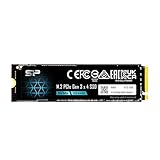

Our Top Picks
 Samsung 970 PRO NVMe Series 512GB M.2 PCI-Express3.15 x 0.87 x 0.39 inches0.02 PoundsCheck on Amazon

Is 512GB Enough for a Gaming PC in 2026?
Only as a boot drive or as a second drive for a handful of games. Here is a realistic budget:
| Item | Space used |
|---|---|
| Formatted capacity of a “500GB” or “512GB” drive in Windows | about 465–477 GB |
| Windows 11 install, updates, page file and hibernation file | 40–60 GB |
| Launchers, browsers, drivers, Discord, OBS and common apps | 15–30 GB |
| Free space to keep performance and game updates healthy (10–15%) | 50–70 GB |
| Left for games | roughly 300–370 GB |
That is room for about two or three large AAA titles in the 100–150 GB range, or a dozen lighter esports games such as Valorant, CS2 or Rocket League. Large shooters with all add-ons installed can exceed 200 GB on their own. If you plan to keep a big library installed, a 1TB drive usually costs only modestly more and lowers the cost per gigabyte substantially.
512GB makes most sense for budget builds, an OS drive paired with a larger secondary SSD, a small-form-factor PC, laptop upgrades, or handheld gaming PCs that use the shorter 2230 form factor.
500GB vs 512GB: Is There a Difference?
Not much. Drives sold as 512GB are typically OEM or laptop models that expose slightly more of the raw flash, while 500GB retail drives reserve a little more as spare area for wear leveling. The 12 GB gap is negligible; buy on controller, cache, endurance and price instead.
Leading 500GB NVMe Drives Compared
| Drive (500GB model) | Interface | Rated sequential read | Rated sequential write | Endurance (TBW) | DRAM cache | Typical price range |
|---|---|---|---|---|---|---|
| Samsung 980 PRO | PCIe 4.0 x4 | 6,900 MB/s | 5,000 MB/s | 300 | Yes | $50–$80 |
| WD Black SN770 | PCIe 4.0 x4 | 5,000 MB/s | 4,000 MB/s | 300 | No (HMB) | $40–$60 |
| WD Blue SN580 | PCIe 4.0 x4 | 4,000 MB/s | 3,600 MB/s | 300 | No (HMB) | $35–$55 |
| Crucial P3 Plus | PCIe 4.0 x4 | 4,700 MB/s | 1,900 MB/s | 110 | No (HMB) | $35–$50 |
| Samsung 970 EVO Plus | PCIe 3.0 x4 | 3,500 MB/s | 3,200 MB/s | 300 | Yes | $40–$60 |
| Crucial P3 | PCIe 3.0 x4 | 3,500 MB/s | 1,900 MB/s | 110 | No (HMB) | $30–$45 |
Sequential figures are the manufacturers’ best-case ratings at this capacity. Smaller drives have fewer flash chips working in parallel, so 500GB models often write noticeably slower than the 1TB and 2TB versions of the same product line. PCIe 5.0 drives are rarely sold at this capacity at all.
Picks by Build Type
Best overall value: WD Black SN770 500GB
Strong random read performance for game loading, 300 TBW, and a price close to PCIe 3.0 drives. It works at reduced speed in PCIe 3.0 slots, so it is also a safe choice for older boards you plan to upgrade.
Best premium 500GB: Samsung 980 PRO 500GB
The onboard DRAM cache helps consistency during heavy multitasking such as recording gameplay while a game loads. It is also a common choice for PS5 storage expansion, though for a console a 1TB or larger drive is far more practical, and the PS5 requires a heatsink.
Best budget PCIe 4.0: WD Blue SN580 500GB
Fast enough that you will not notice the difference from pricier drives in most games, with better endurance than other entry-level options.
Best for older PCIe 3.0 systems: Samsung 970 EVO Plus 500GB
On a PCIe 3.0 board, a 4.0 drive cannot exceed about 3,500 MB/s anyway. The 970 EVO Plus offers DRAM cache and high endurance in a proven design.
Cheapest that is still sensible: Crucial P3 or P3 Plus 500GB
Fine for a boot drive or a light secondary drive. The lower 110 TBW rating and slower sustained writes make them less suited to frequent large downloads or video capture.
Does PCIe 4.0 vs 3.0 Matter for Games?
For load times, the difference is small. Real-world game loading on NVMe is limited more by CPU decompression and the game engine than by raw sequential bandwidth.
| Storage | Typical sequential read | Practical game-load impact |
|---|---|---|
| 7,200 rpm HDD | ~150–250 MB/s | Baseline; long loads and texture pop-in |
| SATA SSD | ~550 MB/s | Large improvement over HDD |
| PCIe 3.0 NVMe | up to ~3,500 MB/s | Small further gain over SATA in most games |
| PCIe 4.0 NVMe | up to ~7,000–7,450 MB/s | Usually within a second or two of PCIe 3.0 |
| PCIe 5.0 NVMe | ~10,000–14,500 MB/s | Little game benefit today; mostly larger capacities |
Games using DirectStorage with GPU decompression can widen the gap, but the jump that matters most is from a hard drive or SATA SSD to any decent NVMe drive.
Endurance: Is 110 or 300 TBW Enough?
A worked example: a gamer who downloads or updates about 50 GB per day writes roughly 18 TB per year. At 110 TBW, that is about six years of rated use; at 300 TBW, over sixteen years. Most gaming PCs write far less on average, so endurance rarely limits a 500GB drive unless it also serves as a scratch disk for video editing or game capture.
Compatibility Checklist Before Buying
- Form factor: desktops and most laptops use M.2 2280. Handheld PCs such as the Steam Deck and many ultrabooks need M.2 2230 or 2242 drives.
- Keying and protocol: confirm the slot supports NVMe, not only SATA M.2. Some older boards share bandwidth with SATA ports.
- Which slot: on many boards only the slot nearest the CPU runs at full PCIe 4.0 or 5.0 speed; chipset slots may be slower.
- Heatsink: use the motherboard’s M.2 shield if there is one. PCIe 4.0 drives can throttle during long writes without airflow.
- Cloning: if moving an existing Windows install, use the cloning tool from the drive maker or a reputable backup utility, then set the new drive as the first boot device in BIOS.
Frequently asked questions
Will a 500GB NVMe drive run at full speed in a PCIe 3.0 slot?
No. A PCIe 4.0 drive works in a PCIe 3.0 slot but operates at reduced speed, generally up to about 3,500 MB/s. That is close to the limit of PCIe 3.0, so choosing a PCIe 4.0 model can still make sense if you plan to upgrade the motherboard later. Confirm that the slot supports NVMe rather than only SATA M.2.
Should I leave free space on a 512GB-class SSD?
Yes. Keeping roughly 10–15% free helps maintain performance and leaves room for game updates. A formatted 500GB or 512GB drive exposes about 465–477 GB in Windows. After Windows 11, common applications, the page file and hibernation file, you may have roughly 300–370 GB available for games.
Do smaller-capacity SSDs perform differently from their larger versions?
Yes. Manufacturers quote best-case sequential figures, but 500GB models often write noticeably slower than 1TB and 2TB versions of the same product line because they have fewer flash chips working in parallel. This is especially relevant when comparing rated write speeds, although typical game loading is limited more by the CPU and game engine than by sequential bandwidth.
Does a 500GB SSD need a heatsink in a desktop gaming PC?
A heatsink is useful, especially during long writes. The motherboard’s M.2 shield should be used when available, because PCIe 4.0 drives can throttle without adequate airflow. Gaming load times usually do not depend on sustained maximum write speed, but frequent large downloads, video capture or other heavy writing can make cooling more relevant.
Can I use a 500GB NVMe drive for a PlayStation 5?
The Samsung 980 PRO 500GB is described as a common choice for PS5 storage expansion, but a 1TB or larger drive is more practical. The PS5 also requires a heatsink. Before buying any M.2 drive for a different device, check its physical form factor and interface requirements, since handhelds and ultrabooks may need 2230 or 2242 drives instead of 2280.








