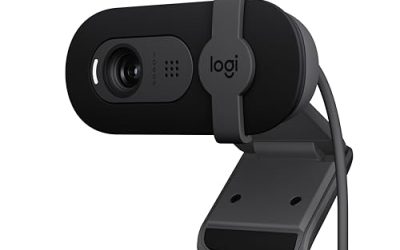
The best 4K 360 camera for most people in 2026 is a one-inch-sensor model that records 5.7K or higher spherical video and can export a flat 4K reframed clip, such as the Insta360 X4 or X5 class and the Ricoh Theta X. If you only want shareable 4K and a low price, a compact dual-lens camera with a 1/2-inch or smaller sensor will do. The right pick depends on how much light you shoot in, how you plan to edit, and whether you need the camera for action, virtual tours or streaming.
The phrase “4K 360 camera” is confusing because the number describes two different things. A 360 camera stitches two wide lenses into a sphere, so a “4K” sphere is spread across a full 360 by 180 degrees. Once you reframe it into a normal flat video, the picture you actually watch is far lower resolution than 4K. This guide explains the math, then maps common situations to a camera class.
Quick comparison of the picks
| Pick | Best for | Key specs | Price range |
|---|---|---|---|
| Insta360 X4 / X5 class | Best overall | 5.7K to 8K spherical, dual 1/1.28-inch to 1-inch class sensors, waterproof body, invisible selfie stick effect | Usually $450-$600 |
| Insta360 ONE RS 1-Inch 360 Edition | Best for image quality | 6K 360, 1-inch sensors co-engineered with Leica, modular body | Usually $650-$800 |
| Ricoh Theta X | Best for virtual tours and stills | 5.7K video, 60 MP stills, 2.25-inch touchscreen, replaceable battery | Usually $750-$900 |
| GoPro Max class | Best for GoPro ecosystem users | 5.6K 360, HyperSmooth stabilization, waterproof to about 5 m | Usually $350-$500 |
| Compact 4K dual-lens budget camera | Best budget | 3.8K to 4K sphere, small sensors, app stitching | Usually $150-$300 |
Model lineups change quickly, so treat the specs above as typical for each class and confirm the current numbers on the manufacturer’s spec sheet before you buy.
Best overall: a current Insta360 X-series camera
The X-series has been the default recommendation for general 360 shooting for several generations. It combines high spherical resolution, strong stabilization, a waterproof body without a case, and an editing app that can do auto-reframing. The main trade-off is that the best footage needs good light: dual sensors this size still show noise in dim rooms and at night, and the stitch line becomes visible on objects closer than about 50 cm to the camera.
Choose this class if you want one camera for travel, cycling, skiing and casual vlogging, and you are happy to export a 1080p or 4K flat video from a larger sphere.
Best for image quality: a one-inch dual-sensor camera
A one-inch sensor gathers noticeably more light than the 1/2-inch class, which is the single biggest factor for night scenes, indoor events and cloudy-day colour. Cameras in this class are bigger and heavier and cost more, and battery life is usually shorter than on smaller bodies. If you often shoot indoors or at dusk, this is the class that is worth the extra money. If you shoot mostly bright outdoor sports, the gain is smaller.
Best for virtual tours and stills: the Ricoh Theta X
For real estate walkthroughs and tour platforms, still image quality and a clean stitch matter more than video frame rate. The Theta X records high-resolution spherical stills, has a built-in touchscreen so you can change settings without a phone, and uses a swappable battery. Its trade-off is price and slower, less action-oriented video features compared with the sports-focused cameras.
Best for GoPro ecosystem users: a GoPro Max class camera
If you already own GoPro mounts, batteries and accessories, a camera from this family slots into your existing kit. Stabilization is excellent for handlebar and helmet use. The trade-off is that its sensors and app are older than the newest competitors, so low-light quality and editing features lag behind.
Best budget: a compact 4K dual-lens camera
A budget camera is a fair choice if you want to learn 360 editing, post to social platforms, or add spherical shots to a hobby project. Expect a 3.8K to 4K sphere, small sensors and heavier noise indoors. Accessories, waterproofing and software polish are usually weaker, and some budget models require a phone for every setting change.
What “4K” actually means for a 360 camera
This worked example shows why sphere resolution matters more than the headline number. An equirectangular 360 video that is 3840 pixels wide covers 360 degrees horizontally. A typical flat reframed view shows about 90 degrees across.
- Pixels per degree on a 3840-wide sphere: 3840 / 360 = about 10.7 pixels per degree.
- Horizontal pixels in a 90-degree reframed view: 90 x 10.7 = about 960 pixels.
- On a 5760-wide (5.7K) sphere: 5760 / 360 = 16 pixels per degree, so a 90-degree view is 1,440 pixels wide.
- On a 7680-wide (8K) sphere: 7680 / 360 = about 21.3 pixels per degree, so a 90-degree view is about 1,920 pixels wide, which is true full HD.
| Sphere width | Marketing label | Pixels per degree | Width of a 90-degree flat clip |
|---|---|---|---|
| 3,840 | 4K | 10.7 | about 960 px |
| 5,760 | 5.7K | 16.0 | about 1,440 px |
| 6,080 | 6K | 16.9 | about 1,520 px |
| 7,680 | 8K | 21.3 | about 1,920 px |
The takeaway: if your goal is a sharp 1080p flat video reframed from a 360 clip, you need roughly an 8K sphere. A 4K sphere is fine for viewing the full sphere in a headset or on a phone, where the screen is small, but a reframed export will look soft on a large monitor. If you need a flat 4K clip every time, you are better off with a regular action camera.
How to choose with numbers
- Decide the output first. Full sphere for VR and tours needs only 5.7K. Reframed flat clips for YouTube want 7K to 8K.
- Check the sensor size. One-inch class sensors help indoors and at night. Smaller sensors are fine in daylight.
- Estimate storage. A 5.7K 30 fps clip typically records around 100 to 150 Mbps depending on the model, which is about 45 to 70 GB per hour. Budget a 128 GB to 256 GB fast microSD card, and check the camera’s required card speed class.
- Check your editing PC. 360 footage uses H.265 (HEVC). A modern GPU with hardware HEVC decoding, 16 GB of RAM and an NVMe drive make editing far smoother. Many editors work from phone apps, but desktop editing with a proper GPU is faster for long clips.
- Look at battery life. Many 360 cameras run 60 to 90 minutes at their highest resolution. Plan for a spare battery for a day of shooting.
Settings that improve 360 footage
- Keep the camera at least 50 cm from subjects. The stitch line sits between the lenses, and close objects cross it with visible parallax errors.
- Use the lowest ISO you can. Fix shutter at about double the frame rate (for example 1/60 s at 30 fps) in daylight to keep motion natural, and use auto exposure in mixed light.
- Turn stabilization on for handheld and action use. Horizon lock helps for walking, but turn it off if you want the creative roll effect.
- Clean both lenses. A single fingerprint creates a glare patch that is visible in the final frame, and the dome lenses are easy to touch while mounting.
- Use a selfie stick that the software removes. It makes the camera appear to fly.
Frequently Asked Questions
Is a 4K 360 camera really 4K?
Only the full sphere is 4K. The picture you see in a normal flat view is a slice of that sphere, so a 4K sphere gives you roughly 960 pixels across a 90-degree view. For a sharp full HD reframed clip you need around an 8K sphere, per the pixels-per-degree math above.
Do I need a powerful PC to edit 360 video?
Not a flagship one, but it helps to have a GPU with hardware HEVC decoding, at least 16 GB of RAM and fast SSD storage. Without hardware decode, scrubbing a 5.7K timeline can stutter badly. Many people simply edit in the manufacturer’s phone or desktop app, which is optimized for its own files.
Which is better for low light, a one-inch or smaller sensor?
A one-inch class sensor collects roughly several times more light than a 1/2-inch class sensor, so it keeps shadows cleaner and colours more accurate indoors and at dusk. Smaller sensors can look excellent in bright sun.
Are 360 cameras waterproof?
Many current action-focused models are waterproof to around 10 m without a case, but this varies by model and you should read the manufacturer’s spec sheet. Lens scratches matter more than leaks, so use lens guards where the camera offers them.
Can I use a 360 camera as a webcam or for streaming?
Some models support USB streaming and can reframe in real time through companion software, but the output resolution is limited to a flat 1080p or lower in most cases. A dedicated webcam is a better pick if streaming is your main use.
Related guides
More from Amazon
Programs that pair well with the guide above. Offers and eligibility are set by Amazon and may change.
A free business account with business pricing and bulk-buying tools for work, shop or home office.
Create a business accountFree shipping on eligible items, Prime Video and more. Eligible new members can start with a free trial.
Start a Prime free trialAudiobooks and podcasts to listen to on the go. Eligible new members can start with a free trial.
Try Audible freeAd-free music streaming. Eligible new subscribers can start with a free trial.
Try Music Unlimited freeAs an Amazon Associate we earn from qualifying purchases.