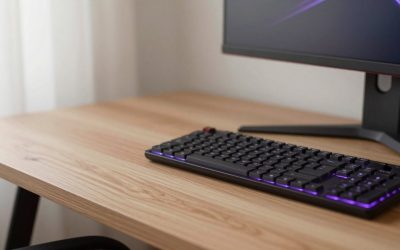
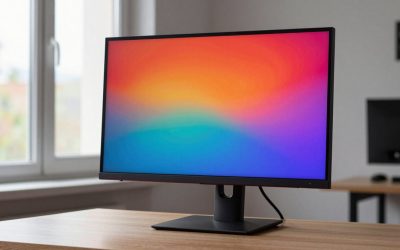
The best looking gaming PCs in 2026 are the ones where the case, the cooling and the cable work all agree with each other. For a clean white look, the ZOTAC MEK white edition, the HELLOLAND white desktop and Skytech’s white tempered-glass Archangel line are the easiest places to start. For a restrained, premium look, HP’s OMEN 45L, Corsair’s Vengeance series and NZXT’s Player line lean on tidy cable routing instead of loud lighting. Best looking gaming pc shopping is mostly about glass, colour matching and what you can see through it.
Looks are a legitimate buying factor. A tower that sits on your desk for five years should not embarrass you, and a build with hidden cables, a matching white graphics card and restrained lighting ages better than a rainbow of fans. This guide compares eight model lines that fit the brief, explains what actually makes a prebuilt look good (it is rarely the RGB), and shows how to spot the cosmetic shortcuts that spoil an otherwise handsome machine. Every pick is a prebuilt desktop sold in the site store; configurations change often, so check the exact CPU, graphics card and power supply on the listing before you buy.
Our Top Picks


Top 3 picks at a glance
Quick comparison of the eight picks
| Pick | Look | Best for | Performance class | Upgrade friendliness |
|---|---|---|---|---|
| ZOTAC MEK (white edition) | White chassis, glass side, matching white GPU | Cleanest white look for the money | Ryzen 5 class CPU, RTX 5060 class GPU | Standard AM5 platform, check board and PSU on listing |
| HELLOLAND White Gaming Desktop | White transparent case, ARGB fans, 240mm AIO | Matching white peripherals on a tight budget | Ryzen 7 5700X class CPU, RTX 5060 class GPU | AM4 platform, older DDR4, limited CPU path |
| Skytech Archangel line | White tempered glass, restrained RGB | Mainstream 1440p with a premium look | Ryzen 7 7700X class, RTX 5070 class | Standard retail parts |
| iBUYPOWER Y40 White | White chassis with a showcase window | Gamers who want a branded white tower | Ryzen 9 class, previous-generation GPU in the listing | Retail parts, verify PSU wattage |
| HP OMEN 45L | Large glass-panel tower, white fan option | Subtle, large-case look with a clean interior | Core Ultra 7 class, RTX 5070 class | Standard ATX parts, per HP |
| Alienware Aurora | Distinct Alienware design language | Brand-first buyers who want a unique shape | Core Ultra 7 class, RTX 5070 class | Check for proprietary parts before upgrading |
| Corsair Vengeance | Corsair case, liquid cooling, tidy interior | Understated premium build | Older Core i7 and RTX 4070 Ti class in the listing | Good, standard components |
| Lenovo Legion Tower 5 | Plain, understated tower | Looks that disappear into a desk setup | Ryzen 7 X3D class, RTX 5070 class | Standard micro-ATX parts per reviews, small PSU on some models |
What makes a gaming PC look good
Four things separate a handsome prebuilt from a merely lit-up one, and none of them is the number of RGB fans.
- A glass panel that shows something worth seeing. Tempered glass is only an asset if the interior is tidy. A glass side over a bird’s nest of cables looks worse than a plain steel panel.
- Colour matching. A white case with a black graphics card, black RAM and a black cooler pump looks half-finished. The best white builds carry the colour through the GPU shroud, the cooler and often the memory.
- Cable routing. Dual-chamber cases such as NZXT’s H9 Flow hide the power supply and its cables in a back chamber, which keeps the viewing side clean. PC Gamer’s review of the NZXT Player Three Prime noted that behind-the-tray cable work is a major reason that machine looks neat, and other reviewers made the same observation.
- Restrained lighting. One lit AIO block, a lit fan strip and a lit RAM stick look intentional. Seven rainbow fans pointing at the glass do not.
A practical test is to ask what you see if the lights are off. If the machine still looks good in the dark-room-with-lights-off photo, the design is doing the work. If it only looks good lit, the lighting is covering for the hardware.
1. ZOTAC MEK white edition: best clean white build
As an Amazon Associate we earn from qualifying purchases at no extra cost to you.

The white ZOTAC MEK listing is one of the more coherent white gaming desktops in the store. Reviews of the MEK RTX 5060 configuration describe a white chassis with a seamless tempered-glass side panel and a matching white ZOTAC RTX 5060 graphics card, which is exactly the colour carry-through that makes a white build look finished. The listing specifies a Ryzen 5 9600X, an RTX 5060 with 8GB of VRAM, 16GB of DDR5, a 1TB NVMe drive and a 650W 80 Plus Gold power supply. That is a sensible 1080p-to-entry-1440p machine on a current AM5 platform, which also leaves a real CPU upgrade path.
- Specs class: Ryzen 5 9600X, RTX 5060 8GB, 16GB DDR5, 1TB SSD, 650W Gold PSU.
- Best for: First white build where matching components matter as much as raw speed.
- Skip if: You want 1440p ultra settings in demanding new releases; 8GB of VRAM is the limit.
- Pros: Matching white GPU, AM5 upgrade path, Gold-rated PSU.
- Cons: 16GB of RAM is the floor, not a comfortable ceiling, and the board form factor is not confirmed in the sources we read.
2. HELLOLAND White Gaming Desktop: best white look on a tight budget

The HELLOLAND white desktop pairs a Ryzen 7 5700X, an RTX 5060, 32GB of DDR4 and a 240mm all-in-one liquid cooler in a white transparent case with addressable RGB fans. The appeal is straightforward: it gives you a white showcase tower with an AIO block, which is normally a step up from a stock air cooler in both looks and thermals. The compromise is the AM4 platform. DDR4 and the 5700X are mature and fast enough for most 1080p and 1440p games, but this is the end of the socket’s road, so a future CPU swap has limited headroom.
- Specs class: Ryzen 7 5700X, RTX 5060 8GB, 32GB DDR4, 1TB SSD, 240mm AIO.
- Best for: Buyers who want a white desktop with an AIO and plenty of RAM without an AM5 premium.
- Skip if: You want a platform that will accept several more CPU generations.
- Pros: 32GB of memory, AIO cooling, transparent white case.
- Cons: Lesser-known brand, so warranty terms and support quality deserve a read before purchase; PSU details are worth confirming on the listing.
3. Skytech Archangel: best white tempered glass for mainstream 1440p

Skytech’s Archangel 5 line shows up repeatedly in editorial roundups of white builds. The case is a white tempered-glass chassis with customisable lighting, and the look is closer to understated showcase than gamer-bro. The store listing is the Ryzen 7 7700X with an RTX 5070 12GB, 32GB of DDR5 and a 1TB Gen4 NVMe drive, which is a genuine 1440p configuration. The 12GB of VRAM matters more than the badge; it is the difference between comfortable and constrained at 1440p high settings in recent titles.
- Specs class: Ryzen 7 7700X, RTX 5070 12GB, 32GB DDR5, 1TB Gen4 SSD.
- Best for: One machine that looks good on the desk and plays 1440p well.
- Skip if: You want only a pure white interior; verify that the GPU and cooler in the exact configuration are white.
- Pros: 12GB graphics card, DDR5 platform, glass showcase case.
- Cons: Skytech configurations change frequently, so confirm the case colour and PSU wattage on the exact listing.
4. iBUYPOWER Y40 White: best branded white tower

The Y40 White is explicit about its colour in the product name, which is useful because many white claims are vague. The listing is a Ryzen 9 7900X with an RTX 4070 Ti Super 16GB and 32GB of DDR5, so the graphics card is the previous generation but still a strong 1440p to light 4K part with generous VRAM. The Y40 is a showcase-style case aimed at buyers who want visible hardware. Because that GPU generation is no longer current, treat this as a pick for the look and the 16GB of VRAM, not for the newest feature set.
- Specs class: Ryzen 9 7900X, RTX 4070 Ti Super 16GB, 32GB DDR5.
- Best for: A white tower with a lot of VRAM and a high-core-count CPU.
- Skip if: You want the newest GPU generation features.
- Pros: 16GB of VRAM, AM5 platform, explicit white styling.
- Cons: Stock and configuration availability for older GPU generations can be inconsistent.
5. HP OMEN 45L: best large-case understated look

The OMEN 45L is a full-tower design with tempered-glass panels, and HP offers its case fans in black or white. HP’s product pages list power supplies up to 1,000W or 1,200W depending on the model, and HP describes the system as using standard ATX components, which matters for anyone worried that a good-looking prebuilt will be a dead end. The store listing is a Core Ultra 7 265K with an RTX 5070 and 16GB of RAM. The look is large and clean rather than flashy; the interior is the selling point.
- Specs class: Core Ultra 7 265K, RTX 5070, 16GB RAM, 1TB SSD.
- Best for: A big glass tower that stays subtle, with room to add parts.
- Skip if: Desk space is tight; this is a large case.
- Pros: Glass panels, high-wattage PSU options, standard ATX parts per HP.
- Cons: 16GB of RAM in this configuration is the minimum; confirm cooling type on the listing.
6. Alienware Aurora: best for brand-first design

Alienware’s Aurora has an immediately recognisable shape, and some buyers will pay for that alone. The listing pairs a Core Ultra 7 265F with an RTX 5070, 32GB of DDR5 and Wi-Fi 7. The design is the draw, but looks and upgradeability do not always travel together here. Owner reports and a Dell community thread note proprietary power-supply connections on the Aurora R13 to R15 generations, and the newer Area-51 tower uses a standard-sized ATX motherboard but needs an adapter kit if you swap boards. We could not confirm the exact current Aurora chassis colours or PSU standard, so check before you plan hardware changes.
- Specs class: Core Ultra 7 265F, RTX 5070, 32GB DDR5, 1TB SSD.
- Best for: Buyers who want the Alienware look and plan to leave the internals alone.
- Skip if: You expect to swap the motherboard or power supply.
- Pros: Distinct design, Wi-Fi 7, 32GB of memory.
- Cons: Possible proprietary parts, so verify the exact model.
7. Corsair Vengeance: best understated premium build

Corsair builds its Vengeance desktops in its own cases with its own coolers, memory and power supplies, so the interior reads as one designed system instead of a parts bin. The listing is a liquid-cooled Core i7 13700K with an RTX 4070 Ti, which is a previous-generation configuration, so judge it as a handsome older build rather than a current-generation one. Corsair-branded parts give the colour and lighting consistent software control, which is part of why these look cohesive.
- Specs class: Core i7 13700K, RTX 4070 Ti, liquid cooling.
- Best for: A cohesive, brand-matched interior with unified lighting control.
- Skip if: You want a current-generation CPU and GPU.
- Pros: Matched components, liquid cooling, standard upgrade path.
- Cons: Older platform for the money, so compare against newer boutique options.
8. Lenovo Legion Tower 5: best looks that blend in
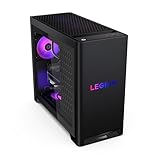
The Legion Tower 5 is the pick for people who want a PC that does not announce itself. The 2026 listing is a Ryzen 7 7800X3D with an RTX 5070, 32GB of DDR5 and a 1TB drive. Reviews of earlier generations repeatedly point out that Legion Tower 5 and 5i machines use standard, replaceable parts, with PC Gamer noting the power supply is entirely standard unlike an Alienware. The caveat is the power supply size: reviewers flagged a roughly 500W to 550W unit on some generations that limits a big GPU upgrade, so check the wattage of the exact configuration.
- Specs class: Ryzen 7 7800X3D, RTX 5070 12GB, 32GB DDR5.
- Best for: A subtle desk presence with strong gaming performance.
- Skip if: You want a showcase interior; this is not a glass-and-RGB statement.
- Pros: X3D gaming CPU, standard parts per reviews, quiet-looking design.
- Cons: Modest PSU headroom on some configurations.
How We Chose
This is a research-based list. We did not use these machines ourselves. Selection started from the models available in the site store, then we read vendor product pages and editorial reviews (HP’s OMEN pages, NZXT’s Player pages, and published reviews at PC Gamer, Tom’s Hardware and others) to check what each line actually offers in case design, panel type, colour options and component standards. We weighed five things: case and glass design, colour consistency across the GPU, cooler and memory, cable routing, whether the machine uses replaceable standard parts, and warranty or return terms as stated by the seller. Where a claim could not be confirmed, the entry says so. Rankings between lines are editorial judgement, not measurements.
White builds: what to check before you buy
White is the hardest colour to do well, and the cost-cutting shows. Use this checklist on any listing that says white.
| Check | Good sign | Red flag |
|---|---|---|
| Graphics card colour | White shroud named on the listing | Photos show a black GPU in a white case |
| Memory | White or neutral RGB modules | Black heat spreaders against a white board |
| CPU cooler | White AIO head or white air cooler | Black pump block and black tubing |
| Cable colour | Sleeved or white cables, or hidden routing | Black cables running across a white interior |
| Fans | White frames, lighting you can turn off | Seven rainbow fans with no software control |
| Case panel | Tempered glass, not acrylic | Plastic side window that scratches and yellows |
If the listing photos are renders rather than real photos, treat colour claims cautiously. A reputable seller shows the actual configuration.
Looks versus airflow
A glass front looks dramatic but chokes airflow. Cases with a fully glass front panel push fans to pull air through narrow side gaps, which can raise temperatures under sustained load. Mesh or perforated fronts breathe better. This is why many of the best-looking prebuilts use a mesh front with a tempered-glass side, or a dual-chamber layout. The trade-off is real: a case that looks like an aquarium can run hotter and louder than a plainer one. If you play demanding games for hours, prefer a mesh front or a case with generous intake over the most dramatic glass.
A practical rule is to count intake fans. Three front intake fans plus one rear exhaust is a healthy baseline for a mid-range gaming build. Be wary of listings that boast seven fans but show most of them pointing at a glass panel with no clear intake path.
Cable look: the part reviewers actually notice
Cable work is the clearest sign of build quality. In a good prebuilt, the 24-pin motherboard cable runs behind the tray, the graphics card has a single clean power run, and spare cables are bundled in the back chamber. In a rushed build, cables are bunched in front of the PSU shroud and visible through the glass. When reviewers praise a prebuilt for its tidy interior, as PC Gamer did for NZXT’s Player Three Prime, they are usually describing hook-and-loop straps, routed cables and a dual-chamber case that hides the power supply. Look for customer photos of the actual interior, not marketing renders.
Build quality red flags
- No listed power supply brand or wattage. A beautiful case with an unnamed PSU is a risk.
- Proprietary parts. HP states that some OMEN motherboards are not standard ATX and may use custom front-panel connectors, and Dell’s older Aurora models used proprietary power connectors. Check the exact model before you assume you can swap parts.
- Weak graphics card for the case. A showcase tower with an 8GB card sold for 1440p will disappoint on new releases.
- Single stick of RAM. Single-channel memory costs performance; look for two matched modules.
- Unknown seller policies. For lesser-known brands, read the warranty and return terms.
Upgrade path: keep it good looking
| Upgrade | Look impact | What to watch |
|---|---|---|
| Graphics card | High: a mismatched card breaks a white build | PSU wattage and 12V-2×6 or 8-pin connectors |
| RAM | Medium: visible under glass | Match speed, add the same kit |
| Cooler | High: the AIO pump block is the focal point | Radiator size versus case support |
| Fans | Low to medium | Lighting controller compatibility |
| Storage | None: M.2 sits under heatsinks | Free M.2 slots |
Frequently Asked Questions
What is the best looking gaming PC?
There is no single winner, because taste differs. For a clean white look, the ZOTAC MEK white edition and Skytech’s Archangel line are strong options. For an understated premium look, HP’s OMEN 45L and Corsair’s Vengeance series suit most desks.
What is the best white gaming PC?
The best white gaming PC is one where the case, graphics card, cooler and memory are all white or neutral. Of the models here, the ZOTAC MEK white and HELLOLAND white desktop carry white through the build, while Skytech’s Archangel is the stronger performance pick.
Is RGB worth it on a gaming PC?
RGB is optional and best used sparingly. A few lit components look intentional. Choose a case where lighting can be turned off or controlled in software so the machine still looks good in a plain room.
Do good-looking prebuilts cost more?
Often slightly, because glass cases, matching components and AIO coolers add cost. But a sensible spec for the money matters more than the case. Do not trade a stronger graphics card for a prettier shell unless looks are your priority.
Can I upgrade a white prebuilt later?
Usually yes if it uses standard parts. Check the motherboard and power supply for proprietary designs first, and plan to match colours when you replace visible parts like the graphics card.
Does tempered glass hurt cooling?
A tempered-glass side panel has little effect, but a fully glass front panel can restrict airflow. Mesh fronts and good intake fans keep temperatures lower.
Are Alienware PCs the best looking?
Alienware has the most distinctive design, but whether that is the best looking is personal. Check upgradeability before buying, because some generations used proprietary parts.
Sources
HP OMEN 45L and 35L product pages; NZXT Player series product pages; PC Gamer reviews of the NZXT Player Three Prime and Lenovo Legion Tower 5; Tom’s Hardware reviews of Alienware Area-51 and Lenovo Legion Tower 5i.
Last updated: October 2026