The best AMD prebuilt gaming PC for most buyers pairs a Ryzen 7 on the AM5 socket with a Radeon RX 9070 XT or a GeForce RTX 5070-class card, 32GB of DDR5 and an 850W Gold power supply; spend extra on an X3D processor only if you play at high refresh rates. Ryzen processors dominate gaming CPU recommendations, so the real decision is the graphics card: AMD Radeon for raw frame rate and 16GB of memory, or Nvidia GeForce for DLSS and ray tracing.
An AMD prebuilt gaming PC can mean three different things: a Ryzen processor with a Radeon graphics card, a Ryzen processor with a GeForce card, or just a Ryzen platform of any kind. Most shoppers searching for the best AMD prebuilt, or the best Ryzen prebuilt gaming PC, want the first or second. This guide sorts the Ryzen tiers (Ryzen 5, 7, 9 and the X3D chips), explains the Radeon versus GeForce choice using current comparison coverage, and lists the AMD-based prebuilts in the site store with their compromises. It is deliberately different from a simple X3D roundup: it covers entry Ryzen systems too and tells you which part of each build to scrutinise.
Our Top Picks


Top 3 picks at a glance
Quick comparison of the picks
| Pick | Best for | CPU class | GPU class | RAM / SSD class | Cooling |
|---|---|---|---|---|---|
| ZOTAC MEK, Ryzen 5 9600X | Compact entry, 1080p | Ryzen 5 9600X class | RTX 5060 class | 16GB DDR5, 1TB | Air |
| CyberPowerPC Gamer Master, Ryzen 7 8700F | Mainstream 1080p to 1440p | Ryzen 7 8700F class | RTX 5060 Ti class | 16GB DDR5, 1TB | Air |
| Skytech Azure 3, Ryzen 7 7800X3D | Gaming CPU at a mainstream GPU tier | Ryzen 7 7800X3D class | RTX 5060 Ti 16GB class | 16GB DDR5-6000, 1TB | 360mm liquid |
| Acer Nitro 85, Ryzen 9 9900X | Radeon on a Ryzen 9 platform | Ryzen 9 9900X class | RX 9070 XT class | 16GB DDR5, 1TB | Check listing |
| Skytech, Ryzen 7 9800X3D and RX 9070 XT | All-AMD gaming balance | Ryzen 7 9800X3D class | RX 9070 XT class | 32GB DDR5-6000, 1TB | 360mm liquid, 850W Gold |
| Lenovo Legion Tower 5, Ryzen 7 and RX 9070 XT | Big-brand all-AMD | Ryzen 7 X3D class (verify model) | RX 9070 XT class | 32GB, 1TB | Check listing |
| ASUS ROG GM700, Ryzen 7 9800X3D and RX 9070 XT | Premium all-AMD | Ryzen 7 9800X3D class | RX 9070 XT class | 32GB DDR5, 2TB | Check listing |
How We Chose
This is a research-based guide, not a record of using these machines. We read editorial roundups and comparison pieces, retailer guides, vendor listings and owner feedback, and focused on what matters in a prebuilt: CPU and GPU class, memory capacity, power supply wattage, cooling, platform upgrade path and warranty and return policy. Where sources disagreed on figures, we give the range and say so. Rankings are editorial judgement, and listings change often, so check the exact part list when you buy.
Reading the Ryzen tiers
Ryzen 5, 7 and 9 in plain terms
For gaming, the Ryzen 5 class is enough for a mid-range GPU, the Ryzen 7 class is the sweet spot, and Ryzen 9 chips mostly add cores that games do not use. A Ryzen 9 in a prebuilt tells you the builder chose a productivity-friendly part; it does not automatically mean better gaming. The exception is the Ryzen 9 X3D line, which adds the cache that games like.
X3D: when it matters
X3D processors carry a large stack of 3D V-Cache. Comparison coverage in 2026 treats the Ryzen 7 9800X3D as the best-value gaming pick, with the 9850X3D only slightly faster and the 7800X3D the budget choice. One source puts the move from the 7800X3D to the 9800X3D at roughly 10 to 15 percent in gaming on average, with larger gains in cache-bound games, and the 9850X3D adds only a few percent more at a higher price and power draw. All three are eight-core parts on the same AM5 socket. X3D helps most at high refresh rates and in CPU-limited games; at 4K, the graphics card sets the frame rate and the extra cost buys little.
The F suffix and the AM5 versus AM4 split
Ryzen chips with an F suffix, such as the Ryzen 7 8700F, have no integrated graphics. That is fine in a gaming PC but means no display output without the graphics card. More important is the socket: AM5 processors use DDR5 memory and have a CPU upgrade path, while older AM4 builds, still common in cheap listings with a Ryzen 5 5500 or Ryzen 7 5700X and DDR4, are dead ends. Several low-priced AMD listings in the store pair an AM4 Ryzen with an RTX 3050 6GB; they play older games but should not be bought for a multi-year setup.
Radeon or GeForce: choosing the graphics card
The 2026 comparison coverage we read favours the Radeon RX 9070 XT for rasterised performance and memory, and the GeForce RTX 5070 for ray tracing and Nvidia’s feature set.
| Factor | Radeon RX 9070 XT class | GeForce RTX 5070 class |
|---|---|---|
| Video memory | 16GB | 12GB |
| Standard (non-ray-traced) frame rate at 1440p | Ahead; sources range from a high single-digit to around 20 percent lead | Behind |
| Ray tracing and path tracing | Closed much of the gap, still behind in heavy path-traced games | Stronger |
| Upscaling | FSR 4 | DLSS 4 with Multi Frame Generation |
| Power draw | 304W reference board power, 750W recommended supply | Roughly 250W |
| Best for | Raster-heavy games, 4K, VRAM headroom | Ray-traced titles, DLSS support |
The practical rule: if your favourite games are ray-traced showcases or you want DLSS, choose GeForce. If you want the most frames and memory for the money, choose Radeon. The power draw row is the one that decides prebuilt quality: a prebuilt with an RX 9070 XT and a 650W supply is under-specified, while an 850W Gold unit is the right match. Also note that one source describes some 9070 XT prebuilt listings that use older X3D chips such as the 7800X3D instead of the 9800X3D, so check the exact CPU on each listing.
Our picks
1. Best compact entry: ZOTAC MEK with Ryzen 5 9600X and RTX 5060
As an Amazon Associate we earn from qualifying purchases at no extra cost to you.

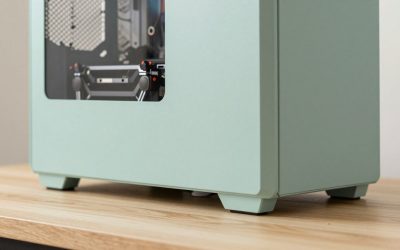
This white ZOTAC MEK pairs a Ryzen 5 9600X (up to 5.4GHz) with an RTX 5060 8GB, 16GB DDR5, a 1TB NVMe SSD, a 650W 80+ Gold supply, Wi-Fi 6E and Bluetooth 5.3. It is a clean, current AM5 entry build, and the 650W Gold supply is appropriately matched to the GPU class. The limits are 16GB RAM and 8GB VRAM. The AM5 socket is the real selling point, because a later processor upgrade does not require a new motherboard.
Best for: 1080p high settings, small desks. Skip if: you want 1440p ultra. Pros: AM5, Gold PSU, current GPU. Cons: memory and VRAM, small PSU headroom.
2. Best mainstream budget: CyberPowerPC Gamer Master with Ryzen 7 8700F and RTX 5060 Ti

The Gamer Master lists a Ryzen 7 8700F, an RTX 5060 Ti 8GB, 16GB DDR5 and a 1TB PCIe 4.0 SSD, with Wi-Fi-ready and Windows 11 Home. It is a straightforward AM5 value build. Two cautions: the 8GB 5060 Ti is tight at 1440p with high textures, and the 16GB memory is the minimum. Tom’s Hardware’s Codex R2 review mentioned a CyberPowerPC Gamer Xtreme model with a three-year warranty, but terms vary by model, so check this one.
Best for: 1080p to 1440p on a budget. Skip if: you want 16GB VRAM. Pros: AM5, 1TB Gen4 drive. Cons: 8GB VRAM, 16GB RAM.
3. Best CPU for the money at mid-tier: Skytech Azure 3 with Ryzen 7 7800X3D and RTX 5060 Ti 16GB

This Skytech Azure 3 puts a 7800X3D with an RTX 5060 Ti 16GB, 16GB DDR5-6000, a 1TB Gen4 SSD, a 650W Gold supply and a 360mm ARGB liquid cooler in one box. The 16GB graphics card avoids the VRAM trap, and the X3D processor helps at high refresh rates. The weak points are the 16GB of system memory and the 650W supply, which leaves less room for a bigger GPU later. Wi-Fi 5 is also dated.
Best for: 1440p at 144Hz and above. Skip if: you plan to upgrade the GPU soon. Pros: X3D, 16GB VRAM, liquid cooler. Cons: 16GB RAM, 650W supply, Wi-Fi 5.
4. Best Radeon on a Ryzen 9: Acer Nitro 85 with Ryzen 9 9900X and RX 9070 XT

The Acer Nitro 85 pairs a Ryzen 9 9900X with an RX 9070 XT, 16GB DDR5, a 1TB Gen 4 SSD and Wi-Fi 7. The GPU is the star; the 9900X is more CPU than games need, and 16GB of RAM is thin for the price class. The sensible read: a strong graphics card in a brand-name chassis, with an easy memory upgrade to make. Confirm the power supply wattage on the listing, because a 9070 XT wants a quality 750W-plus unit.
Best for: 1440p and 4K raster gaming. Skip if: you want a gaming-focused CPU. Pros: RX 9070 XT, Wi-Fi 7. Cons: 16GB RAM, productivity-class CPU.
5. Best all-AMD balance: Skytech with Ryzen 7 9800X3D and RX 9070 XT

This Skytech listing is the clearest fit for the article’s headline: a Ryzen 7 9800X3D, an RX 9070 XT, 32GB DDR5-6000, a 1TB Gen4 SSD, an 850W Gold ATX 3 supply and a 360mm ARGB liquid cooler. The power supply and memory are what they should be. The 1TB drive is the one place to economise, and Wi-Fi 5 is dated. It is the template to compare other listings against.
Best for: 1440p high refresh and light 4K. Skip if: you need DLSS or heavy ray tracing. Pros: X3D, 16GB VRAM, 850W Gold, 32GB RAM. Cons: 1TB SSD, Wi-Fi 5.
6. Best from a big brand: Lenovo Legion Tower 5 with Ryzen 7 and RX 9070 XT

The Legion Tower 5 (2026) listing pairs an RX 9070 XT with a Ryzen 7 9800X3D, 32GB memory and 1TB storage, and mentions a bundled Game Pass trial. Two cautions. First, a similar Legion Tower 5 listing in the store uses a Ryzen 7 7800X3D, so confirm the CPU on the exact listing. Second, Lenovo tower motherboards and power supplies can differ from retail standard parts, so verify the PSU wattage and form factor before planning upgrades; we did not confirm either from a vendor page.
Best for: a branded all-AMD machine with major-retailer support. Skip if: you need confirmed standard parts. Pros: strong CPU and GPU combination, 32GB. Cons: parts not confirmed, CPU varies by listing.
7. Best premium: ASUS ROG GM700 with Ryzen 7 9800X3D and RX 9070 XT

The ASUS ROG GM700 (2025) lists a Ryzen 7 9800X3D, a Radeon RX 9070 XT Prime OC, a 2TB PCIe 4 SSD and 32GB DDR5. One 2026 roundup of AMD prebuilts describes an 850W supply on this model, but we did not confirm it from an ASUS page, so check. The 2TB drive and branded chassis are the reasons to pay more than for the Skytech; the performance class is the same.
Best for: a premium, quiet-minded all-AMD build. Skip if: you want the cheapest equivalent hardware. Pros: 2TB SSD, X3D, big-brand support. Cons: premium over equivalent boutique builds, 2025 model year.
Buying guide: what each tier realistically buys
| Tier | AMD combination to look for | What you get | Trade-off |
|---|---|---|---|
| Entry | Ryzen 5 9600X or 8400F with RTX 5060 | 1080p high | 8GB VRAM, 16GB RAM |
| Mainstream | Ryzen 7 with RTX 5060 Ti 16GB or RX 9060 XT 16GB | 1440p high | Pay more for 16GB VRAM |
| Performance | Ryzen 7 X3D with RX 9070 XT or RTX 5070 | 1440p high refresh | PSU and memory must match |
| Premium | Ryzen 7 9800X3D or 9950X3D class with RX 9070 XT or RTX 5080 | 4K and high refresh | Cost |
Red flags
- AM4 platforms in 2026 listings. Ryzen 5 5500 with DDR4 is a dead end.
- A 9070 XT with a 650W supply. Under-specified.
- 8GB VRAM at 1440p. Prefer 16GB cards.
- Single-channel memory. Verify two modules.
- Misleading X3D labels. Check whether the listing is a 7800X3D, 9800X3D or other part.
- Proprietary power or boards in big-brand towers. Verify on the vendor page.
Worked example: power budget for a Radeon prebuilt
Use the ranges from the comparison sources: AMD’s reference figure for the Radeon RX 9070 XT is 304W total board power with a 750W recommended supply, and a gaming Ryzen 7 X3D draws well under 150W under load. Add 50W to 80W for the motherboard, memory, drives, pumps and fans, and the total sits around 500W at peak. Power supplies run most efficiently and quietly at around 50 to 70 percent load, which points to 750W as the minimum and 850W as the comfortable choice, particularly because graphics cards can spike above their rated draw for brief moments. This is why an 850W Gold unit in the Skytech listing is a good sign and a 650W unit next to a 9070 XT would be a red flag.
Warranty, returns and support
Warranty terms differ widely: big brands such as Acer, ASUS and Lenovo usually offer a one-year baseline through their own channels, while boutique builders such as CyberPowerPC and Skytech set their own terms, sometimes with longer parts and labor coverage. We did not confirm specific warranty lengths for the store listings, so check the exact listing and the seller. Keep the retailer’s return window in mind during the first month.
Upgrade path table
| Part | AM5 Ryzen prebuilt | AM4 Ryzen prebuilt |
|---|---|---|
| CPU | Upgrade within AM5 possible | Limited, dead end |
| Memory | DDR5, easy | DDR4, easy but old |
| GPU | Easy, check PSU | Easy, but CPU limits |
| Storage | Easy, M.2 slots | Easy |
| Power supply | Usually standard | Usually standard |
Memory prices and what 16GB versus 32GB means now
DDR5 prices climbed through 2026 according to several of the guides we read, and Newegg’s prebuilt guide points out that RAM is rising in cost and that some boutique builders even let you send in your own kit. That changes how to read an AMD prebuilt’s memory line. A 32GB DDR5-6000 kit is the typical good specification for a high-end Ryzen system, and a builder that ships 16GB with an RX 9070 XT has saved money in the spot where the upgrade is now more expensive. Memory speed matters more on Ryzen than on many platforms, so DDR5-6000 is the sweet spot to look for; slower kits work but leave a little performance behind. Two matched modules in dual-channel mode matter more than the last few MHz.
Cooling and noise on Ryzen prebuilts
Ryzen 5 and Ryzen 7 non-X3D chips run comfortably on a decent air cooler, which is why the entry listings above use air. X3D chips are efficient but their cache stack makes them sensitive to temperature, which is why premium builds use 360mm liquid coolers. The Skytech listings above and the 9900X systems in the store both show this pattern. A liquid cooler is not required, but a build with a Ryzen 9 and only a small air cooler is a red flag. For noise, the graphics card matters as much as the CPU: the RX 9070 XT draws more power than a typical RTX 5070, so cases with fewer fans can get louder under load.
Common mistakes when buying an AMD prebuilt
- Paying for cores games do not use. A Ryzen 9 with a mid-range GPU is a poor allocation of budget compared with a Ryzen 7 and a stronger card.
- Ignoring the socket. AM5 means upgrades; AM4 means a dead end. Check the memory type, because DDR4 almost always means AM4.
- Assuming all X3D chips are the same. The 7800X3D and 9800X3D differ by roughly a tenth or more in gaming, and the listing may not say which one you are buying in the headline.
- Buying VRAM-limited cards for 1440p. 8GB cards are fine at 1080p, tight above it.
- Forgetting the BIOS. If you plan to upgrade to a newer X3D chip, check that the motherboard is a B650, X670 or newer 800-series board and that the BIOS is updated.
How to choose by monitor
For a 1080p monitor at 144Hz to 180Hz, a Ryzen 5 with an RTX 5060 class card is enough. For a 1440p monitor at 165Hz to 240Hz, choose a Ryzen 7 with an RX 9070 XT or RTX 5070 class card, with an X3D chip if you chase the highest frame rates. For 4K at 120Hz, choose the RX 9070 XT at minimum, and put the extra money into the graphics card instead of the CPU. If your monitor supports FreeSync, an AMD graphics card is a natural match, although Nvidia cards also work with adaptive sync on most FreeSync monitors.
Checklist before you order
- Confirm the socket (AM5) and memory type (DDR5).
- Confirm the exact CPU model, including whether it is X3D.
- Confirm the GPU model and VRAM size.
- Confirm RAM capacity and that it is two modules.
- Confirm power supply wattage and rating.
- Confirm cooler type.
- Confirm warranty length and return window.
Frequently Asked Questions
What is the best AMD prebuilt gaming PC?
For most buyers, a Ryzen 7 on AM5 with an RX 9070 XT or RTX 5070-class card, 32GB DDR5 and an 850W Gold power supply. An X3D processor is the upgrade for high refresh rates.
Is AMD or Nvidia better in a prebuilt?
Radeon gives more raster performance and 16GB memory per dollar, while GeForce leads in ray tracing and DLSS. The Ryzen processor works well with either, so choose the GPU based on the games you play.
Do I need an X3D processor?
Only for high-refresh play or CPU-bound games. At 4K the graphics card dominates, and a non-X3D Ryzen 7 is the better value.
Which is better, 9800X3D or 7800X3D?
The 9800X3D averages roughly 10 to 15 percent faster in gaming according to comparison sources, and costs more. The 7800X3D is the budget choice. The 9850X3D adds only a few percent more.
Is a Ryzen 5 enough for gaming?
Yes for 1080p and most 1440p with a mid-range GPU. A Ryzen 5 9600X on AM5 is a good entry choice.
How much power supply does an RX 9070 XT need?
AMD’s reference specification lists 304W board power and a 750W recommended supply, and 850W Gold is the comfortable choice for a prebuilt.
Sources
Tom’s Hardware best gaming PCs roundup; Newegg best prebuilt gaming PCs guide; TechRadar RX 9070 XT prebuilt coverage; Newegg RTX 5070 versus RX 9070 XT comparison; Tom’s Hardware CPU hierarchy and Ryzen 7 9850X3D coverage; product listings for ZOTAC, Skytech, CyberPowerPC, Acer, Lenovo and ASUS.
Last updated: October 2026