The best external SSD for PS5 and PC for most people is the SanDisk 1TB Extreme Portable SSD built for PS5. It pairs a roomy-enough 1TB of flash storage with a USB 3.2 Gen 2 style interface, a stated read speed of up to 1050MB/s, and an official PlayStation 5 licensing note, so the same drive that stores your PS5 library also works as a fast portable game and project drive on a Windows or Mac computer. If you want more room, the 2TB version of that drive carries the same speed claim. Shoppers who mostly want fast PC transfers can look at the GARMESE 1TB drive with its USB 3.2 Gen 2×2 interface, while anyone on a tighter budget should compare the Verbatim Pocket SSD models. Capacity hunters have spinning-disk options from Seagate, WD_Black and UnionSine. One rule applies to every drive in this guide: a PS5 can store PS5 games on a USB drive but cannot play them from it, so an external drive is for storage, PS4 titles and fast transfers, not for running PS5 games directly.
Our Top Picks


Top 3 picks at a glance


Top 3 Picks
Best Overall: SanDisk 1TB Extreme Portable SSD for PS5
The listing states read speeds of up to 1050MB/s and official licensing for PlayStation 5 consoles. It is the easiest recommendation because it works on the console and on a PC without any fuss, and the 1TB size holds a meaningful stack of games. Pick the 2TB version if your library is large.
Best Budget and Value: Verbatim Pocket 1TB External SSD
Verbatim lists USB 3.2 Gen 2 and up to 1000MB/s, which puts it in the same speed class as the more expensive-looking names. It is a straightforward SSD for people who want solid-state speed without paying for extra branding.
Best for Raw Transfer Speed on PC: GARMESE 1TB USB 3.2 Gen 2×2 SSD
The listing claims up to 2000MB/s over a 20Gbps USB 3.2 Gen 2×2 connection. That headline speed only appears when your computer has a matching Gen 2×2 port, so it is best suited to PC owners with a modern motherboard or add-in card.
Quick Comparison
| Product | Best for | Key specs |
|---|---|---|
| Lexar ES3 1TB Portable SSD | Slim everyday carry | 1TB SSD, USB 3.2 Gen 2, up to 1050MB/s, silver finish |
| UnionSine 1TB Ultra Slim Portable HDD | Light backups and PS4 titles | 1TB hard drive, USB 3.0, ultra-slim body |
| Seagate Game Drive 5TB for PS4/PS5 | Very large game libraries | 5TB hard drive, USB 3.0, officially licensed design |
| Verbatim Pocket 512GB SSD | Entry-level SSD speed | 512GB SSD, USB 3.2 Gen 2, up to 1000MB/s |
| Verbatim Pocket 1TB SSD | Value pick | 1TB SSD, USB 3.2 Gen 2, up to 1000MB/s |
| WD_Black 6TB P10 Game Drive | Maximum capacity across consoles and PC | 6TB hard drive, works with PlayStation, Xbox and PC |
| SanDisk 2TB Extreme Portable SSD for PS5 | Premium roomy SSD | 2TB SSD, up to 1050MB/s read |
| SanDisk 1TB Extreme Portable SSD for PS5 | Best overall | 1TB SSD, up to 1050MB/s read, licensed for PS5 |
| GARMESE 1TB External SSD | Fast transfers on 20Gbps PC ports | 1TB SSD, USB 3.2 Gen 2×2, up to 2000MB/s stated, USB-C |
How We Chose
We built this list by studying each product’s listing details, manufacturer specification claims and well-established facts about how the PS5 handles USB storage. We did not run any drive measurements of our own, so every speed figure here is the manufacturer’s stated maximum and real-world results will be lower. The criteria were interface and stated speed, capacity per drive, whether the listing names PlayStation compatibility, physical format and portability, drive type (solid-state versus spinning hard disk), and how well each model suits both a console and a PC. We also weighed the practical limits of the PS5 itself, which requires SuperSpeed USB and accepts external drives between 250GB and 8TB, and we favored drives that make those limits easy to meet. Where a listing gives few details, we describe only the spec class and ask you to confirm the rest on the product page before buying.
1. Lexar ES3 1TB Portable SSD – Best for Slim Everyday Carry
As an Amazon Associate we earn from qualifying purchases at no extra cost to you.
The Lexar ES3 is a 1TB portable solid-state drive in a silver finish, listed with a USB 3.2 Gen 2 interface and read speeds of up to 1050MB/s. That speed class puts it comfortably above the 5Gbps minimum the PS5 asks for and level with the best single-cable drives in this guide. It suits someone who wants an SSD that slips into a jacket pocket or laptop sleeve and works across a console, a Windows laptop and possibly a phone or tablet with a USB-C port.
Key specs
- Capacity: 1TB (roughly 930GB usable after formatting)
- Interface: USB 3.2 Gen 2, 10Gbps class
- Stated read speed: up to 1050MB/s
- Type: solid-state, no moving parts
- Finish: silver
On a PS5, the drive formats as extended storage, which erases it and converts it to a single exFAT volume. After that you can keep PS5 games on it for later and move them to the internal drive when you want to play, or run PS4 games straight off it. Because there are no spinning platters, it handles being carried in a bag better than the hard drives in this list, although you should still avoid drops and heavy pressure.
For PC use, a Gen 2 SSD is plenty for a game library, video footage or large project folders. You will only see the top speeds on a port that supports 10Gbps, so check the markings or manual on your computer. Plugging into an older 5Gbps port still works and still beats any hard disk, just with a lower ceiling.
Who should skip it: players who want the platform-branded licensing statement, and anyone whose library already needs more than 1TB. Setup is simple. Connect the supplied cable to a SuperSpeed port, open the console’s storage settings, choose to format the drive as extended storage and wait for the confirmation. On a computer, the drive should appear as a normal removable disk. If you plan to share it between a Mac and a Windows PC, formatting it as exFAT keeps it readable on both. Keep a short cable for desk use, since long cables are a common cause of slow speeds and dropped connections. Check the product page for the included cable types and the warranty period before buying.
Pros
- SSD speed class with a stated 1050MB/s read
- Slim, pocket-friendly format
- Meets the PS5 requirement for SuperSpeed USB with room to spare
- Works as a general-purpose drive for PC, Mac and consoles
Cons
- The listing does not name PlayStation licensing the way the SanDisk models do
- Stated speeds are maximums and will vary with your port and file sizes
- 1TB fills quickly with modern 100GB-plus titles
Compared with the SanDisk 1TB Extreme, the Lexar offers nearly the same stated speed and capacity, but the SanDisk carries the explicit PS5 licensing note and a rugged reputation across its Extreme line. Choose the Lexar when you care more about a slim silver design than about the official badge. Next to the Verbatim Pocket 1TB, it claims slightly higher read speed, so the choice between them often comes down to which listing details you prefer.
2. UnionSine 1TB Ultra Slim Portable External Hard Drive – Best for Light Backups and PS4 Games
The UnionSine is a 1TB portable hard disk drive with a USB 3.0 connection and an ultra-slim body. It is not an SSD, and that single fact shapes everything about who should buy it. A 2.5-inch portable hard drive of this type typically reads in the range of roughly 100 to 130MB/s, which is about a tenth of the speed of the SSDs above. For a PS5 owner, that is acceptable for parking PS5 games you are not playing, and fine for running PS4 titles, but you will wait longer when moving large files.
Key specs
- Capacity: 1TB
- Interface: USB 3.0 (5Gbps class), which meets the PS5 minimum
- Type: mechanical hard disk with spinning platters
- Format: ultra-slim portable body
The PS5 accepts USB drives that meet SuperSpeed 5Gbps, so a USB 3.0 drive qualifies as extended storage. Anything you store there must be copied back to the console’s internal or M.2 storage before you can play a PS5 title. Moving a 100GB game at around 110MB/s takes roughly 15 minutes, compared with under 2 minutes at an ideal 1000MB/s on a Gen 2 SSD, so plan your library moves in advance.
On a PC, this drive suits backups, photo archives, documents and older games that do not mind slower loading. Treat it as a bag-friendly archive rather than a main game drive. Hard disks are more sensitive to knocks while spinning, so set it on a stable surface and wait for it to finish before unplugging.
Who should skip it: anyone who plans to run many PS4 games from the drive and hates long load screens, or who regularly moves very large files. Spinning drives also dislike being unplugged mid-transfer, so always eject through the console or operating system. If you buy this model, think of it as a low-maintenance archive and a travel backup, then pair it with a faster SSD for the games you actually play. Hard drives are also louder than SSDs, with an audible spin and occasional light clicking, which is normal. Confirm the exact warranty terms, cable length and power draw on the product page, because lesser-known brands vary on those details.
Pros
- 1TB of storage in a very slim body
- USB 3.0 interface meets the PS5 extended storage rule
- Good fit for backups and PS4 games where speed is not critical
- Typically bus-powered, so no separate adapter is needed
Cons
- Much slower than any SSD in this guide
- Moving large PS5 games takes noticeably longer
- Moving parts are less tolerant of drops and vibration
- Lesser-known brand, so confirm warranty terms on the product page
Next to the Seagate Game Drive, the UnionSine offers less capacity and no official PlayStation branding, but its slimmer body travels better. If you need to keep a lot of games offline, the Seagate and WD_Black models go much higher in capacity. If you want speed, step up to the Verbatim Pocket 1TB, which keeps the same 1TB size but moves into SSD territory.
3. Seagate Game Drive for PS4/PS5 5TB – Best for Very Large Game Libraries

The Seagate Game Drive for PS4 and PS5 is a 5TB portable hard disk drive with a USB 3.0 interface and an officially licensed design for PlayStation. Five terabytes is a lot of room: roughly 4.5TB of usable space after formatting, enough for dozens of large games, and well within the PS5’s 8TB upper limit for extended storage. It suits a player who owns a big digital library, switches between titles often and is tired of deleting and redownloading 100GB installs.
Key specs
- Capacity: 5TB
- Interface: USB 3.0 (5Gbps class)
- Type: mechanical portable hard drive
- Design: officially licensed for PlayStation, per the listing name
The practical benefit is archive space. You can leave PS5 games on the drive and copy back only the one you want to play, which is far quicker than downloading it again over an internet connection. PS4 games can run directly from the drive, so a player with a big back catalog can keep it all in one place. Hard disk speed is the trade-off: expect transfer rates in the neighborhood of 100 to 130MB/s, so a 100GB game takes about 13 to 17 minutes to move.
On a PC the Seagate behaves like any large USB drive. It works for video libraries, backups and a Steam collection that does not need fast loading. Seagate’s own guidance for PS5 states that the console cannot use drives with built-in USB hubs, which does not apply to this model, but the console also will not accept a drive connected through a separate hub, so plug it directly into the console.
Who should skip it: players who want to carry the drive in a pocket every day, since the 5TB size is bulkier than the SSDs here, and anyone who needs fast loading for PS4 titles. A useful habit is to keep your current favorites on the console’s internal storage and treat the Seagate as a shelf for everything else. That keeps playtime fast and archive space generous. When you want an older title, queue the copy while you do something else. The drive is bus-powered through the cable, so keep it on a stable surface with some airflow, and avoid moving it while it is active. Confirm the exact cable and warranty details on the product page.
Pros
- Huge 5TB capacity for sprawling libraries
- Officially licensed PlayStation design
- Well within the console’s 250GB to 8TB drive range
- Great for archiving PS5 games you rotate in and out
Cons
- Hard disk speed, so slower transfers and PS4 load times than an SSD
- PS5 games cannot be played from the drive, only stored
- Larger and heavier than the SSDs in this list
- Mechanical parts need careful handling
The nearest alternative is the WD_Black 6TB P10, which adds another terabyte and works across PlayStation, Xbox and PC. Choose the Seagate if you want the dedicated PlayStation styling and a more moderate size. If you care about speed more than capacity, the SanDisk 2TB Extreme gives you far faster transfers, but with considerably less space.
4. Verbatim Pocket 512GB External SSD – Best for Entry-Level SSD Speed

The Verbatim Pocket 512GB is the smallest drive in this guide and the lightest SSD option in the range. It carries a USB 3.2 Gen 2 interface and a stated read speed of up to 1000MB/s, so it is firmly in the fast portable SSD class despite its modest capacity. It suits a player who has a short list of favorite games, a student who wants to move projects between computers, or anyone who needs a quick transfer drive rather than a full library.
Key specs
- Capacity: 512GB (roughly 465GB usable)
- Interface: USB 3.2 Gen 2, 10Gbps class
- Stated read speed: up to 1000MB/s
- Type: portable solid-state drive
The PS5 accepts external drives starting at 250GB, so 512GB qualifies, but the space goes quickly. With a typical modern title ranging from 50GB to 150GB, you should expect to fit about three to six games. That is enough for a few current favorites and PS4 titles, but not for a collector. If you try to use it as both a console and a work drive, the space shrinks even faster.
The strength of this drive is that it keeps the speed of the 1TB model and cuts the capacity. For PC users, it works well as a dedicated drive for a handful of games, a video editing scratch space or a portable toolkit of installers and documents. It is also a sensible second drive, kept in a bag for moving files while a larger drive stays at home.
Who should skip it: anyone with a growing library, since adding a second or third PS5 game can fill 465GB quickly, and players who want an explicit PlayStation-licensed badge. A practical way to use it is as a dedicated drive for one purpose, such as a handful of PS4 games or a folder of recording clips that you want to edit on a laptop. Format it as exFAT if you share it among computers, and keep a copy of important files elsewhere since any single drive can fail. Check the product page for the cable included and the warranty length before you decide.
Pros
- Fast USB 3.2 Gen 2 SSD interface with a stated 1000MB/s read
- Small and light enough for a pocket
- Meets the PS5 minimum capacity of 250GB
- A good secondary or task-specific drive
Cons
- Limited space for modern games
- Not marked as PlayStation-licensed in the listing name
- Stated speeds are maximums, not guarantees
Beside the 1TB Verbatim model, the choice is simple: the 512GB version gives you half the space for the same stated speed, so it only makes sense when your storage needs are small. Against the UnionSine hard drive, it gives up half the capacity but gains a large speed advantage. If you expect your library to grow, skip straight to the 1TB version or the SanDisk 1TB Extreme.
5. Verbatim Pocket 1TB External SSD – Best for Value-Minded SSD Buyers

The Verbatim Pocket 1TB is the same compact SSD as the 512GB model with double the room. Verbatim lists USB 3.2 Gen 2 and up to 1000MB/s, which is the same speed class as the Lexar and SanDisk models. For a typical PS5 owner who wants the benefits of solid-state storage without chasing a famous brand name, this is a practical middle path.
Key specs
- Capacity: 1TB (roughly 930GB usable)
- Interface: USB 3.2 Gen 2, 10Gbps class
- Stated read speed: up to 1000MB/s
- Type: portable solid-state drive
With 930GB of usable space, you can hold roughly eight to twelve average-sized PS5 games, depending on how large they are. Because PS5 titles are stored rather than played from the drive, the benefit is quick re-installs. Copying a 100GB game back to the console from a 1000MB/s-class drive can take a couple of minutes under ideal conditions, versus a long download over most home internet connections. PS4 games can also run directly from the drive, and the faster interface helps them load more smoothly than they would from a hard disk.
On a PC, the drive handles large game libraries, video footage, photo catalogs and project folders without trouble. Windows and macOS both support it out of the box, though you should reformat to exFAT if you plan to share it between systems. If you reformat it on a PS5, remember the console will wipe it, so back up anything important first.
Who should skip it: anyone who wants official PlayStation licensing or who needs a rugged, water-resistant build, since the listing does not name those features. If you are undecided between this and the 512GB version, consider your growth rather than today’s needs. Games rarely get smaller, and moving to a bigger drive later means copying everything over again. Fast external SSDs can warm up during long copies, so give the drive airflow. If you notice speeds dropping partway through a large transfer, that is often the drive managing heat, and letting it rest is a normal fix. Confirm warranty terms on the product page.
Pros
- SSD speed class at a mainstream capacity
- Same performance as the 512GB model with twice the space
- Compact and portable
- Works with PS5, PS4 titles and PC
Cons
- No explicit PlayStation licensing in the listing name
- Slightly lower stated read speed than the Lexar and SanDisk drives
- Large libraries will outgrow 1TB
Compared with the SanDisk 1TB Extreme, the Verbatim has a slightly lower stated speed and no PS5 badge, but the practical difference for storing and moving games is small. Choose it when you want the capacity and speed of a mainstream 1TB SSD without paying attention to the extras. Move up to the SanDisk if you want the licensing note and a drive built for rougher handling, or down to the 512GB model if you only need a few titles.
6. WD_Black 6TB P10 Game Drive – Best for Maximum Capacity Across Consoles and PC

The WD_Black P10 Game Drive is a 6TB portable hard disk drive that the listing says works with PlayStation, Xbox and PC. Six terabytes gives you about 5.4TB of usable space, making it the largest drive in this guide and one of the biggest portable options you can use with a PS5 while staying under the console’s 8TB limit. It suits households that share a drive between systems, players with a massive digital catalog and anyone who would rather keep everything installed than manage space.
Key specs
- Capacity: 6TB
- Interface: USB 3.2 Gen 1 class, which matches the 5Gbps SuperSpeed rule
- Type: mechanical portable hard drive
- Compatibility: PlayStation, Xbox and PC, per the listing
Cross-platform compatibility has a practical edge. Xbox consoles can use an external USB drive for older Xbox One, Xbox 360 and original Xbox titles, while newer Xbox Series games generally need to run from internal storage or an official expansion card, so check the console’s current rules before you plan around it. On a PS5, you can store everything from your PS5 and PS4 libraries, and PS4 titles run straight from the drive. Remember that formatting for one system erases the drive, so a shared drive usually means choosing a primary console.
Hard disk transfer speeds apply here too. At roughly 100 to 130MB/s, copying a 100GB game takes about a quarter of an hour. The size rewards patience: you can keep a whole library one transfer away, which spares you repeated downloads. For PC, it works well as an archive for backups, media collections and rarely played installs.
Who should skip it: players with limited desk space or those who carry their drive daily, since a 6TB portable hard disk is thicker and heavier than a pocket SSD. Before you buy, check that your console accepts a drive of this size, which the PS5 does up to 8TB, and plan on a long first copy if you are moving a big library. Hard drives are sensitive to being bumped while spinning, so place it on the desk rather than balanced on a console. The model number in the listing is useful when you check compatibility and support pages, so confirm specs, cable and warranty on the product page.
Pros
- Largest capacity in the guide
- Listed as working with PlayStation, Xbox and PC
- Stays under the PS5’s 8TB extended storage limit
- Strong option for an enormous library or a shared household drive
Cons
- Hard disk speeds make large transfers slow
- Bulkier and heavier than any SSD here
- PS5 games still must be copied back to internal storage to play
- Mechanical parts demand gentle handling
The Seagate 5TB is the closest rival, with a little less space and a PlayStation-focused design. The WD_Black adds a terabyte and more flexibility for multi-platform homes. If you would rather speed up your workflow than expand your archive, pair a smaller SSD such as the Verbatim Pocket 1TB with your main console storage instead.
7. SanDisk 2TB Extreme Portable SSD for PS5 – Best Premium Roomy SSD

The 2TB SanDisk Extreme Portable SSD for PS5 is the top-end pick for players who want solid-state speed and a library-sized capacity. The listing states read speeds of up to 1050MB/s, matching the 1TB version, and it carries the PS5 branding in its name. With around 1.86TB of usable space, it holds roughly fifteen to twenty-five typical PS5 games, or a mix of PS5 and PS4 titles with room to spare.
Key specs
- Capacity: 2TB (roughly 1.86TB usable)
- Stated read speed: up to 1050MB/s
- Type: portable solid-state drive
- Designed and named for PS5, per the listing
SanDisk’s Extreme Portable line is generally described by the manufacturer as having a rugged build, with dust and water resistance and drop protection, though you should confirm the exact rating on the product page for this specific model. That durability matters if the drive travels in a backpack, goes to a friend’s house or sits near a desk where it can be knocked. It is also a solid pick for PC: video editors, photographers and streamers who record large files will appreciate having 2TB at SSD speed.
The extra capacity pays off most when you want PS4 games to run from the drive, because the faster interface reduces load times compared with a hard disk. For PS5 titles, the drive remains a storage tier. A quick transfer back to internal storage, often a couple of minutes for a 100GB game under ideal conditions, makes rotating your library painless.
Who should skip it: anyone with a modest library, because 2TB is more than many players will fill, and anyone who simply wants the lowest-commitment SSD. It is also worth remembering that a drive this size holds many hours of effort, so keep a backup of any irreplaceable footage or stored exports in a second place. If the drive is shared among a PS5 and a computer, the console formatting will erase it, so decide on a primary use first. Check the product page for the exact durability rating, cable type and warranty before you buy. Many buyers like the 2TB size because it delays the next storage upgrade by a couple of years.
Pros
- SSD speed with a large 2TB capacity
- PS5-branded listing with stated read speeds of up to 1050MB/s
- Strong fit for both console and PC use
- Enough room to rotate large libraries without constant deleting
Cons
- Higher upfront outlay than the 1TB versions and the hard drives with more space
- Stated speeds are maximums, not guaranteed
- PS5 games cannot be launched directly from it
Against the 1TB SanDisk, the 2TB model doubles the library at the same stated speed, so buy it if you regularly juggle more than ten big games. If you want even more room, the Seagate and WD_Black hard drives go far higher in capacity but are much slower. For raw speed on a suitable PC port, the GARMESE Gen 2×2 drive states a higher number, but it holds half the data.
8. SanDisk 1TB Extreme Portable SSD for PS5 – Best Overall

The SanDisk 1TB Extreme Portable SSD is the best overall choice in this guide. The listing describes up to 1050MB/s read speeds, an external solid state design and official licensing for PlayStation 5 consoles. Those three points cover what most players need: speed that exceeds the console’s USB requirement, a capacity that fits a working library and a brand-backed compatibility statement. It is also a drive you can pull out of a console and plug into a laptop the same afternoon.
Key specs
- Capacity: 1TB (roughly 930GB usable)
- Stated read speed: up to 1050MB/s
- Type: external solid-state drive
- Licensing: officially licensed for PlayStation 5 consoles, per the listing
In practice, 930GB of usable space is enough for roughly eight to twelve average PS5 games. You decide which titles live on the internal drive and which wait on the SanDisk. When you want to play something stored externally, the transfer is fast enough to be tolerable even without careful planning. PS4 games launch directly from the drive and benefit from SSD loading, which is one of the better practical uses of an external drive on a PS5.
Away from the console, the drive is a dependable Windows or Mac companion. It copies large folders quickly, handles video clips and photo libraries and does not require a power cable. The Extreme Portable line is generally described as resistant to dust, water and drops, though specific ratings should be confirmed on the product page for your exact model.
Who should skip it: collectors with a huge library who would be happier with a multi-terabyte archive drive, and PC users whose motherboard supports 20Gbps USB and who want maximum speed. Setup is quick: plug it into a SuperSpeed port, choose the format option under the storage settings and wait. The drive then shows up as extended storage, where you can move games with a few button presses. A good habit is to keep your current game on internal storage, hold two or three backups on the SanDisk, and delete games only when you are certain they are archived. Confirm the exact specs, cable and warranty on the product page.
Pros
- Fast SSD class with a stated read speed of up to 1050MB/s
- Explicit PS5 licensing language in the listing
- 1TB hits a sweet spot for most libraries
- Versatile across console, PC and Mac
Cons
- 1TB is not enough for very large collections
- Stated speeds are maximums, not guaranteed
- Cannot run PS5 games directly like an internal SSD
Compared with the Lexar ES3, the SanDisk has the same capacity and nearly the same stated speed but adds the licensing note and a well-known rugged line. Compared with the Verbatim Pocket 1TB, it gives a little more stated speed. If your library is growing, the 2TB model is the natural step up.
9. GARMESE 1TB External SSD – Best for Fast Transfers on 20Gbps PC Ports
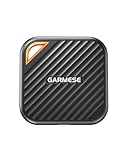
The GARMESE 1TB External SSD is listed with up to 2000MB/s speeds over USB 3.2 Gen 2×2, a 20Gbps standard that exists on only some modern PCs and add-in cards. It also uses a USB-C connection. For someone building or upgrading a desktop with a Gen 2×2 port, this drive offers the highest stated speed in the guide, roughly twice what the Gen 2 models claim.
Key specs
- Capacity: 1TB (roughly 930GB usable)
- Interface: USB 3.2 Gen 2×2, 20Gbps class, USB-C
- Stated speed: up to 2000MB/s
- Type: portable solid-state drive
The caveat is simple: Gen 2×2 is not common. If your computer or console lacks a matching port, the drive falls back to the speed its port supports, typically up to 10Gbps on a Gen 2 port. In that case it behaves like the other Gen 2 SSDs here. The PS5 requires SuperSpeed USB at 5Gbps or higher, so the drive will work for storage, but you will not see 2000MB/s on the console because the console does not offer a 20Gbps port, so check Sony’s documentation for your model.
For PC users with the right port, the benefits are real: loading large asset libraries, moving 4K or RAW video footage and installing big games from an external source will all move faster. Fast SSDs can also get warm during long transfers, so avoid wrapping the drive in a case or leaving it in direct sun while copying.
Who should skip it: console-only players, who cannot use the extra speed, and buyers who want a long-established brand with a track record in the portable drive market. Before buying, confirm that your computer really has a 20Gbps USB-C port; many ports that look identical run at 10Gbps or even 5Gbps. The product page should state the cable type included, and a poor cable can cap speed. For creators, this drive is attractive for editing from the drive directly, since faster random access helps. Keep it cool during long copies, and keep a second copy of anything valuable because any single drive can fail. Verify the warranty on the product page.
Pros
- Highest stated speed in the guide at up to 2000MB/s
- USB-C connection suits modern laptops and desktops
- Backward compatible with slower USB ports
- Solid pick for creators moving large files
Cons
- Full speed needs a USB 3.2 Gen 2×2 port that many computers lack
- Lesser-known brand; confirm warranty and heat behavior on the product page
- No PS5 licensing in the listing name
The nearest alternative is the Lexar ES3, which states 1050MB/s and works at full speed on far more computers. If your machine does not have Gen 2×2, you gain little over the Lexar or Verbatim drives. If it does, the GARMESE is the clear choice for fast PC transfers.
How to Choose an External SSD or Drive for PS5 and PC
Start with what the PS5 actually does with a USB drive, because that single fact decides whether an SSD is worth it. Sony’s own guidance says extended storage needs SuperSpeed USB (5Gbps or faster), a capacity between 250GB and 8TB, a direct connection with no hub, and one drive in use at a time. PS5 games can be stored on that drive but cannot be played from it, so you must move a title back to the console’s internal or M.2 storage to play it. PS4 games, however, can run directly from the external drive. That shapes every choice below.
Step 1: Decide what job the drive does
If the drive will mostly archive PS5 games you rotate in and out, speed affects only how long a copy takes. If you plan to run lots of PS4 titles from it, an SSD noticeably improves loading compared with a hard disk. If you also use it on a PC for game installs, video editing or backups, the SSD advantage grows because computers read and write many small files and benefit more from solid-state response times.
Step 2: Match capacity to your library
Do the arithmetic with real numbers. A drive labeled 1TB holds 1,000,000,000,000 bytes, which your computer reports as about 931GB, and formatting overhead trims it a little more. Divide the usable space by the average size of the games you keep. Modern PS5 titles commonly fall between 50GB and 150GB, and a few exceed that. A worked example:
- Usable space on a 1TB drive: about 930GB
- Average game size you play: 80GB
- Games that fit: 930 divided by 80, so about 11 games
- On a 512GB drive (about 465GB usable): about 5 games
- On a 2TB drive (about 1,860GB usable): about 23 games
- On a 5TB or 6TB hard drive: roughly 56 to 67 games
Step 3: Understand what speed numbers mean
The figures printed on listings, such as 1000MB/s, 1050MB/s and 2000MB/s, are maximum sequential speeds under ideal conditions. Real transfers depend on the port, cable, file sizes and the drive’s temperature. A hard drive typically manages about 100 to 130MB/s, so moving a 100GB game takes roughly 13 to 17 minutes. A 10Gbps-class SSD can ideally do the same job in about two minutes. The difference between 1000MB/s and 2000MB/s matters only if both your drive and your computer support 20Gbps USB 3.2 Gen 2×2, and the PS5 does not offer that speed.
Decision matrix
| Your situation | Best match | Why |
|---|---|---|
| Want one well-rounded drive for PS5 and PC | SanDisk 1TB Extreme | SSD speed, PS5 licensing language, balanced capacity |
| Large library and frequent game rotation | SanDisk 2TB Extreme | Roughly 23 average games at SSD speed |
| Want SSD speed but need to limit spending | Verbatim Pocket 1TB or 512GB | Gen 2 interface and 1000MB/s stated read |
| Need a slim carry drive for work and play | Lexar ES3 1TB | Compact silver body, 1050MB/s stated |
| Huge archive, speed not critical | Seagate 5TB or WD_Black 6TB | Largest capacities, hard disk speeds |
| Modern PC with a 20Gbps USB-C port | GARMESE 1TB | Gen 2×2 interface, 2000MB/s stated |
| Light backups and PS4 games only | UnionSine 1TB | Slim, simple hard drive with USB 3.0 |
Step 4: Check the port, the cable and the format
Plug the drive directly into the console’s SuperSpeed port and use the cable that came with it. Some PS5 ports are slower than others, so confirm which one is SuperSpeed in your console’s manual. On a PC, look for ports labeled 10 or 20, or a USB-C port with a lightning-bolt symbol if it is Thunderbolt, which also supports many USB drives. Avoid unpowered hubs and low-quality extension cables, which can cause disconnects or slow speeds. Drives with built-in hubs are not accepted by the PS5 for extended storage.
Step 5: Think about durability and heat
Solid-state drives have no moving parts, which makes them more tolerant of bumps in a bag. Hard drives spin platters and should be handled gently, especially when running. Fast SSDs can get warm during long copies, and some throttle their speed to protect themselves. Keep any drive in open air while it works, avoid placing it on a soft surface and eject it before unplugging.
Step 6: Plan a safe workflow
Formatting a drive as PS5 extended storage erases it and converts it to a single exFAT volume. Back up any existing files before you connect it. If you want to use the drive for both console and PC, keep PC files in a separate area, such as a second drive or a cloud backup, since the console will take over the whole device. Keep the firmware and the console’s system software up to date so new USB behaviors and bug fixes are in place.
Common mistakes
- Expecting PS5 games to launch from the external drive. They cannot; only PS4 games can.
- Buying a Gen 2×2 drive for console use and expecting 2000MB/s.
- Choosing a capacity that only holds three or four games.
- Ignoring the port, cable or hub and wondering why speeds are slow.
- Skipping a backup before formatting.
Frequently Asked Questions
Can I play PS5 games directly from an external SSD?
No. A PS5 can store PS5 games on USB extended storage, but you must move them to the console’s internal storage or a compatible internal M.2 SSD to play them. PS4 games are the exception and can launch straight from the external drive.
What USB speed does a PS5 need for an external drive?
Sony states that extended storage needs SuperSpeed USB at 5Gbps or higher. That covers USB 3.0 and newer interfaces, including the 10Gbps drives in this guide. Faster drives still work, but the console’s ports limit how much of their speed you can use.
How big can an external drive be for a PS5?
The PS5 accepts extended storage between 250GB and 8TB. Every drive in this guide falls inside that range, from the 512GB Verbatim up to the 6TB WD_Black. Drives outside the range may be rejected during formatting.
Is an SSD worth it over a hard drive for PS5 storage?
It depends on how you use it. For moving large PS5 games back and forth, an SSD can finish in a couple of minutes while a hard drive may take around fifteen. For PS4 games played from the drive, an SSD also loads faster. If you only archive games and rarely move them, a hard drive’s large capacity may serve you better.
Can one drive work with both a PS5 and a PC?
Yes, but formatting for the PS5 wipes the drive and converts it to exFAT. After that, a PC can read the exFAT volume, though the PS5 organizes its files in a console-specific way. Many players use one drive for each purpose to avoid mixing data and accidental erasure.
Do I need a special cable?
Use the cable supplied with the drive whenever possible. A poor-quality or very long cable can drop the connection to a slower speed or cause disconnects. If you replace the cable, choose one rated for the same USB standard as the drive.
Will a 20Gbps drive run faster on a PS5?
Not beyond what the console’s port allows. Drives such as the GARMESE are backward compatible, so they work, but you will see Gen 2 style speeds at best. Check Sony’s documentation for your console model to see which ports are SuperSpeed.
How should I handle a drive safely?
Eject it from the console or operating system before unplugging, keep it on a hard, ventilated surface during long copies and avoid drops, especially with hard drives. If a drive feels very hot, pause the transfer and let it cool.
Our Recommendation by Situation
If you want one drive that covers a PS5, a laptop and a desktop, choose the SanDisk 1TB Extreme, and step up to the 2TB version if your library is large. If you want SSD speed with a simpler brand story, the Verbatim Pocket 1TB or the Lexar ES3 are sensible alternatives. If you need a very large archive and can accept slow transfers, the Seagate 5TB or WD_Black 6TB are the picks. Choose the GARMESE only if your PC has a 20Gbps USB 3.2 Gen 2×2 port, and keep the UnionSine for light backups and PS4 games. Whichever you buy, confirm the exact specs on the product page and remember that PS5 games must return to internal storage to be played.