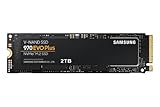
The Samsung 970 EVO Plus 2TB is an older-generation PCIe 3.0 NVMe SSD that still makes a good gaming drive in 2026 if your motherboard or laptop tops out at PCIe 3.0, or if you find it priced clearly below current PCIe 4.0 drives; on a PCIe 4.0 or 5.0 platform at a similar price, newer drives are the better buy. Its strengths are a DRAM cache, a strong 1,200 TBW endurance rating and a five-year warranty. Its limits are the PCIe 3.0 ceiling of about 3.5 GB/s and the fact that it cannot be used in a PS5.
As an Amazon Associate we earn from qualifying purchases at no extra cost to you.

Specifications that matter
| Spec | Samsung 970 EVO Plus 2TB |
|---|---|
| Interface | PCIe 3.0 x4, NVMe 1.3 |
| Form factor | M.2 2280, single-sided |
| Rated sequential read | Up to 3,500 MB/s |
| Rated sequential write | Up to 3,300 MB/s (within the SLC cache) |
| Rated random 4K (QD32) | Roughly 600K read / 550K write IOPS class |
| NAND | Samsung V-NAND 3-bit MLC (TLC) |
| DRAM cache | 2 GB LPDDR4 |
| Endurance | 1,200 TBW |
| Warranty | 5 years (or TBW, whichever comes first) |
| Typical 2026 price range | Roughly $110–$170 for 2TB, depending on stock |
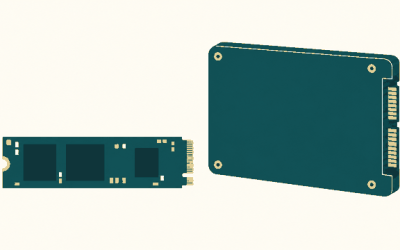
The single-sided layout matters for laptops and small-form-factor boards where the M.2 slot sits against a chassis or a thin cover; double-sided drives sometimes do not fit.
How it performs for gaming
Load times
Game loading depends far more on decompression and CPU work than on raw sequential speed. Moving from a SATA SSD (about 550 MB/s) to any NVMe drive shortens some loads, but going from PCIe 3.0 at 3.5 GB/s to PCIe 4.0 at 7 GB/s usually changes load times by a second or two in most current titles. For a gaming library, the 970 EVO Plus feels effectively as quick as newer drives in day-to-day play.
DirectStorage
Windows DirectStorage works on any NVMe drive, including PCIe 3.0 models. Games that use GPU decompression can stream assets faster on Gen4 drives, but the gap is measured in fractions of a second to a few seconds, not in frame rate.
Large file writes
Samsung’s Intelligent TurboWrite treats part of the TLC as a fast SLC buffer. Once a very large copy exceeds that buffer, write speed drops to roughly half of the rated figure or lower. For installing games or copying a 100 GB folder this rarely matters; for repeatedly dumping large video captures it becomes noticeable.
Endurance: what 1,200 TBW means in years
Endurance worries are common, so here is the math. A heavy gaming user who installs and updates games constantly might write 50 GB per day on average.
| Average daily writes | Writes per year | Years to reach 1,200 TBW |
|---|---|---|
| 20 GB (typical gamer) | ~7.3 TB | ~164 years |
| 50 GB (heavy installs and updates) | ~18.3 TB | ~66 years |
| 200 GB (daily video capture and editing) | ~73 TB | ~16 years |
In practice, the warranty period (five years) and platform obsolescence will arrive long before the write rating for almost every gamer.
Older-generation realities to know
- Hardware revision: Samsung changed the controller in later production of the 970 EVO Plus. Rated speeds stayed the same, but sustained write behavior after the cache differs between batches. For gaming the difference is not meaningful.
- Not PS5-compatible: The PS5 expansion slot requires a PCIe 4.0 drive. A 970 EVO Plus is not supported there.
- Heat: The 970 EVO Plus has a thin heat-spreader label rather than a heatsink. Under long, heavy writes it can throttle in cramped laptops; under gaming loads on a desktop with airflow or a motherboard M.2 cover, it typically stays in its comfort zone.
- Firmware: Samsung Magician handles firmware updates and health monitoring. Early firmware for this family received fixes, so updating once after installation is a sensible step.
Compared with newer Samsung drives
| Drive | Interface | Rated seq. read | DRAM | Best fit |
|---|---|---|---|---|
| 970 EVO Plus | PCIe 3.0 x4 | 3,500 MB/s | Yes | PCIe 3.0 systems, budget upgrades |
| 980 PRO | PCIe 4.0 x4 | 7,000 MB/s | Yes | Gen4 desktops, PS5 (with heatsink) |
| 990 EVO Plus | PCIe 4.0 x4 / PCIe 5.0 x2 | 7,250 MB/s | No (HMB) | Value Gen4 builds |
| 990 PRO | PCIe 4.0 x4 | 7,450 MB/s | Yes | High-end Gen4, PS5 |
| 9100 PRO | PCIe 5.0 x4 | Up to 14,800 MB/s | Yes | Gen5 platforms, heavy workstation loads |
Who should buy the 970 EVO Plus 2TB
| Your system | Recommendation |
|---|---|
| Intel 6th–10th gen or AMD B450/A520 board (PCIe 3.0 M.2) | Good choice; a Gen4 drive would run at Gen3 speeds anyway |
| Older laptop with PCIe 3.0 M.2 slot | Good choice, especially thanks to the single-sided design |
| Gen4/Gen5 desktop, price within about 15% of a Gen4 DRAM drive | Buy the Gen4 drive instead |
| PS5 storage upgrade | Not compatible; choose a PCIe 4.0 drive |
| Heavy video capture and editing scratch drive | Workable, but a newer drive with a larger cache handles sustained writes better |
Installation tips
- Use the CPU-connected M.2 slot if your board has one; it avoids sharing chipset bandwidth.
- Check your board manual for lane sharing; some boards disable SATA ports when certain M.2 slots are used.
- For cloning an old drive, Samsung offers a migration tool for its SSDs.
- Keep 10–20% free space so the drive’s controller has room for garbage collection and the dynamic SLC cache.
Verdict
The 970 EVO Plus 2TB was one of the best PCIe 3.0 SSDs of its generation and still holds up as a reliable, DRAM-equipped, high-endurance drive. In 2026 it is a smart upgrade for PCIe 3.0 machines and a fair buy when discounted, but on newer platforms the Gen4 successors offer twice the sequential headroom for similar money.