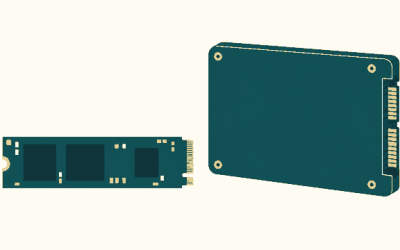
Any M.2 NVMe SSD that uses PCIe Gen4 x4, sustains at least 5,500MB/s sequential reads, and measures no more than 11.25mm thick including its heatsink will work in every PS5 — the original, the Slim, and the Pro share the same slot and the same requirements. The acceptable sizes are 2230, 2242, 2260, 2280, and 22110, and capacity must be between 250GB and 8TB. Everything else — brand, DRAM cache, licensing logos — is optional.
This slot matters because it’s still the only way to expand playable PS5 storage. A USB external drive can warehouse PS5 games, but they must be copied back to internal storage before they’ll launch. An internal drive runs them directly.
As an Amazon Associate we earn from qualifying purchases at no extra cost to you.




Top 3 picks at a glance
Sony’s official requirements for the M.2 slot
These come straight from Sony’s documentation and apply identically to all three console revisions:
| Requirement | Sony’s spec | What it rules out |
|---|---|---|
| Interface | PCIe Gen4 x4, M.2 NVMe, Socket 3 (M key) | Gen3 drives, M.2 SATA drives, 2.5-inch SATA SSDs |
| Sequential read | 5,500MB/s minimum | Budget Gen4 drives in the ~5,000MB/s class |
| Capacity | 250GB–8TB | 128GB sticks; 8TB requires firmware from late 2023 onward |
| Form factor | 2230, 2242, 2260, 2280, 22110 | Nothing relevant — all consumer drives qualify |
| Max size with heatsink | 110mm long, 25mm wide, 11.25mm thick | Tall PC heatsinks (detail below) |
| Cooling | Heatsink or equivalent heat-transfer structure required | Bare drives fit physically but will throttle |
Both single-sided and double-sided drives are officially supported. The speed floor exists for a concrete reason: the PS5’s IO pipeline was engineered around a ~5.5GB/s raw feed (roughly 8–9GB/s effective once its Kraken decompression hardware is factored in). At 60fps that works out to about 91MB of fresh asset data the system can demand per frame — a drive that can’t sustain the raw rate turns that shortfall into texture pop-in and stutter in games that stream aggressively.
How the spec maps to real drives
| Your situation | Fits? | Verdict |
|---|---|---|
| Gen4 drive rated 5,500–7,450MB/s with a low-profile heatsink (WD Black SN850X, Samsung 990 Pro, Seagate FireCuda 540, Corsair MP600 PRO LPX, Crucial T500, or licensed models like the SN850P and Nextorage NEM-PA) | Fully compliant | Buy on price and warranty — real-world differences inside the PS5 are small |
| DRAM-less Gen4 drive rated 5,500MB/s+ (Lexar NM790 class) | Compliant | Works fine; a DRAM cache is not part of Sony’s spec |
| Gen4 drive rated below 5,500MB/s (e.g., WD Black SN770 at ~5,150MB/s) | Installs physically | Fails Sony’s floor; will format but risks stutter in streaming-heavy games |
| PCIe Gen5 drive | Works, capped at Gen4 x4 | You pay for bandwidth the slot physically can’t use; runs hot — skip unless you already own one |
| M.2 SATA drive (B+M key, two notches) | No | Wrong protocol entirely; the console will never detect it |
| Bare compliant drive + aftermarket low-profile heatsink (~$10–15) | Compliant if total height ≤11.25mm | Cheapest legitimate route |
| Drive pulled from a PC with a tall heatsink | Usually no | Many PC heatsinks exceed 12mm total; swap to a PS5-height one |
On pricing: heatsink-equipped 2TB Gen4 drives typically run $110–$180 in 2026, 4TB models roughly $200–$320, and 8TB options considerably more. For most players 2TB is the sweet spot — it yields about 1.85TB of usable space on the console, or roughly eighteen 100GB installs.
The heatsink math most guides skip
The 11.25mm limit splits into two clearances: up to 8.0mm above the drive’s circuit board and 2.45mm below it. Worked example: a bare single-sided 2280 drive has roughly 1.3mm of component height on top. Add a 0.5mm thermal pad and a 5mm aluminum heatsink and you’re at about 6.8mm above the board — comfortably under 8mm. The underside is where double-sided drives get tight: bottom-mounted NAND chips plus a thin backplate can reach 2.0–2.3mm, leaving almost no margin. If a product page doesn’t state total height including the heatsink, assume it doesn’t fit — drives sold as “PS5 compatible” list ~11.2mm because they’ve already done this math.
Installing the drive, step by step
Before touching anything: update the PS5’s system software, shut the console down fully (not rest mode), unplug every cable, and wait five minutes so internal heat soaks away. Ground yourself on a radiator or the console’s own chassis — M.2 drives have no static protection on their exposed contacts.
- Step 1: Remove the base if fitted. On the original PS5, lay the console with the PS logo facing down and the disc slot on your left. Grip the cover’s rear corner, pull up and toward you — it’s held by clips, so a firm slide releases it. On the Slim and Pro the side plates are split into sections; you only remove the lower panel on the side opposite the disc drive.
- Step 2: Remove the single Phillips screw on the rectangular metal expansion-slot cover and lift the cover off. Keep the screw — it’s a specific thread pitch.
- Step 3: Inside the bay, remove the retaining screw and spacer. Slide the SSD’s connector edge into the socket at roughly a 30-degree angle, then press it flat.
- Step 4: Move the spacer to the notch matching your drive’s length — 80 for a standard 2280 drive. The spacer isn’t optional hardware: it stops the drive flexing when the cover plate presses down. Reinstall the screw snug, not tight — overtorquing can crack the PCB.
- Step 5: Reattach the metal slot cover. Sony designed the console’s negative-pressure airflow with it in place, so leave it on.
- Step 6: Clip the outer panel back on until it clicks, reconnect cables, and power on. The console detects the drive automatically and prompts you to format — this is mandatory and wipes the drive, so pull any data off a secondhand drive first.
Removing the covers is a user-serviceable procedure and does not void the warranty.
What the post-format screen is telling you
After formatting, the PS5 runs its own speed measurement and displays a number. Don’t panic when a drive rated at 7,400MB/s reports something like 6,300–6,700MB/s — the console measures what it can actually pull across its own link, which always lands below the paper spec. This is a verification reading, not a defect.
Then set where new games land: Settings → Storage → Installation Location lets you default installs to the M.2 drive. To move existing games, highlight one, press Options, choose Move — copying between console storage and M.2 runs at several GB/s, so a 100GB game transfers in minutes, not the hours a USB copy would take.
If the console doesn’t see the drive
- No format prompt at boot: Most often a SATA M.2 drive (check for the two-notch B+M connector) or a drive under 250GB. Also reseat it — the angled-then-flat insertion is easy to get wrong by a millimeter.
- Speed reading far below the box rating: The drive is either under the 5,500MB/s floor or negotiating fewer than x4 lanes. There’s no setting that fixes this; the drive is the problem.
- Stutter or crashes weeks after install: Usually thermal throttling, not speed. The bay has minimal airflow — verify the thermal pad is actually contacting the NAND chips, and that you used a real heatsink rather than a decorative shroud.
- Drive shows less capacity than advertised: Normal. Manufacturers quote decimal terabytes; the console reports binary — a 2TB drive is roughly 1.85TB usable.
FAQ
Can I install a drive without a heatsink?
It will physically fit and format, but Sony requires a heatsink for good reason — the expansion bay has no dedicated airflow, and sustained reads will throttle within minutes. A low-profile heatsink costs about $10–15; there’s no rational reason to skip it.
Will a PCIe Gen5 drive load games faster?
No. The slot is Gen4 x4, so a Gen5 drive runs at Gen4 link speed — roughly 7.5GB/s maximum regardless of its rating. You’d pay a premium for bandwidth the console can’t address.
Can a USB external drive do the same job?
Only for storage, not playback. USB drives can hold PS5 games and run PS4 games directly, but PS5 titles must live on internal storage or the M.2 drive to launch.