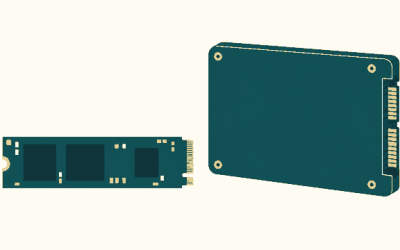
An Xbox Series X memory card — officially called the Storage Expansion Card — is the only external drive that can actually launch Series X|S-optimized games, because it’s the only storage option wired directly into the console’s PCIe 4.0 bus at the same 2.4GB/s the internal SSD delivers. Every USB drive, no matter how expensive, is physically capped at 5Gbps by the console’s ports, which is why your fast NVMe enclosure still can’t boot a Series X game. Here’s how the card actually works, and when a $60 hard drive is genuinely all you need.
As an Amazon Associate we earn from qualifying purchases at no extra cost to you.

Our Top Picks
 Sandisk 1TB Optimus GX C50 Storage Expansion Card1TB2.18 x 0.3 x 1.24 inches0.06 PoundsCheck on Amazon
- Sandisk 2TB Optimus GX C50 Storage Expansion Card2TB2.18 x 0.3 x 1.24 inches0.06 poundsCheck on Amazon
- Sandisk 512GB Optimus GX C50 Storage Expansion Card512GB2.18 x 0.3 x 1.24 inches0.06 poundsCheck on Amazon
Top 3 picks at a glance
Why only the proprietary card runs Series X|S games
Series X|S titles are built around Xbox Velocity Architecture, which assumes a guaranteed ~2.4GB/s of raw storage throughput (up to 4.8GB/s with hardware decompression). Games stream textures and world geometry directly off the SSD mid-frame using Sampler Feedback Streaming and DirectStorage-style APIs — the storage isn’t just loading levels, it’s functioning as a slow tier of memory.
The math explains the lockout. The internal SSD and the expansion card both run on PCIe Gen4 x2, delivering 2.4GB/s — about 19.2Gbps of bandwidth. The Xbox’s three USB-A ports are USB 3.2 Gen 1, capped at 5Gbps theoretical, which translates to roughly 400–450MB/s in the real world for a good SATA SSD and 100–140MB/s for a mechanical drive. That means even the best USB SSD delivers about one-sixth of the bandwidth optimized games are coded to expect. Microsoft solved this by allowing only licensed cards that replicate the internal drive’s performance exactly — so developers can code to one storage speed and never check which device the game sits on.
Quick Resume, load times, and in-game streaming behave identically whether a game sits on internal storage or the card. To the console, they’re one pool.
What each storage type can and can’t do
| Storage type | Real-world speed | Runs Series X|S optimized games | Runs Xbox One/360/OG games | Cold storage (park games) | Typical cost per TB |
|---|---|---|---|---|---|
| Internal SSD | ~2.4GB/s | Yes | Yes | Yes | — |
| Seagate / WD_BLACK expansion card | ~2.4GB/s | Yes | Yes | Yes | ~$130–180 |
| USB SSD (SATA or NVMe enclosure) | ~400–450MB/s | No | Yes | Yes | ~$55–80 |
| USB HDD | ~100–140MB/s | No | Yes | Yes | ~$20–30 |
Two rules govern everything: Optimized for Series X|S titles must live on internal storage or the card to launch. Backward-compatible games — anything from the Xbox One generation or earlier — run happily from USB because they were engineered for HDD-era I/O in the first place.
Which expansion cards exist in 2026
Only two licensed product lines plug into the dedicated Storage Expansion slot on the back of the console:
- Seagate Storage Expansion Card — the original option, sold in 512GB, 1TB, 2TB, and a 4TB model. Prices range from roughly $90 for 512GB up to $400–500 for 4TB.
- WD_BLACK C50 Expansion Card — the budget alternative, commonly in 512GB and 1TB capacities, usually $10–30 cheaper than the Seagate equivalent.
Performance is identical across all of them — that’s the point of the licensing program — so buy on capacity and price alone. One important detail if you’re shopping for an Xbox Series S memory card: it’s the exact same card and the exact same slot. There’s no Series S-specific version. And given the Series S ships with only ~364GB of usable space (versus ~802GB on the 1TB Series X), a card is arguably a better purchase there — two or three modern AAA installs can fill the internal drive on their own.
When a cheap USB drive is the smarter buy
The card is a luxury if your real problem is capacity, not convenience. A 4TB USB HDD at ~$90–110 holds a library of 30–50 parked games for less than a 512GB card. The trade-off is one transfer step: move a game back to internal storage before playing.
What that transfer actually costs you, moving a 120GB title:
- From USB HDD at ~110MB/s: 122,880MB ÷ 110 ≈ 1,120 seconds — about 19 minutes.
- From USB SSD at ~400MB/s: about 5 minutes.
- Card ↔ internal at multi-GB/s: typically 1–2 minutes.
Compare that to re-downloading 120GB: at 100Mbps that’s ~2.7 hours, and it burns a tenth of a 1.2TB monthly data cap. If your internet is slow or capped, USB cold storage isn’t a compromise — it’s the correct tool.
Match your situation to a setup
| Your situation | Best option | Why |
|---|---|---|
| Play mostly new AAA games, hate managing storage | 1TB–2TB expansion card | Zero friction; games are always playable where they sit |
| Series S owner, 364GB usable | 512GB or 1TB card | Cheapest way to double/triple playable capacity |
| Big library, but only 3–4 games in rotation | Cheap USB HDD for parking | ~$25/TB; a 20-minute transfer beats re-downloading |
| Heavy backward-compatible / older Game Pass player | USB SSD | Older titles run natively from USB; faster loads than HDD |
| Data-capped or slow internet | Largest USB HDD you can afford | Never re-download; archive everything |
| Mixed habits, moderate budget | 512GB card + 2TB HDD | Card for active games, HDD for the archive — often under $200 total |
Setting it up
- Expansion card: insert into the dedicated slot beside the HDMI port — it’s plug-and-play, no formatting. Then set it as default under Settings → System → Storage devices → Change installation locations.
- USB drive: needs USB 3.0 or newer and 128GB minimum. Plug in, and when prompted choose “Format for games & apps.”
- Moving games: My games & apps → select a title → Manage → Move or copy. Batch-select whole folders to queue a big migration overnight.
FAQ
Is the Xbox Series S memory card different from the Series X one?
No — identical slot, identical cards, identical 2.4GB/s performance. The Series S version of a game is smaller, but storage rules are exactly the same.
Can I use a regular NVMe SSD in an enclosure instead?
You can, but it connects over USB at ~400MB/s — so it can only store optimized games or play backward-compatible ones. There’s no way to make a USB device run Series X|S titles.
Does the card work on a friend’s console?
Yes. The card is hot-swappable and portable across any Series X or Series S — your installed games travel with it (saves live in cloud storage).
Do games moved to USB need re-downloading or updates?
No. Moving preserves the full install, including updates. Move it back and it launches immediately.