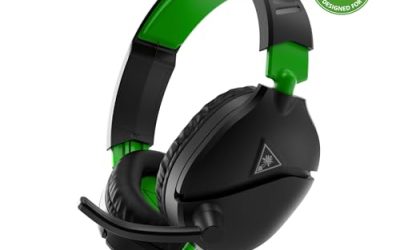
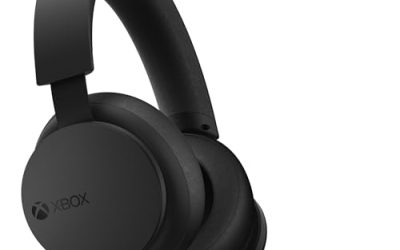
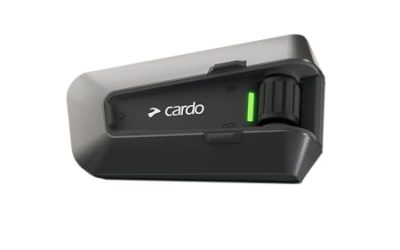
The best Discord certified headsets are models that carry Discord’s Clearmark badge, which means Discord audited the microphone and voice path for clear speech, and the strongest all-rounders come from brands like SteelSeries, Logitech, HyperX and Razer. Because Clearmark status is assigned per model and can change, confirm the badge on the manufacturer’s product page before buying, then choose by connection type, mic quality and comfort.
What “Discord certified” actually means
Discord runs a certification program under the Clearmark name. Per Discord’s own program description, partner headsets are checked for how well they capture and transmit a voice in a Discord call, covering microphone clarity, noise handling and general audio behavior. It is a voice-chat quality check, not a guarantee of the best game sound or the longest battery life. Treat it as a useful shortcut for chat quality rather than a final verdict.
Two things to remember. First, certification applies to a specific model and sometimes a specific version, so a brand’s whole lineup is not automatically covered. Second, any headset with a decent microphone works fine on Discord whether it is certified or not, so the badge matters most if you spend hours in voice channels and want one less thing to troubleshoot.
Quick comparison: headset classes and well-known examples
| Pick | Best for | Key specs | Typical price range |
|---|---|---|---|
| Best overall: wireless headset with dual-battery or long battery, e.g. SteelSeries Arctis Nova class | PC plus console, all-day wear | 2.4 GHz wireless, 30+ hr battery, retractable or detachable mic | $150-$350 |
| Best budget wired: HyperX Cloud II class | Low cost, clear mic | 3.5 mm or USB, 53 mm drivers, detachable mic | $60-$100 |
| Best for voice clarity: Logitech G Pro X class | Team shooters, calls | Detachable boom mic with filter, wired or wireless variants | $100-$250 |
| Best lightweight: Razer BlackShark V2 class | Competitive play, long sessions | Around 260-280 g, 50 mm drivers, cardioid mic | $80-$180 |
| Best for streaming and chat: USB headset with external mixer support | Streamers, podcasters | USB audio, game/chat balance, mic monitoring | $130-$300 |
Best overall: a modern 2.4 GHz wireless headset
If you play on PC and sometimes on a console, a premium wireless model with a USB dongle and a hot-swap or very long battery is the easiest choice. The flagship Arctis lines from SteelSeries, the Logitech G Pro X wireless series and similar models from Razer and Corsair belong here. Look for a retractable or detachable boom mic, a physical mute button with an indicator, and a game/chat mix control.
Who it suits: a player who wants one headset for daily voice chat, gaming and music.
Main trade-off: price. These models usually run $150-$350, and wireless adds latency and battery management that a wired headset avoids.
Best budget wired: a proven 3.5 mm or USB headset
For $60-$100, a wired headset with a detachable boom mic still gives clearer Discord audio than most built-in laptop mics and most earbuds. The HyperX Cloud II style of design (53 mm drivers, memory-foam pads, detachable mic) is a long-running example of what to aim for. Wired also removes charging, dongle and pairing problems entirely.
Who it suits: students, second headsets and anyone who wants reliability over features.
Main trade-off: fewer tuning options, and a 3.5 mm model may need a USB sound adapter on PCs with noisy front-panel audio jacks.
Best for voice clarity: boom mic with filtering
If teammates complain that you sound muffled, mic design matters more than driver size. A boom mic positioned about two fingers from the corner of your mouth captures a stronger voice signal than a tiny built-in pinhole. Logitech’s G Pro X series with its detachable mic and Blue Voice filtering is a typical example, and several Razer and SteelSeries models use cardioid pickup that rejects side noise.
Main trade-off: a good boom mic is more noticeable on the face, and some people dislike the cable or hardware bulk.
Best lightweight headset for long sessions
Comfort determines whether you actually wear the headset. A model under about 300 g with a wide, flexible headband and breathable pads reduces fatigue after three hours or more. Razer BlackShark V2 style headsets and Logitech’s lighter G series options sit here. If you wear glasses, check that the pads do not press the frame into your temples.
Best for streaming and chat mixing: USB with external control
Streamers and people who run Discord plus game plus music need volume balance control. A USB headset with a base station or a physical mixer lets you lower game volume without opening software. This setup also gives you a consistent, driver-free mic profile across PC and console.
Worked example: choosing by bandwidth, latency and battery
Take a typical wireless headset spec sheet and put the numbers to work.
- Battery. A 30-hour battery sounds ample. If you play 5 hours a day on weekdays and 8 hours on the weekend, that is 41 hours a week. Charging every 3-4 days is fine, but a headset that charges 15 minutes for several hours is more useful than a larger battery that takes five hours to fill.
- Latency. Bluetooth typically adds 100-200 ms of audio delay, which is noticeable in gaming. A 2.4 GHz dongle usually runs near 20-40 ms. For competitive play, choose the dongle and keep Bluetooth for phone use.
- Mic distance. A mic at 2 cm captures roughly four times the voice amplitude of one at 8 cm by the inverse-distance rule, so a boom that can be positioned beats a fixed capsule near the ear.
- Total cost of ownership. A $90 wired headset that lasts four years costs about $22 a year. A $280 wireless headset that lasts three years costs about $93 a year. The wireless model needs to save you something meaningful, such as cable-free movement or console compatibility.
Decision matrix
| Your situation | Choose | Why |
|---|---|---|
| PC only, tight budget | Wired headset with detachable mic | Lowest cost, no battery |
| PC plus PlayStation or Switch | 2.4 GHz wireless with USB dongle | One dongle handles multiple devices |
| Competitive shooter player | Lightweight wired or low-latency wireless | Comfort and consistent timing |
| Long Discord calls and work meetings | Certified model with physical mute | Clear mic and easy mute |
| Noisy room or shared space | Cardioid mic with noise-reduction | Rejects keyboard and room noise |
| Streaming or podcasting | USB headset with mixer or separate mic | Separate game and chat levels |
Discord settings that improve voice quality
- In Voice and Video settings, select your headset as both input and output device rather than leaving “Default”.
- Keep input sensitivity on automatic at first. If you are cut off or let in too much noise, turn it off and set the slider just above your room noise.
- Use Discord’s noise suppression option if your room is noisy. If you already use hardware noise cancellation, turn the software option off to avoid double processing that can make your voice sound thin.
- Disable “Automatically determine input profile” when you want to manage things manually, and keep echo cancellation on if you use speakers.
- Set your Windows sample rate to 48 kHz, which matches Discord’s internal audio, to avoid unnecessary resampling.
Frequently Asked Questions
Do I need a Discord certified headset to use Discord?
No. Any headset or microphone that Windows, macOS or your console recognizes will work. Certification is an extra assurance of microphone clarity in Discord calls, not a requirement.
How can I check whether a headset is Discord certified?
Look for the Clearmark badge on the manufacturer’s product page or packaging, and check the model name carefully because certification is per model. If the details are unclear, the brand’s support page is the most reliable source.
Is wireless good enough for Discord?
Yes, if it uses a 2.4 GHz USB dongle. Bluetooth headsets often drop to a lower-quality microphone profile when the mic is active, which sounds thinner and can add delay. A dongle-based wireless headset avoids most of that.
Why do I sound muffled on Discord?
The common causes are a mic too far from your mouth, the wrong input device selected, or heavy noise suppression. Move the boom to two fingers from the corner of your mouth, select the headset mic explicitly, and try lowering the suppression level.
Can I use a Discord certified headset on console?
Many can, but the connection method matters. USB dongle models usually work with PlayStation and Switch docks, and 3.5 mm models work with controllers. Xbox support often needs a specific wireless protocol, so check the platform list on the product page.
Is a separate microphone better than a headset mic?
A good standalone USB or XLR microphone usually sounds fuller, but it picks up more room noise and needs careful placement. For most players, a headset mic is easier and good enough for team chat.
Related guides
More from Amazon
Programs that pair well with the guide above. Offers and eligibility are set by Amazon and may change.
A free business account with business pricing and bulk-buying tools for work, shop or home office.
Create a business accountFree shipping on eligible items, Prime Video and more. Eligible new members can start with a free trial.
Start a Prime free trialAudiobooks and podcasts to listen to on the go. Eligible new members can start with a free trial.
Try Audible freeAd-free music streaming. Eligible new subscribers can start with a free trial.
Try Music Unlimited freeAs an Amazon Associate we earn from qualifying purchases.