Shop for server or workstation memory and you’ll run into RDIMM, UDIMM, and LRDIMM — labels that don’t appear on a normal gaming kit. Pick the wrong type and it simply won’t work in your board. Understanding the difference matters most when you’re building a NAS, a home server, or a high-core workstation, where huge memory capacities are the whole point.
As an Amazon Associate we earn from qualifying purchases at no extra cost to you.



Our Top Picks
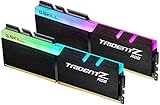
 【RGB DDR4 RAM】GIGASTONE Game TURBO 32GB Kit2x16 GB6.02 x 4.02 x 0.59 inches0.13 poundsCheck on Amazon


Top 3 picks at a glance
The core difference: the register
Unbuffered DIMMs (UDIMMs) connect the memory chips directly to the controller’s address and command lines. That’s simple and fast, which is why every desktop and gaming kit is a UDIMM. Registered DIMMs (RDIMMs) add a register (a small buffer chip) between the controller and the memory ICs. The register re-drives the address/command signals, reducing electrical load on the controller so the platform can support many more modules and much higher total capacity.
LRDIMM takes it further
Load-Reduced DIMMs (LRDIMMs) buffer not just the command lines but the data lines too, via a memory buffer. This allows the largest capacities per module and the most sticks per channel, at the cost of a tiny latency penalty and higher price. LRDIMM is server territory — think hundreds of gigabytes to terabytes of RAM.
Which one do you need?
Compatibility is dictated by the CPU and motherboard, not by choice. Consumer platforms (mainstream AMD and Intel desktop) accept only UDIMMs. Server and workstation platforms (EPYC, Xeon, Threadripper PRO) typically require RDIMM or LRDIMM and often won’t POST with plain UDIMMs. Always check the CPU/board memory support list first.
| Type | Buffering | Capacity ceiling | Latency | Where used |
|---|---|---|---|---|
| UDIMM | None | Lower (e.g. up to 48-64GB/stick consumer) | Lowest | Desktop / gaming |
| RDIMM | Address/command register | High (e.g. 64-128GB/stick) | Slightly higher | Servers / workstations |
| LRDIMM | Full data buffer | Highest (128GB+/stick) | Higher | Large-memory servers |
Does ECC come into it?
ECC (error-correcting code) and buffering are separate features, though they often ship together. Most RDIMMs are also ECC, and server platforms expect ECC for data integrity. You can find unbuffered ECC UDIMMs too, which some workstation and select AM5 boards accept — useful for a home NAS that wants error correction without going full server. Don’t assume “ECC” means “registered”; confirm both attributes.
Performance and cost trade-offs
For pure speed, UDIMM wins slightly because there’s no register latency. RDIMM/LRDIMM trade a small latency and price premium for capacity and signal integrity at scale. For a gaming PC, none of the buffered types apply or help. For a 512GB+ virtualization host, RDIMM/LRDIMM aren’t optional — they’re the only way to reach those capacities stably.
Reading your platform’s memory support list
Before buying any server or workstation memory, pull up the CPU and motherboard qualified vendor list (QVL). It spells out whether the platform expects UDIMM, unbuffered ECC UDIMM, RDIMM, or LRDIMM, and often lists tested modules by exact part number. Server boards commonly reject unbuffered sticks, while consumer boards reject registered ones – there is no adapter or workaround. If you want error correction on a home NAS built on a consumer-class platform, look specifically for unbuffered ECC UDIMM support, which a subset of AM5 and workstation boards provide. Matching the exact buffering and ECC attributes to the QVL saves an expensive return.
FAQ
Can I use RDIMM in a gaming motherboard?
No. Consumer desktop boards and CPUs only support unbuffered UDIMMs. An RDIMM will not POST. Likewise, most server boards reject plain UDIMMs, so match the memory type to the platform’s support list.
Is registered RAM slower for gaming?
The register adds a small latency, but the bigger point is that gaming platforms don’t accept RDIMM at all. On the server platforms that use it, the capacity and stability benefits far outweigh the minor latency for the workloads involved.
Bottom line
UDIMM is unbuffered, fastest, and the only choice for desktops and gaming rigs. RDIMM and LRDIMM add buffering to support massive capacities on servers and workstations, at a small latency and cost premium. Buffering and ECC are separate features — decide based on your platform’s memory support list, and never try to mix buffered and unbuffered types.









