The best GTX graphics card to buy today is the GTX 1660 Super for modern 1080p gaming, the GTX 1650 for low-power builds that need no extra cable, and the GTX 1080 Ti if you can find one at a fair used price and want the most raw performance the GTX family offers. GTX cards no longer sit in NVIDIA’s current lineup, so almost every purchase is used, refurbished or leftover stock, which means condition and price matter as much as the model. A GTX card has no ray tracing cores or DLSS, so it is best for esports titles, older games and budget PCs.
As an Amazon Associate we earn from qualifying purchases at no extra cost to you.

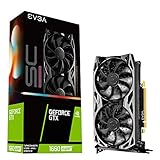

Our Top Picks

Top 3 picks at a glance
Quick comparison of the best GTX cards
| Pick | Best for | Key specs (per NVIDIA) | Typical used price range |
|---|---|---|---|
| GTX 1660 Super | Best overall 1080p | 6 GB GDDR6, 192-bit, 125 W, 1408 CUDA cores, NVENC Turing encoder | $90-$150 |
| GTX 1660 Ti | Best alternative to the Super | 6 GB GDDR6, 192-bit, 120 W, 1536 CUDA cores | $90-$150 |
| GTX 1650 (GDDR6 or GDDR5) | Best no-power-connector card | 4 GB, 128-bit, 75 W on most models, 896 CUDA cores | $60-$110 |
| GTX 1080 Ti | Best raw performance | 11 GB GDDR5X, 352-bit, 250 W, 3584 CUDA cores | $180-$300 |
| GTX 1070 / 1070 Ti | Best mid-range used value | 8 GB GDDR5, 256-bit, 150-180 W | $70-$130 |
| GTX 1050 Ti | Best for tiny or office PCs | 4 GB GDDR5, 128-bit, 75 W, no power connector | $40-$80 |
Used prices swing with region and condition, so treat these as general market ranges rather than quotes.
Best overall: GTX 1660 Super
The 1660 Super is the strongest all-round GTX card because it pairs fast GDDR6 memory with the Turing architecture, so it has better efficiency and a newer video encoder than older GTX 10-series cards. Per NVIDIA’s spec sheet, it has 6 GB on a 192-bit bus and a 125 W board power with one 8-pin power connector. It handles 1080p at high settings in most esports and many AAA titles, and it supports NVENC encoding that works well for recording or streaming. The trade-off is 6 GB of VRAM, which limits ultra textures in the newest games, and there is no DLSS or ray tracing.
Best alternative: GTX 1660 Ti
The 1660 Ti is slightly older than the Super, with GDDR6 memory and 1536 CUDA cores. Performance is within a few percent of the Super in most games, so buy whichever is cheaper. The trade-off is the same: 6 GB VRAM and no modern upscaling.
Best no-power-connector card: GTX 1650
Most GTX 1650 models draw 75 W from the PCIe slot and need no cable, which makes them ideal for small-form-factor PCs and old office systems with a weak power supply. It handles 1080p esports titles at medium settings. Beware that some variants (usually labeled with a higher clock) add a 6-pin connector, and that some come with GDDR5 and others with GDDR6, which has higher memory bandwidth. The trade-off is limited performance and only 4 GB of VRAM.
Best raw performance: GTX 1080 Ti
The 1080 Ti was NVIDIA’s flagship in the GTX 10 era. Its 11 GB of VRAM on a 352-bit bus means it can still run 1440p in many games with high textures. The trade-offs are heavy power use (250 W with 8-pin plus 6-pin connectors), no hardware support for newer features, and the fact that used cards may have worn thermal paste and fans after years of service. Check the seller’s history and plan to repaste if temperatures run high.
Best mid-range used value: GTX 1070 and 1070 Ti
These cards have 8 GB of GDDR5 on a 256-bit bus, so they handle 1080p and many 1440p scenes. Prices have fallen a lot, which can make them better value than a 1650. The trade-offs are higher power draw than the 1660 series and no modern encoder, so streaming quality is lower.
Best for tiny PCs: GTX 1050 Ti
The 1050 Ti is a 75 W card with 4 GB of GDDR5 that runs with no extra power cable. It suits older esports titles and light 1080p play at low settings. It is the weakest on this list and will struggle in newer games.
Worked calculation: power supply and value
Power draw decides whether your PSU works. Suppose you pair a GTX 1660 Super (125 W) with a 65 W CPU and about 50 W for the motherboard, drives and fans. The sum is 125 + 65 + 50 = 240 W. Add a 40 percent safety margin: 240 x 1.4 = 336 W, so a good 450 W unit is enough. For a GTX 1080 Ti (250 W), 250 + 65 + 50 = 365 W, x 1.4 = 511 W, so choose a quality 600 W unit. The card also needs the right connectors: an 8-pin plus a 6-pin for the 1080 Ti, a single 8-pin for the 1660 Super, none for the 1650 and 1050 Ti.
Value is just as easy to compute. If a used 1660 Super costs $120 and averages around 80 FPS in a mix of 1080p esports and mid-weight games, that is $1.50 per frame. A used 1650 at $80 reaching about 50 FPS is $1.60 per frame, and a 1080 Ti at $240 reaching about 110 FPS is $2.18 per frame. These FPS numbers are illustrative ranges typical of published comparisons and vary by game, settings and CPU, but the pattern is dependable: the middle card is usually the best value, and the flagship costs more for each frame.
Compatibility and decision matrix
| Your situation | Choose | Why |
|---|---|---|
| Old office PC, 300 W or smaller power supply, no 8-pin | GTX 1650 or 1050 Ti | 75 W, powered through the slot |
| Budget 1080p gaming PC | GTX 1660 Super or Ti | Best performance per dollar |
| 1440p with older games | GTX 1080 Ti or 1070 Ti | More VRAM and memory bandwidth |
| Streaming or recording with NVENC | GTX 1650 (Turing) or 1660 series | Newer encoder than GTX 10-series |
| Need ray tracing or DLSS | Skip GTX; use RTX 2060 or newer | GTX cards lack these cores |
| Small case | Low-profile GTX 1650 | Half-height versions exist |
Buying used: a checklist
- Confirm the exact model. The GTX 1650 has GDDR5, GDDR6 and a rare 1650 Super variant, and the GTX 1060 has 3 GB and 6 GB versions that perform differently. Ask for the full name and VRAM size.
- Ask for a recent photo of the card showing its serial label and a GPU-Z screenshot that reads the model and memory.
- Check for mining history. Mining cards are not always bad, but ask whether the fans and thermal pads were serviced.
- Test on arrival. Run a 15-minute stress test and watch temperatures. Anything above 85 degrees C under typical load suggests dried thermal paste.
- Confirm warranty or return window. Even a short one protects against failure.
- Check display outputs. Older GTX cards have HDMI 2.0 and DisplayPort 1.4, so a 4K 120 Hz TV may not work at full speed.
Settings to get the most from a GTX card
- Lower shadows and volumetric effects first. They cost more frame rate than almost any other setting for little visual gain.
- Use a resolution scaler such as AMD FidelityFX Super Resolution or in-game scaling if the game supports it, since NVIDIA’s DLSS is not available on GTX.
- Keep textures at what the VRAM allows. A 4 GB card should stay at medium textures in newer games, and a 6 GB card at high.
- Cap frame rate at your monitor’s refresh rate to cut heat and noise.
- Update drivers. NVIDIA has moved older GTX cards to a legacy driver branch, so check the release notes for the version supported on your card.
Is a GTX card still a good buy?
It depends on price. If a GTX 1660 Super costs about $100-$120 used, it is a fair way to build a cheap 1080p system. If a new RTX card of the entry class costs only $100-$150 more, the RTX card gives DLSS, ray tracing, a modern encoder and longer driver support, which is worth paying for if your budget allows. Buy GTX when the price gap is large, or when power and size limits rule out anything newer.
Frequently Asked Questions
Are GTX graphics cards still supported with drivers?
Yes, but NVIDIA has moved older GTX generations to a maintenance driver branch that gets security and critical fixes rather than new game optimizations. Check NVIDIA’s driver notes for your exact card before buying.
Which GTX card is the best for 1080p gaming?
The GTX 1660 Super and 1660 Ti are the best 1080p choices in the family. They run most esports titles above 100 FPS and many modern games at medium-to-high settings, though the exact results vary by game and CPU.
Can a GTX card run ray tracing or DLSS?
No. GTX cards lack the RT and Tensor cores needed for hardware ray tracing and DLSS. Some games offer software ray tracing on GTX 10-series and 16-series, but frame rates drop sharply. If you want these features, choose an RTX card.
Is the GTX 1080 Ti still worth buying?
It can be at a low used price because its 11 GB of VRAM and 352-bit bus keep it capable at 1440p in many games. The downsides are high power draw, no modern features and the age of used units.
What power supply do I need for a GTX 1660 Super?
NVIDIA recommends a 450 W power supply for the 1660 Super, and a quality 450-500 W unit with an 8-pin connector is plenty for a typical system. Add headroom if you have a power-hungry CPU or many drives.
GTX 1650 or GTX 1050 Ti: which should I pick?
Pick the GTX 1650 if the price is similar. It uses the newer Turing architecture, so it performs about 30-40 percent better in many games and has a better video encoder, while keeping the same 75 W, no-cable design on most models.
Related guides
More from Amazon
Programs that pair well with the guide above. Offers and eligibility are set by Amazon and may change.
A free business account with business pricing and bulk-buying tools for work, shop or home office.
Create a business accountFree shipping on eligible items, Prime Video and more. Eligible new members can start with a free trial.
Start a Prime free trialAudiobooks and podcasts to listen to on the go. Eligible new members can start with a free trial.
Try Audible freeAd-free music streaming. Eligible new subscribers can start with a free trial.
Try Music Unlimited freeAs an Amazon Associate we earn from qualifying purchases.


