The best old graphics card in 2026 is usually the RTX 3060 12GB for 1080p and light 1440p gaming, or the Radeon RX 6600 if you want the lowest price and power use. Both are several years old, still receive driver updates, and play almost any current game at medium to high settings. The key is to buy by VRAM, power draw and used-market condition, not by age.
“Old” here means cards from roughly 2016 to 2022 that you can still find used or discounted: the GTX 10-series, GTX 16-series, RTX 20-series, RTX 30-series, Radeon RX 500 and RX 6000-series. They matter because new mid-range cards cost far more, and a good older card is often enough for a budget build or a second PC. This guide ranks them by use case, then shows how to check whether a used card is worth the price.
As an Amazon Associate we earn from qualifying purchases at no extra cost to you.

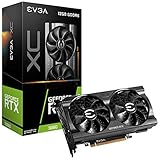

Our Top Picks
Top 3 picks at a glance
Quick comparison of the best older graphics cards
| Pick | Best for | Key specs | Typical used price range |
|---|---|---|---|
| GeForce RTX 3060 12GB | Best overall | 12 GB GDDR6, 192-bit bus, about 170 W, DLSS support | Usually $150–$220 |
| Radeon RX 6600 | Best budget and low power | 8 GB GDDR6, 128-bit bus, about 132 W | Usually $100–$160 |
| Radeon RX 6700 XT | Best for 1440p | 12 GB GDDR6, 192-bit bus, about 230 W | Usually $180–$260 |
| GeForce RTX 2060 Super / RTX 3070 | Best for ray tracing on a budget | 8 GB GDDR6, DLSS, 175–220 W | Usually $120–$220 |
| GeForce GTX 1660 Super | Best for esports and small PCs | 6 GB GDDR6, about 125 W, single 8-pin connector | Usually $70–$120 |
| GeForce GTX 1070 / 1080 class | Best for very low budget | 8 GB GDDR5, about 150–180 W, no DLSS or ray tracing hardware | Usually $60–$130 |
Best overall: GeForce RTX 3060 12GB
The RTX 3060 12GB stands out because of its VRAM. Per the manufacturer’s spec sheet it has 12 GB of GDDR6, which matters in 2026, when several new games use more than 8 GB at high texture settings. It also supports DLSS upscaling and frame generation tools that extend its life, along with hardware ray tracing that is usable at 1080p with DLSS enabled.
The trade-off is raw speed. It is a mid-range card from 2021, so expect around 60 fps in many modern games at 1080p high settings, with demanding titles needing medium settings. These FPS ranges vary with CPU, patch and settings.
Best budget: Radeon RX 6600
The RX 6600 delivers close to RTX 3060 speed in many games for a lower price and about 40 W less power. A 450 W power supply is enough for it. It is also quiet, since the cooler does not need to move much heat.
The trade-off is 8 GB of VRAM on a 128-bit bus, and a weaker ray tracing performance than Nvidia cards of the same class. PCIe 4.0 x8 is its interface, so if you plug it into an old PCIe 3.0 board you may lose a few percent in some games.
Best for 1440p: Radeon RX 6700 XT
With 12 GB of VRAM and a 192-bit bus, the RX 6700 XT handles 1440p at high settings in most games and is often cheaper than a used RTX 3070. The compromises are higher power use of about 230 W, which calls for a 550 to 650 W power supply, and no equivalent to DLSS 3 frame generation, although AMD’s FSR upscaling works on it.
Best for ray tracing on a budget: RTX 2060 Super or RTX 3070
If you want DLSS and some ray tracing effects, the RTX 20- and 30-series cards still provide them. The RTX 3070 is much faster than the 2060 Super, but both have 8 GB of VRAM, which can limit them in the newest titles at 1440p.
Best for esports and small PCs: GTX 1660 Super
The GTX 1660 Super handles competitive games such as Valorant, Counter-Strike 2, Fortnite and League of Legends at high frame rates at 1080p. It draws about 125 W and needs only a single 8-pin connector, so it fits small cases and weaker power supplies. It lacks ray tracing and DLSS, which is the main reason it falls behind in newer single-player games.
Best for a very low budget: GTX 1070 or 1080 class
A used GTX 1070 or 1080 still plays many games at 1080p, and the 8 GB of VRAM helps. These cards are cheap, but they are at least eight years old, use more power than their performance justifies and have no hardware ray tracing, so some newer games ask for features they lack. Buy only at a low price and from a seller who allows returns.
Worked example: VRAM needed per resolution
A rough guide to VRAM in 2026 modern games, at high texture settings, looks like this:
| Resolution | Typical VRAM use (varies by game) | Safe VRAM target |
|---|---|---|
| 1080p | 4–8 GB | 8 GB |
| 1440p | 6–10 GB | 10–12 GB |
| 4K | 8–14 GB | 12–16 GB |
This is why a 12 GB RTX 3060 often ages better than an 8 GB RTX 3070, even though the 3070 is faster in older games. When VRAM runs out, the game swaps data over the PCIe bus, which causes stutter that raw GPU speed cannot hide.
Now a power budget example. A system with an RTX 3060 (170 W), a mid-range CPU (about 90 W under load) and 50 W for the rest of the system draws about 310 W at peak. With a 20 to 30 percent safety margin, a 450 to 500 W quality power supply is enough. For an RX 6700 XT (230 W), the same calculation gives about 370 W peak, so a 550 to 600 W unit is the sensible choice.
How to check a used graphics card before you buy
- Ask for a photo with the serial number and a screenshot of a stress test. A 10 to 15 minute run in a graphics benchmark shows stable clocks and temperatures below about 85 degrees Celsius.
- Check for mining history. Cards used for mining are not always worse, but ask about it and look for worn fans or old thermal pads.
- Inspect the ports and the backplate. Bent pins, discolored solder or burnt smell are red flags.
- Verify the VRAM size in GPU-Z. Some fake or modified cards report a wrong size.
- Use a payment method with buyer protection and a return window. A card that fails in the first week should be refundable.
- Replace thermal paste if temperatures are high. Fresh paste often drops temperatures by 5 to 10 degrees on a card that has been used for several years.
How to choose: a decision matrix
| Your situation | Choose | Why |
|---|---|---|
| 1080p gaming with a 450 W power supply | RX 6600 or RTX 3060 | Lower power draw with enough speed |
| You want 1440p at high settings | RX 6700 XT or RTX 3070 | More speed and 8–12 GB of VRAM |
| Esports only | GTX 1660 Super | Cheap and fast enough at 1080p |
| You want DLSS and some ray tracing | RTX 3060 12GB | DLSS support with enough VRAM |
| Tiny case, weak power supply | GTX 1660 Super or RX 6600 | One 8-pin connector, low heat |
Compatibility checks
Before you buy, check three physical things: the card’s length against your case (many 3060 and 6700 XT models are 9 to 12 inches), the power connectors (6-pin, 8-pin or 12-pin) and the PCIe slot. Most older cards are PCIe 3.0 or 4.0 x16 and work in any recent board. If you have a very old CPU, a card as fast as an RTX 3060 may be limited by the processor, so pair it with at least a recent six-core CPU.
Frequently Asked Questions
Is a used graphics card from 2020 or 2021 still worth buying in 2026?
Yes, if the price is right and you check its condition. An RTX 3060 12GB or RX 6600 still runs modern games at 1080p, and the savings over a new card are significant.
Which old graphics card has the best performance per dollar?
The RX 6600 and RX 6700 XT usually offer the best frame rate per dollar on the used market, while the RTX 3060 12GB is the best choice if you want DLSS and more VRAM.
Do old graphics cards still get driver updates?
RTX 20, RTX 30 and RX 6000 cards are still supported with regular drivers. GTX 10-series support has moved toward maintenance mode, so they receive fewer game-specific optimizations. Check the vendor’s support page before you buy.
Is it safe to buy a graphics card that was used for mining?
Often it is, because mining runs at steady temperatures. Still, fans and thermal pads may be worn, so test the card, check temperatures and buy with a return option.
What power supply do I need for an older graphics card?
A good-quality 450 to 500 W unit handles cards up to about 170 W, and 550 to 650 W covers cards up to 230 W. Check that the unit has the required PCIe connectors.
Related guides
More from Amazon
Programs that pair well with the guide above. Offers and eligibility are set by Amazon and may change.
A free business account with business pricing and bulk-buying tools for work, shop or home office.
Create a business accountFree shipping on eligible items, Prime Video and more. Eligible new members can start with a free trial.
Start a Prime free trialAudiobooks and podcasts to listen to on the go. Eligible new members can start with a free trial.
Try Audible freeAd-free music streaming. Eligible new subscribers can start with a free trial.
Try Music Unlimited freeAs an Amazon Associate we earn from qualifying purchases.


