The best affordable 11-inch tablets in 2026 are the Samsung Galaxy Tab A9+ and Tab S10 FE class, the Lenovo Tab Plus and Tab P11 class, and the Apple iPad (A-series) in its base configuration, with prices usually between $150 and $450. For most buyers, pick an Android tablet with a 90 Hz or better 11-inch LCD, 4-6 GB of RAM and 128 GB of storage if the budget is below $250, and move to the iPad when you want the longest software support.
Eleven inches is the sweet spot for a general-purpose tablet. It is large enough for reading magazines, split-screen work and video, yet small enough to hold on a sofa or in a bag. The challenge at low prices is that specifications look alike, so this guide explains which differences matter and how to calculate what you really get for the money.
As an Amazon Associate we earn from qualifying purchases at no extra cost to you.


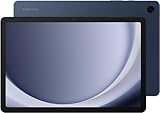
Our Top Picks
Top 3 picks at a glance
Quick comparison of the picks
| Pick | Best for | Key specs | Price range |
|---|---|---|---|
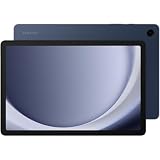
| Samsung Galaxy Tab A9+ (11 inch) | Best budget Android | 11-inch 1920×1200, 90 Hz, 4-8 GB RAM, 64-128 GB storage, microSD slot, quad speakers | Usually $150-$250 |
| Lenovo Tab Plus / Tab P11 class | Best for media and speakers | 11.5-inch 2K display, 90-120 Hz, 6-8 GB RAM, 128 GB, multi-speaker audio | Usually $160-$280 |
| Apple iPad (base model, 11-inch) | Best overall value for longevity | 11-inch Liquid Retina, A-series chip, 128 GB, USB-C, Apple Pencil support | Usually $330-$450 |
| Samsung Galaxy Tab S10 FE class | Best Android for note-taking | 10.9-inch 90 Hz display, S Pen included, IP68 rating, 6-8 GB RAM, 128 GB | Usually $350-$480 |
| Generic 11-inch budget tablets (Teclast, Blackview class) | Cheapest option for light use | 11-inch IPS, 4-8 GB RAM, 128 GB, basic Android | Usually $100-$160 |
Prices fluctuate by region and season. Check the manufacturer’s spec sheet before buying, because RAM and storage tiers often share a model name.
Best budget Android: Galaxy Tab A9+ class
Samsung’s Tab A9+ gives you an 11-inch 1920×1200 display at 90 Hz, quad speakers and a microSD card slot for expanding storage. The Snapdragon 695-class processor handles web browsing, streaming, e-books and light games without drama. Samsung’s regular security updates and a clean interface add reliability for a low price.
Trade-off: the processor struggles with demanding 3D games and heavy multitasking, and the display brightness of about 400 nits is dim outdoors. If you mostly stream video and read, it is the sensible low-cost choice.
Best for media: Lenovo Tab Plus or P11 class
Lenovo’s 11-inch models have a good panel, strong speakers and affordable pricing, often with a 2K display and a faster refresh rate. The Tab Plus class is notable for its large speaker system, which sounds fuller than most rivals under $300. A kickstand-style case also gives it a laptop-free viewing mode.
Trade-off: Lenovo’s software update support is shorter than Samsung’s or Apple’s. Expect fewer major Android updates, so it suits users who plan to replace the tablet in two to three years.
Best overall value: Apple iPad (base 11-inch class)
The base iPad offers a fast A-series chip, a bright 11-inch display, 128 GB of storage and USB-C. Apple supports iPads with software updates for a long time, often six or more years, and the app selection for drawing, note-taking and education is stronger than on Android tablets. It also supports the Apple Pencil (USB-C) for sketching and handwriting.
Trade-off: the starting price is about double that of an entry Android tablet, and base models lack a laminated display, so the screen looks slightly less sharp. Accessories like the keyboard folio add to the cost.
Best for note-taking: Galaxy Tab S10 FE class
Fan Edition tablets from Samsung include an S Pen in the box, an IP68 dust and water rating, and a 90 Hz display. If you take handwritten notes in class or meetings, the included stylus saves $80-$130 compared with buying one separately. DeX mode also turns the tablet into a basic desktop interface when you connect a keyboard.
Trade-off: it costs more than a Tab A9+ and its performance is only mid-range. If you do not use the pen, the premium is hard to justify.
Cheapest option: generic 11-inch tablets
Brands such as Teclast and Blackview sell 11-inch tablets from roughly $100-$160 with 8 GB RAM claims and 128 GB storage. For video calls, e-books or a child’s tablet, the specifications look acceptable on paper.
Trade-off: update support is minimal, build quality varies, and the processor, often an entry Unisoc or Helio chip, makes multitasking slow. Avoid these for banking apps and any tablet that holds sensitive data.
How to choose: a spec decision guide
| If you mainly… | Choose | Why |
|---|---|---|
| Stream video and read | Tab A9+ or Lenovo P11 class | Good speakers, enough power, low price |
| Write notes and sketch | Tab S10 FE or iPad with Pencil | Pen support and drawing apps |
| Study with apps and documents | Base iPad | App support, long updates |
| Play games casually | Base iPad or Tab S10 FE | Faster chip and 60-90 Hz display |
| Need a kid-friendly tablet | Tab A9+ with a rugged case | microSD slot and low replacement cost |
Worked example: what you pay per year of useful life
Cost over time shows which tablet is really cheaper. Suppose you buy a $180 Android tablet with about three years of useful software support, and a $350 iPad with about six years. The Android option costs $180 / 3 = $60 per year. The iPad costs $350 / 6 = about $58 per year. Once you include a $40 case, the figures become $73 and $65 per year. If you keep the Android tablet only two years, its price rises to $90 per year. The lesson is that a $150 tablet that you replace every two years can cost more per year than a $350 tablet you use for six.
Specs that deserve attention
- Resolution: 1920×1200 on 11 inches gives about 207 pixels per inch, which looks sharp for reading. Panels below 1280×800 look soft for text.
- Refresh rate: 90 Hz makes scrolling smoother, but at this price it only matters if the processor is fast enough to feed it.
- RAM: 4 GB is the minimum for Android; 6-8 GB keeps multiple apps open. iPads manage memory differently, so 4 GB works fine.
- Storage: 64 GB fills quickly with offline videos. 128 GB is the comfortable minimum, or choose a model with a microSD slot.
- Battery: Look for 7,000-8,000 mAh on Android and about 28-30 Wh on iPads, which usually delivers 9-12 hours of mixed use per spec sheets.
- Software updates: Check the stated update period. Samsung lists up to several years for newer models, and Apple supports devices for much longer.
- Charging: 15-25 W is typical. A 45 W charger on Samsung FE models cuts full charge to about 90 minutes.
Accessories that add value
A protective case with a stand is the most useful accessory, since tablets drop often. A tempered-glass or paper-like screen protector helps reading and drawing. For typing, a Bluetooth keyboard under $40 turns the tablet into a travel notebook. A microSD card of 128-256 GB adds cheap storage on models that support it.
Frequently Asked Questions
Is an 11-inch tablet too big?
For reading or handheld use, 11 inches feels large but remains comfortable with a case or stand. It is excellent for video, split-screen apps and sketching. If you mostly read novels, an 8-inch tablet is lighter, but for general use the 11-inch size is the best compromise.
Is a cheap Android tablet worth it?
Yes, if you buy from a brand that issues security updates and you use it for streaming, reading and light browsing. Avoid ultra-cheap no-name models for sensitive tasks, because they often receive few or no updates. A budget Samsung or Lenovo is a safer choice.
How much RAM does an affordable tablet need?
For Android, 4 GB is the minimum, and 6-8 GB is better for multitasking and keeping apps in memory. On an iPad, 4 GB is enough because iPadOS handles memory differently. More important than the RAM figure is the processor generation.
Can an 11-inch tablet replace a laptop?
For email, documents, web and video calls, yes, with a keyboard case. iPads handle this best because of their app selection. For software development, heavy spreadsheets or desktop programs, a laptop remains the better tool.
Do I need cellular connectivity?
Only if you use the tablet away from Wi-Fi often, such as on trains or in the field. Cellular models cost about $100-$150 more and require a data plan. For most people, a phone hotspot is the cheaper option.
How long will an affordable tablet last?
Expect three to four years of comfortable use from a mid-range Android tablet and five to six years from a base iPad. Battery wear and software support end the usable life, not the screen, so choose a model with a clear update policy.
Related guides
More from Amazon
Programs that pair well with the guide above. Offers and eligibility are set by Amazon and may change.
A free business account with business pricing and bulk-buying tools for work, shop or home office.
Create a business accountFree shipping on eligible items, Prime Video and more. Eligible new members can start with a free trial.
Start a Prime free trialAudiobooks and podcasts to listen to on the go. Eligible new members can start with a free trial.
Try Audible freeAd-free music streaming. Eligible new subscribers can start with a free trial.
Try Music Unlimited freeAs an Amazon Associate we earn from qualifying purchases.