The best gaming desk for most PC players in 2026 is a dual-motor sit-stand desk at least 55 inches wide and 27 to 30 inches deep, such as the Flexispot E7 Pro or the Uplift V2. If you want a fixed desk built around cable management and a large mouse surface, the Secretlab Magnus Pro and the Arozzi Arena class are the usual choices. Pick by your monitor’s viewing distance, your total equipment weight and your height range, not by RGB strips or marketing names.
“Tech source” in a search like this usually means the reader wants the reasoning behind the pick, so this guide covers the measurements and the trade-offs between desk types. Prices are given as market tiers only, because street prices move often.
As an Amazon Associate we earn from qualifying purchases at no extra cost to you.


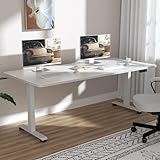
Top 3 picks at a glance
Quick comparison of the picks
| Pick | Best for | Key traits | Price tier |
|---|---|---|---|
| Flexispot E7 Pro | Best overall sit-stand | Dual motor, steel frame, wide size options, memory presets | Mid-range to upper mid-range |
| Uplift V2 | Best for stability and customization | Dual motor, many top materials and sizes, accessory ecosystem | Upper mid-range to premium |
| Secretlab Magnus Pro | Best fixed-style cable-managed desk | Metal desk with magnetic accessories, built-in cable tray, optional electric lift | Premium |
| Arozzi Arena class | Best for mouse-heavy FPS play | Full-desk mouse surface, wide top, carbon-fiber-look finish | Mid-range |
| IKEA Idåsen | Best value large sit-stand | Dual motor, very large top, simple frame | Mid-range |
| L-shaped corner desk class | Best for triple-monitor or sim setups | Two surfaces, 60 in or more on the long side, usually fixed height | Budget to mid-range |
Specifications such as lift range, top sizes and weight ratings differ between variants and change between production runs, so check the manufacturer’s spec sheet for the exact size you plan to buy.
Best overall: Flexispot E7 Pro
The E7 Pro suits players who want a stable sit-stand desk without paying premium-brand prices. It uses a dual-motor, steel-frame design, which matters because a desk carrying a PC tower, two monitors and a speaker set will wobble on a single-motor frame at standing height. Per the manufacturer, it comes in several top sizes with memory presets.
Trade-off: the stock tops are plain, and you will add your own cable tray, mouse pad and monitor arms.
Best for stability and customization: Uplift V2
The Uplift V2 is the pick if you plan to keep a desk for years and want to choose the top material, size and accessories. Its frame is known for low wobble at full height, and the manufacturer publishes a high weight rating suited to heavy multi-monitor builds.
Trade-off: once you add a thick top and accessories, the total cost is well above the other sit-stand picks.
Best fixed-style desk with cable management: Secretlab Magnus Pro
The Magnus Pro is built around the idea that a gaming desk should hide its cables. It has a metal top with a cable tray, magnetic mounts for accessories and a large mouse surface. Secretlab also offers an electric-lift version, so you can choose between fixed and sit-stand.
Trade-off: it is a premium purchase, and some people find its top too shallow for a 32-inch monitor without an arm.
Best for mouse-heavy shooters: Arozzi Arena class
Arena-style desks come with a wide mouse surface across the whole top. That helps if you play tactical shooters at low sensitivity and sweep the mouse 10 inches or more per flick. The desk surface is consistent, so you do not have to line up a separate pad.
Trade-off: these desks are mostly fixed height, and the surface can show wear sooner than a hard top.
Best value large sit-stand: IKEA Idåsen
The Idåsen has a very large top and a dual-motor frame at a mid-range price. It suits players who want deep space for an ultrawide and a long keyboard zone.
Trade-off: the accessory ecosystem is thinner than Uplift’s, and availability varies by region.
Best for triple monitors and sim racing: L-shaped corner desk
An L-shaped desk gives a second surface for a controller, a second PC or a flight yoke. Choose a version with a steel frame and a 1-inch or thicker top. The long side should be at least 60 inches.
Trade-off: most are fixed height and take up a corner, which is a problem in small rooms.
How to choose: the numbers that matter
1. Desk depth from viewing distance
A rough model: with the monitor stand near the back of the desk, about 3 inches from the rear edge, and your eyes about 6 inches behind the front edge, the viewing distance is roughly desk depth plus 3 inches. Typical comfortable distances are about 24 to 30 inches for 27-inch 1440p and about 30 to 36 inches for 32-inch 4K. This is a rule of thumb, not a standard.
| Monitor | Target viewing distance | Minimum desk depth (no arm) |
|---|---|---|
| 24-inch 1080p | 20–26 in | 23 in |
| 27-inch 1440p | 24–30 in | 24–27 in |
| 34-inch ultrawide | 28–34 in | 27–31 in |
| 32-inch 4K | 30–36 in | 30–33 in |
If the desk is only 24 inches deep, a monitor arm clamped to the rear edge lets you push the screen back and recover about 6 to 8 inches of effective depth.
2. Weight budget
Add up what will sit on the desk. A typical example:
- Mid-tower PC on the desk: 25 lb
- Two 27-inch monitors with arms: 2 x 15 lb = 30 lb
- Speakers, headset stand, mic arm: 12 lb
- Keyboard, mouse pad, dock, lamp: 8 lb
- Total: about 75 lb
Rated capacity should be about 1.5 times the load to cover leaning, so look for a rating of at least 110 lb. Most dual-motor frames are rated well above 200 lb per the manufacturers, so weight is usually a concern only for cheap single-motor or fixed-leg desks.
3. Height range for sit-stand desks
A common ergonomic rule puts seated elbow height at about 0.41 times body height and standing elbow height at about 0.63 times body height. Your desk should reach both.
| Your height | Seated desk height | Standing desk height |
|---|---|---|
| 5 ft 2 in (62 in) | about 25.5 in | about 39 in |
| 5 ft 10 in (70 in) | about 28.5 in | about 44 in |
| 6 ft 3 in (75 in) | about 31 in | about 47 in |
Many desks list a range of about 24 to 50 inches, which covers most people. Shorter users should check the minimum height, and taller users the maximum, which falls with a thick top.
4. Match your situation to a desk
| Your situation | Choose | Why |
|---|---|---|
| Single 27-inch monitor, small room | Fixed or sit-stand, 47–55 in wide, 24 in deep | Saves space; add an arm if depth is tight |
| Dual monitors, heavy PC | Dual-motor sit-stand, 55–63 in wide | Stable and adjustable |
| 34-inch ultrawide or 32-inch 4K | At least 27–30 in deep | Viewing distance |
| Low-sensitivity FPS player | Arena-class or a 36-inch mouse pad | Room for a full arm sweep |
| Triple monitors or sim rig | L-shape or a 70 in desk | Surface area |
| Hot PC on the desk | Desk with a grommet or shelf for a tower | Keeps the case off the surface and its intake clear |
5. Details that decide daily comfort
- Top thickness: a 1-inch top resists sag over 60 inches. Thinner tops can flex under keyboard pressure.
- Cable management: a rear tray plus a grommet hole keeps the PC, monitor and peripheral cables off the floor. Standing desks need enough cable slack to cover the full height range.
- Frame width: if the leg frame is wide, a keyboard tray can hit it and your knees may not fit. Measure the inner clearance.
- Anti-collision: a desk with this feature stops the motor if it meets an obstacle such as a chair arm.
- Noise: dual-motor frames are quieter at lifting than cheap single-motor frames, but both are fine for gaming because you move the desk only when you are not playing.
Common mistakes
- Buying a desk 24 inches deep and then a 32-inch monitor without an arm.
- Ignoring the minimum height. A desk that only drops to 29 inches is too high for many people under 5 ft 6 in unless the chair is raised and a footrest is used.
- Choosing by width alone. Eight inches of extra depth often helps more than eight inches of extra width.
- Placing a heat-producing PC under a desk with a closed panel, which can limit the airflow to the case.
Frequently Asked Questions
What size gaming desk do I need?
For one or two monitors, 55 to 63 inches wide and 27 to 30 inches deep suits most players. Go to at least 30 inches deep for a 32-inch 4K screen or a 34-inch ultrawide. If space is limited, a 47-inch desk with a monitor arm works well.
Is a standing gaming desk worth it?
Yes, if you play or work for several hours a day and want to change position. A dual-motor desk is worth the extra cost over a single-motor desk because it stays steadier with heavy equipment. If you only play in short sessions, a fixed desk is cheaper and simpler.
Are L-shaped desks good for gaming?
They are good for triple-monitor setups, sim racing and a second PC, since the second surface adds space. They take a lot of room and are mostly fixed height. In a small room, a straight desk with a monitor arm is usually more practical.
What weight capacity should a gaming desk have?
Add up the PC, monitors, speakers and accessories, then multiply by 1.5. A typical dual-monitor setup is around 75 lb, so a rating above 110 lb is enough. Most dual-motor frames exceed this according to their manufacturers.
Should my PC go on the desk or under it?
Under the desk saves space but can trap dust and heat, especially on carpet. If you place it there, leave at least a few inches of clearance around the intake and exhaust, and raise the case off the floor. A desk-side shelf or the desk surface are good alternatives.
Do I need a desk with RGB or built-in lighting?
No. Lighting does not affect comfort or stability. Spend that budget on a thicker top, a dual-motor frame or a monitor arm, and add an RGB strip separately if you want one.
Related guides
More from Amazon
Programs that pair well with the guide above. Offers and eligibility are set by Amazon and may change.
A free business account with business pricing and bulk-buying tools for work, shop or home office.
Create a business accountFree shipping on eligible items, Prime Video and more. Eligible new members can start with a free trial.
Start a Prime free trialAudiobooks and podcasts to listen to on the go. Eligible new members can start with a free trial.
Try Audible freeAd-free music streaming. Eligible new subscribers can start with a free trial.
Try Music Unlimited freeAs an Amazon Associate we earn from qualifying purchases.