The best RGB CPU cooler for most gaming PCs in 2026 is a 360mm addressable-RGB AIO such as the Arctic Liquid Freezer III 360 A-RGB, which pairs strong cooling with a modest footprint. If you prefer air, a dual-tower ARGB cooler like the Thermalright Phantom Spirit 120 SE ARGB is the value pick. Choose by three things: how much heat your CPU makes, which RGB standard your motherboard uses (5V ARGB vs 12V RGB), and how much room your case has.
As an Amazon Associate we earn from qualifying purchases at no extra cost to you.



Our Top Picks
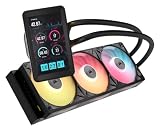
 ARCTIC Liquid Freezer III Pro 360 A-RGBLiquid Freezer III Pro 360 A-RGB15.7 x 4.7 x 2.9 inches4.5 poundsCheck on Amazon

Top 3 picks at a glance
Quick comparison of the picks
| Pick | Best for | Key specs | Price tier |
|---|---|---|---|
| Arctic Liquid Freezer III 360 A-RGB | Best overall AIO | 360mm radiator, 3x 120mm PWM fans, 5V ARGB, integrated VRM fan | Mid-range |
| Corsair iCUE LINK Titan 360 RX RGB | Cleanest cabling, Corsair ecosystem | 360mm AIO, daisy-chained iCUE LINK fans, software control | Premium |
| NZXT Kraken Elite 360 RGB | Showpiece builds with a pump display | 360mm AIO, 2.72-inch LCD on the pump block, RGB fans | Premium |
| Lian Li Galahad II Trinity (ARGB 360) | Tidy fan daisy-chaining | 360mm AIO, linked ARGB fans, pump-top lighting | Mid-range to premium |
| Thermalright Phantom Spirit 120 SE ARGB | Best air cooler for value | Dual-tower, two 120mm fans, ARGB lighting, 5V 3-pin | Budget to mid-range |
| Cooler Master Hyper 212 Halo Black | Budget RGB on a mainstream CPU | Single-tower, ARGB fan, compact height class | Budget |
Specs above come from the manufacturers’ product pages; check the exact variant you buy, since several of these coolers ship in white, black, and non-RGB versions.
Best overall: Arctic Liquid Freezer III 360 A-RGB
Arctic’s Liquid Freezer III line is a frequent top pick in published cooling reviews because of its thick radiator, quiet P12-class fans, and an extra small fan that cools the motherboard’s VRM area. The A-RGB version adds addressable lighting that plugs into a standard 5V 3-pin ARGB header, so no proprietary hub is needed. It suits Ryzen 7/9 and Core i7/Ultra 7/9 builds where you want headroom without paying for a display.
Trade-off: the lighting is simpler than on pricier models (no screen, fewer zones), and the thick radiator needs a case with enough clearance for the fans plus radiator. Check your case’s top and front radiator limits before buying.
Best for Corsair ecosystems: iCUE LINK Titan 360 RX RGB
Corsair’s iCUE LINK system chains fans and the pump through a single cable, which means far less cable clutter behind a glass panel. It fits builders who already use Corsair RAM, fans, or a case and want one app to control everything.
Trade-off: it relies on Corsair’s iCUE software and hub, so it works best inside that ecosystem. It also costs more than comparable plain ARGB AIOs.
Best for a display: NZXT Kraken Elite 360 RGB
The Kraken Elite line puts a 2.72-inch LCD on the pump cap that can show temperatures, GIFs, or images. It suits builds where the pump head is visible and the screen is part of the look.
Trade-off: you pay a premium for the screen rather than for cooling, and it depends on NZXT’s CAM software. If you do not care about the display, a cheaper AIO cools about as well.
Best for tidy wiring: Lian Li Galahad II Trinity
Lian Li’s Galahad II Trinity AIOs use fans that clip and link together, so a 360mm radiator needs very little cable routing. They are a good fit for people building in a showcase case who care about how the build looks from the front.
Trade-off: the linked-fan design means a replacement fan must be from the same family, and lighting control varies by variant. Confirm whether your version is controlled by the motherboard or Lian Li’s software.
Best air cooler: Thermalright Phantom Spirit 120 SE ARGB
A dual-tower air cooler avoids pump failure and leak risk, and it often matches 240mm AIOs in published reviews for mainstream CPUs. This is the pick for anyone with a Ryzen 5/7 or Core i5/i7-class chip who wants RGB without paying AIO prices.
Trade-off: it is tall and wide. Large towers can block the top RAM slot, and some compact cases cannot fit them at all.
Best budget: Cooler Master Hyper 212 Halo Black
For a locked or midrange CPU that draws modest power, a single-tower ARGB cooler delivers the lighting and enough cooling. It is the easy choice for a first build or an upgrade from a stock cooler.
Trade-off: it will run louder than a large tower or 360mm AIO under a heavy sustained load on a high-end CPU. Do not pair it with a flagship chip.
How to choose: match the cooler to your CPU’s heat
Look up your CPU’s maximum sustained power in the manufacturer’s spec sheet (Intel lists maximum turbo power; AMD lists TDP and the actual socket power can be higher). Then use this matrix as a starting point.
| CPU class (typical sustained gaming/all-core power) | Minimum cooler class | Better choice |
|---|---|---|
| Ryzen 5 / Core i5 (about 65-125 W) | Single-tower air, 120mm fan | Dual-tower air or 240mm AIO |
| Ryzen 7 / Core i7 or Ultra 7 (about 100-180 W) | Dual-tower air or 240mm AIO | 280mm or 360mm AIO |
| Ryzen 9 / Core i9 or Ultra 9 (about 150-250 W+) | 280mm AIO | 360mm AIO |
These bands are rough planning ranges; exact power varies by motherboard power limits and BIOS settings. If you run a CPU with its power limits removed, size up one tier.
Worked example: will your ARGB header handle the lights?
Many motherboards rate each 5V ARGB header at about 3 A (check your manual). An addressable LED can draw roughly 60 mA at full-white brightness. Suppose a 360mm AIO has three fans with 16 LEDs each plus 24 LEDs in the pump and ring:
- LED count: (3 x 16) + 24 = 72 LEDs
- Worst-case current: 72 x 0.06 A = 4.3 A, or about 21.6 W at 5V
- Realistic current at mixed colors and moderate brightness (about 25-40% of the worst case): roughly 1.1-1.7 A
That is within a 3 A header, but adding a 3-fan case kit and an RGB strip on the same header can push it past the limit at full white. The practical rule: put big loads on separate headers, or use the cooler’s own hub, and do not daisy-chain several full kits from one motherboard port. These numbers are illustrative; your cooler’s actual LED count will differ.
RGB compatibility: the check that prevents damage
- 5V, 3-pin ARGB (addressable): the modern standard on most coolers and boards (Asus Aura Sync, MSI Mystic Light, Gigabyte RGB Fusion, ASRock Polychrome). The connector is keyed with one blocked pin.
- 12V, 4-pin RGB (non-addressable): an older standard with a single color at a time. Plugging a 12V RGB device into a 5V ARGB header, or the reverse, can burn out LEDs. Never force a connector.
- Proprietary hubs (iCUE LINK, NZXT CAM, Lian Li): these work through USB headers and the maker’s software. They look great but add one more app and a USB 2.0 internal header requirement.
If your motherboard has no ARGB header, choose a cooler with a bundled controller, or one that uses a USB-controlled hub.
Other checks before you buy
- Socket support: confirm your socket (AM5, LGA 1700, or LGA 1851) in the cooler’s compatibility list. Some coolers need an extra bracket for a newer socket.
- Radiator mounting: a 360mm radiator needs a case that lists 360mm support at the top or front. Check for RAM and VRM heatsink clearance if mounting at the top.
- Air cooler height: compare the cooler’s listed height with your case’s maximum CPU cooler height, and leave a few millimeters of margin for the side panel.
- Warranty: AIOs typically carry multi-year warranties; compare the length and what it covers if the pump fails.
- Noise: RGB does not change cooling, but extra LEDs sometimes mean fans with lower airflow. Prioritize static pressure on a radiator, and check manufacturer rated noise levels.
Frequently Asked Questions
Does RGB make a CPU cooler run hotter?
No. The LEDs draw a few watts at most and have no meaningful effect on CPU temperatures. Cooling depends on the heat sink, radiator, fan design, and thermal paste.
Is an AIO better than an air cooler for RGB builds?
Not automatically. A large dual-tower air cooler can match a 240mm AIO on mainstream CPUs and has no pump to fail. AIOs usually win with high-power chips, in cases where tall towers will not fit, or when you want a clean look around the socket.
Can I use any RGB cooler with my motherboard?
Only if the connector standards match. Most modern coolers use a 5V 3-pin ARGB header, which most current boards include, but older 12V 4-pin RGB gear is not compatible. Always check which header type your cooler and your board use.
Do I need the manufacturer’s software to control the lighting?
Not for ARGB models that plug into a motherboard header, since you can control them through the board’s own utility. Proprietary systems like iCUE LINK or NZXT’s display coolers need the maker’s software for full features.
What size AIO should I buy for a high-end gaming CPU?
A 280mm or 360mm model is the usual choice for Ryzen 9 and Core i9 or Ultra 9 class chips. A 360mm radiator gives more cooling surface, so fans can run slower and quieter at the same temperature. Confirm that your case supports the radiator size first.
How long do RGB AIO coolers last?
Manufacturers typically back them with warranties of several years, and many last longer, but the pump and fans are wear items. Replacing a failed fan is easy on most models, while pump failure usually means a warranty claim.
Related guides
More from Amazon
Programs that pair well with the guide above. Offers and eligibility are set by Amazon and may change.
A free business account with business pricing and bulk-buying tools for work, shop or home office.
Create a business accountFree shipping on eligible items, Prime Video and more. Eligible new members can start with a free trial.
Start a Prime free trialAudiobooks and podcasts to listen to on the go. Eligible new members can start with a free trial.
Try Audible freeAd-free music streaming. Eligible new subscribers can start with a free trial.
Try Music Unlimited freeAs an Amazon Associate we earn from qualifying purchases.


