
If your PS5 extended storage won’t format, you’re not alone — and in most cases, the problem isn’t your console. It’s the drive itself. Sony’s requirements for the internal M.2 expansion slot are strict: a PCIe Gen4 x4 interface, sustained read speeds of at least 5,500MB/s, and a capacity between 1TB and 8TB. Drives that fall short on any of these specs (or ship without a proper heatsink) routinely fail at the formatting screen. External USB drives have their own quirks — they can store PS5 games but can’t run them, and fat32/exFAT formatting issues can block setup entirely.
The fix usually comes down to two things: making sure your current drive actually meets Sony’s specifications, and — if it doesn’t — replacing it with a drive that does. We pulled together the six drives most likely to solve the problem, all of which meet or exceed PS5 requirements. Some are officially licensed, some are budget alternatives, and a couple are external options for players who just need archive space. Here’s what we recommend in 2026.
As an Amazon Associate we earn from qualifying purchases at no extra cost to you. Product prices and availability are accurate as of the date shown and are subject to change.




Top 3 picks at a glance
Quick Picks
| Product | Best for | Price |
|---|---|---|
| WD_BLACK 1TB SN850P NVMe M.2 SSD | Officially licensed peace of mind | $239.99 |
| WD_BLACK 2TB SN850P NVMe M.2 SSD | Serious game libraries | $469.95 |
| WD_BLACK 5TB P10 Game Drive | External game archiving | $249.90 |
| Bestoss 1TB PCIe 4.0 NVMe M.2 SSD | Budget-conscious upgraders | $189.99 |
| Addlink A93 2TB Storage Expansion | High-speed capacity per dollar | $299.44 |
| Seagate 5TB Game Drive for PlayStation | Plug-and-play PS4 libraries | n/a |
How We Picked
Every internal drive here meets Sony’s minimum specification of PCIe Gen4 x4 with sequential reads of at least 5,500MB/s — the single most common reason a PS5 refuses to format M.2 storage. We prioritized drives that include heatsinks or have low-profile designs compatible with Sony’s clearance requirements, since thermal issues can also interrupt the formatting and installation process. For external options, we stuck with established brands known for reliable USB 3.0 performance and straightforward exFAT compatibility. We also weighed real-world pricing, warranty support, and whether the drive is officially licensed, since that eliminates all guesswork about compatibility.
The 6 Best Picks
WD_BLACK 1TB SN850P NVMe M.2 SSD (WDBBYV0010BNC-WRSN) — $239.99
This is the drive we hand to anyone who wants the formatting problem solved with zero troubleshooting. It’s officially licensed for PS5, so it’s guaranteed to pass the M.2 checks, and its 7,300MB/s sequential read speed sits comfortably above Sony’s 5,500MB/s floor. The built-in heatsink means no separate cooler to install and no clearance issues inside the expansion bay. At 1TB, it roughly doubles the usable storage of a standard PS5, which is enough for around 10–15 large games.
- Officially licensed by Sony — formatting and installation work out of the box
- Integrated heatsink with speeds up to 7,300MB/s
- Cost per gigabyte is higher than third-party alternatives at this capacity
Skip it if you already own a fast Gen4 drive and just need help diagnosing a formatting error — you may not need new hardware at all.
WD_BLACK 2TB SN850P NVMe M.2 SSD (WDBBYV0020BNC-WRSN) — $469.95
The 2TB SN850P is our pick for players whose libraries have outgrown their consoles. You get the same officially licensed guarantee, the same integrated heatsink, and the same top-end 7,300MB/s read speeds, just with double the capacity — enough for 25 to 30 modern AAA installs. If your current drive keeps failing to format or you’re replacing a slow Gen3 SSD, this is the no-compromise upgrade. The premium price is real, but you’re paying for guaranteed compatibility and Western Digital’s warranty backing.
- Double the capacity with zero compatibility risk
- Same 7,300MB/s performance as the 1TB model
- The $469.95 price is steep compared to equivalent third-party drives
Skip it if 1TB is enough or if you’re comfortable using an external drive for game archiving.
WD_BLACK 5TB P10 Game Drive (WDBA3A0050BBK-WESN) — $249.90
An external drive won’t run PS5 games directly, but it’s the cheapest way to park a huge library of PS5 titles as archived copies you can shuffle back to internal storage, and it runs PS4 games natively. The P10 offers 5TB in a portable chassis measuring roughly 4.4 x 3.2 x 0.8 inches and weighing about 8.8 ounces, drawing power from a single USB connection. If your PS5 won’t format M.2 storage and you need space right now, this is a pragmatic stopgap that works with PlayStation, Xbox, and PC.
- Massive 5TB of archive space for PS5 games and native PS4 play
- Works across PlayStation, Xbox, and PC with simple USB 3.0 setup
- Cannot play PS5 games directly from the drive
Skip it if you want PS5 games running from expanded storage — you need an internal M.2 SSD for that.
Bestoss 1TB PCIe 4.0 NVMe M.2 2280 SSD with Heatsink — $189.99
At $189.99, this is the most affordable internal option in our roundup, and it clears Sony’s bar with a rated 7,350MB/s sequential read speed on the PCIe 4.0 interface in the standard 2280 form factor. The included heatsink addresses the thermal side of formatting failures. Bestoss isn’t a household name like Seagate or Western Digital, so check the warranty terms before buying — but for players on a tight budget whose current drive won’t format because it’s Gen3 or lacks a heatsink, this is a legitimate fix.
- Beats Sony’s speed minimum with a 7,350MB/s rating
- Heatsink included at a sub-$200 price point
- Less-established brand with potentially shorter warranty support
Skip it if brand reputation and long-term warranty coverage matter more than saving $50.
Addlink A93 2TB Storage Expansion for PS5 (ad2TBA93M2P) — $299.44
The A93 hits a sweet spot: 2TB of Gen4 storage with a rated 7,400MB/s read speed — the fastest figure in this roundup — for roughly $150 less than the 2TB SN850P. It ships with a heatsink, uses the standard M.2 2280 form factor, and uses SLC caching to maintain performance during transfers. It’s marketed specifically for PS5 expansion, and the spec sheet clears every Sony requirement. The trade-off is the same as with Bestoss: it’s not officially licensed, so a small minority of users may need a firmware or slot-reseating troubleshooting step during initial setup.
- 7,400MB/s rated speed and 2TB capacity at $299.44
- Heatsink included and PS5-focused marketing
- Not officially licensed, so occasional setup hiccups are possible
Skip it if you want the guaranteed plug-and-play experience of a licensed drive.
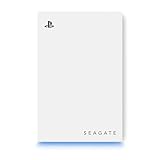
Seagate 5TB Game Drive for PlayStation (STLV5000100) — n/a
This is the PlayStation-branded alternative to the WD_BLACK P10: 5TB of external storage over USB 3.0, styled for PlayStation setups. Like all external drives, it archives PS5 games but can’t play them directly — PS4 titles run natively from the drive. Setup is genuinely plug-and-play: connect it, and the PS5 prompts you to format it as extended storage in exFAT. Pricing varies by retailer, so compare before buying against the similarly equipped P10.
- Officially PlayStation-branded with 5TB of archive capacity
- Simple formatting process designed specifically for PS consoles
- Same core limitation as any external drive — no direct PS5 game play
Skip it if your goal is internal expanded storage; you need an M.2 SSD for that.
Buying Guide
Why Your PS5 Won’t Format (and What Actually Fixes It)
Nine times out of ten, a formatting failure means the drive doesn’t meet Sony’s specs: PCIe Gen4 x4 interface, 5,500MB/s minimum sustained read speed, 1TB–8TB capacity, and proper cooling. Drives without heatsinks can overheat during the format process and fail. For external drives, make sure you’re using a USB 3.0 or faster port and that the drive is formatted as exFAT — the PS5 will handle the rest. Also reseat the M.2 drive and update your console firmware before buying replacements.
Internal M.2 vs. External USB
Only an internal M.2 SSD lets you play PS5 games from expanded storage. External drives are for archiving PS5 titles and running PS4 games. If you’re constantly shuffling installs, go internal — even a 1TB drive doubles most consoles’ usable space. If you just want cheap bulk storage, a 5TB external costs less than most 1TB internal drives.
Heatsinks, Sizes, and Specs That Matter
Stick to the M.2 2280 size (80mm long) — it fits every PS5 revision. A heatsink is effectively mandatory; Sony recommends it, and drives without one are a common cause of format and thermal failures. Check that your console’s expansion bay cover clears the cooler height. Speeds above 7,000MB/s won’t dramatically change game load times versus a 5,500MB/s drive, so prioritize capacity and warranty over headline numbers.
Our Verdict
If you want formatting problems gone permanently, buy the WD_BLACK 1TB SN850P at $239.99 — official licensing means it just works. If you need capacity, the Addlink A93 2TB at $299.44 is the best value internal upgrade, with the 2TB SN850P at $469.95 as the premium alternative. On a strict budget, the Bestoss 1TB at $189.99 meets every spec. And if you only need archive space, the WD_BLACK P10 at $249.90 delivers 5TB that works everywhere.
FAQ
Why does my PS5 say “cannot format” extended storage?
For M.2 drives, the usual culprit is a spec mismatch — Gen3 interface, speeds below 5,500MB/s, capacity outside the 1TB–8TB range, or a missing heatsink. For external drives, check the cable, use a USB 3.0 or faster port, and confirm the drive is exFAT formatted. Reseating the M.2 drive and updating firmware also resolves many cases.
Can I use an external hard drive to play PS5 games?
No. External USB drives can store PS5 games as archived copies that you transfer back to internal storage to play, but PS4 games run directly from external drives. To play PS5 titles from expanded storage, you need an internal M.2 SSD meeting Sony’s Gen4 specifications.
Do I really need a heatsink on my PS5 M.2 SSD?
Effectively, yes. Sony recommends one, and overheating during the format or transfer process is a known cause of failures. All the internal drives in this roundup include heatsinks, which is one reason they’re more reliable choices than bare drives.
Is it worth buying an officially licensed PS5 SSD?
If you want zero troubleshooting, yes — licensed drives like the SN850P are guaranteed compatible, and that guarantee is worth the premium for many buyers. Third-party drives that meet Sony’s published specs (like the Addlink A93 and Bestoss) perform similarly and cost less, but occasionally need an extra setup step. If your current drive won’t format, first confirm whether it actually meets the specs before spending anything.
