The best extreme-performance webcam for most streamers in 2026 is the Razer Kiyo Pro Ultra if low-light image quality matters most, and the Elgato Facecam MK.2 if you want clean, reliable 1080p60. For 4K60 capture, the Elgato Facecam Pro remains the specialist pick, and the Insta360 Link 2 or Obsbot Tiny 2 are better when you move around. “Extreme” here means the hardest webcam jobs: dark rooms, fast motion, 4K sources and long sessions. The right model depends on your lighting and USB port, not just the resolution on the box.
As an Amazon Associate we earn from qualifying purchases at no extra cost to you.


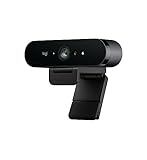

Our Top Picks


Top 3 picks at a glance
Quick comparison of the picks
| Pick | Best for | Key specs (per manufacturer) | Typical price |
|---|---|---|---|
| Razer Kiyo Pro Ultra | Best overall for low light | Large 1/1.2″ class sensor, 4K30 / 1080p60, fast f/1.7 lens, USB 3.0 | $250–$300 |
| Elgato Facecam MK.2 | Best for 1080p60 streaming | 1080p60, HDR, fixed-focus glass lens, USB 3.0, no built-in mic | $150–$180 |
| Elgato Facecam Pro | Best for 4K60 | 4K60, fixed focus, USB 3.0, Camera Hub controls | $250–$350 |
| Insta360 Link 2 | Best tracking webcam | 4K30, 1/2″ class sensor, 2-axis gimbal, AI tracking, autofocus | $150–$200 |
| Obsbot Tiny 2 | Best for moving subjects | 4K30, gimbal, AI tracking, gesture and voice control | $200–$300 |
| Logitech MX Brio | Best for work and play | 4K30 / 1080p60, autofocus, dual mics, USB-C | $150–$200 |
| Logitech C922 Pro class | Best budget | 1080p30 or 720p60, autofocus, USB 2.0-class bandwidth | $60–$100 |
Specs and prices vary by region and retailer, so check the manufacturer’s spec sheet before buying.
Best overall: Razer Kiyo Pro Ultra
This is the pick when your room is dim, your lighting is mixed or you want a soft background blur from a lens. Razer specifies a sensor far larger than those in typical webcams, around 1/1.2″ in size, and a bright f/1.7 aperture. A larger sensor collects more light per pixel, so you get less noise at the same exposure.
Trade-off: It is big and heavy, and it costs more than most streamers need. It tops out at 4K30, so it is not the choice for 4K60.
Best for 1080p60 streaming: Elgato Facecam MK.2
Most platforms still stream at 1080p60 or lower, so a camera that delivers a clean 1080p60 image with consistent color is often the better buy. The Facecam MK.2 uses fixed focus, which avoids the hunting you get from autofocus when you gesture. Its Camera Hub app saves manual exposure, white balance and ISO settings.
Trade-off: There is no microphone and no autofocus. You need a separate mic and a deliberate focus distance.
Best for 4K60: Elgato Facecam Pro
If you record vertical and horizontal content from one 4K feed, or crop in post, 60 fps at 4K gives you room to reframe. The Facecam Pro is built around that use. You need a real USB 3.0 port, preferably one on the motherboard’s rear I/O and not a hub.
Trade-off: Few streamers can use 4K60 in practice. The 2160p frames add encoding load if you capture them in OBS, and the price is high for what a 1080p stream shows.
Best tracking webcams: Insta360 Link 2 and Obsbot Tiny 2
If you stand, pace or demo products, a gimbal webcam keeps you in frame. The Insta360 Link 2 offers 4K30 with a 2-axis gimbal and autofocus. The Obsbot Tiny 2 has a larger sensor class and gesture control, and it generally costs more.
Trade-off: Motors can follow stray movement, and 4K30 caps your motion smoothness. Neither replaces a 60 fps camera for fast hand-cam content.
Best all-rounder for work: Logitech MX Brio
The MX Brio gives you 4K30 and 1080p60, autofocus and decent microphones in one USB-C device. It suits gamers who also spend the day on video calls and want one camera on the monitor.
Trade-off: It does not have the low-light advantage of the Kiyo Pro Ultra, and its software is less flexible than Elgato’s.
Best budget: a C922-class 1080p webcam
A Logitech C922 Pro or similar camera gives you 1080p30 or 720p60 with autofocus for $60–$100. It is a fine starting point if your lighting is good. In dim rooms the image gets noisy and soft quickly.
Worked example: how much USB bandwidth does “extreme” video need?
Resolution and frame rate decide whether a camera can send video uncompressed. The raw data rate is width × height × bytes per pixel × fps. For common 4:2:2 (YUY2) video at 2 bytes per pixel:
| Mode | Calculation | Raw data rate | Fits in USB 3.0 (5 Gbps)? |
|---|---|---|---|
| 1080p30 | 1920×1080×2×30 | ~124 MB/s (~1.0 Gbps) | Yes |
| 1080p60 | 1920×1080×2×60 | ~249 MB/s (~2.0 Gbps) | Yes |
| 4K30 | 3840×2160×2×30 | ~498 MB/s (~4.0 Gbps) | Barely; practical throughput is lower |
| 4K60 | 3840×2160×2×60 | ~995 MB/s (~8.0 Gbps) | No; the camera must compress |
This is why 1080p30 raw video is already above USB 2.0’s 480 Mbps and why cheap webcams use MJPEG or H.264 compression. When a 4K60 camera is plugged into a USB 2.0 port or a shared hub, the mode often drops or disappears. Plug high-resolution cameras straight into a rear motherboard port and avoid front-panel extension cables when you can.
Worked example: why frame rate costs you low-light quality
A camera’s longest possible exposure is the length of one frame. At 30 fps that is 1/30 s, and at 60 fps it is 1/60 s, so 60 fps gathers half the light per frame. That is one full stop. In a dim room, a 60 fps mode can look noisier or darker than 30 fps on the same camera.
Sensor size matters too. A nominal 1/2.8″ sensor is roughly 20 mm² of area, while a 1/1.2″ class sensor is roughly 80 mm² or more. That is about four times the light-gathering area, which is why the Kiyo Pro Ultra can look clean where a small-sensor 4K camera is noisy. Pixel count alone says nothing about this.
How to choose: a decision matrix
| Your situation | Choose | Why |
|---|---|---|
| Dim room, no key light | Razer Kiyo Pro Ultra | Largest sensor and fastest lens in this list |
| Well-lit room, 1080p60 stream | Elgato Facecam MK.2 | Predictable color and manual control |
| Need to crop or reframe in 4K at 60 fps | Elgato Facecam Pro | 4K60 over USB 3.0 |
| Stand, demo products or pace | Insta360 Link 2 or Obsbot Tiny 2 | Gimbal tracking keeps you framed |
| Streaming plus daily video calls | Logitech MX Brio | Autofocus, built-in mics, USB-C |
| Under $100, good lighting | C922-class webcam | Lowest cost for usable 1080p |
| Only a USB 2.0 port available | 1080p30 camera | Higher modes will not run reliably |
Settings that matter more than the camera
- Lock exposure and white balance. Auto modes pump brightness when your game’s colors change. Manual values keep your face stable.
- Use a light. One soft key light at about 45 degrees to the side improves a cheap webcam more than upgrading to a camera that costs twice as much.
- Stream at 1080p60 or 1080p30. Streaming 4K needs far more bitrate than most platforms allow, so use 4K only for local recording or cropping.
- Disable unused effects. Beauty filters and background blur in vendor apps add latency and CPU load.
- Mount at eye level. A monitor-top clip is stable only on a rigid monitor. A small arm or tripod removes wobble.
Frequently Asked Questions
Is a 4K webcam worth it for streaming?
Usually not for the live stream, because platforms mostly deliver 1080p or lower. It is worth it if you record locally, crop to vertical clips or want extra detail for reframing. For live use, a camera with a better sensor at 1080p often looks better than a small-sensor 4K model.
Do I need USB 3.0 for a high-end webcam?
For 4K and uncompressed or lightly compressed 1080p60 modes, yes. USB 2.0 has about 480 Mbps of bandwidth, so cameras fall back to compressed 1080p30 or lower. Plug directly into a rear motherboard USB 3 port to avoid dropouts.
Which webcam is best in low light?
The Razer Kiyo Pro Ultra is the strongest of this group, thanks to its large sensor and fast f/1.7 lens, per Razer’s spec sheet. Even so, a small LED panel will help any model. Staying at 30 fps also doubles the maximum exposure time compared with 60 fps.
Fixed focus or autofocus?
Fixed focus, as on Elgato’s cameras, avoids hunting and suits a seated streamer at a set distance. Autofocus suits people who move, hold up products or share a desk. If you pick autofocus, check that you can lock it in the software.
Is a gimbal webcam better than a standard one?
Only if you move. For a seated gamer, a gimbal adds cost and motor noise without helping the picture. For standing streams, tutorials and product demos, tracking is worth the premium.
Can I use a DSLR or mirrorless camera instead?
Yes, with a clean HDMI output and a capture card, or the manufacturer’s USB webcam mode. It can give better image quality and depth of field, but it costs more and requires a dummy battery for long sessions. For most streamers, a good webcam and a light are simpler.
Related guides
More from Amazon
Programs that pair well with the guide above. Offers and eligibility are set by Amazon and may change.
A free business account with business pricing and bulk-buying tools for work, shop or home office.
Create a business accountFree shipping on eligible items, Prime Video and more. Eligible new members can start with a free trial.
Start a Prime free trialAudiobooks and podcasts to listen to on the go. Eligible new members can start with a free trial.
Try Audible freeAd-free music streaming. Eligible new subscribers can start with a free trial.
Try Music Unlimited freeAs an Amazon Associate we earn from qualifying purchases.


