The best 4TB hard drive for most gaming PCs is a 7200 RPM CMR model like the WD_BLACK 4TB. For NAS and backup duty, a CMR drive such as the WD Red Plus 4TB or Seagate IronWolf 4TB is the safer choice. The most important check is whether a drive uses CMR or SMR recording, because SMR drives can slow sharply during long writes.
As an Amazon Associate we earn from qualifying purchases at no extra cost to you.



Our Top Picks



Top 3 picks at a glance
Quick comparison of the best 4TB hard drives
| Pick | Best for | Key specs | Typical price range |
|---|---|---|---|
| WD_BLACK 4TB (3.5″) | Game library on a desktop | 7200 RPM, CMR, 256MB cache, SATA 6Gb/s | $130–$190 |
| WD Red Plus 4TB | Quiet NAS and backup | 5400 RPM class, CMR, SATA 6Gb/s, NAS firmware | $90–$130 |
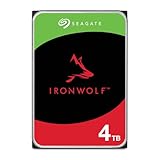
| Seagate IronWolf 4TB | Multi-bay NAS, health monitoring | CMR, SATA 6Gb/s, IronWolf Health Management | $90–$130 |
| Seagate BarraCuda 4TB (3.5″) | Lowest cost desktop storage | 5400 RPM class, SATA 6Gb/s, check recording type | $70–$110 |
| WD My Passport 4TB / Seagate Portable 4TB | Portable backup, console storage | 2.5″ drive, USB 3.x, bus powered | $100–$150 |
Prices are general market ranges and move with supply. Always confirm the exact model number and recording type against the manufacturer’s spec sheet before buying.
Best overall: WD_BLACK 4TB
This is the pick if the drive will live inside a gaming desktop and hold a game library, capture footage or project files. Per WD’s spec sheet, it spins at 7200 RPM, uses CMR recording and carries a 256MB cache. That combination gives it the fastest sustained transfer speeds of any drive here, and typical 7200 RPM 3.5″ drives of this class reach roughly 150–200 MB/s sequentially in published reviews.
Trade-off: it costs noticeably more per terabyte than budget drives, it is audibly louder during seeks, and it draws more power than a 5400 RPM drive. It is also still a hard drive, so it will not shorten load times the way an SSD does.
Best for NAS and always-on backup: WD Red Plus 4TB or Seagate IronWolf 4TB
Both are built for 24/7 operation in small NAS enclosures and both use CMR. NAS drives are tuned for RAID rebuilds and vibration from neighboring drives, which desktop drives are not. The WD Red Plus is usually the quieter and cooler of the two, while the IronWolf adds Seagate’s health-monitoring features that work with Synology and similar NAS software.
Trade-off: neither is faster than a desktop 7200 RPM drive for a single user, and in a two-bay NAS you still need a separate backup, because RAID 1 is not a backup. If you want a longer warranty and higher workload ratings, step up to the Pro-class versions (WD Red Pro, IronWolf Pro) at a higher price.
Best budget: Seagate BarraCuda 4TB
The BarraCuda 3.5″ line is the usual low-cost answer for bulk storage, such as old games, media and downloads. It works as a secondary drive in almost any desktop with a free SATA port and power connector.
Trade-off: some budget 4TB desktop drives, from several brands, use SMR recording. Manufacturers have published CMR/SMR lists for their lines, so check the model number there. SMR is fine for a game library that you fill once and read often. It is a poor fit for RAID or NAS arrays and for repeatedly overwriting large files.
Best portable: WD My Passport 4TB or Seagate Portable 4TB
These 2.5″ USB drives are bus powered, so they need no wall adapter. They suit offline backups, moving a game library between machines and extra console storage. Expect around 100–130 MB/s in typical use, limited by the 2.5″ mechanism rather than the USB port.
Trade-off: 2.5″ 4TB drives are thicker and slower than 3.5″ drives, and most are SMR. They also tolerate drops poorly while spinning. For a permanent desktop install, an internal 3.5″ drive is better value. For a fixed-location backup, a 3.5″ drive in a separate enclosure is cheaper per terabyte.
How to choose: decision matrix
| Your situation | Choose | Why |
|---|---|---|
| Desktop game library, SSD already holds the OS | WD_BLACK 4TB, or a BarraCuda if the budget is tight | Games mostly read data, so capacity and cost matter more than write speed |
| 2–4 bay NAS | WD Red Plus or IronWolf (CMR only) | SMR drives can fail or stall during RAID rebuilds |
| Video capture or editing scratch disk | WD_BLACK 4TB, or better, an SSD | Sustained writes need CMR and high RPM |
| Cold backup you plug in weekly | Portable 4TB or a bare 3.5″ drive in a dock | Low duty cycle, so cost per TB is the priority |
| PS5 or Xbox Series X|S | Portable 4TB over USB 3.x | Good for last-gen games and for archiving current-gen titles (see FAQ) |
| Quiet office or living room PC | 5400 RPM-class NAS drive | Less seek noise and lower power |
Worked numbers: capacity, fill time and running cost
How much will 4TB actually hold?
Drive makers count 1TB as 1,000,000,000,000 bytes, while Windows reports in binary units. So 4,000,000,000,000 ÷ 1,099,511,627,776 ≈ 3.64 TiB, shown as about 3.63TB in File Explorer. Subtract roughly 5% for file-system overhead and a small buffer, and you get about 3.4TB usable. At an average of 80GB per modern game, that is roughly 40 installs. At 150GB per game, which is typical for the largest titles, it is about 22.
How long does it take to fill?
Filling 4TB takes 4,000,000 MB ÷ speed:
- At 180 MB/s (a CMR 7200 RPM drive): about 22,200 seconds, or roughly 6.2 hours.
- At 120 MB/s (a typical 2.5″ portable): about 33,300 seconds, or roughly 9.3 hours.
- At 40 MB/s (an SMR drive after its cache fills): about 100,000 seconds, or roughly 27.8 hours.
The SMR figure is an illustrative worst case, not a measured result for any specific model. It shows why a first full backup can take a day or more on a drive that looks identical on paper.
What does it cost to run?
A 3.5″ drive idling around 5W and running 24 hours a day uses about 5 × 24 × 365 ÷ 1000 ≈ 44 kWh a year. At $0.15 per kWh, that is about $6.60. Power draw is a minor cost, but a four-drive NAS multiplies it by four. Check the idle and active wattage on the spec sheet for your model.
Setup checks before you format
- Use GPT, not MBR. MBR addresses only 2TB, so a 4TB drive initialized as MBR shows up with part of its capacity unusable.
- Confirm the connections. An internal 3.5″ drive needs a SATA data port and a SATA power connector. Some compact cases have only 2.5″ mounts.
- Check the model number. Look up the exact part number against the maker’s CMR/SMR list rather than trusting the product title.
- Look at the warranty. Desktop drives commonly carry two to five years. Longer coverage is a sign of a higher workload rating.
- Keep a second copy. A single drive is not a backup. Follow 3-2-1: three copies, two media types, one off-site.
Is a 4TB hard drive still worth buying over an SSD?
For cost per terabyte, yes. Hard drives are still much cheaper per TB than SSDs at this size, so they make sense for archives, backups and large libraries of rarely played games. For the games you play most, an SSD is a better place to install them, because a hard drive’s sequential speed of about 150–200 MB/s is a fraction of even a budget NVMe drive. A common setup is an NVMe SSD for the OS and current games, with a 4TB hard drive for everything else.
Frequently Asked Questions
What is the difference between CMR and SMR in a 4TB drive?
CMR writes data tracks separately, so random and sustained writes stay consistent. SMR overlaps tracks to fit more data on the platter, which lowers cost but can cause slow rewrites once the drive’s cache fills. SMR is fine for read-mostly storage, but CMR is the safer choice for NAS, RAID and heavy writing.
Can I play games directly from a 4TB hard drive?
Yes, on a PC most games run from a hard drive, but load times are longer and open-world games may stutter while streaming assets. A few modern titles list an SSD as a requirement. Check each game’s official system requirements before moving it to a hard drive.
Will a 4TB external hard drive work with PS5 and Xbox Series X|S?
On PS5, a USB hard drive can store PS5 games but can’t run them, and it can run PS4 games directly. Xbox Series X|S can play Xbox One, Xbox 360 and original Xbox titles from a USB drive, but Series X|S-optimized games need the internal drive or an official expansion card, though they can be archived to USB. Both consoles need a USB 3.0 or faster connection.
Should I buy a NAS drive for a normal gaming PC?
You don’t have to, but it is a reasonable pick if you want a quiet, CMR drive with a long warranty for a secondary disk. NAS drives are tuned for 24/7 use and usually run cooler and quieter than 7200 RPM desktop drives. They are not faster for single-user gaming, and a WD_BLACK is the better pick if speed matters.
How long does a 4TB hard drive last?
Many drives run for five years or more, but failure rates vary by model, temperature and workload, and any drive can fail without warning. Treat the warranty period as a planning guide, and replace the drive when SMART warnings appear. Keep a backup either way.
Why does my new 4TB drive show less than 4TB in Windows?
Windows reports capacity in binary units, so a 4TB drive appears as about 3.63TB. If it shows only about 2TB, the drive was likely initialized as MBR instead of GPT. In Disk Management, back up any data, then convert it to GPT and create a new volume.
Related guides
More from Amazon
Programs that pair well with the guide above. Offers and eligibility are set by Amazon and may change.
A free business account with business pricing and bulk-buying tools for work, shop or home office.
Create a business accountFree shipping on eligible items, Prime Video and more. Eligible new members can start with a free trial.
Start a Prime free trialAudiobooks and podcasts to listen to on the go. Eligible new members can start with a free trial.
Try Audible freeAd-free music streaming. Eligible new subscribers can start with a free trial.
Try Music Unlimited freeAs an Amazon Associate we earn from qualifying purchases.


