The best 10TB hard drive for most people is a CMR NAS-class model such as the WD Red Plus 10TB or Seagate IronWolf 10TB, because both are built for 24/7 use and come with a multi-year warranty. If you run a bigger array or a busy home server, step up to the WD Red Pro or IronWolf Pro. If you only need a cheap bulk game library or backup disk, an external 10TB desktop drive or a single enterprise-class drive can cost less per terabyte. Before buying, compare against 12TB and 16TB models, which often cost less per TB than 10TB in 2026.
As an Amazon Associate we earn from qualifying purchases at no extra cost to you.


Our Top Picks

Top 3 picks at a glance
Quick comparison of the best 10TB hard drive picks
| Pick | Best for | Key specs (per manufacturer spec sheets; verify exact SKU) | Typical price range |
|---|---|---|---|
| WD Red Plus 10TB | Best overall for a home NAS | 3.5-inch, SATA 6Gb/s, CMR, 256MB cache, about 180TB/yr workload rating, 3-year warranty | $200–$300 |
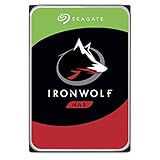
| Seagate IronWolf 10TB | Best alternative, with health-monitoring software | 3.5-inch, SATA, CMR, 256MB cache, about 180TB/yr workload rating, 3-year warranty, IronWolf Health Management on supported NAS | $200–$300 |
| WD Red Pro 10TB | Best for 4+ bays and heavier workloads | 7,200 rpm class, CMR, 256MB cache, about 300TB/yr workload rating, 5-year warranty | $250–$380 |
| Seagate IronWolf Pro 10TB | Best for mixed NAS and creator use | 7,200 rpm, CMR, about 300TB/yr workload rating, 5-year warranty, data recovery service on many SKUs | $250–$380 |
| WD Ultrastar / Seagate Exos 10TB class | Best for lowest cost per TB with a 5-year warranty | Enterprise 7,200 rpm, CMR, 2.0–2.5M-hour MTBF class, louder and hotter | $180–$320 (check seller and warranty) |
| External 10TB desktop drive (WD My Book, Seagate Expansion Desktop) | Best for plug-in backup and a game archive | USB 3.x, AC adapter, 2–3 year warranty, sealed enclosure | $190–$290 |
Availability changes. Some 10TB SKUs are older designs that retailers are clearing out while 12TB and larger take over, so treat the model names above as spec classes and confirm the exact part number before you pay.
Best overall: WD Red Plus 10TB
The Red Plus suits a 2-to-4-bay home NAS that stores backups, media and a shared game library. WD specifies CMR recording on the Red Plus line, which matters for RAID rebuilds and sustained writes. It is tuned for low vibration and moderate noise in small enclosures. The trade-off is the 3-year warranty and roughly 180TB per year workload rating, which is fine for home use but thin for a busy multi-user server.
Best alternative: Seagate IronWolf 10TB
The IronWolf is the closest rival, with similar CMR, cache and warranty specs. Its advantage is IronWolf Health Management, which reports drive condition on supported Synology and QNAP units. The trade-off is that the feature only helps if your NAS supports it. On a plain Windows PC you get a normal 3.5-inch drive, usually with a bit more seek noise than a Red Plus.
Best for bigger arrays: WD Red Pro 10TB and IronWolf Pro 10TB
Both Pro lines run at 7,200 rpm, carry about a 300TB per year workload rating and include 5-year warranties. They fit 8-bay NAS units, video editors with large project archives, and anyone who wants faster sequential reads (manufacturers quote up to the mid-200 MB/s range). The trade-offs are higher power draw, more heat and louder seeks. If your NAS sits on your desk or in a bedroom, the noise matters.
Best value per terabyte: enterprise 10TB drives
Enterprise models such as the WD Ultrastar and Seagate Exos families are often the cheapest way to buy capacity with a 5-year warranty. They are designed for data centers, so expect more noise and heat and no consumer-friendly software. Only buy from sellers that guarantee a manufacturer warranty. Drives sold as OEM, pulled or recertified may have limited coverage or none.
Best for a game library or backup: external 10TB drives
If you want a drive you plug in and forget, an external desktop drive such as a WD My Book or Seagate Expansion Desktop is simple and often priced like a bare drive. It suits cold storage: old Steam installs, capture footage and backups. The trade-offs are that it is not a NAS-rated drive, the warranty is shorter, and shucking it (removing the drive) can void coverage.
How to choose: decision criteria with numbers
1. CMR or SMR
Pick CMR. Shingled recording (SMR) can slow dramatically during long writes and RAID rebuilds. The NAS and enterprise lines above are CMR per their spec sheets, but some cheap desktop or external 10TB drives do not publish the recording type. If it is not listed, ask or choose a different model.
2. Workload rating and warranty
Match the workload rating to your real usage. A 4-bay home NAS that writes 20GB a day moves about 7TB per year, so even a 180TB/yr rating leaves wide headroom. The 5-year warranty on Pro and enterprise drives is the more practical reason to pay extra.
3. Error rate and rebuild exposure
Drive spec sheets list an unrecoverable read error rate. Many consumer desktop drives quote 1 error per 1014 bits, while NAS and enterprise drives often quote 1 per 1015 bits. A full 10TB read is about 8 × 1013 bits. At 1014, that is a statistical expectation of roughly 0.8 errors per full read. At 1015, it is roughly 0.08. This is why the rating matters during a RAID 5 rebuild, when every remaining drive is read end to end. Treat it as a spec-sheet worst-case figure, not a prediction for your drive.
4. Time to fill or rebuild
Hard drive speed falls from the outer to the inner tracks. Assuming an average of 200 MB/s:
- 10TB = 10,000,000 MB, so 10,000,000 ÷ 200 = 50,000 seconds, or about 13.9 hours for a full sequential read or write.
- At a 150 MB/s average (typical of slower or 5,400 rpm class drives), it takes about 18.5 hours.
- Real RAID rebuilds usually run slower because the NAS is still serving files, so plan for a day or more.
5. Capacity you will actually see
Drive makers count decimal terabytes. Windows reports binary units, so a 10TB drive shows as about 9.09TiB (10 × 1012 ÷ 240).
Capacity and cost worked example
| Setup | Raw capacity | Usable (before formatting) | Windows-style readout | Drive loss tolerated |
|---|---|---|---|---|
| 1 drive | 10TB | 10TB | ~9.09TiB | 0 |
| 2 drives, mirror (RAID 1) | 20TB | 10TB | ~9.09TiB | 1 |
| 4 drives, RAID 5 | 40TB | 30TB | ~27.3TiB | 1 |
| 4 drives, RAID 6 / RAID 10 | 40TB | 20TB | ~18.2TiB | 2 (RAID 6) / 1–2 (RAID 10) |
Running cost: NAS drives typically list roughly 4–6W idle and 6–9W active. Four drives averaging 6W run 24W, which is 24 × 8,760 hours = about 210kWh per year. At $0.17 per kWh, that is about $36 per year, or roughly $9 per drive. Over a 5-year life, power adds about $45 per drive, which is meaningful next to a $200–$300 purchase price. Add this to your cost-per-TB math.
Cost per TB: a $240 10TB drive is $24 per TB. If a 16TB drive sells for $300, that is under $19 per TB, which is why larger capacities often beat 10TB on value. Choose 10TB when you already own matching drives, need to replace one in an existing array, or the price is genuinely lower.
Which 10TB drive fits your situation?
| Your situation | Choose | Reason |
|---|---|---|
| 2–4 bay home NAS, media and backups | WD Red Plus or IronWolf 10TB | CMR, low vibration, enough workload rating |
| 6–8 bay NAS or heavy editing | Red Pro or IronWolf Pro 10TB | Higher workload rating, 5-year warranty |
| Cheapest bulk storage, quiet room not required | Enterprise 10TB class | Low cost per TB and strong warranty if bought new |
| Single PC, cold game library | External 10TB or a desktop-class internal drive | Simple, but check CMR and warranty |
| Games you play daily | NVMe SSD, with the HDD as an archive | Hard drives are slow for load times and random reads |
| Replacing a failed drive in an existing array | Same capacity and CMR type | Avoid mixing SMR into a CMR array |
Compatibility and setup checks
- Interface: most 10TB drives use SATA 6Gb/s on a standard 3.5-inch bay. Enterprise SAS versions need a SAS controller.
- Power and airflow: a 3.5-inch drive needs a SATA power cable and a case bay or NAS tray. Keep drive temperatures under about 45°C for longevity, with cool airflow over the drive bays.
- Backup rule: RAID is not a backup. Keep a second copy on another device or offsite.
- Game library use: install games you play often on an SSD. Use the 10TB drive for archived installs, screen recordings and downloads.
Frequently Asked Questions
Is 10TB a good size for a hard drive in 2026?
It works, but it is no longer the value sweet spot. Larger drives such as 12TB, 16TB and above often cost less per terabyte. 10TB makes sense if you are matching an existing array, upgrading gradually, or finding a good deal.
Should I buy a NAS drive or a desktop drive?
Choose a NAS drive if the disk will run all day or sit in a RAID array. NAS models are designed for continuous use, lower vibration and longer warranties. A desktop-class or external drive is fine for occasional backups or a single-PC archive.
Is it safe to buy refurbished or recertified 10TB drives?
It can be a decent way to save money, but warranty terms vary widely. Only buy from sellers that state the warranty length in writing and let you check SMART data on arrival. Run a full surface test and keep a backup, because used drives may have significant hours on them.
Can I use a 10TB hard drive for gaming?
Yes, for installing and storing games, but it will load slower than an SSD. Many games also stream assets during play, which can cause stutter on a hard drive. Use an NVMe SSD for current games and the 10TB drive for older titles and archives.
How long does a 10TB hard drive last?
Many last five years or more with proper cooling, but lifespan varies by drive, workload and luck. The warranty length is a rough guide to the manufacturer’s confidence, and SMART monitoring can warn you of trouble. Regardless of age, keep a second copy of anything important.
Why does my 10TB drive show as 9.09TB?
Manufacturers count 1TB as 1,000,000,000,000 bytes, but Windows displays binary units, where 1TiB is 1,099,511,627,776 bytes. That makes 10TB about 9.09TiB. Nothing is missing, and formatting overhead takes only a small additional amount.
Related guides
More from Amazon
Programs that pair well with the guide above. Offers and eligibility are set by Amazon and may change.
A free business account with business pricing and bulk-buying tools for work, shop or home office.
Create a business accountFree shipping on eligible items, Prime Video and more. Eligible new members can start with a free trial.
Start a Prime free trialAudiobooks and podcasts to listen to on the go. Eligible new members can start with a free trial.
Try Audible freeAd-free music streaming. Eligible new subscribers can start with a free trial.
Try Music Unlimited freeAs an Amazon Associate we earn from qualifying purchases.


