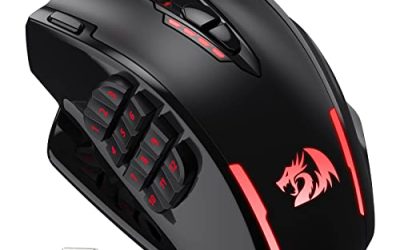
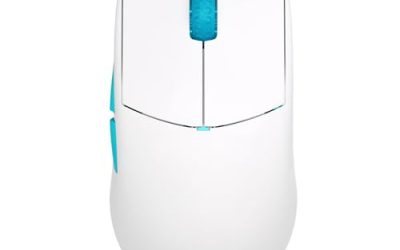
Your mouse grip decides more than comfort. The way your hand sits on the mouse controls how you aim, how quickly you can flick, and how tired your wrist feels after a long session. Palm, claw and fingertip grips each move the aiming work to a different part of your arm, and none of them is best for everyone. The right choice depends on your hand size, the shape of your mouse and the games you play most, so picking deliberately beats copying a streamer.
This guide walks through how to choose between the three grips instead of guessing. You will learn how to measure your hand, how mouse length and hump position favour one grip over another, and how wrist, arm and finger aiming change what each grip does well. It also covers what to expect if you switch, including the awkward adjustment period, so you can settle on a grip that fits your hand, your mouse and your games.
As an Amazon Associate we earn from qualifying purchases
How to Choose
Start With Your Hand Size
Measure your hand before judging any grip. Run a tape from the crease of your wrist to the tip of your middle finger for length, then across your knuckles for width. Hands under roughly seventeen centimetres long usually suit fingertip or claw grips on shorter mice, because a full palm contact needs shell length that is not there. Hands over twenty centimetres can spread across a long mouse and relax into palm grip. Medium hands have the widest choice, which is exactly why they need the other factors below to narrow it down. Two players using the same mouse can need different grips purely because one hand is two centimetres longer than the other.
Match the Grip to the Mouse Shape
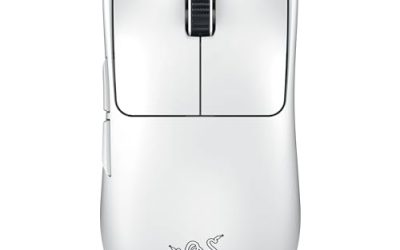
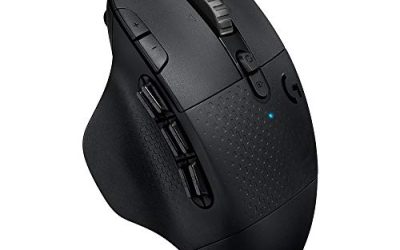
A grip only works when the shell supports it. Palm grip needs a hump that fills the centre of your hand, ideally peaking towards the rear so your fingers can lie flat and relaxed. Claw grip works best with a hump that meets your palm near the base of your fingers while the back of the mouse drops away, letting your fingertips curl onto the buttons. Fingertip grip asks for a short, low mouse with minimal rear contact, since your palm should hover clear of the shell entirely. Fighting the shape with the wrong grip causes strain fast. Width matters too: a narrow shell invites curled fingers, while a wide one spreads them flat whether you want that or not.
Know How You Aim
Each grip hands the aiming work to different muscles. Wrist aimers pivot from a planted forearm and make small, fast movements, which suits claw and fingertip grips that keep the wrist free. Arm aimers sweep from the shoulder at low sensitivity and value the stable, planted contact of palm grip, or a relaxed claw that still glides smoothly. Fingertip aimers add a third layer, nudging the mouse with their fingers for tiny corrections on top of wrist or arm movement. Notice which muscles you actually use in game, then pick the grip that supports them. Most players blend all three sources, but one dominates, and that dominant source is the clearest signal when choosing between the grips.
Factor In Games and Session Length
Your playlist should have a vote. Slow, methodical shooters reward a repeatable grip that returns to the same position every round, which favours palm or relaxed claw. Fast, vertical games reward fingertip mobility and quick direction changes. Session length matters just as much: fingertip and aggressive claw grips load small muscles in your fingers and forearm, so they can feel sharp for an hour yet tiring across an evening. If you regularly play for three hours or more, weight comfort heavily and treat raw flick speed as a secondary concern. Context counts as well: the grip that wins a short tournament run may be the wrong choice for nightly ranked sessions at home.
Which One Fits Your Situation
You Play Tactical Shooters at Low Sensitivity
Choose palm grip, or a relaxed claw if your mouse is shorter. Arm aiming at low sensitivity needs a grip that stays planted through long sweeps and settles back into the same spot for repeatable crosshair placement. Full palm contact spreads the mouse’s weight across your whole hand, so holding angles for a full round stays comfortable and your aim does not drift as fatigue builds. Avoid fingertip here; its looseness works against the consistency you want to build.
You Play Fast, Flick-Heavy Games
Choose fingertip grip if your hand and mouse allow it, or an active claw on a shorter shell. These grips free your fingers to start, stop and redirect the mouse quickly, which suits tracking airborne targets and snapping between close-range threats. The trade-off is stability: micro corrections come from your fingers alone, so expect a shakier feel until the smaller muscles adapt to doing that work. Keep your sensitivity moderate, so finger movement alone can cover the smaller angles.
You Have Large Hands and Play Long Sessions
Choose palm grip on a long mouse. A full-contact grip spreads pressure across your palm instead of concentrating it on curled fingertips, which delays the ache that builds during marathon sessions. Make sure the shell is long enough that your fingers rest on the buttons rather than hanging past them, and wide enough that your ring finger and pinky are not pinched against the side. A mouse that is too short will push you into a cramped claw by default.
You Use One Mouse for Work and Gaming
Choose a relaxed claw, the natural middle ground. Your palm rests lightly near the back of the mouse while your fingers stay slightly curved, so the grip feels precise enough for shooters yet relaxed enough for spreadsheets and browsing between matches. It also asks the least of your mouse: most mid-sized shapes support a relaxed claw without forcing your hand into an extreme posture at either end. It is the easiest grip to return to after a break from gaming.
Common Mistakes
- Copying a professional player’s grip without matching their setup. A grip that looks ideal on stream is built around that player’s hand size, mouse shape and sensitivity. A large-handed player forcing the fingertip grip of a small-handed professional ends up cramped, unstable and sore. Treat pro grips as a starting reference only, then adjust for your own measurements, your own shell and your own games before deciding the grip itself is at fault. Hand size alone can flip the right answer completely, even between players using identical mice, identical sensitivity settings and identical in-game roles.
- Forcing fingertip grip on a mouse that is too long or too heavy for it. Fingertip control depends on starting and stopping the mouse with your fingers alone, so extra length pushes against your palm and extra weight turns every stop into overshoot. If the back of the mouse keeps brushing your palm, the shell is making the decision for you, and no amount of practice will make that pairing feel precise. The honest fix is either a shorter, lighter mouse that suits fingertip control, or a different grip that suits the mouse you already own.
- Gripping the mouse as tightly as possible. A death grip locks your wrist, loads your forearm and makes small corrections jerky, whatever style you choose. Each grip should involve light, deliberate contact: enough pressure to control the mouse, never enough to whiten your knuckles. If your hand aches after short sessions, loosen your hold and check your posture before blaming the grip style itself. Tension also creeps in unnoticed during tense rounds, so build the habit of relaxing your hand between rounds until a light hold becomes automatic.
- Changing your grip and your sensitivity at the same time. A new grip changes how far your hand naturally travels, so it already alters your effective aim. If you also raise or lower sensitivity in the same week, you cannot tell which change helped or hurt, and most players abandon a workable grip because the combined change felt wrong. Hold sensitivity steady for at least a week while the grip settles, then tune. The same rule applies to mousepads and skates: change one variable at a time, or you are guessing instead of learning what your aim actually needs.
- Judging a new grip after a single evening. Every switch feels worse before it feels better, because years of muscle memory are wired to the old hand position. Micro aim usually returns within a few days, while full confidence in flicks can take two weeks. Quitting on day one tells you nothing except that change feels strange. Commit to a fair trial, track how your aim feels across several sessions, and only then decide whether to stay or switch back. Note your comfort as well as your scores, because a grip that performs well but hurts is not a grip you can keep.
Frequently Asked Questions
Which mouse grip is the most accurate for shooters?
No grip is inherently the most accurate, because accuracy comes from repeatable muscle movement rather than hand position alone. Palm grip offers the steadiest base for arm aiming, claw adds faster stops and starts, and fingertip gives the finest micro corrections. The most accurate grip for you is the one your hand can hold identically, round after round, without tension creeping in. Consistency beats style every single time.
How long does it take to get used to a new grip?
Expect the first two or three sessions to feel clumsy, with basic tracking returning within a few days of regular play. Flick confidence and fine corrections usually take one to two weeks to feel natural. Practising in short, frequent sessions speeds the process up, because your muscles relearn the position faster than they do in one long weekly session. Short daily aim routines make the transition noticeably smoother.
Can the wrong grip cause hand or wrist pain?
Yes. A grip that fights your hand size or your mouse’s shape forces your fingers, wrist or forearm to work at awkward angles, and that strain builds quietly across long sessions. Tingling, aching knuckles or a sore forearm are signals to reassess your grip, your mouse size and your desk posture together, rather than pushing through and hoping your hand adapts. Persistent pain deserves medical advice, not a new mouse.
Should I change my grip or my mouse first?
Change your grip first, because it costs nothing and tells you what your hand actually wants. Spend a week each on the grips your current mouse can support, note where contact feels natural, and only then consider new hardware. If every grip feels compromised, the shell is the problem, and your trial notes will point you towards the right size and hump position. Let your hand choose the hardware.
Related guides
More from Amazon
Programs that pair well with the guide above. Offers and eligibility are set by Amazon and may change.
A free business account with business pricing and bulk-buying tools for work, shop or home office.
Create a business accountFree shipping on eligible items, Prime Video and more. Eligible new members can start with a free trial.
Start a Prime free trialAudiobooks and podcasts to listen to on the go. Eligible new members can start with a free trial.
Try Audible freeAd-free music streaming. Eligible new subscribers can start with a free trial.
Try Music Unlimited freeAs an Amazon Associate we earn from qualifying purchases.